

AI staff scheduling for small business owners solves the weekly headache nobody warns you about when your team grows past five people: the roster. One no-show, one double-booked shift, one overtime surprise — and your whole week unravels. Until recently, only large employers could afford workforce-management software that handled all of this. In 2026, affordable AI staff scheduling for small business brings the same capability to a café, a salon, or a retail shop — building rosters automatically, flagging overtime before it happens, and letting staff swap shifts from their phones.
In this guide you will compare the 7 best AI staff scheduling tools for small business in 2026, see a worked example of a restaurant that cut scheduling from 5 hours to 30 minutes a week, and follow a 5-step setup walkthrough you can finish in one afternoon.
Table of Contents
- What Are AI Staff Scheduling Tools for Small Business?
- Why Bad Rosters Cost Small Businesses Real Money
- How AI Staff Scheduling for Small Business Works
- The 7 Best AI Staff Scheduling Tools for Small Business in 2026
- Comparison Table: The 7 Tools at a Glance
- Worked Example: How a 14-Person Restaurant Cut Scheduling to 30 Minutes
- 5-Step Walkthrough: Set Up AI Staff Scheduling for Small Business
- 5 Mistakes That Wreck AI Scheduling Setups
- Frequently Asked Questions
- Key Takeaways
🗓️ What Are AI Staff Scheduling Tools for Small Business?
AI staff scheduling for small business is software that builds your weekly roster for you — matching staff availability, skills, labour budgets, and demand forecasts, then publishing the schedule to everyone’s phone. Instead of a whiteboard, a group chat, and a spreadsheet, the tool holds one live roster that updates itself when someone swaps a shift or calls in sick.
The “AI” part is what separates these tools from a shared calendar. A calendar shows you the shifts. An AI scheduling engine predicts and prevents problems:
- Demand forecasting — it studies past sales, bookings, and foot traffic to predict how many staff each shift actually needs, so you stop overstaffing quiet Tuesdays and understaffing busy Saturdays.
- Overtime alerts — it warns you the moment a proposed roster pushes someone past overtime thresholds, before the schedule is published.
- Availability matching — it only offers shifts to people who are actually free, qualified, and under their contracted hours.
- Auto-fill and swaps — it suggests the best replacement when someone calls in sick, and lets staff swap shifts with manager approval in the app.
For a small business, the output is deliberately simple: a roster you review and approve in minutes, staff who always know when they work, and a labour-cost forecast for every week. This kind of AI staff scheduling for small business is built for owners, not HR departments.
💸 Why Bad Rosters Cost Small Businesses Real Money
A bad roster is the most underestimated money leak in a small business with hourly staff. Industry surveys consistently find that managers spend 4–5 hours building each weekly schedule by hand — and then spend more hours fixing it when plans change. Over a year, that is more than 200 hours: five full working weeks spent on rosters instead of customers.
The money cost is worse than the time cost. Overstaffing a quiet shift wastes wages; understaffing a busy one loses sales and burns out your best people. Unplanned overtime is the silent killer — a few extra hours each week across a team of ten can add thousands of dollars a year to your wage bill, and overtime rules vary by jurisdiction. The U.S. Department of Labor’s Fair Labor Standards Act (FLSA) guidance sets the federal overtime rules every scheduler should know before publishing a roster.
Three numbers make the case for AI staff scheduling for small business in 2026. First, labour costs fall — demand-based rosters typically cut overstaffing by 10–15% without hurting service. Second, overtime shrinks — automatic alerts catch the extra hours before the roster is published, not on payday. Third, time is returned — owners report cutting scheduling from 4–5 hours a week to under 30 minutes once the system is set up.

A roster built on guesswork is a wage bill built on guesswork — forecasting fixes both.
⚙️ How AI Staff Scheduling for Small Business Works
Behind the friendly app, AI staff scheduling for small business runs a four-stage pipeline. Understanding it helps you pick the right tool and trust (but verify) its rosters.
Step 1: Learn your patterns. The tool imports your sales, bookings, or foot-traffic history and learns when you are busy — the Friday lunch rush, the pre-holiday spike, the quiet Monday. It also learns each employee’s availability, skills, contracted hours, and pay rate.
Step 2: Draft the roster. The AI staff scheduling for small business engine builds a proposed schedule that covers predicted demand at the lowest labour cost, respecting availability, skill requirements, rest rules, and overtime limits. Anything it cannot resolve cleanly is flagged for you.
Step 3: Publish and notify. With your approval, the roster goes out to every employee’s phone instantly. Staff confirm, request swaps, or flag problems in the app — no group-chat chaos, no “I didn’t see the message.”
Step 4: Adapt and report. When someone calls in sick, the tool suggests the best replacement in seconds. Each week it reports what labour actually cost versus forecast, so your rosters get sharper over time. If you are new to AI in your back office, the step-by-step AI tutorials on AIToolSteps walk through the same automation ideas tool by tool, so you can see how scheduling fits into a wider AI workflow.
🏆 The 7 Best AI Staff Scheduling Tools for Small Business in 2026
The AI staff scheduling for small business tools below were judged on the same four tests: how much of the roster it truly automates, whether it forecasts demand (not just displays shifts), how it handles swaps and time-off, and what it costs a business with 5–20 hourly staff. Prices are starting prices — confirm the current plan on the vendor’s site before you buy.
1. 7shifts — Best All-Round AI Staff Scheduling for Small Business
7shifts is built for restaurants and cafés, and it shows. Its AI forecasts demand from your sales data, builds rosters that respect availability and labour targets, and flags overtime before you publish. Staff swap shifts in the app with manager approval, and the built-in team chat replaces the group chat. From around $40/month. Best for: restaurants, cafés, and bars with 5–50 hourly staff.
2. Deputy — Best for Demand Forecasting and Compliance
Deputy pairs strong AI scheduling with compliance guardrails: it tracks overtime, breaks, and rest-period rules across jurisdictions and warns you before a roster breaks one. Its demand forecasting uses your sales history, and the scheduling assistant can auto-fill a whole week in one click. From around $4.50 per user per month. Best for: businesses in regulated industries or with staff across multiple locations.
3. Homebase — Best Free Start for Very Small Teams
Homebase is the easiest way to start: a genuinely free plan covers scheduling, time clocks, and team messaging for one location. Its AI suggests shifts based on past patterns and flags scheduling conflicts automatically. Paid plans add hiring and HR tools. From free, with paid plans from around $20/month. Best for: cafés, salons, and shops with under 15 staff that want to start free.
4. When I Work — Best for Fast Shift Swaps and Cover
When I Work is built around one idea: no shift should ever go uncovered. Staff request time off and swap shifts in the app, managers approve with one tap, and the AI suggests the best available replacement when someone calls in sick. Open-shift bidding lets staff pick up extra hours themselves. From around $2.50 per user per month. Best for: teams with frequent swaps, students, and part-timers.
5. Connecteam — Best for Deskless Teams Beyond Hospitality
Connecteam is an all-in-one app for deskless workers — scheduling, time tracking, forms, training, and chat in one place. Its AI scheduler builds rosters from availability and demand, and the mobile app works well for cleaners, field teams, and retail staff who never sit at a desk. From around $29/month. Best for: cleaning, security, field service, and retail teams.
6. Sling — Best Budget AI Staff Scheduling for Small Business
Sling keeps it simple and cheap: drag-and-drop rosters, AI conflict alerts, overtime warnings, and a free plan for smaller teams. It integrates with payroll tools and lets staff clock in from the app. Paid plans start around $2 per user per month. Best for: cost-conscious owners who want solid automation without a feature maze.
7. ZoomShift — Best for Multi-Location Small Businesses
ZoomShift is built for businesses with more than one site. Its AI scheduler balances staff across locations, tracks labour costs per site, and gives managers a single dashboard for every roster. Shift templates make it easy to repeat a good week. From around $2 per user per month. Best for: small chains, franchises, and businesses with 2–5 locations.
📊 Comparison Table: The 7 Tools at a Glance
| Tool | Best For | Starting Price* | Demand Forecasting | Shift Swaps in App |
|---|---|---|---|---|
| 7shifts | All-round hospitality | ~$40/mo | Yes | Yes |
| Deputy | Forecasting + compliance | ~$4.50/user/mo | Yes | Yes |
| Homebase | Free start, small teams | Free | Yes | Yes |
| When I Work | Fast swaps and cover | ~$2.50/user/mo | Yes | Core strength |
| Connecteam | Deskless teams | ~$29/mo | Yes | Yes |
| Sling | Budget simplicity | ~$2/user/mo | Yes | Yes |
| ZoomShift | Multi-location | ~$2/user/mo | Yes | Yes |
Use this table to shortlist the AI staff scheduling for small business tools that fit your team size and budget, then read the full reviews above before you decide.
*Starting prices at the time of writing; confirm current pricing on each vendor’s website before purchasing.
🍽️ Worked Example: How a 14-Person Restaurant Cut Scheduling to 30 Minutes
The business: “Spice Route,” a neighbourhood restaurant with 14 staff — 8 servers, 4 kitchen staff, and 2 hosts. Before switching, the manager built the roster every Sunday night: checking availability in a group chat, copying last week’s spreadsheet, and guessing how busy the week would be. Each week took about 5 hours, and the guesses were wrong often — overstaffed quiet Tuesdays, understaffed Friday dinners, and roughly $400 a month in unplanned overtime.
The switch: The manager chose 7shifts — the best-known AI staff scheduling for small business platform in hospitality — because the restaurant already used a compatible POS. Setup took one afternoon: importing the 14 staff records, connecting POS sales history, and entering availability and pay rates. On the first AI-drafted roster, the tool flagged two problems — a Saturday dinner shift that was understaffed by two servers against the sales forecast, and a cook who would have crossed into overtime on Thursday. Both were fixed before publishing, and the manager reviewed the roster in 30 minutes.
The result after three months: Scheduling time fell from 5 hours to 30 minutes a week — a 90% saving, worth roughly 4.5 hours of manager time every week. Unplanned overtime dropped by about 70%, and no-show chaos fell because staff could swap shifts in the app instead of texting the group chat. The lesson: the win is not the software, it is the forecast that staffs the busy shift correctly before the night starts — the exact job AI staff scheduling for small business is built for.

A forecast-based roster staffs the busy shift right — before the night starts.
🪜 5-Step Walkthrough: Set Up AI Staff Scheduling for Small Business
Step 1: Gather your people data (30 minutes). Collect every employee’s availability, skills, contracted hours, and pay rate. Stale availability is the number-one cause of bad first rosters — confirm it with each person before you open the tool.
Step 2: Pick your tool (20 minutes). Match your situation to the AI staff scheduling for small business tools above: restaurants → 7shifts; compliance-heavy → Deputy; want to start free → Homebase; frequent swaps → When I Work; multiple sites → ZoomShift. Run the free trial with your real roster, not the sample data.
Step 3: Connect your data sources (30 minutes). Link your POS or booking system so the AI can learn your demand patterns, and your payroll tool so labour costs flow through. Publish one test week and compare it with your old roster — this is your safety net.
Step 4: Set the automation rules (20 minutes). Turn on overtime alerts, rest-period rules, and swap approvals. Set a roster publish deadline two days before the week starts so staff always have notice — most AI staff scheduling for small business platforms let you automate the publish and the reminders.
Step 5: Run parallel for one week. Run the new tool alongside your old method for exactly one week, compare every shift, then switch fully. If the rosters match, you are done — and the next week takes 30 minutes.
For the wider picture — how your AI staff scheduling for small business connects to the rest of your back office — see our complete guide to AI tools for small business, plus the companion playbooks on AI appointment scheduling for small business and AI data entry automation for small business, which together cover the whole operations stack.
⚠️ 5 Mistakes That Wreck AI Scheduling Setups
Even the best AI staff scheduling for small business tools fail when the setup is rushed. These five mistakes cause most of the problems owners report in their first month.
1. Importing stale availability. Out-of-date availability becomes wrong rosters and angry staff. Confirm every person’s hours and days off before the first AI draft.
2. Ignoring the demand forecast. Overriding the forecast with “how we always did it” throws away the tool’s main advantage. Trust the data for one month, then judge it.
3. Skipping the parallel week. Switching cold without one comparison week means any setup error hits real shifts. One parallel week costs an hour; one understaffed Saturday costs sales.
4. Publishing rosters too late. Staff need notice. Set a fixed publish day and stick to it — late rosters are the fastest way to lose good people, however good your AI staff scheduling for small business software is.
5. Choosing on price alone. The cheapest tool that cannot forecast demand is just a digital whiteboard. Confirm forecasting and overtime alerts are included before you commit.
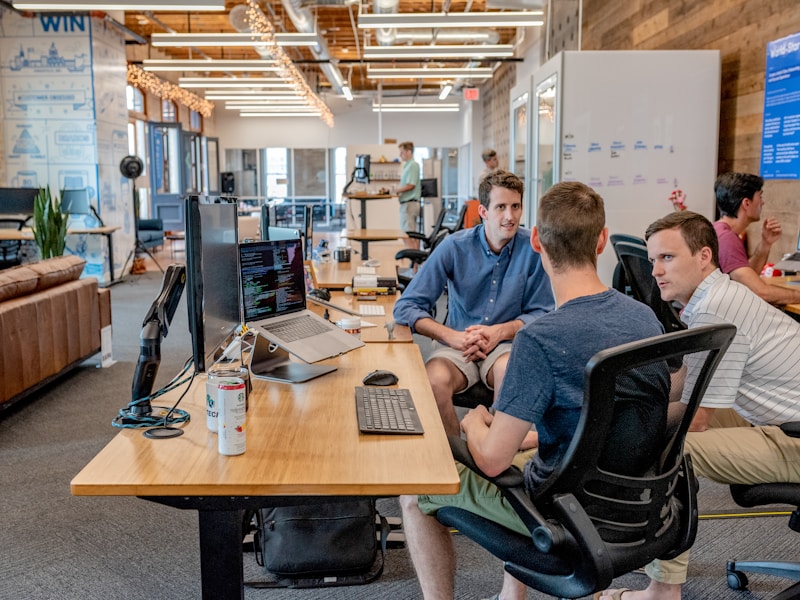
On-time rosters are the fastest way to keep a good hourly team.
❓ Frequently Asked Questions
Are AI staff scheduling tools for small business hard to set up?
No — most AI staff scheduling for small business platforms take an afternoon to set up: import staff, enter availability, connect your POS or booking system, and publish your first AI-drafted roster. The parallel-week check in the walkthrough above is your safety net.
How much do AI staff scheduling tools for small business cost?
Most tools here start free or at $2–$4.50 per user per month, so a 15-person team typically pays $30–$70 per month. Compare that with 4–5 hours of manager time per week and hundreds of dollars a month in unplanned overtime — most businesses break even in the first week.
Can AI staff scheduling tools for small business handle shift swaps?
Yes. All seven tools let staff request swaps in the app, and managers approve with one tap. When I Work and 7shifts are the strongest here — open-shift bidding and AI-suggested replacements mean a sick call rarely leaves a shift uncovered.
Will AI staff scheduling tools for small business stop overtime?
They cannot stop it entirely, but AI staff scheduling for small business catches it before it happens: the AI flags any roster that pushes someone past overtime thresholds before you publish, so you can rebalance the week instead of paying for the surprise.
✅ Key Takeaways
- AI staff scheduling for small business turns a 4–5 hour weekly roster into a 30-minute review, with demand forecasting built in.
- The real value is the forecast: staffing the busy shift correctly and catching overtime before the roster is published.
- 7shifts is the best all-rounder for hospitality, Deputy wins on compliance, and Homebase is the best free start for small teams.
- Always run one parallel week before switching fully, and publish rosters on a fixed day so staff always have notice.
- Scheduling is the foundation of the AI operations stack — pair it with AI appointment scheduling and AI data entry automation to automate the whole back office.
Sources note: Scheduling time and labour-cost figures are drawn from widely reported small business workforce surveys and U.S. Department of Labor guidance on overtime rules; tool pricing is starting pricing listed on vendor websites at the time of writing and should be confirmed before purchase. This article is general business information, not legal advice — consult a qualified professional for your specific situation.