

Every missed appointment is money walking out the door. For a small business, a single no-show can wipe out the profit from an entire morning. Yet most small businesses still book appointments the hard way — phone tag, sticky notes, double-booked calendars, and a receptionist juggling three conversations at once. AI appointment scheduling for small business changes that equation completely: it lets customers book themselves in seconds, sends reminders automatically, reschedules intelligently, and keeps your calendar full while you do the actual work.
In this guide, you’ll discover exactly how AI appointment scheduling for small business works, which AI booking tools are worth your money in 2026, what they cost, how to set one up in a single weekend, and what return on investment to expect.
📋 Table of Contents
- What Is AI Appointment Scheduling?
- The Real Cost of Manual Booking for Small Businesses
- How AI Appointment Scheduling for Small Business Actually Works
- The 6 Best AI Appointment Scheduling Tools for Small Business in 2026
- Step-by-Step: Launch AI Scheduling in One Weekend
- 💡 Worked Example: How a Barbershop Cut No-Shows from 18% to 6%
- What AI Booking Software Costs in 2026
- 5 Common Pitfalls (and How to Avoid Them)
- How AI Scheduling Pairs with Other AI Tools
- Key Takeaways
- Frequently Asked Questions
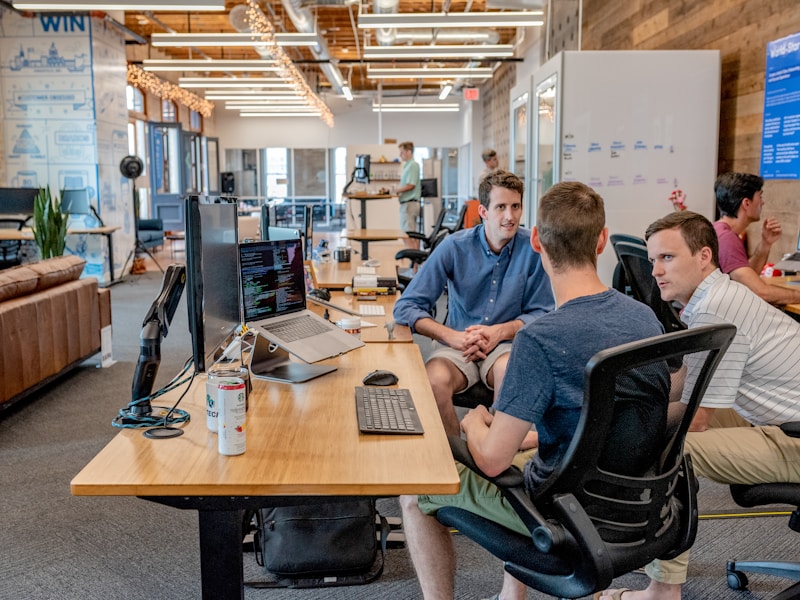
A modern AI booking dashboard: customers book themselves while the business stays focused on service.
📋 What Is AI Appointment Scheduling?
AI appointment scheduling is software that handles the entire booking conversation for you — it reads your real-time availability, offers customers open slots through a website widget, chat, text message, or email, confirms the booking, sends smart reminders, and automatically reschedules when plans change. Unlike a basic “book now” form, an AI scheduling assistant understands natural language (“Can I come Thursday afternoon instead?”), respects buffer times between appointments, accounts for different service durations, and even predicts no-shows based on customer behavior patterns.
A traditional online calendar shows empty slots. AI appointment scheduling for small business actively manages those slots: it fills gaps, prioritizes high-value bookings, routes VIP clients to preferred staff, and follows up with customers who started booking but never finished. It’s like hiring a front-desk assistant who never sleeps, never forgets, and costs a fraction of a part-time hire.
The Real Cost of Manual Booking for Small Businesses
Before comparing tools, let’s put numbers on the problem. Manual scheduling leaks revenue in at least four ways:
- No-shows and late cancellations. Service businesses routinely report no-show rates of 10–20%. At an average ticket of $50, a salon with 5 no-shows a week loses over $13,000 a year — pure lost revenue with zero cost recovery.
- Phone tag. Every back-and-forth call costs staff time and customer patience. Studies of service businesses suggest staff can spend up to 5 hours a week just arranging appointments.
- After-hours bookings lost. Roughly a third of online bookings happen outside business hours. If your only option is “call us,” those customers book with a competitor instead.
- Double bookings and errors. A shared paper diary or spreadsheet invites mistakes that damage your reputation — and review sites remember.
This is exactly why automated scheduling software pays for itself so fast. The best AI tools attack all four problems at once: 24/7 self-service booking, automatic reminders that cut no-shows, and a single source of truth for your calendar.
How AI Appointment Scheduling for Small Business Actually Works
Under the hood, AI appointment scheduling for small business combines three technologies:
- Natural-language understanding. Customers can book in plain English via chat, SMS, or email — “Move my haircut to Friday morning” — and the AI interprets intent, finds a matching slot, and confirms, no staff involved.
- Calendar intelligence. The system syncs with Google Calendar, Outlook, or your business software, applies your rules (buffer times, working hours, service durations, staff skills), and only offers slots that genuinely work.
- Predictive follow-up. The AI learns which customers are likely to no-show and escalates reminders — a confirmation text, then an email, then an optional deposit request — while sending a single polite reminder to reliable regulars.

AI scheduling tools free staff from phone tag so they can focus on the customer in front of them.
🤖 The 6 Best AI Appointment Scheduling Tools for Small Business in 2026
Not every “AI scheduler” is equal. We compared the leading AI booking software options on the features that matter most to small businesses: AI capabilities, integrations, pricing, and ease of setup. Here is the shortlist for 2026:
| Tool | Best For | Standout AI Feature | Starting Price |
|---|---|---|---|
| Calendly | General small business | AI routing rules + meeting summarization | Free; paid from $10/user/mo |
| Motion | Busy owners with packed calendars | AI auto-scheduling that rearranges your day | $19/user/mo |
| Reclaim.ai | Google Workspace users | Smart habits + automatic focus-time protection | Free; paid from $8/user/mo |
| SimplyBook.me | Salons, clinics, studios | AI review requests + client intake forms | Free; paid from $8.25/mo |
| Square Appointments | Retailers already on Square | AI no-show prediction + POS integration | Free for individuals; $29/mo+ teams |
| Bookafy | Video-call businesses | AI video-call booking + instant reminders | Free; paid from $9/mo |
A few notes on choosing:
- Start with your calendar. If your whole team lives in Google Calendar, Reclaim.ai or Calendly will feel native. Outlook shops should shortlist Calendly or Bookafy.
- Match the AI to your pain. If no-shows are your biggest leak, prioritize predictive reminders (Square Appointments, SimplyBook.me). If your day is chaos, prioritize auto-scheduling (Motion, Reclaim.ai).
- Check the integrations. The best AI appointment scheduling tools for small business plug into your CRM, payment processor, and email marketing — so a booked appointment triggers deposits, follow-ups, and review requests automatically. Tools like Calendly publish large integration libraries you can browse before committing.
- Use the free tier first. Every tool above offers a free plan or trial. Run your real booking flow through it for two weeks before paying.
Step-by-Step: Launch AI Scheduling in One Weekend
You don’t need a consultant to deploy AI appointment scheduling for small business. Here is the exact 5-step rollout we recommend:
- Map your services (1 hour). List every bookable service, its duration, buffer time, price, and which staff can deliver it. This is the data your AI scheduler needs.
- Connect your calendars (30 minutes). Sync Google Calendar or Outlook and define working hours, holidays, and “do not book” blocks. The AI only offers slots that respect all of them.
- Configure reminders (1 hour). Set a three-touch sequence: instant confirmation, a 24-hour reminder with a reschedule link, and a 2-hour day-of nudge. Add a deposit or card-hold requirement for first-time customers — it cuts no-shows dramatically.
- Embed booking everywhere (1 hour). Add the booking link to your website header, Google Business Profile, Instagram bio, email signature, and SMS confirmations. If customers can’t find the link, the AI can’t fill your calendar.
- Test like a customer (1 hour). Book, reschedule, and cancel a test appointment on your phone. Fix anything confusing before going live. Then announce the new booking link to your existing customers with a short email or text blast.
New to AI tools in general? These step-by-step AI tutorials walk through popular AI platforms from account setup to first workflow, so your team can get comfortable before you automate anything customer-facing.
💡 Worked Example: How a Barbershop Cut No-Shows from 18% to 6%
Let’s make this concrete. “Sharp Fade,” a fictional 3-chair barbershop in Lahore, was losing roughly Rs 45,000 a month to no-shows — about 18% of bookings never arrived, and staff spent 6 hours a week on booking calls.
What they did: they deployed an AI appointment scheduler on a Friday evening. Services (fade, beard trim, full package) were mapped with 10-minute buffers. The booking link went on their Instagram bio and Google Business Profile the same night. Reminders: instant confirmation via SMS, a 24-hour reminder with a one-tap reschedule button, and a card-hold requirement for first-time customers.
The numbers after 60 days:
- No-show rate: 18% → 6% (reminder sequence + card holds did the heavy lifting)
- Staff time on booking calls: 6 hrs/week → under 1 hr/week
- After-hours bookings captured: 31% of all bookings — customers booking at 11 pm who previously would have bounced
- Monthly cost of the tool: roughly $15; monthly revenue recovered: roughly $400+ equivalent
The pattern repeats across industries — dental clinics, repair shops, consulting practices. The AI doesn’t need to be clever; it just needs to be consistent.

Automated scheduling software turns your laptop into a 24/7 receptionist.
What AI Booking Software Costs in 2026
Pricing for AI appointment scheduling tools is refreshingly honest. Here’s what small businesses actually pay:
- Free tiers ($0): Calendly, Reclaim.ai, and Bookafy all offer genuinely usable free plans — one calendar, basic reminders, unlimited meetings. Enough for a solo freelancer.
- Solo/starter ($8–$20/month): the sweet spot for most small businesses. You get AI reminders, custom branding, and integrations with your calendar and email.
- Team plans ($29–$50/month): multi-staff routing, no-show prediction, deposits, and CRM integrations. A 3-chair salon or 5-person clinic typically lands here.
The math is simple: if your average appointment is worth $40 and the tool saves you two no-shows a month, it has paid for itself several times over. Anything beyond that is pure margin.
5 Common Pitfalls (and How to Avoid Them)
- Offering too many choices. Showing 40 open slots paralyzes customers. Limit the picker to the next 7–10 days and let the AI suggest the best times.
- Skipping the deposit. For high-value or first-time bookings, a small card hold cuts no-shows more than any reminder sequence.
- Hiding the booking link. If the link isn’t on your website header, Google profile, and social bios, you’re paying for software nobody uses.
- Forgetting staff training. Walk your team through rescheduling and overrides so they trust the system instead of double-booking around it.
- Ignoring the data. Every AI scheduler reports show rates, booking sources, and peak times. Review monthly — you’ll spot marketing insights (your best booking hour!) hiding in the numbers.
How AI Scheduling Pairs with Other AI Tools
Scheduling is the gateway drug of business automation. Once AI appointment scheduling for small business is humming, the same customers flow naturally into your other systems:
- After booking: send an AI-generated proposal or service quote before the appointment so customers arrive ready to say yes.
- After service: trigger an AI invoice the moment the appointment ends — faster payment, zero paperwork.
- The bigger picture: scheduling is just one piece of your automation stack. Our complete guide to AI tools for small business shows how booking, invoicing, marketing, and support tools connect into one seamless workflow.
Businesses that connect these dots stop losing customers in the gaps between tools — the booking feeds the invoice, the invoice feeds the follow-up, and the follow-up feeds the next booking.
✅ Key Takeaways
- AI appointment scheduling for small business eliminates phone tag, cuts no-shows, and captures after-hours bookings — often paying for itself within the first month.
- The best 2026 tools (Calendly, Motion, Reclaim.ai, SimplyBook.me, Square Appointments, Bookafy) all offer free tiers — start free, upgrade when the ROI is proven.
- A three-touch reminder sequence plus card holds for new customers is the single most effective no-show defense.
- You can go live in one weekend: map services, connect calendars, configure reminders, embed the link everywhere, and test like a customer.
- Connect scheduling to proposals and invoicing to close the loop on revenue — no customer should ever fall through a manual gap.
Frequently Asked Questions
Is AI appointment scheduling expensive for a small business?
No — most leading tools offer free tiers, and paid plans typically start around $8–$15 per month. Because a single avoided no-show often covers the monthly cost, AI appointment scheduling for small business is one of the highest-ROI software purchases you can make.
Will customers actually use self-booking, or do they prefer calling?
Customers overwhelmingly prefer self-booking when it’s easy — and roughly a third of bookings happen outside business hours, when calling isn’t even an option. Keep a phone number visible for those who want it, but make the booking link impossible to miss.
Can AI scheduling handle multiple staff and locations?
Yes. Every tool in this guide supports staff-level routing (route haircuts to stylists, consultations to advisors), different service durations, and multi-location calendars with separate working hours.
How does AI reduce no-shows compared to a regular calendar?
Three ways: automatic multi-touch reminders with one-tap rescheduling, predictive escalation for customers likely to miss, and card holds or deposits for first-time bookings. Together these typically cut no-show rates by half or more.
Do I need technical skills to set it up?
No. If you can connect a Google account and fill in your service list, you can launch AI appointment scheduling in a weekend. The step-by-step playbook above covers the entire process with no code required.
Does it integrate with my existing tools?
Most schedulers connect to Google Calendar, Outlook, major CRMs, payment processors like Stripe and Square, and email platforms. Check the integration list on the vendor’s site before choosing — GetApp is also a useful place to compare real user reviews across scheduling software.
Sources: vendor pricing and feature pages (Calendly, Motion, Reclaim.ai, SimplyBook.me, Square, Bookafy) accessed November 2026; industry reporting on no-show costs and after-hours booking behavior; Digital 365 Agency client workflow observations.