

Every small business runs on data — invoices, receipts, customer details, inventory counts, expense forms. Yet most of that data still gets typed in by hand, one keystroke at a time. AI data entry automation for small business changes that: smart software reads your documents, pulls out the right fields, and drops them straight into your accounting, CRM, or spreadsheet — no typing required. In this guide, you will compare seven tools, see real pricing, and follow a five-step setup that takes most teams less than a week to run.
🔑 Key Takeaways
- AI data entry automation for small business can cut manual typing time by up to 80% on invoices, receipts, and forms.
- Manual data entry carries an error rate of around 1% — and a single wrong digit can cost far more than the time it took to type it.
- Start with one document type (usually invoices), prove the ROI, then expand to receipts, forms, and emails.
- Most small teams need a tool that costs $49–$249 per month, not an enterprise platform.
- Keep a human review step for high-value documents — AI is fast, but your approval is the safety net.
📋 Table of Contents
- What Is AI Data Entry Automation for Small Business?
- Why Manual Data Entry Is Costing You More Than You Think
- How AI Data Entry Automation Works (Step by Step)
- 7 Best AI Data Entry Automation Tools for Small Business in 2026
- Worked Example: A Bakery Automates 200 Invoices a Month
- How to Set Up AI Data Entry Automation in 5 Steps
- Costs, Pricing, and ROI
- 7 Common Mistakes to Avoid
- Frequently Asked Questions
- The Bottom Line
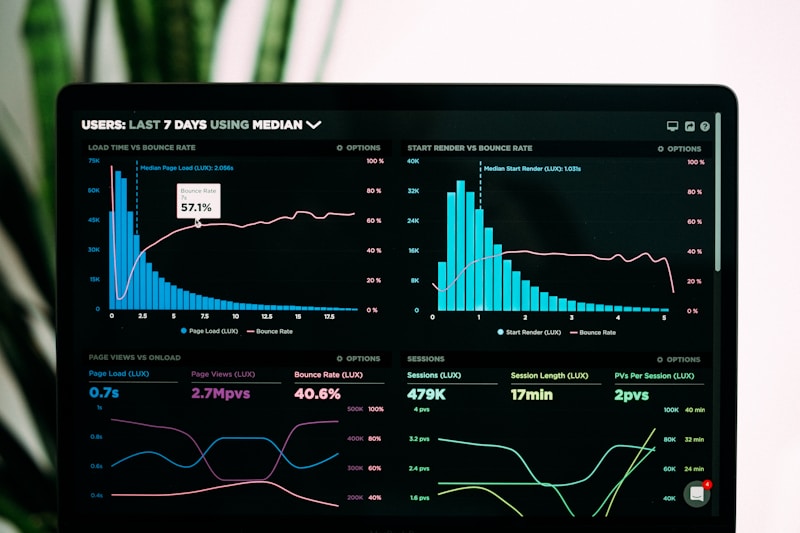
Modern AI data entry tools turn scanned invoices and receipts into structured, searchable data in seconds.
1. What Is AI Data Entry Automation for Small Business? 🤖
AI data entry automation for small business is the use of artificial intelligence — mainly optical character recognition (OCR), machine learning, and intelligent document processing — to read documents and enter their data into your business software automatically. Instead of an employee opening a PDF invoice, reading the vendor name, date, and total, and typing those fields into QuickBooks or Xero, the AI does it in seconds.
It is not the same as old-fashioned OCR. Traditional OCR only converts an image of text into editable text. AI-powered tools go further: they understand what each piece of text means. They know the difference between an invoice number and a purchase order number, they can read handwritten notes, and they learn from your corrections — so accuracy improves every week.
For a small business, the practical difference is simple. A five-person team processing 300 invoices a month can reclaim roughly 25–30 hours of staff time by automating that single workflow — hours that go back into serving customers and growing the business instead of retyping numbers.
The technology has also become genuinely affordable. Five years ago, document automation was an enterprise luxury with six-figure price tags. In 2026, small-business plans start at under $50 a month, and several tools offer free tiers that handle a few hundred pages.
2. Why Manual Data Entry Is Costing You More Than You Think 📉
Manual data entry looks cheap because the cost hides inside salaries you already pay. Industry research commonly cites a manual data entry error rate of around 1% — roughly one mistake in every 100 keystrokes. Across 10,000 fields a month, that is about 100 errors, and some of them are wrong payment amounts, wrong addresses, or wrong tax figures.
Then there is the time. A trained operator types an invoice in roughly 3–5 minutes. At 300 invoices a month, that is 15–25 hours — more than half a working week — spent on a task that adds no value to a single customer. McKinsey estimates that current AI and automation technologies could automate 60–70% of employees’ time across the economy, and repetitive data work sits at the top of that list.
Beyond time and errors, manual entry carries hidden costs that rarely show up in a budget line:
- Delayed cash flow: invoices entered late get paid late — your money sits in someone else’s bank.
- Burnout and turnover: nobody joins a small business to retype numbers all day. Repetitive admin quietly drives staff churn.
- Bad decisions: reports built on mistyped data mislead you — one misplaced decimal can make a losing product line look profitable.
- Compliance risk: tax filings and audits depend on accurate records, and errors found in an audit cost far more than errors caught at entry.
When owners add up time, errors, delays, and rework, most discover that manual data entry is one of the most expensive “free” processes in their business.

Paper stacks and spreadsheets give way to automated capture: scan it once, and the data flows where it belongs.
3. How AI Data Entry Automation Works (Step by Step) 🔄
Most AI data entry automation for small business solutions follow the same five-stage flow:
Step 1 — Capture. Documents arrive by email attachment, photo, scan, or upload. The tool accepts PDFs, images, and even phone photos of crumpled receipts.
Step 2 — Read. OCR converts the image into text, while AI models identify the document type — invoice, receipt, purchase order, form — and locate each field.
Step 3 — Extract. The AI pulls out the fields you care about: vendor, date, line items, tax, and total. Modern tools handle multiple languages, currencies, and layouts without templates.
Step 4 — Validate. Built-in rules flag problems: totals that do not add up, duplicate invoice numbers, or missing tax IDs. Low-confidence fields go to a human for a one-click check.
Step 5 — Export. Clean data flows into your accounting software, CRM, or spreadsheet through a native integration or an automation connector such as Zapier.
The human-in-the-loop step matters. The best small-business setups automate 80–90% of documents end to end and route only the uncertain 10–20% to a person. That is the sweet spot: maximum time saved with a safety net exactly where it is needed.
4. 7 Best AI Data Entry Automation Tools for Small Business in 2026 🛠️
We compared the tools small businesses actually adopt — judged on price, ease of setup, accuracy, and integrations. Here is the shortlist.
| Tool | Best for | Starting price | Standout feature |
|---|---|---|---|
| Nanonets | Invoices & receipts | Free tier; paid from ~$249/mo | Learns your layouts with no templates |
| Rossum | High-volume documents | Custom (from ~$500/mo) | Strong validation & approval flows |
| Docparser | Simple PDF parsing | From $39/mo | Cheapest true automation for small teams |
| ABBYY Vantage | Complex & handwritten forms | From ~$99/mo | Best-in-class OCR accuracy |
| Microsoft AI Builder | Microsoft 365 users | Included in Power Automate plans | Native SharePoint & Teams integration |
| UiPath Document Understanding | End-to-end automation | Free Community; paid from ~$420/mo | Full RPA + document AI in one platform |
| Zapier + AI (Zaps) | Connecting apps you own | From $19.99/mo | Fastest glue between tools and apps |
4.1 Nanonets — Best All-Rounder for Invoices
Nanonets is the go-to choice for small businesses drowning in invoices and receipts. Upload a batch of documents and its AI extracts vendor, date, line items, and totals without a single template. Accuracy typically exceeds 95% after a short training period, and it plugs into QuickBooks, Xero, and NetSuite. The free tier is a zero-risk way to test AI data entry automation for small business before you commit.
4.2 Rossum — Best for High Volumes
Rossum suits businesses processing thousands of documents a month. Its validation engine catches duplicate invoices and mismatched totals before they reach your ledger. Pricing is higher, so it fits teams that have outgrown entry-level tools.
4.3 Docparser — Best Budget Pick
If your documents are mostly clean PDFs, Docparser delivers real automation from $39 a month. You define parsing rules once, and every matching document flows through the same pipeline. For structured documents it is excellent value, though it lacks Nanonets’ flexibility with messy or handwritten pages.
4.4 ABBYY Vantage — Best OCR Accuracy
ABBYY has spent decades on document recognition, and it shows. Vantage handles handwriting, low-quality scans, and multi-language documents better than most rivals — the accuracy leader for handwritten delivery notes or faded faxes.
4.5 Microsoft AI Builder — Best for Microsoft 365 Teams
Already paying for Microsoft 365 or Power Automate? AI Builder adds document extraction to your existing flows without a new vendor: a form in Microsoft Forms or an Outlook attachment can trigger automatic extraction into SharePoint or Excel, though the learning curve is steeper.
4.6 UiPath Document Understanding — Best for End-to-End Automation
UiPath pairs document AI with robotic process automation, so data does not just get extracted — it gets acted on. An extracted invoice can trigger a payment approval, update inventory, and email the vendor without human touch. Powerful, but overkill unless you plan to automate several workflows at once.
4.7 Zapier + AI — Best Connector
Zapier is not a document reader by itself, but its AI steps and integrations make it the fastest way to connect an extraction tool to the 6,000+ apps in its library. Use it to push extracted data into your CRM, Slack, or Google Sheets. Our complete guide to AI tools for small business maps the whole stack.
5. Worked Example: A Bakery Automates 200 Invoices a Month 🧁
Consider a pattern we see again and again. A neighbourhood bakery with eight staff buys flour, butter, packaging, and dairy from twelve suppliers — about 200 invoices a month. Before automation, the owner spent roughly 45 minutes every morning keying invoices into the accounts, around 15 hours a month.
The setup: the bakery chose Docparser at $39 a month, connected to its Gmail inbox. Supplier invoices arriving by email are parsed automatically; the extracted data lands in a Google Sheet, which syncs to the accounting software. The owner reviews only flagged items — usually five or six invoices a month with unclear totals.
The results after 60 days:
- Time saved: 15 hours a month down to under 2 — a 13-hour monthly saving.
- Errors caught: three duplicate invoices worth $412 flagged in month one — duplicates the owner would probably have paid twice.
- Cash flow: invoices enter the ledger the same day they arrive, so payments go out on time and early-payment discounts are captured.
- Cost: $39 a month against roughly $390 of owner time saved — a 10x return before counting duplicates avoided.
The lesson is not the tool; it is the sequence. One document type, one inbox, one review step. The bakery added receipt capture in month three, once the invoice flow was boring and reliable.
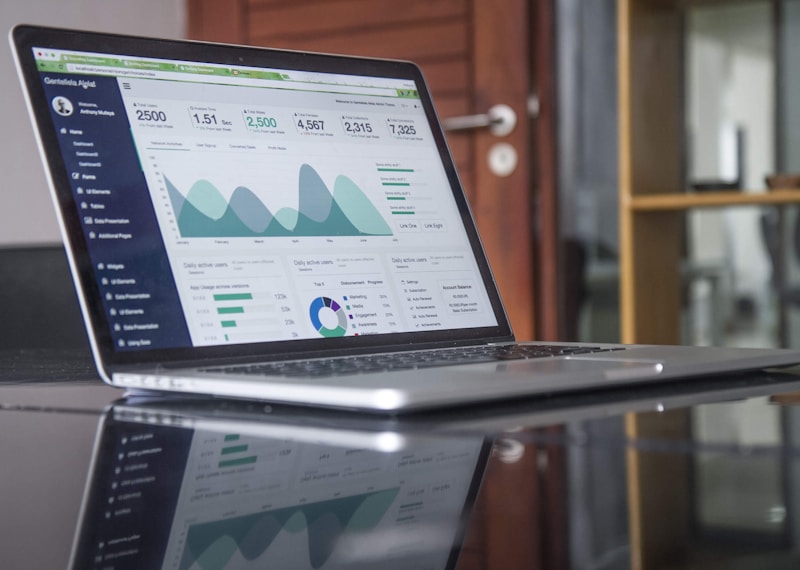
Track the payoff: hours saved, errors caught, and duplicates blocked are the three numbers that prove ROI.
6. How to Set Up AI Data Entry Automation in 5 Steps ✅
Rolling out AI data entry automation for small business is a one-week project, not a one-quarter project. Follow this sequence:
Step 1 — Pick one document type. Invoices are the best starting point: high volume, high value, and the easiest to measure. Do not try to automate everything at once.
Step 2 — Gather 50 sample documents. Collect real examples, including the messy ones: crumpled receipts, multi-page invoices, and different supplier layouts. Train or test the tool on these before you go live.
Step 3 — Connect your destination. Link the tool to your accounting software or spreadsheet, then test ten documents end to end. Verify every field lands in the right place.
Step 4 — Turn on human review for exceptions. Set a confidence threshold (90% is a good start) and route anything below it to a person. Review flagged items daily for the first two weeks; your corrections train the model.
Step 5 — Measure and expand. After 30 days, compare time spent, error rate, and cost against your old process. If the numbers work — they usually do — add the next document type, such as receipts or customer forms.
For step-by-step tutorials on the individual tools in this stack, the AI tool guides at AIToolSteps walk through setup screens for popular AI apps. If your team also handles a lot of meeting notes, our guide to AI note-taking apps covers the same capture-and-extract idea for conversations.
7. Costs, Pricing, and ROI 💰
Small-business pricing clusters into three bands. Under $50 a month (Docparser, Zapier) covers structured documents and light volumes — ideal for micro-businesses. $50–$250 a month (Nanonets, ABBYY) adds template-free AI, better accuracy, and accounting integrations. $250+ a month (Rossum, UiPath) buys approval workflows and enterprise-grade validation for high volumes.
To estimate your own ROI: (hours saved × your hourly cost) − tool cost = monthly gain. Saving 15 hours a month at a $25-an-hour loaded cost gains $375 of time; subtract a $49 tool and the net gain is $326 a month — before counting duplicates avoided or discounts captured. Most small businesses break even in month one.
Watch for hidden costs: per-page overage charges on high-volume plans, implementation fees on enterprise tiers, and the time your team spends on the first two weeks of review. Budget 2–3 hours a week for exception review during the first month, dropping to under an hour once the model learns your documents. If you already use broader AI automation tools in your business, data entry automation slots in neatly — the same connectors and workflows can carry extracted data into the apps you already run.
8. 7 Common Mistakes to Avoid ⚠️
- Automating the wrong documents first. Start with invoices, not the one-off form you process twice a year.
- Skipping the human review step. Full autopilot on day one is how wrong payments happen. Keep exceptions human-checked.
- Training on perfect samples only. Test only clean PDFs and the first crumpled receipt will break the flow.
- Ignoring duplicates. Turn on duplicate detection — paying an invoice twice is the most expensive error in the book.
- No data backup. Keep originals. Extracted data is a copy; the source document is the legal record.
- Choosing on price alone. A $39 tool that cannot read your documents costs more than a $99 tool that can.
- Forgetting security. Your invoices contain bank details and supplier pricing. Check the vendor’s encryption, data retention, and compliance before uploading.
9. Frequently Asked Questions ❓
How accurate is AI data entry automation for small business?
Most leading tools reach 95%+ field accuracy on clean printed documents after a short training period, and 85–90% on handwritten or poor-quality scans. Human review of low-confidence fields closes the remaining gap.
How much does AI data entry automation cost?
Small-business plans run from free tiers and $39-a-month starters to $249 a month for template-free AI with accounting integrations. Most teams spending 10+ hours a month on manual entry break even in month one.
Can AI data entry automation read handwritten documents?
Yes, with limits. Tools such as ABBYY Vantage handle handwriting well; others manage printed text only. Test the tool on your real samples before buying if handwritten forms are common.
Will AI data entry automation replace my bookkeeper?
No — it replaces the typing, not the judgement. Bookkeepers shift from keying data to reviewing exceptions, reconciling accounts, and advising the business.
Is my financial data safe with these tools?
Reputable vendors encrypt data in transit and at rest and comply with standards such as SOC 2 and GDPR. Check each vendor’s security page and avoid uploading documents to unvetted free tools.
How long does setup take?
A single document type typically goes live in 3–5 working days: one day to gather samples, one to connect the tool, and a few days of supervised running. Each extra document type then takes a day or two.
10. The Bottom Line 🏁
AI data entry automation for small business is no longer a futuristic upgrade — it is a practical, affordable fix for one of the most wasteful chores in any small company. The tools are mature, the pricing fits small budgets, and the payback is measured in weeks, not years.
Start small: one document type, one tool, one review step. Measure the hours saved and the errors caught. Then expand. In a year, the businesses that automated their data entry will have banked hundreds of recovered hours — and the ones still typing will still be typing.
Sources: McKinsey, “The economic potential of generative AI” (automation potential of 60–70% of employee time); vendor documentation and pricing pages for Nanonets, Rossum, Docparser, ABBYY, Microsoft AI Builder, UiPath, and Zapier, accessed November 2026. Error-rate figures reflect commonly cited industry benchmarks for manual keying.