
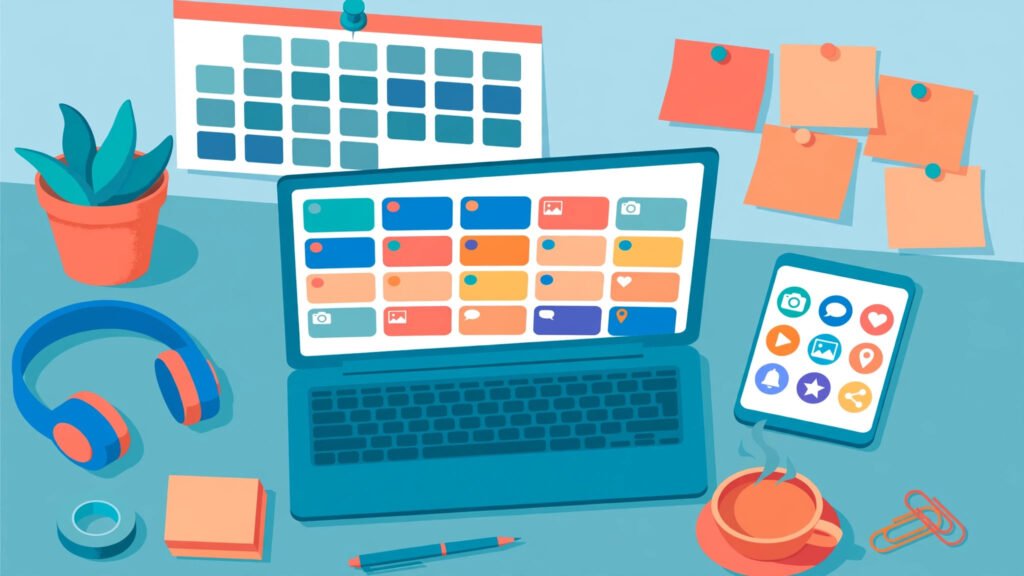
Posting consistently is the hardest part of social media marketing — and it is also the part that matters most. Social media scheduling tools solve this problem by letting you plan, create, approve, and publish content across every platform from one dashboard, weeks in advance.
In 2026, social media scheduling tools have grown far beyond simple queue-and-post features. The best platforms now combine AI caption writing, best-time recommendations, approval workflows, unified inboxes, and deep analytics. In this guide, we compare the 9 best social media scheduling tools on features, pricing, and who each one is built for — so you can stop guessing and start publishing on autopilot.
- Social media scheduling tools save the average marketer 6–10 hours per week by batching content creation and automating publishing.
- Small businesses should prioritize ease of use and price; agencies need approval workflows and multi-brand support.
- AI-assisted scheduling — best-time predictions and auto-generated captions — is now the biggest differentiator in 2026.
- Every tool below offers a free trial. Test two finalists with a real week of content before committing.
📋 Table of Contents
- Why Social Media Scheduling Tools Matter in 2026
- How to Choose the Right Social Media Scheduling Tool
- The 9 Best Social Media Scheduling Tools for 2026
- Side-by-Side Comparison Table
- Pricing: What Should You Actually Pay?
- A Scheduling Workflow That Saves 10 Hours a Week
- 5 Scheduling Mistakes That Kill Engagement
- Frequently Asked Questions
- Conclusion
📅 Why Social Media Scheduling Tools Matter in 2026
The average brand now maintains a presence on five or more social platforms. Posting manually to each one — at the right time, in the right format, with the right hashtags — is a full-time job in itself. Social media scheduling tools turn that chaos into a single, calm workflow.
Consider the numbers. Brands that publish consistently see significantly higher engagement than brands that post sporadically. According to research from Sprout Social and Hootsuite, consistent publishers grow followers faster and earn more profile visits per post. Scheduling is what makes consistency possible without burning out your team.
Beyond consistency, modern scheduling platforms deliver three more advantages:
- Batching: Create a full week of content in one focused session instead of interrupting deep work every day.
- Timing: Publish when your audience is actually online — even at 2 a.m. — without anyone staying awake.
- Collaboration: Drafts, comments, and approvals happen inside the tool, replacing messy email threads and screenshots.

Social media scheduling tools let you manage every platform from one dashboard.
🧭 How to Choose the Right Social Media Scheduling Tool
Not every scheduler fits every team. Before comparing social media scheduling tools by name, score your options against these six criteria:
1. Platforms and Post Types
Confirm the tool supports every network you use — Instagram, TikTok, Facebook, LinkedIn, X, YouTube, Pinterest, and Google Business Profile — plus the formats you publish: Reels, carousels, Stories, Shorts, and long-form video. Some schedulers still cannot auto-publish TikTok videos or Instagram Stories, which defeats the purpose.
2. Ease of Use
A social media scheduling tool that your team avoids is worse than no scheduler. Look for a visual calendar, drag-and-drop rescheduling, and a clean composer. If onboarding takes more than an hour, keep looking.
3. AI Features
In 2026, the best social media scheduling tools use AI to suggest optimal posting times, generate caption variations, recommend hashtags, and even repurpose one post into platform-native versions. These features are the main reason to upgrade from a basic scheduler.
4. Collaboration and Approvals
Agencies and larger teams need multi-user roles, client approval links, and version history. Solo creators can skip this — and save money.
5. Analytics
Scheduling without measurement is just guessing faster. Your tool should show per-post reach, engagement rate, and follower growth, and ideally benchmark your performance against competitors.
6. Price Per Seat
Many tools advertise a low headline price but charge per user or per social profile. Count your real seats and profiles before comparing prices — a “$19/month” plan can quietly become $99/month for a three-person team.
🏆 The 9 Best Social Media Scheduling Tools for 2026
1. Buffer — Best for Simplicity and Small Teams
Buffer is the easiest scheduler to learn, making it a favorite for small businesses and solo creators. Its clean calendar, AI assistant, and straightforward analytics cover the essentials without clutter, and the free plan is genuinely usable.
Best for: Small businesses, creators, first-time schedulers.
Standout feature: AI Assistant that rewrites captions for each platform.
2. Hootsuite — Best All-Round Platform for Growing Teams
Hootsuite is the veteran of social media management, with one of the most complete scheduling suites available. Streams, a unified inbox, bulk scheduling, and OwlyWriter AI suit teams juggling many profiles, and its best-time recommendations are among the industry’s most accurate.
Best for: Mid-sized marketing teams and multi-brand operations.
Standout feature: Bulk scheduler that imports up to 350 posts from a CSV.
3. Sprout Social — Best for Analytics-Driven Scheduling
Sprout Social pairs scheduling with some of the deepest analytics available. ViralPost picks optimal send times per audience, and its reporting suite makes proving ROI to stakeholders easy. It is pricier than most rivals, but for data-driven teams the reporting alone justifies the cost.
Best for: Enterprises and agencies that live in their reports.
Standout feature: ViralPost optimal send-time automation.
4. Later — Best for Visual-First Brands
Later built its reputation on Instagram planning, and its visual calendar remains one of the best for brands that think in images. Drag-and-drop grid previews, Link in Bio tools, and strong TikTok support suit fashion, food, travel, and lifestyle brands.
Best for: Visual brands, influencers, e-commerce stores.
Standout feature: Visual Instagram grid planner with auto-publish.
5. Metricool — Best Value for Money
Metricool packs scheduling, analytics, ad tracking, and a unified inbox into one of the most affordable packages available. It also covers Google Business Profile and ad campaign reporting — a quiet favorite for freelancers and small agencies that want one tool instead of three.
Best for: Freelancers and budget-conscious agencies.
Standout feature: Ad performance tracking alongside organic scheduling.

The best social media scheduling tools pair publishing with analytics that show what actually works.
6. SocialPilot — Best for Agencies Managing Many Clients
SocialPilot is designed around agency workflows: white-label reports, client approval links, bulk scheduling, and generous profile limits at a price agencies can scale. If you manage ten or more client accounts, its per-client economics are hard to beat.
Best for: Agencies and social media managers with many clients.
Standout feature: White-label client dashboards and approval links.
7. CoSchedule — Best for Content Marketing Teams
CoSchedule is more than a scheduler — it is a full marketing calendar. Blog posts, email campaigns, and social posts live on one shared calendar, so content teams can plan entire campaigns in one place, and ReQueue automatically refills gaps with your best evergreen posts.
Best for: Content marketing teams running blogs plus social.
Standout feature: Unified marketing calendar with automatic ReQueue gap-filling.
8. Sendible — Best for Client Approval Workflows
Sendible shines where approvals matter. Clients review, comment on, and approve scheduled posts through a branded portal — no logins or screenshots required. Combined with solid scheduling and reporting, it suits agencies whose clients want visibility without friction.
Best for: Agencies with approval-heavy client relationships.
Standout feature: Branded client approval portal with no login required.
9. Planable — Best for Collaborative Content Creation
Planable focuses on creation: teams draft, mock up, comment on, and approve posts in pixel-perfect previews that look exactly like the live platforms. It is less of an analytics powerhouse, but for teams whose bottleneck is content review, it is a superb fit.
Best for: Teams that need fast, visual content collaboration.
Standout feature: Pixel-perfect post previews with in-context comments.
📊 Side-by-Side Comparison Table
Here is how the leading social media scheduling tools stack up at a glance:
| Tool | Best For | Key Strength | Starting Price |
|---|---|---|---|
| Buffer | Small teams | Simplicity + AI captions | Free plan available |
| Hootsuite | Growing teams | Bulk scheduling + inbox | From ~$99/mo |
| Sprout Social | Enterprises | Analytics + ViralPost timing | From ~$199/mo |
| Later | Visual brands | Grid planner + Link in Bio | Free plan available |
| Metricool | Budget users | Value + ad tracking | Free plan available |
| SocialPilot | Agencies | White-label + client approvals | From ~$30/mo |
| CoSchedule | Content teams | Unified marketing calendar | From ~$29/mo |
| Sendible | Approval workflows | Branded client portal | From ~$29/mo |
| Planable | Collaboration | Pixel-perfect previews | Free plan available |
Prices are approximate starting prices as of 2026. Always confirm current pricing on the vendor’s website before purchasing.
💰 Pricing: What Should You Actually Pay?
Social media scheduling tools span a wide price range, from free plans to several hundred dollars a month. Here is a realistic way to think about it:
- Solo creators / small business: $0–$30/month. A free or starter plan from Buffer, Later, Metricool, or Planable covers one brand and a handful of channels.
- Growing teams: $30–$120/month. You are paying for extra seats, more profiles, AI features, and a unified inbox.
- Agencies / enterprises: $120–$400+/month. Approval workflows, white-label reporting, and advanced analytics drive the price — and usually pay for themselves in saved hours.
The real cost of social media scheduling tools is not the subscription — it is the hours your team spends posting manually. If a $50/month tool saves your team even two hours a week, it has already paid for itself several times over.

Batch-planning a week of posts in one session is the core habit behind every successful scheduling workflow.
⚡ A Scheduling Workflow That Saves 10 Hours a Week
Buying a scheduler is not enough — you need a workflow. Here is the weekly rhythm our team recommends:
- Monday — Plan (45 min): Review last week’s analytics, pick 3–5 content pillars, and map posts to each day.
- Tuesday — Create (2 hours): Batch-create all captions, graphics, and videos for the week, writing platform-native variations rather than copy-pasting one caption everywhere.
- Wednesday — Schedule (30 min): Load everything into your scheduler, set best-time publishing, and double-check previews for each platform.
- Thursday — Approve (20 min): Route drafts through your approval workflow. Clients or managers comment once, inside the tool.
- Friday — Engage (30 min/day): Reply to comments and DMs. Social media scheduling tools automate publishing — they never replace real conversation.
Pair this rhythm with a broader social media management toolkit, and a single marketer can run five channels consistently without working evenings.
⚠️ 5 Scheduling Mistakes That Kill Engagement
1. Set-and-Forget Publishing
Social media scheduling tools are not autopilot for your whole strategy. Accounts that never reply to comments or join trending conversations see engagement decay, no matter how polished their scheduled posts are.
2. Posting the Same Caption Everywhere
LinkedIn audiences want insight; TikTok audiences want energy; Instagram audiences want visuals. The best social media scheduling tools make platform-specific variations easy — use that feature.
3. Ignoring Platform-Native Formats
A horizontal YouTube video cropped into a vertical Reel looks lazy. Create each format intentionally, or your scheduled content will underperform against native posts.
4. Scheduling During Crises or Major News Events
Pre-scheduled promotional posts landing during a major news event or crisis can look tone-deaf. Build a habit of pausing the queue when the world shifts.
5. Never Reviewing Analytics
If you never look at which scheduled posts performed, you will keep scheduling the wrong things. A monthly 30-minute analytics review — comparing best times, formats, and topics — compounds into a much stronger calendar. For channel-specific tactics, see our guides to Instagram marketing strategy and TikTok marketing strategy, and if creators are part of your mix, our influencer marketing strategy guide.
❓ Frequently Asked Questions
What are social media scheduling tools?
Social media scheduling tools are software platforms that let you plan, create, and automatically publish posts across multiple social networks from one dashboard. Most also include content calendars, approval workflows, analytics, and AI writing assistance.
Are social media scheduling tools worth it for small businesses?
Yes. Even a free social media scheduling tool saves hours each week by batching content creation, and consistent posting is one of the strongest predictors of follower and engagement growth for small brands.
Which social media scheduling tool is best for beginners?
Buffer and Later are the easiest to learn, thanks to clean interfaces and generous free plans. Start with one of them if you are scheduling for the first time.
Can scheduling tools hurt engagement?
No — scheduling itself does not hurt reach. Engagement drops only when brands schedule posts and then stop interacting with their audience. Keep replying to comments and DMs daily.
Do scheduling tools support TikTok and Instagram Reels?
Most leading tools now support direct auto-publishing for TikTok videos and Instagram Reels. Confirm this before buying, since a few older tools still rely on mobile reminders for video formats.
How much do social media scheduling tools cost?
Free social media scheduling tools cover basic scheduling for one brand. Paid plans typically run $25–$200/month depending on seats, profiles, and features, with agency plans going higher.
✅ Conclusion
The right social media scheduling tool does not just save time — it changes how your team works. Instead of scrambling for something to post every day, you plan with intention, publish at the moments your audience is listening, and spend the hours you save on the work that actually grows your brand: creativity, community, and conversation.
Start with your constraints: team size, platforms, budget, and whether approvals matter. Shortlist two social media scheduling tools from this guide, run each with a real week of content, and let your team’s actual workflow — not a feature list — decide the winner.
Need help building a content engine around your scheduler? Contact Digital 365 Agency — we plan, create, and schedule social content for growing brands, and we will set up a system your team can run without us.
Sources: Buffer State of Social Media, Hootsuite Social Media Trends 2026, Sprout Social Index, and vendor documentation for the tools listed. Pricing checked against vendor sites in 2026; confirm current pricing before purchasing.