
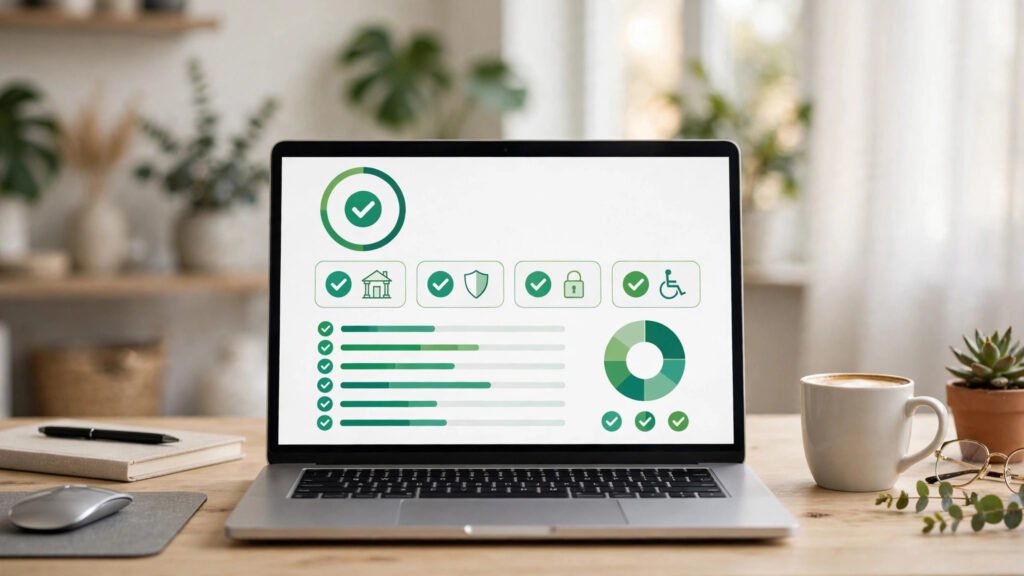
AI website accessibility audit for small business is the fastest way to find out whether your website quietly turns away customers who use screen readers, keyboards, or high-contrast settings. In 2026, 95.9% of the world’s top one million home pages had detectable WCAG failures, averaging 56.1 errors per page — up 10% year over year (WebAIM Million 2026).
The good news: what used to take an expensive consultant three days now takes an AI website accessibility audit for small business about thirty minutes. In this guide, you’ll learn what these audits test, the six issues they always find, what 2026 tools really cost, and a complete step-by-step walkthrough you can run on your own site this week.
📌 Key Takeaways
- An AI website accessibility audit for small business automatically scans every page and template against WCAG 2.2 rules, scoring and prioritizing each violation.
- WebAIM’s 2026 scan found failures on 95.9% of home pages — low-contrast text (83.9%), missing image descriptions (53.1%), and unlabeled form fields (51%) top the list.
- AI audit tools for small business websites cost $0–$20/month for small sites; a manual consultant audit still runs $1,500–$5,000 — most fixes (contrast, alt text, labels) need no coding.
- Automated scans catch roughly 57% of accessibility issues; pair them with a short manual keyboard-and-screen-reader check for real confidence.
📑 Table of Contents
- What Is an AI Website Accessibility Audit?
- Why 2026 Is the Year You Can’t Ignore Accessibility
- The 6 Issues Every AI Accessibility Audit Finds
- How an AI Website Accessibility Audit for Small Business Works
- Walkthrough: A 60-Minute Audit of a Bakery Homepage
- AI Website Accessibility Audit for Small Business: 2026 Tool Guide
- What an AI Website Accessibility Audit for Small Business Can’t Catch
- AI Website Accessibility Audit for Small Business: 5 Costly Mistakes
- Frequently Asked Questions
An automated accessibility audit tests every page against WCAG rules the moment you run it — no waiting weeks for a consultant report.
🔍 What Is an AI Website Accessibility Audit?
An AI website accessibility audit for small business is an automated evaluation that scans your website against the Web Content Accessibility Guidelines (WCAG) — the international standard maintained by the W3C — and reports every barrier a disabled visitor would hit.
Think of it as a health check with a prescription attached.
The scope covers the four WCAG principles your site must satisfy:
- Perceivable — can users see or hear the content? (contrast, alt text, captions)
- Operable — can users navigate without a mouse? (keyboard focus, link names)
- Understandable — is the page predictable? (form labels, language declaration)
- Robust — does assistive technology parse it correctly? (valid HTML, ARIA usage)
⚖️ Why 2026 Is the Year You Can’t Ignore Accessibility
Three forces are making an AI website accessibility audit for small business a 2026 priority:
1. The numbers are getting worse, not better. The WebAIM Million 2026 report found detectable WCAG failures on 95.9% of home pages, up from 94.8% in 2025 — the first rise in six years. The average page now carries 56.1 errors. Because automated scans only test the machine-checkable subset of the guidelines, these figures are the floor, not the ceiling.
2. Regulation has teeth now. The EU’s European Accessibility Act has been enforceable since June 2025, covering businesses selling into European markets, and ADA-based website lawsuits in the US continue to number in the thousands each year. An AI website accessibility audit for small business creates a documented baseline — proof you’re working toward compliance if a complaint ever arrives.
3. Accessibility IS search engine optimization. Every fix an accessibility audit recommends — descriptive headings, meaningful alt text, proper labels, logical heading order — is also a ranking factor. Speeding up your small business website with AI and fixing accessibility issues together can lift both your conversions and your Google positions in one project.
🧱 The 6 Issues Every AI Accessibility Audit Finds
Year after year, the same six error types account for 96% of everything detected — and they are all cheap to fix. Here is what your first AI website accessibility audit for small business will almost certainly flag:
| Issue | % of Home Pages (WebAIM 2026) | Typical Fix Time |
|---|---|---|
| Low-contrast text | 83.9% | Minutes per instance |
| Missing image alt text | 53.1% | 1–2 min per image |
| Missing form input labels | 51.0% | 5 min per form |
| Empty links (no text for screen readers) | 46.3% | 2 min per link |
| Empty buttons | 30.6% | 2 min per button |
| Missing page language | 13.5% | 30 seconds (one line of code) |
The encouraging part: these are template fixes. Low-contrast buttons usually come from one CSS class; unlabeled search boxes come from one header template. Fix the component once, and the audit clears dozens of instances across your site.
Most accessibility violations cluster in a handful of shared templates — fix the component once and the audit clears dozens of instances.
⚙️ How an AI Website Accessibility Audit for Small Business Works
Running your first AI website accessibility audit for small business follows the same five stages whether you use a free browser extension or a paid site-wide scanner:
- 1. Crawl. The tool spider-crawls your site the way Google does, rendering each page in a real browser so JavaScript-heavy sections get tested too.
- 2. Rule testing. Every page runs through hundreds of WCAG 2.2 rule checks — contrast ratios, alt attributes, label associations, heading hierarchy, ARIA validity.
- 3. AI prioritization. The 2026 upgrade: instead of a 500-row error dump, AI groups violations by template, predicts user impact, and suggests the exact fix snippet.
- 4. Scoring. You get a site score plus per-page scores, so you can track improvement week to week alongside your AI tools for small business initiatives.
- 5. Re-scan verification. After fixes go live, a re-run confirms each issue is resolved. Good tools schedule this weekly and email you the diff.
Total hands-on time for a typical 10–30 page small business site: about one hour for the scan plus review. If your team is new to AI tooling in general, working through some step-by-step AI tutorials first makes the setup and interpretation far easier.
🧭 Walkthrough: A 60-Minute Audit of a Bakery Homepage
Theory is nice; a worked example is better. Below is the exact 60-minute AI website accessibility audit for small business routine we run for clients — applied to a fictional single-location shop, “Sunrise Bakery”, with a WordPress homepage, online ordering, and a contact form.
Minutes 0–10: baseline scan. Enter the homepage URL into the AI website accessibility audit for small business tool and run a full-site crawl. Sunrise Bakery’s scan found 47 issues across 12 pages: 28 low-contrast text instances, 9 missing alt tags on cake photos, 6 unlabeled form fields on the order form, 3 empty icon-links in the footer, and 1 missing document language.
Minutes 10–25: fix the template clusters. The AI grouped 24 of the 28 contrast failures to one CSS class (.promo-text) used in the hero banner. Darkening the text shade by two steps cleared all 24 at once. The 9 missing alt tags were on the “Today’s Specials” gallery — the bakery owner wrote descriptive alt text (“chocolate croissant on white plate”) in 15 minutes.
Minutes 25–40: forms and navigation. The order form’s date picker and phone field had no <label> elements — each got a visible label plus a programmatic one. The three empty footer links were social-media icon buttons; each received an aria-label (“Sunrise Bakery on Instagram”). The missing document language was a one-line lang="en" addition in the header.
Minutes 40–50: manual keyboard check. With the mouse unplugged, we tabbed through the whole homepage. Everything was reachable, but the focus outline was invisible on the “Order Now” button — one CSS line added a visible focus ring. This is the kind of issue no automated scan can catch, and it took three minutes to fix.
Minutes 50–60: re-scan and document. Re-running the audit showed 47 issues → 6 remaining (all low-priority decorative-alt nuances scheduled for next week). The bakery now has a dated audit report — documented evidence of a conformance effort — and its homepage loads the same content for every visitor, sighted or not.
Notice the pattern: one afternoon, no developer invoice, 87% of issues resolved. Most small business sites follow the same curve because the same six issues dominate everywhere.
🛠️ AI Website Accessibility Audit for Small Business: 2026 Tool Guide
Not every AI website accessibility audit for small business needs the same tool. Match the category to your site’s size and your team’s skill level:
| Category | Best For | Typical 2026 Price | Typical Fix Time |
|---|---|---|---|
| Free browser extensions (WAVE, axe DevTools) | Page-by-page checks on tiny sites | $0 | No full-site crawl, no history |
| AI audit platforms (scheduled scanners with fix suggestions) | 10–100 page small business sites | $20–$50/month | Verify the “AI fixes” before applying |
| Accessibility overlays/widgets | Quick visual toolbar for visitors | $10–$60/month | Overlays do not fix underlying code — run a real audit anyway |
| Consultant + AI hybrid audits | E-commerce or regulated industries | $1,500–$5,000 one-time | Get the AI scan first to cut consultant hours |
Our recommendation for most readers: start with a free extension on your top 5 pages, then upgrade to a $20–$50/month scanner for weekly full-site re-checks. If you’re redesigning, a modern AI website builder for small business can bake many of these rules in from day one.
A 15-minute keyboard-only test catches what no automated audit can — try tabbing through your own site with the mouse unplugged.
👁️ What an AI Website Accessibility Audit for Small Business Can’t Catch
An honest AI website accessibility audit for small business guide must admit the limit: automated testing identifies roughly 57% of accessibility issues (Deque, across 2,000+ real audits). The machine-decidable checks are the easy ones. What needs a human:
- Meaningful alt text. A scan detects a missing alt tag; only a human judges whether the description is meaningful.
- Reading order. A multi-column layout can look perfect visually while a screen reader reads it in a nonsense sequence.
- Keyboard traps and focus visibility. Our bakery walkthrough found an invisible focus outline no scanner flagged.
- Motion and animation. Auto-playing carousels that can’t be paused violate WCAG — and annoy every visitor.
The practical routine: run your automated audit monthly, then spend 20 minutes quarterly on a keyboard-only walkthrough of your homepage, contact page, and checkout. That closes most of the gap without a consultant’s invoice.
🚫 AI Website Accessibility Audit for Small Business: 5 Costly Mistakes
1. Installing an overlay and calling it done. Accessibility widgets add a toolbar for visitors but don’t repair your code. Auditors, courts, and the W3C’s WCAG guidelines all evaluate the underlying page — fix the source, not the surface.
2. Auditing only the homepage. WebAIM scans home pages, but your real risk lives in checkout flows, forms, and member areas. Always audit full templates.
3. Fixing errors but ignoring order. Sort by template cluster and user impact, not by error count. One broken “Pay Now” button matters more than forty decorative alt tags.
4. Never re-scanning. Every plugin update and new blog post can reintroduce violations. Weekly automated re-scans — the core habit of any AI website accessibility audit for small business routine — are the entire point of paying for a scanner.
5. Writing alt text for Google instead of people. “Best chocolate croissant Lahore buy online cheap” is keyword stuffing, not accessibility. Describe the image honestly — accessibility and SEO both reward the honest version.
❓ Frequently Asked Questions
How much does an AI website accessibility audit for small business cost?
Free browser extensions handle page-by-page checks at $0. Full-site AI audit platforms with weekly re-scans run $20–$50/month in 2026. A consultant-assisted hybrid audit costs $1,500–$5,000 one-time, usually for e-commerce or regulated sites.
Can an AI website accessibility audit for small business make my site fully WCAG compliant?
Not alone. Automated scans catch roughly 57% of issues — the machine-checkable ones. Combine the scan with a quarterly 20-minute manual keyboard and screen-reader walkthrough, as shown in our bakery example, for genuine confidence.
How long does an AI website accessibility audit for small business take?
The automated scan itself runs in minutes to an hour depending on site size.
Do accessibility overlays replace an audit?
No. Overlays add a visitor-facing toolbar but don’t fix your underlying code. Courts, auditors, and WCAG conformance all evaluate the page itself. Run a real audit and fix the source.
Will fixing accessibility help my Google rankings?
Yes. Descriptive alt text, proper heading structure, labeled forms, and clean semantic HTML are all ranking-positive signals — and the dwell-time boost from a site everyone can use doesn’t hurt either.
🎯 Final Word
An AI website accessibility audit for small business turns an intimidating topic into a ranked to-do list you can clear in an afternoon. 95.9% of the web fails the same six checks — so every fix you ship is a competitive edge in usability, search, and customer trust.
Run the baseline scan today, fix the template clusters this week, and schedule the weekly re-scan. Your disabled customers — and your future self — will thank you.
Sources: WebAIM Million 2026 report; W3C WCAG 2.2 guidelines; Deque analysis of 2,000+ accessibility audits; vendor pricing pages; Digital 365 Agency client audit walkthroughs.