
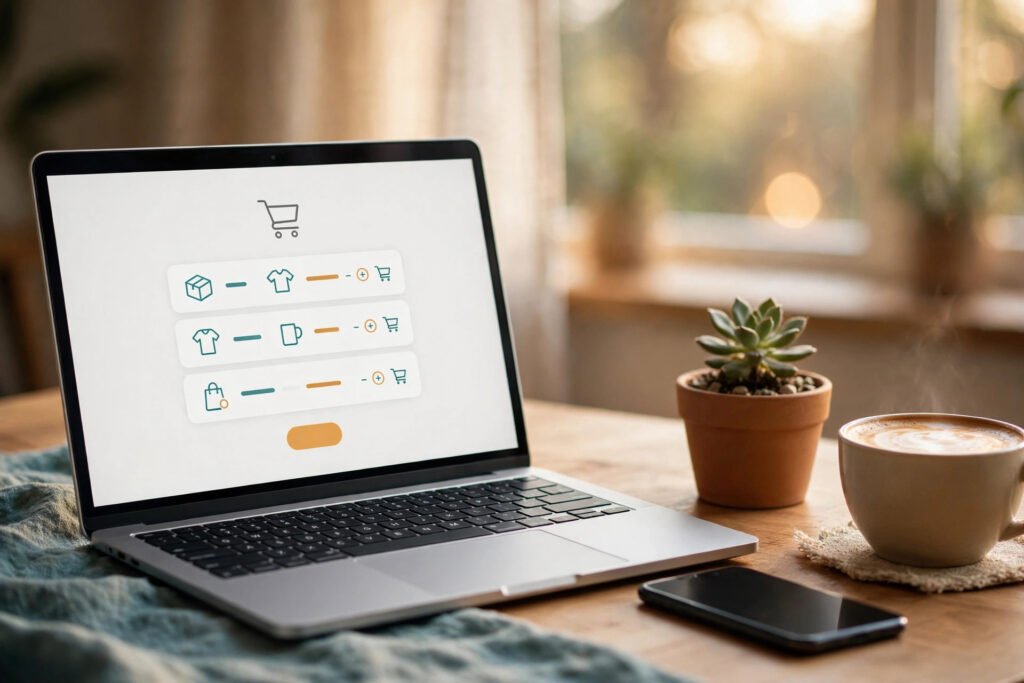
AI upsell tools for online stores solve the most expensive problem in ecommerce: traffic costs more every year, but most stores still earn the same amount from every order. Instead of paying for more visitors, these tools earn more from the visitors you already have — showing each shopper one smart, relevant add-on at exactly the right moment. A candle buyer sees a wick trimmer. A skincare buyer sees the matching serum. The offer feels helpful, not pushy, and the order total quietly grows.
In this guide you will compare the 7 best AI upsell tools for online stores in 2026, see a worked example of a candle store that lifted average order value by 24% in 30 days, and follow a 5-step setup walkthrough you can finish in a single afternoon — no developer needed.
Table of Contents
- What Are AI Upsell Tools for Online Stores?
- Why Upsells Beat Buying More Traffic in 2026
- How AI Upsell Tools for Online Stores Actually Work
- The 7 Best AI Upsell Tools for Online Stores in 2026
- Worked Example: How Willow & Pine Lifted AOV by 24%
- 5-Step Walkthrough: Set Up AI Upsell Tools for Online Stores
- AI Upsells vs. Manual Upsells: A Quick Comparison
- 5 Mistakes That Kill Upsell Conversions
- Frequently Asked Questions
- Key Takeaways
🛒 What Are AI Upsell Tools for Online Stores?
AI upsell tools for online stores are apps that use your order history, browsing behaviour and live cart contents to recommend the single most relevant add-on, upgrade or bundle to each shopper — automatically, in real time. They replace the old “frequently bought together” widget, which showed the same three products to everyone, with recommendations that change per shopper, per cart and per moment in the buying journey.
There are three kinds of upsell, and the best tools handle all three:
- Upsell: a better or bigger version of what the shopper already chose — the 12 oz candle instead of the 8 oz, or the 3-pack instead of one.
- Cross-sell: a complementary product that completes the purchase — a wick trimmer with the candle, a phone case with the phone.
- Post-purchase upsell: a one-click offer shown after payment, before the thank-you page. The order is already won, so there is zero risk to conversion — and this is often the highest-converting upsell placement on a store.
The “AI” part matters because relevance is everything. A random add-on annoys shoppers and gets ignored. An AI-powered upselling app studies which products are actually bought together, which price points convert, and which shoppers respond to which offer — then serves the offer most likely to be accepted. Generic in-checkout upsells convert at 2–4%; targeted, AI-personalised ones convert at 8–15%.
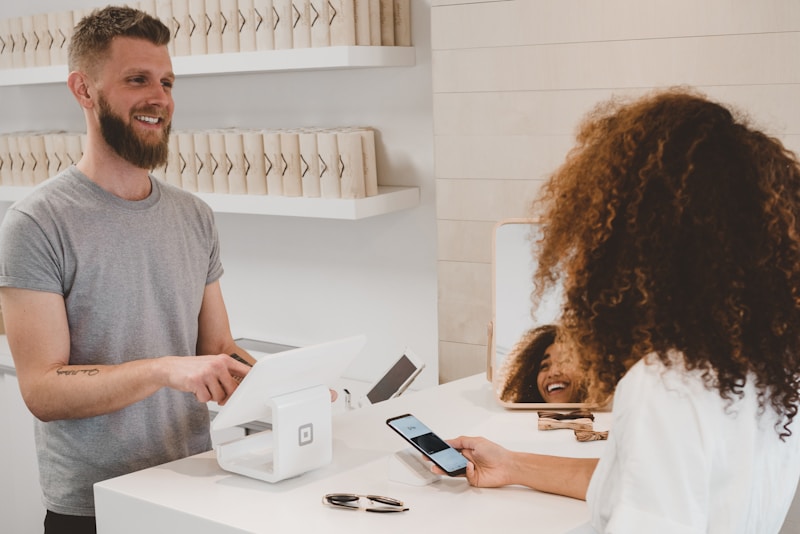
AI upsell tools for online stores turn the checkout moment into extra revenue — without extra ad spend.
📈 Why Upsells Beat Buying More Traffic in 2026
Traffic is the most expensive input in ecommerce, and it keeps getting pricier. Raising average order value (AOV) is the cheapest growth lever a small store has — and the numbers back it up:
- Global ecommerce AOV sits near $150 in late 2025, with Shopify stores averaging $85–$92 per order.
- Upsells lift AOV by 10–30% depending on placement and relevance, while bundles lift it 20–35% on average.
- Post-purchase upsells convert 2–4x higher than pop-ups, because the buyer has already committed and no payment details are needed again.
- Cross-selling drives roughly 35% of Amazon’s revenue — the world’s biggest store runs on recommendations.
- Shopify merchants sold $14.6 billion over BFCM 2025, up 27% year over year — and stores using upsells and bundles saw AOV 8% higher than peers.
Do the maths on your own store. If your AOV is $60 and you lift it 25% through upsells, that is the same revenue as growing traffic 25% — with no extra ad spend, no extra fulfilment complexity and no new products. For a closer look at the benchmarks behind these figures, see this roundup of 2026 average order value statistics.
That is why AI upsell tools for online stores belong in every small store’s toolkit — and why they pair so well with the other AI tools in our complete guide to AI tools for small business. Pricing and inventory are the other two profit levers; if you have not tuned them yet, our guides to AI pricing tools for e-commerce stores and AI inventory forecasting for small business cover both.
⚙️ How AI Upsell Tools for Online Stores Actually Work
Behind the scenes, an AI upsell tool does four things in the half-second between “add to cart” and the offer appearing:
- It reads the cart. What is in it, what it costs, and what category it belongs to. A $40 candle and a $200 sofa need very different offers.
- It reads the shopper. New visitor or returning buyer? Browsed three products or came straight from an ad? First order or fifth?
- It scores every candidate offer. Using your store’s real order data, it ranks add-ons by the probability this shopper accepts them — favouring complements, sensible price points (usually under 20% of cart value) and products with strong margins.
- It shows one offer, in the right place. Product page, cart drawer, checkout, or post-purchase — each placement has a different conversion profile, and the tool matches the offer to the moment.
Most AI upsell tools for online stores also run automatic A/B tests, quietly comparing offer variants and keeping the winner. That is the real advantage over manual “frequently bought together” rules: the recommendations keep improving as your store collects more orders, without anyone babysitting them. If you are new to AI tools in general, the step-by-step AI tutorials on AIToolSteps explain the underlying concepts in plain language before you commit to any app.
🏆 The 7 Best AI Upsell Tools for Online Stores in 2026
We compared the leading AI-powered upselling apps for Shopify and WooCommerce on four things: quality of AI recommendations, placement coverage (product page, cart, checkout, post-purchase), ease of setup, and price for a small store. Here is the shortlist.
| Tool | Best for | Key placements | Starting price* |
|---|---|---|---|
| ReConvert | Post-purchase funnels | Thank-you page, post-purchase | Free plan; paid from ~$5/mo |
| Zipify OCU | One-click post-purchase offers | Post-purchase, thank-you page | From ~$35/mo |
| Frequently Bought Together | Amazon-style bundles | Product page | From ~$10/mo |
| LimeSpot | Full-store personalisation | Product page, cart, email | From ~$18/mo |
| Wiser | AI recommendations + analytics | Product page, cart, checkout | Free plan available |
| Aftersell | Checkout + post-purchase | Checkout, post-purchase | From ~$8/mo |
| Honeycomb Upsell | Budget-friendly funnels | Product page, cart, post-purchase | Free plan available |
*Starting prices change often — check the app listing before you install. Free plans usually cap monthly orders or impressions.
1. ReConvert — Best for Post-Purchase Funnels
ReConvert turns the thank-you page into a revenue channel: one-click upsells, downsells, surveys and birthday-collector widgets, all drag-and-drop. Its AI recommends the post-purchase offer most likely to convert based on the order just placed. Stores report post-purchase take rates of 8–15% on well-matched offers. The free plan covers low-volume stores, which makes it a zero-risk first step.
2. Zipify OCU (OneClickUpsell) — Best for One-Click Post-Purchase Offers
Zipify OCU is the veteran of post-purchase upselling: after payment, the shopper sees a single offer they can accept with one click — no re-entering card details. It supports upsells, downsells and cross-sells in a funnel sequence, with A/B testing built in. Best suited to stores doing steady volume, since the price only makes sense once post-purchase revenue clears $100+/month.
3. Frequently Bought Together — Best for Amazon-Style Bundles
This app recreates Amazon’s famous bundle widget, powered by your real order data rather than manual rules. It shows a discounted bundle on the product page with a single “add all to cart” button. Bundle discounts of 10–15% typically drive take rates far above a plain “you may also like” carousel, and it installs in minutes.
4. LimeSpot — Best for Full-Store Personalisation
LimeSpot goes beyond the cart: AI recommendations on product pages, in the cart drawer, in search results and even inside email flows. Its strength is consistency — the same shopper sees coherent recommendations everywhere, which lifts both AOV and repeat purchase rate. A good fit once your catalogue passes 50+ products.
5. Wiser — Best for AI Recommendations + Analytics
Wiser combines AI product recommendations with unusually clear reporting: revenue per recommendation, take rate by placement, and A/B test results in plain English. It covers product page, cart and checkout placements and offers a free plan, making it one of the best starting points for a small store that wants data, not just widgets.
6. Aftersell — Best for Checkout + Post-Purchase
Aftersell focuses on the two highest-intent moments: inside checkout and immediately after purchase. Its checkout upsells sit between shipping and payment — the lowest-friction window — and its post-purchase funnels support one-click offers. Setup is fast, pricing is low, and it is a strong pick for stores that want the two highest-converting placements covered first.
7. Honeycomb Upsell & Cross Sell — Best Budget-Friendly Funnels
Honeycomb bundles product-page, cart and post-purchase upsells into one app with AI-driven recommendations and a genuinely useful free plan. It is the most complete option at the lowest price, which makes it ideal for new stores testing whether upsells work for their audience before spending $30+/month.
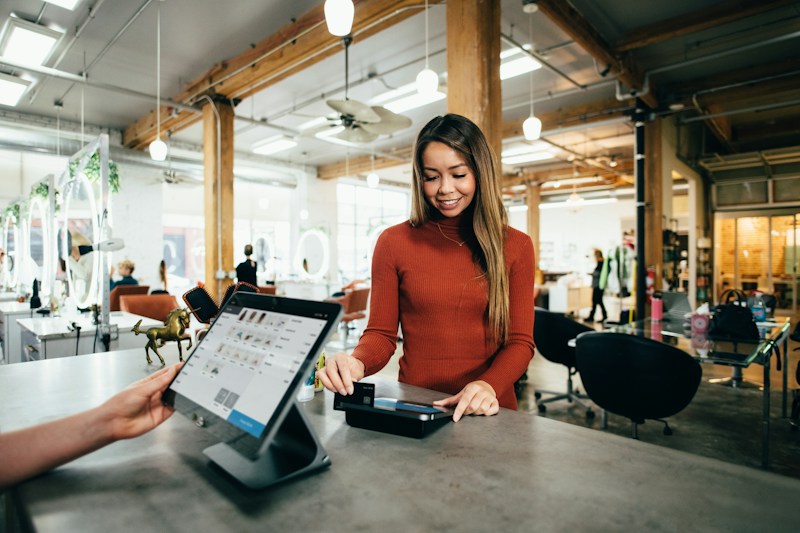
The best AI upsell tools for online stores recommend one relevant add-on — never a wall of random products.
🕯️ Worked Example: How Willow & Pine Lifted AOV by 24%
Willow & Pine is a fictional two-person candle store on Shopify — 120 orders a month, $52 average order value, one hero product (an 8 oz soy candle, $28) and a slow-selling wick trimmer ($12) sitting in the warehouse. Here is what happened when the owners installed an AI upsell tool and ran it for 30 days:
- Week 1 — product page: an AI “Pairs well with” widget under the Add to Cart button suggested the wick trimmer with the 8 oz candle. Take rate: 11% of buyers added it.
- Week 2 — cart drawer: a free-shipping progress bar at $60, plus one $9 wax melt as a “you’re $8 away” nudge. 18% of carts under the threshold added the melt.
- Week 3 — post-purchase: a one-click offer for the 3-pack of the same scent at 15% off, shown right after payment. Take rate: 14% — the highest of any placement, with zero impact on checkout conversion because the order was already complete.
- Week 4 — tidy-up: the tool’s report showed the $12 trimmer outperformed a $24 candle-care kit 3-to-1, so the kit was dropped and the trimmer promoted everywhere.
The result after 30 days: AOV rose from $52 to $64.50 (+24%), monthly revenue grew by roughly $1,500 on the same traffic, and the app cost $29/month. The wick trimmer — dead stock a month earlier — became the store’s second-best seller. The lesson is the core advantage of AI upsell tools for online stores: the offer that wins is rarely the one you would guess, which is exactly why the AI testing matters.
🧭 5-Step Walkthrough: Set Up AI Upsell Tools for Online Stores
You can go from zero to live upsells in one afternoon. Follow these five steps in order:
Step 1 — Record your baseline (30 minutes). Before installing anything, note your current AOV, conversion rate, orders per month and revenue per visitor for the last 30 days. Without a baseline, you cannot prove the tool paid for itself.
Step 2 — Pick one tool and one placement (15 minutes). Start with one of the AI upsell tools for online stores above on a free plan (Wiser or Honeycomb) and a single placement — post-purchase if you want the fastest win, product page if you want the most visibility. One placement, done well, beats four placements done badly.
Step 3 — Feed it clean data (30 minutes). Connect the app, let it import your order history, and check its first recommendations. Remove any product you would be embarrassed to recommend (clearance lines, out-of-stock items, near-identical variants) so the AI learns from your best catalogue, not your worst.
Step 4 — Write offers that help, not push (45 minutes). Each offer needs one clear benefit line: “Keep your candle burning evenly — add the trimmer for $12.” Price the add-on under 20% of the typical cart value, offer one thing at a time, and never show the same shopper the same offer twice in one visit.
Step 5 — Measure for 14 days, then expand (ongoing). Watch four numbers: AOV (should rise), conversion rate (should hold steady), take rate (what share of shoppers accept each offer) and revenue per visitor (the number that settles every argument). If AOV rises and conversion holds, add a second placement. If conversion dips, your offers are too aggressive — shrink them.
⚖️ AI Upsells vs. Manual Upsells: A Quick Comparison
| Factor | Manual “frequently bought” rules | AI upsell tools for online stores |
|---|---|---|
| Relevance | Same offer for every shopper | Personalised per shopper, cart and moment |
| Effort | Rules written and updated by hand | Learns from order data automatically |
| Testing | Rarely tested | Automatic A/B testing built in |
| Placements | Usually product page only | Product page, cart, checkout, post-purchase |
| Typical take rate | 2–4% | 8–15% on targeted offers |
| Cost | Free (your time) | Free–$35/month for most small stores |
Manual rules are fine for a store with 10 products and 20 orders a month. Past that, AI upsell tools for online stores pay for themselves — the difference between a 3% and a 10% take rate on the same traffic is pure profit.
🚫 5 Mistakes That Kill Upsell Conversions
1. Offering something more expensive than the cart. A $60 add-on in a $40 cart feels like a different purchase. Keep add-ons under 20% of cart value.
2. Showing five offers at once. Every extra choice is a chance to stall. One great offer beats five okay ones — the shopper should never have to choose between your upsells.
3. Upselling before the shopper has decided. A pop-up that appears two seconds after landing kills trust. Wait for buying intent: add-to-cart, cart view, or post-purchase.
4. Recommending irrelevant products. A dog bed offered to a cat-food buyer tells the shopper your store does not understand them. If the AI’s suggestions look random, your product data needs cleaning before anything else.
5. Never checking the numbers. An upsell that lifts AOV 8% but drops conversion 5% loses money. Always compare AOV and conversion together, never AOV alone.
Small stores win with upsells because the tool does the thinking — the owner just checks the numbers.
❓ Frequently Asked Questions
Do AI upsell tools for online stores work on WooCommerce too?
Yes. Most leading tools — including Wiser, Frequently Bought Together and LimeSpot — have WooCommerce versions, and WooCommerce’s own ecosystem offers AI recommendation plugins. The principles are identical; only the install steps differ. If your store runs on WordPress, also see our guide to AI website builders for small business for the wider AI toolkit.
How much can a small store realistically gain from upsells?
A realistic first-month result is a 10–20% AOV lift with conversion unchanged — roughly $500–$1,500 extra monthly revenue for a store doing 100–200 orders. The 24% in our worked example is at the strong end; stores with very low starting AOVs often see the biggest percentage gains because their offers have the most headroom.
Will upsells annoy customers and hurt my brand?
Only if they are irrelevant, badly timed or too aggressive. One relevant, fairly priced suggestion after the shopper has shown intent reads as helpful service — it is how a good shop assistant behaves. Pop-ups before any intent, or three offers stacked in checkout, are what damage trust.
What is the best upsell placement to start with?
Post-purchase. It carries zero conversion risk because the order is already paid for, and take rates of 8–15% are common. Once that is earning, add the cart drawer, then the product page.
Do I need a developer to install an AI upsell tool?
No. Every tool in this guide installs from the Shopify App Store or WordPress plugin directory and configures through a visual editor. Budget one afternoon for setup and two weeks of measurement before judging results. For a plain-language walkthrough of any AI tool category, the AI tool guides on AIToolSteps are a good starting point.
Can AI upsell tools hurt my conversion rate?
They can — if offers appear too early, cost too much relative to the cart, or clutter checkout. That is why the baseline in Step 1 matters: measure conversion before and after, and remove any placement that moves it down. A good tool makes this easy with per-placement reporting.
✅ Key Takeaways
- AI upsell tools for online stores earn more from traffic you already have — a 10–30% AOV lift is realistic, with post-purchase offers converting best.
- Start with one of the AI upsell tools for online stores above and one placement (post-purchase is the safest first win), then expand only when the numbers prove it works.
- Keep offers relevant, cheap relative to the cart, and one at a time — relevance beats volume every time.
- Measure AOV and conversion together; an upsell that raises one while hurting the other is losing you money.
- Pair upsells with smart pricing and forecasting — the three profit levers compound — and revisit your offers monthly as the AI learns from new orders.
Sources & notes: AOV and upsell benchmarks from the 2026 AOV statistics roundup (Ringly) and the Shopify AOV upsell playbook (Cartylabs); Shopify BFCM 2025 figures from Shopify merchant reporting. Tool features and starting prices reflect vendor listings in late 2026 and change frequently — verify current pricing before installing. The Willow & Pine worked example is illustrative, based on typical small-store results, not a real store’s accounts.