
A podcaster finishes recording a good episode, and the guest was great, the conversation flowed, and the listener will love it, but the episode is still not a podcast. The audio needs editing, the filler words need removing, the show notes need writing, the clips need cutting, and the episode needs publishing, and the week is slipping away into work that has nothing to do with talking to interesting people. AI tools for podcasters take on that work.
That is the week AI tools for podcasters are built for. They clean the audio while the podcaster has lunch, cut the episode by editing the transcript, write the show notes before the podcaster has finished the coffee, find the clip worth sharing, and publish the episode without a night spent uploading files, so the podcaster can spend the day on the conversation instead of the cutting room. The podcaster still asks the question, still warns the guest when a topic needs care, and still makes the call when an episode needs to be cut. The tool just makes sure the audio is clean, the notes are written, and the episode never waits a week to reach the listener. This guide covers seven picks. Each one does a different part of the job, each one can be tried without rebuilding the whole show, and each one is judged the same way: what it does well, where it needs a human, and which kind of podcaster it suits best. If you want the wider comparison first, the best AI tools for small business guide covers fifteen categories in one place, and the best free AI tools for small business guide lists ten picks that cost nothing to start with. If you are new to all of this, start with how to use AI for small business before you buy anything.
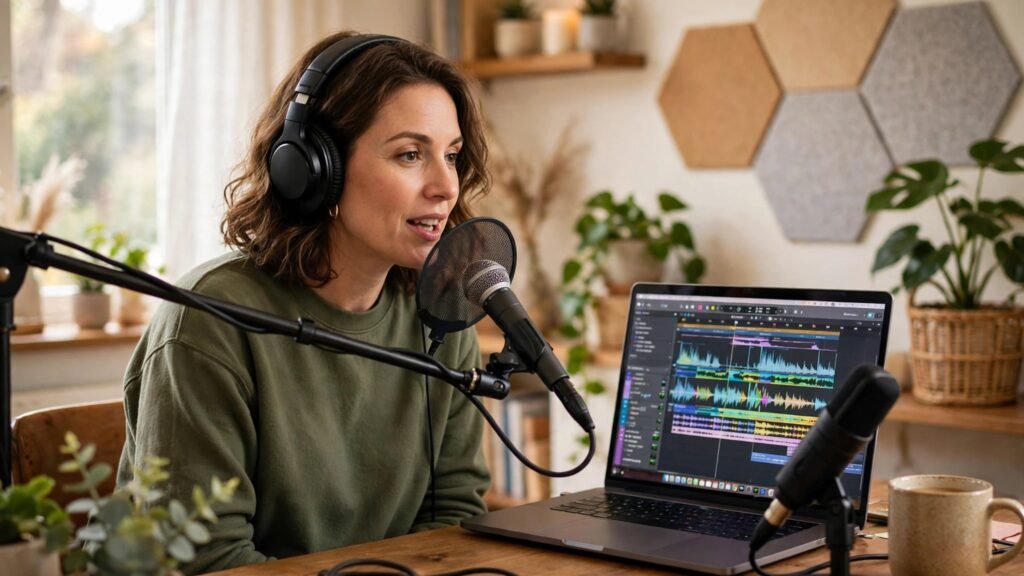
What AI tools for podcasters should do
Before the tools, it helps to name the jobs. A podcast is not one job. It is five small jobs that repeat for every single episode.
First, recording well. The guest has to sound clear, whether they are in the next room or on the other side of the world, and the recording has to survive a bad connection.
Second, editing cleanly. The filler words, the long pauses, and the mistakes all have to go, without cutting the moment that made the episode worth hearing.
Third, sounding good. The levels have to be even, the background noise has to go, and the listener should never have to turn the volume up and down.
Fourth, writing it up. The title, the description, and the show notes all have to be written, because a great episode nobody can find is a great episode nobody hears.
Fifth, sharing it widely. The clip has to be cut, the post has to be written, and the episode has to reach the listener where they already are, without a morning spent uploading the same file five times.
Seven tools cannot do all five jobs perfectly. But each tool below takes one job and makes it lighter, and together they cover the whole show. Pick the job that hurts most, start there, and add the next tool only when the first one is part of your routine. That is the test every one of the AI tools for podcasters in this guide had to pass.
1. Descript — the editor that lets you edit audio like a document
Descript is the transcript editor on this list. It turns the recording into text, and the podcaster edits the episode by deleting words from the page, so the audio follows the edit without a timeline.
Its strength is that it makes editing feel like writing. The podcaster reads the transcript, deletes the filler words, cuts the rambling answer, and the audio is cut to match, which means an episode that took an evening to edit now takes an hour. For a podcaster who dreads the edit, that is where AI tools for podcasters save the most time. The listener hears a tighter episode, because the podcaster could actually face the edit, and the show ships on time, because the edit no longer eats the week.
Its weakness is that a transcript is not the whole performance. A pause that looks long on the page may be the moment the guest was thinking, and a word that looks like filler may be the way the host actually talks. The fix is to listen to the edit before publishing, and to keep the pauses that carry meaning. The tool does the cutting. The human still hears the show.
Best for: solo podcasters, interview shows, and any podcaster who edits their own episodes.
2. Riverside — the recorder that keeps every guest sounding studio-clear
Riverside is the remote recorder on this list. It records each guest locally, in high quality, so the episode sounds like everyone was in the same studio even when they were in different countries.
Its strength is that it protects the recording from the internet. The guest’s audio is saved on their own device as they speak, which means a bad connection cannot ruin the episode, and the podcaster gets separate tracks for every voice. For a podcaster whose guests are remote, that is where AI tools for podcasters earn their keep: the episode sounds professional, the guest sounds respected, and the podcaster stops apologizing for audio that was never their fault. The recording habits behind this are covered in the AI meeting notes tools for small business guide.
Its weakness is that it is a recorder, not an editor. It will not cut the filler words, write the show notes, or publish the episode, and a podcaster who buys it expecting a full studio will be disappointed. The fix is to pair it with an editor that does the cutting, and to judge it by the audio it saves, not by the jobs it does not do. The tool does the recording. The human still edits the show.
Best for: interview podcasters, remote guests, and shows that need studio sound from anywhere.
3. Adobe Podcast — the cleaner that makes bad audio sound good
Adobe Podcast is the audio cleaner on this list. It takes a recording made in a noisy room, on a plain microphone, and makes it sound like it was recorded in a studio, so the podcaster stops losing episodes to bad sound.
Its strength is that it rescues the episode. The background hum goes, the echo goes, and the voice comes forward, which means the interview recorded in a kitchen sounds like it was recorded properly, and the listener stays for the conversation instead of leaving for the noise. For a podcaster who cannot always record in a quiet room, that is where AI tools for podcasters build a habit that survives a busy week. The website side of being found by those listeners is covered in the AI website builder tools for small business guide.
Its weakness is that cleaning is not magic. A recording that is too quiet, too distorted, or too noisy will still sound processed, and a podcaster who relies on cleaning instead of a decent microphone will eventually hit its limit. The fix is to use it as a safety net, not a substitute, and to keep improving the recording itself. The tool does the cleaning. The human still records well.
Best for: new podcasters, remote recordings, and anyone whose room is not a studio.
4. Auphonic — the finisher that levels and polishes every episode
Auphonic is the audio finisher on this list. It levels the voices, removes the noise, and prepares the file for publishing, so every episode sounds the same, however it was recorded.
Its strength is that it finishes the job the same way every time. The quiet guest is brought up, the loud host is brought down, and the file is delivered in the right format for the host, which means the listener never reaches for the volume and the podcaster never spends an evening on loudness settings. For a podcaster who publishes every week, that is where AI tools for podcasters save the most time. The show sounds consistent, because the finish is automatic, and the podcaster can publish with confidence instead of checking every file by ear.
Its weakness is that it is a finisher, not a creator. It will not cut the boring answer, write the title, or find the clip, and a podcaster who buys it expecting an editor will be disappointed. The fix is to edit first, then finish, and to judge it by the consistency it brings, not by the creativity it does not have. The tool does the finishing. The human still makes the show.
Best for: weekly shows, podcasters who publish often, and anyone who wants every episode to sound the same.
5. Podcastle — the all-in-one studio for recording and editing
Podcastle is the all-in-one studio on this list. It records, edits, cleans, and publishes from one place, so the podcaster stops moving files between four tools to make one episode.
Its strength is that it covers the whole episode. The recording is made, the edit is done, the audio is cleaned, and the episode is ready to publish, all from the same system, which means fewer files lost, fewer versions confused, and fewer hours spent learning a new tool for each job. For a podcaster who wants one place for the whole show, that is where AI tools for podcasters build a routine that survives a busy week. The money habits behind this are covered in the AI sales tools for small business guide.
Its weakness is that it is a bundle, and a bundle means some parts are stronger than others. A podcaster who only needs editing will pay for tools they never open, and one who needs deep editing will find it too light. The fix is to use the parts that fit, and to judge the bundle by the whole episode it saves, not by one feature. The tool does the bundling. The human still chooses the show.
Best for: new podcasters, solo shows, and anyone who wants one studio instead of five tools.
6. Castmagic — the show-notes writer that turns audio into content
Castmagic is the show-notes writer on this list. It turns the finished episode into a title, a description, show notes, quotes, and social posts, so the podcaster stops staring at a blank page after every recording.
Its strength is that it turns one episode into many pieces of content. The show notes are written, the quotes are pulled, and the social post is drafted, all from the same transcript, which means the episode is found, shared, and quoted, instead of sitting unpublished while the podcaster finds time to write it up. For a podcaster whose episodes are good but invisible, that is where AI tools for podcasters earn their keep: the listener finds the episode because the notes are there, and the clip gets shared because the quote was ready. The writing habits behind this are covered in the AI email marketing tools for small business guide.
Its weakness is that a draft is still a draft. A title written fast may miss the point of the episode, and a quote pulled out of context may say something the guest never meant. The fix is to read every draft before publishing, and to correct it while the conversation is still fresh. The tool does the writing. The human still owns the words.
Best for: podcasters who publish often, shows that need show notes fast, and anyone who wants one episode to become many posts.
7. Buzzsprout — the host that publishes and measures the show
Buzzsprout is the publisher on this list. It hosts the episode, sends it to the listening apps, and shows the podcaster who is actually listening, so the show reaches the listener and the podcaster knows what worked.
Its strength is that it closes the loop. The episode is published once and appears everywhere, the listener numbers are shown clearly, and the podcaster can see which episode people finished and which one they left, which means the next episode gets better because the last one was measured. For a podcaster who wants to grow, that is where AI tools for podcasters earn their keep: the show is not just published, it is learned from, and the podcaster who knows what listeners love can make more of it.
Its weakness is that hosting is not promotion. A well-hosted episode will not find listeners on its own, and a podcaster who publishes and waits will wonder why nobody came. The fix is to share the episode, cut the clip, and tell the listener where to find it, every single week. The tool does the publishing. The human still grows the audience.
Best for: new podcasters, shows that want simple publishing, and anyone who wants clear listener numbers.
AI tools for podcasters compared
| Tool | Best for | Main job |
|---|---|---|
| Descript | Solo and interview podcasters | Edit audio by editing the transcript |
| Riverside | Remote guests | Studio-clear recording from anywhere |
| Adobe Podcast | Noisy rooms, plain microphones | Clean audio that sounds like a studio |
| Auphonic | Weekly shows | Level, polish, and prepare every episode |
| Podcastle | New podcasters | Record, edit, clean, and publish in one |
| Castmagic | Frequent publishers | Show notes, quotes, and posts from audio |
| Buzzsprout | New shows, growing shows | Host, publish everywhere, measure listeners |
Read the table as a starting point, not a verdict. A podcaster who dreads the edit should start with Descript, a podcaster whose guests are remote should start with Riverside, and a podcaster whose episodes are invisible should start with Castmagic. Pick the pain first, then the tool, and let the rest wait until the first one is routine.
How to choose the right tool for your podcast
Start with the job that hurts most, and name it in one sentence. If the sentence is “editing takes my evenings”, you need a transcript editor. If it is “guests sound bad”, you need a recorder or a cleaner. If it is “nobody finds my episodes”, you need show notes and publishing. A tool chosen for the wrong pain will feel like extra work, however good it is. If you are still torn between two systems, the which AI tool is best for small business guide walks through the choice.
Then check the fit with your existing way of working. An editor that cannot export a file your host can read is a second pile of work, and a host that cannot show you listener numbers is a second guess. Ask for a trial on a real episode, with a real guest, and watch whether you actually use it on the third episode, not just the first. The routine matters more than the feature list, and the AI productivity tools for small business guide shows how to judge a tool by the week it saves.
Then check the listener experience before you buy. Listen to an episode edited with the tool, on headphones, in a car, and on a phone speaker. If it sounds clean and the conversation flows, the tool is helping. If it sounds processed or choppy, the tool is hurting the show however fast it looks on screen.
Finally, agree who owns the final listen. Every episode still needs a human ear before it is published, and the show needs one person who checks that the listen actually happens. A tool that is trusted without listening will eventually be blamed for an episode nobody checked, and the show will lose more listeners than the tool ever saved.
Mistakes podcasters make with AI tools
The first mistake is publishing without listening. A transcript edit can cut a pause that mattered, and a cleaner can flatten a voice that was warm, and a podcaster who never listens to the finished episode will not know until a listener tells them. Listen to every episode before it goes out.
The second mistake is letting the tool write the title alone. A title written fast may miss the point, and a show note that promises what the episode does not deliver will lose the listener who trusted it. Read the title as a listener would, and change it until it is true.
The third mistake is buying the whole suite on day one. A podcaster who buys recording, editing, cleaning, notes, and hosting together will spend a month learning systems and a week actually making episodes. Buy one tool, make it routine, and add the next only when the first one is part of the week. The AI automation tools for small business guide makes the same point for any small business.
The fourth mistake is forgetting the guest. A guest who was recorded badly, quoted out of context, or published without being told will not come back, and will not recommend the show. Tell the guest when the episode goes out, send them the clip, and thank them properly.
The fifth mistake is measuring the wrong thing. A podcaster who counts episodes published will miss the point, and a podcaster who counts clips cut will miss the show. Measure the listener who finished, the episode that was shared, and the guest who came back, because those are the things the tool was bought to change.
FAQs about AI tools for podcasters
Will AI editing make my podcast sound robotic?
No, when the podcaster still listens. A transcript editor cuts what you tell it to cut, and a cleaner only removes noise. The voice stays human when the podcaster keeps the pauses that matter and listens to the finished episode before publishing.
Can I record remote guests in good quality?
Yes. A recorder that saves each guest locally protects the episode from a bad connection, and the research behind choosing the right tool is covered in the AI research tools for small business guide. The guest still needs a quiet room and a decent microphone, and the podcaster still needs to check the sound before the interview starts.
Do I still need to write show notes myself?
You still need to read them, but you do not need to write them from scratch. A tool can draft the title, description, and notes from the transcript, and the podcaster corrects them while the conversation is fresh. A note that is never read is a risk, not a saving.
Will AI tools help me grow my audience?
They help, but they do not do it alone. Good editing, clear show notes, and a shareable clip all help a listener find and share the show. But the audience grows when the podcaster shares the episode, tells the guest, and makes the next episode worth coming back for.
Is guest data safe with AI tools?
It can be, but only when the podcaster checks. Ask where the recordings are stored, who can see them, how long they are kept, and how they are deleted. Get the answers in writing, tell the guest in plain words, and never use a tool that cannot answer those questions clearly.
Conclusion: start with the edit, then fix the notes
A podcast does not need seven tools on day one. It needs one tool that makes the edit bearable, and one that writes the notes, and the rest can wait until those two are routine. Start with a transcript editor if editing is the pain, start with a recorder if remote guests are the pain, and start with show notes if nobody finds your episodes. Pick the pain, run a real trial, and let the show judge the tool by the week it saves, not by the demo it gave.
For the wider picture, and for how other small businesses judge the same kind of tool, the AI Tool Steps site collects practical guides in one place. And if you want the social side of the show covered too, the AI social media content tools for small business guide shows how a podcaster can share clips without spending the day on it. The podcaster still does the talking. The tool just makes sure the audio is clean, the notes are written, and the episode never waits a week to reach the listener.