
An HVAC company starts the day with a van full of parts, a phone full of messages, and a schedule that changed three times before breakfast. One customer wants a repair moved, another is asking why nobody replied to their message from last night, a third is wondering whether the heating will hold through the cold snap, and the technician is waiting to know which house comes first. The repair itself is skilled and careful. The day around it is the reason AI tools for HVAC companies were built.
That is the week these tools are built for. They take the booking, plan the route, remind the customer, write up the job notes, and send the invoice, so the technician can spend the day fixing systems instead of chasing the telephone. The tool just makes sure the booking arrives, the route is sensible, the notes are right, and the follow-up is never missed for no reason.
This guide covers seven picks. Each one does a different part of the job, each one can be tried without rebuilding the whole company, and each one is judged the same way: what it does well, where it needs a human, and which kind of company it suits best. If you want the wider comparison first, the best AI tools for small business guide covers fifteen categories in one place, and the best free AI tools for small business guide lists ten picks that cost nothing to start with. If you are new to all of this, start with how to use AI for small business before you buy anything.
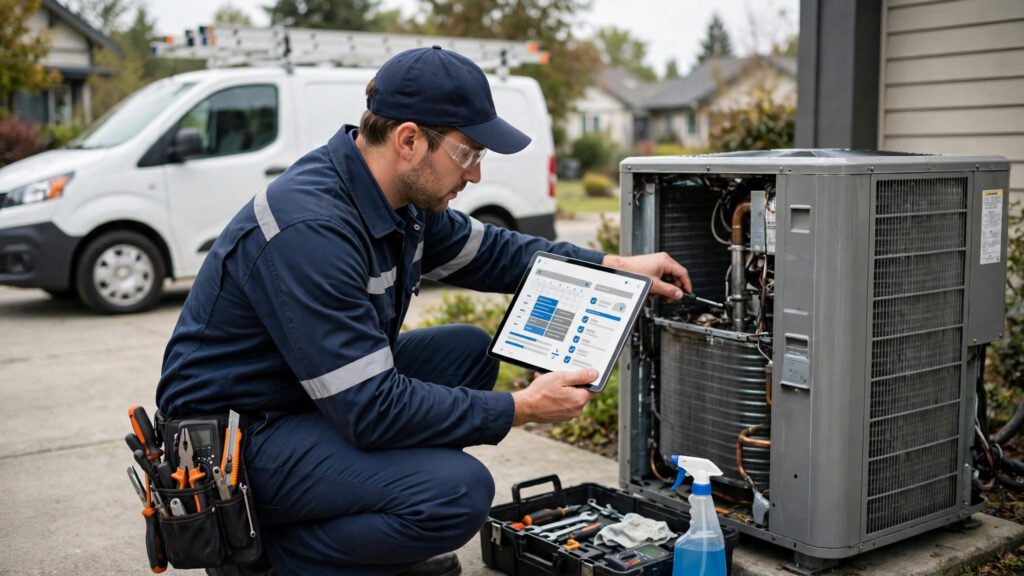
What AI tools for HVAC companies should do
Before the tools, it helps to name the jobs. An HVAC company is not one job. It is five small jobs that repeat for every single customer.
First, answering the inquiry. A homeowner whose heating has failed on a cold night does not wait for a callback the next day. They book with the next company on the list, and the customer is gone before the first company has finished the repair it is already working on.
Second, keeping the route full. A route that takes three days to plan is a route that loses to the one that was ready in an hour, and a job booked without checking the map is a job that sends a van across town twice for two houses on the same street.
Third, writing the job notes. The inspection, the part fitted, the system checked, and the plan all have details, and a note that lives in three different notebooks is a note that runs out of the very detail a customer needs at the next visit.
Fourth, reminding the customer. The seasonal service, the filter change, and the maintenance plan all need to reach the right customer, and a customer who is reminded late is a customer who stops calling.
Fifth, getting paid. A month of repairs that is finished but not billed is money that is still sitting unpaid, and an invoice that is sent late is an invoice that is paid late. The work is done the day the technician leaves the house, and the money should follow the work, not trail weeks behind it.
Seven tools cannot do all five jobs perfectly. But each tool below takes one job and makes it lighter, and together they cover the whole company. Pick the job that hurts most, start there, and add the next tool only when the first one is part of your routine. That is the test every one of the AI tools for HVAC companies in this guide had to pass.
1. ServiceTitan — the platform tool that runs the whole HVAC operation
ServiceTitan is the all-in-one field service platform on this list. It turns a booking into a dispatched job, a job into a finished repair, and a finished month into a billed invoice, so the whole company runs from one place instead of three notebooks and a whiteboard.
Its strength is that it keeps the customer and the job together. The technician can open the record, see the system history, add the job notes, and book the next service from the same screen, so nothing is retyped and nothing is forgotten. The dispatch board matters most: the office can see which technician is free, which job is urgent, and which van is closest, and send the right person instead of the first name on the list. For a company that loses customers to slow booking, that is where AI tools for HVAC companies earn their keep. The website side of this is covered in the AI website builder tools for small business guide.
Its weakness is that it is a platform, not a member of staff. A schedule with half the jobs in it is worse than a paper book, because it looks complete when it is not. The fix is simple: every booking goes through it, every time, even the emergency call taken at the desk at closing time, and the notes are finished before the technician leaves the house. The tool does the organizing. The human still has to enter the work.
Best for: growing HVAC companies that want booking, dispatch, and billing in one place, and owners who are tired of chasing paper.
2. Housecall Pro — the booking tool that keeps small HVAC teams organized
Housecall Pro is the booking and invoicing tool on this list. It lets the team see the jobs in progress, the technician routes, and the payments due, while the owner keeps the bookings, the customer history, and the follow-ups in one place.
Its strength is that it stops the phone from running the company. The customer can book online, check the appointment, and receive a reminder without a long phone call, and the technician can see the customer, the history, and the system before the visit starts. The missed call matters most: a call that goes unanswered is often a customer who simply books with the next company, and a system that texts them back within minutes saves the customer. For a company whose phone never stops, that is where AI tools for HVAC companies pay for themselves. The sales side of this is covered in the AI sales tools for small business guide.
Its weakness is that it is a booking and invoicing system, not a technician. A job that goes in with the wrong address, or a reminder that arrives with the wrong time, will worry the very customer it was meant to help. The fix is to check the board once, properly, and to let the team read the replies every morning before the first van leaves. The tool does the booking. The human still reads the answer.
Best for: small HVAC teams with a ringing phone, businesses that lose customers to missed calls, and owners who want bookings, invoices, and follow-ups in one place.
3. Jobber — the quoting tool that turns an inquiry into a booked job
Jobber is the quoting, scheduling, and invoicing tool on this list. It shows every customer, every job, and every payment on one screen, so the owner can see which jobs are due, fill the empty slot, and see which services are making money and which are not.
Its strength is that it turns a feeling into a picture. The quote matters most: a customer who waits three days for a price will have three other prices by then, and a company that quotes in minutes wins the job before the rival has opened the email. The seasonal service matters too: a customer reminded about the heating check before winter is a customer who books early, not a customer who calls in a panic on the coldest night. For a small team with a busy diary, that is where AI tools for HVAC companies build a steadier month. The automation side of this is covered in the AI automation tools for small business guide.
Its weakness is that a system this connected needs the whole team to work inside it. A customer who is served outside the system is invisible to the office, and a team that only half uses it will blame the tool for a schedule that was never complete. The fix is to make it the only diary, from the first day, and to train the newest technician on it the same week they learn the van. The platform does the organizing. The human still decides who is seen first.
Best for: small HVAC teams, owners who want quotes and jobs in one place, and companies that want online booking without a big system.
4. FieldEdge — the dispatch tool that follows the job from call to completion
FieldEdge is the dispatch and job management tool on this list. It holds the inquiry, the quote, the job, and the payment together, so the technician who meets a customer for the first time already knows what was quoted last week and what was promised and never sent.
Its strength is that it makes a small company look like a big one. The customer who inquires gets a quote, a booking, and a reminder without waiting days, instead of a stranger who has to start from the beginning. The dispatch matters most: the urgent breakdown is sent to the nearest free technician, the routine service is slotted into the gap it fits, and the canceled slot is replaced before the van ever stands empty. For a small team that lives on quick wins, that is where AI tools for HVAC companies build loyalty without a marketing budget. The email side of this is covered in the AI email marketing tools for small business guide.
Its weakness is that it only knows what the team tells it. A job done without a note, a part never recorded, and a payment never filed will leave the next technician guessing. The fix is to finish the note at the van, while the customer is still fresh in mind, and to file the record before the next job starts. The tool does the remembering. The human still has to write it down.
Best for: HVAC company teams, businesses built on fast dispatch and repeat customers, and owners who want the customer history in one place.
5. Service Fusion — the scheduling tool that turns a call into a finished job
Service Fusion is the scheduling and dispatch tool on this list. It turns a call, a booking, and a job into one flow, so the customer can see the visit coming and the company can see the week already planned.
Its strength is that it closes the sale before the technician arrives. The customer who sees a clear appointment time, a fair quote, and a reminder before the visit will stay loyal faster than a customer who receives a plain receipt. The first impression matters most: a visit that looks careless suggests a company that will be careless, and a visit that looks careful suggests a technician who will be careful. For a company that sells trust, that is where AI tools for HVAC companies earn their fee. The social side of staying visible is covered in the AI social media content tools for small business guide.
Its weakness is that it is a scheduling tool, not a technician. A quote that promises what the company cannot deliver will disappoint the customer on the day, and a schedule that looks neat but hides the gaps will cost trust later. The fix is to plan what the week actually needs, and to let the numbers sit next to the promises. The tool does the scheduling. The human still sets the job.
Best for: companies who sell through service, businesses that win customers from reliable visits, and owners who want bookings, dispatch, and jobs in one place.
6. BuildOps — the operations tool that keeps the whole company in view
BuildOps is the job and customer management tool on this list. It sends the reminder, the follow-up, and the invoice to customers, so the company stays in mind without the owner spending the day writing messages and chasing paper.
Its strength is that it keeps the pipeline warm. A past customer who receives a thoughtful reminder about their seasonal service will return, and a future customer who reads a useful heating care guide will inquire when the system fails. The reminder matters most: a company lives on repeat customers, and a company that is forgotten is a company that is not called. For an owner who wants next month booked before this month ends, that is where AI tools for HVAC companies build a steadier year. The productivity habits around this are covered in the AI productivity tools for small business guide.
Its weakness is that it is a system, not a relationship. A reminder that is sent to the wrong customer, or a message that arrives every week with nothing to say, will annoy the very people it was meant to keep warm. The fix is to send less, and to send something worth reading, and to let the team read the replies every week. The tool does the sending. The human still writes the message that matters.
Best for: companies who want next month steady, businesses that live on repeat customers, and owners who want reminders, follow-ups, and invoices in one system.
7. JobProgress — the billing tool that turns finished jobs into clear numbers
JobProgress is the job management and billing tool on this list. It takes the finished repair, turns it into an invoice, and shows the owner whether the month is actually making money, so the owner is not guessing at the end of the month.
Its strength is that it closes the loop. The job is done, the invoice goes out the same day, the payment arrives, and the books show the payment without anyone retyping the numbers. The same-day invoice matters most: an invoice that is sent while the visit is still fresh is paid sooner than an invoice that is sent three weeks later and has to be checked again. For a company that is always busy but always short of cash, that is where AI tools for HVAC companies fix the real problem. The notes habit for a busy team is covered in the AI meeting notes tools for small business guide.
Its weakness is that it is a billing system, not an accountant. A book that is half kept is worse than a paper ledger, because it looks complete when it is not. The fix is to reconcile every week, without fail, and to ask the accountant about anything that looks odd before the month ends. The tool does the counting. The human still decides what the numbers mean.
Best for: owners who want to see the money clearly, companies that bill late, and teams that want the books to match the schedule.
AI tools for HVAC companies compared
| Tool | Best for | Watch out |
|---|---|---|
| ServiceTitan | Booking, dispatch, and billing in one place | Needs every booking entered, every time |
| Housecall Pro | Bookings, invoices, and follow-ups | Booking must be checked carefully |
| Jobber | Fast quotes and a busy diary | Only works if it is the only diary |
| FieldEdge | Dispatch and customer history | Notes must be finished at the van, not later |
| Service Fusion | Scheduling, dispatch, and jobs | Plan only what the week actually needs |
| BuildOps | Reminders, follow-ups, and invoices | Send less, and send something worth reading |
| JobProgress | Same-day invoices and clear books | Needs a weekly reconciliation, without fail |
How to choose the right AI tools for HVAC companies
Start with the lost customer problem. Count the calls that went unanswered last month, the bookings that were never made on time, and the invoices that were finished but never sent. If the number is high, the booking or billing tool comes first, because every other tool feeds on customers that actually stay and get served. Fix the booking and the invoice before buying a bigger system. The research behind a good choice is covered in the AI research tools for small business guide.
Match the tool to the size of the company. A company with one van does not need the system a company with five vans needs, and a company with five vans will outgrow a tool built for one van in a year. Ask how many customers, staff, and jobs will use it every day, and buy for that number, not for the number you hope to reach one day.
Check the human handoff. Every tool on this list needs a moment when the person takes over. Ask where that moment is before buying: who answers the customer who is not happy, who explains the repair to the customer who does not understand it, who signs off the job. If the answer is unclear, the tool will quietly drop the cases that matter most.
Try one tool for a month. A trial that runs for a week tells you nothing, because a week is not long enough for the schedule to fill and the follow-ups to work. Give it a full month, judge it by the customers that were served, the customers who returned, and the invoices that were paid, and then decide.
Mistakes to avoid with AI tools for HVAC companies
A first mistake is buying seven tools at once. A company that buys everything in a week will use nothing properly, and the team will go back to the paper book within a month. One tool, used every day, does more than seven tools bought and forgotten.
A second mistake is letting the tool send messages nobody has read. A reminder with the wrong time, a job note with the wrong part, and a review request sent to the wrong customer all cost trust, and trust is the whole business. Read the message before it goes out, every time, until the system has earned it.
A third mistake is keeping the diary in two places. A diary that lives half in the tool and half on paper is a diary that books one customer twice and misses another entirely. One diary, one system, every booking through it.
A fourth mistake is billing late. The job that is finished but not invoiced is money that is still unpaid. Send the invoice the same day, and chase it politely if it is not paid.
Frequently asked questions
Do AI tools for HVAC companies replace the technician?
No. They replace the chasing, the retyping, and the missed call on a busy day. The inspection, the repair, and the decisions on the day still belong to the technician, and those are the parts the customer remembers.
Which AI tools for HVAC companies should a company try first?
The one that fixes the biggest leak. For most companies that is the booking or the invoice: a system that books, reminds, and sends the invoice the same day without errors. If the booking is already solid, the next pick is the one that matches the company, a notes tool for reliable records and a dispatch tool for a busy diary. If you are still torn between two systems, the which AI tool is best for small business guide walks through the choice.
Can a small business afford these tools?
Start with one tool, not seven. Pick the job that loses the most money, use the tool for a month, and judge it by the customers that were served, the customers who returned, and the invoices that were paid. A tool that pays for itself in one busy month has earned its place.
Will customers mind booking through a tool?
Most customers mind being ignored, not the booking page. A clear appointment time, a reminder with the right time, and a message when the visit is confirmed feel like care, not automation. The technician should still be the person who inspects, explains, and finishes the job.
How do I keep the company personal when a tool does the admin?
Let the tool do the admin and keep the personal parts for yourself. The tool books, reminds, and drafts. The technician explains, listens, and makes the call. A company that is organized by a tool and led by a person is a company customers return to and trust.
Conclusion
The company that wins is rarely the one with the most tools. It is the one whose schedule is full, whose customers are served the same day, whose notes are right, and whose invoices are paid on time. One tool, used every day, does more than seven tools bought and forgotten.
Start with the leak. If the call is missed, start with booking. If the route wastes hours, start with dispatch. If the money is late, start with billing. Use it for a month, judge it by the customers that were served and the invoices that were paid, and then add the next one. If you want one more place to compare tools before you choose, the AI Tool Steps site lists practical picks by job.