
Every small business needs pictures. A shop needs product photos. A service business needs social posts. A website needs a banner, a blog needs a header image, and a flyer needs something that makes a person stop and look. Hiring a photographer for every picture is slow and expensive, and using the same stock photos as everyone else makes a business look like everyone else. This guide to AI image generation tools for small business covers seven picks you can try on a free plan.
That is the gap AI image generation tools for small business fill. You describe the picture you want in plain words, and the tool creates it. A product on a clean background. A lifestyle scene for a social post. A banner for a sale. A header image for a blog post. The picture is made in minutes, not days, and it can be changed just as fast — a different color, a different background, a different mood — by changing a few words.
This guide covers seven picks. Each one does a different image job, each one can be tried on a free plan, and each one is judged the same way: what it does well, where it needs a human, and which kind of business it suits best. If you want the wider comparison first, the best AI tools for small business guide covers fifteen categories in one place, and the best free AI tools for small business guide lists ten picks that cost nothing to start with. If you are new to all of this, start with how to use AI for small business before you buy anything.
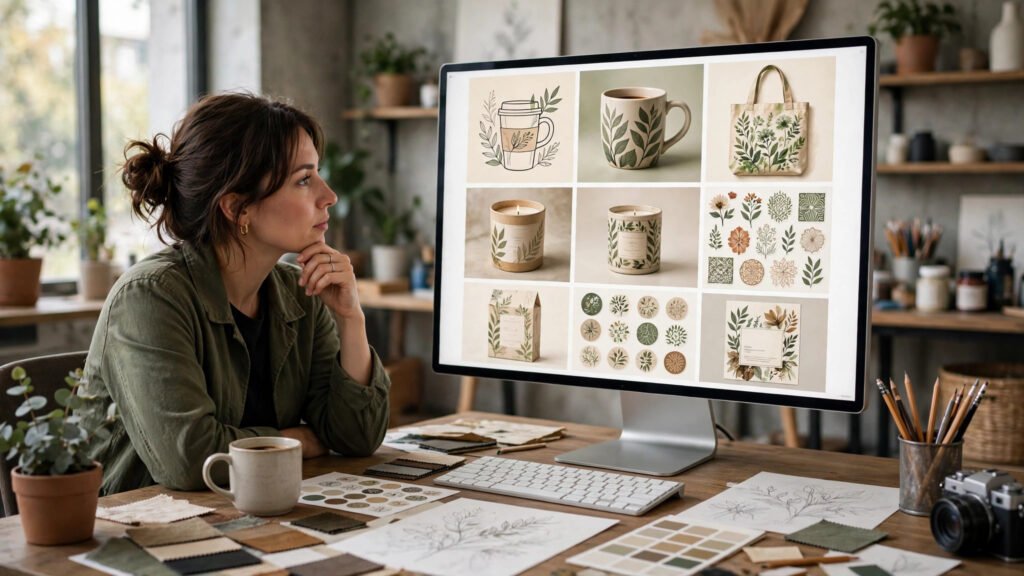
What image generation actually does for a small business
An image generator turns a written description into a picture. The description is called a prompt, and learning to write a good prompt is most of the skill. A vague prompt gives a vague picture. A clear prompt — what the subject is, where it sits, what the light looks like, what style you want — gives a picture you can actually use.
For a small business, the value is speed and consistency. A social post that used to wait for a photo shoot can be made in the morning and posted by lunch. A product that comes in three colors can be shown in all three without three photo sessions. A blog post can have a header image that matches its subject instead of a generic picture that only roughly fits. And a business that posts every day can keep a consistent look, because the same style words can be used in every prompt.
The rule that keeps image generation honest is simple. Use it for illustration, not for deception. A generated picture of a product should look like the product a customer will actually receive. A generated picture of a shop should not pretend to be a real photo of your shop. A generated picture of a person should not pretend to be a real customer. Use the tool to show your work well, not to show work that does not exist.
Start with one job that repeats every week and eats time every week. Social post images are a good first job. Get that one working. Then add the next. A business that generates one kind of image well is better off than a business that generates ten kinds badly.
1. Midjourney — the most striking images, when style matters most
Midjourney is the tool people reach for when the picture itself has to impress. Its images have a polished, almost photographic quality, and it is especially strong at mood, light and atmosphere — a warm evening scene, a dramatic product shot, a dreamy background for a brand story. When a business wants a hero image for its website or a striking visual for a campaign, Midjourney is often the first tool tried.
The strength of Midjourney is its sense of style. A short prompt can produce a picture that looks like it was planned by a designer, with balanced composition and natural light. It handles artistic styles well too, from watercolor to cinematic to minimal studio looks, so a business can develop a recognizable visual identity and keep returning to it.
The trade-off is that Midjourney works through a chat-style interface, which feels unusual at first, and it is less suited to precise jobs. If you need exact text in the image, an exact product shape, or a picture that must match a real item perfectly, Midjourney can frustrate you — it invents details, and the details it invents are not always the details you wanted. It is also a tool that rewards practice: the first prompts are rarely the best, and the skill grows with use.
Midjourney suits a business that sells on look and feeling — a cafe, a boutique, a salon, a travel service — and wants images that make people stop scrolling. It is a good tool for brand and campaign visuals, where atmosphere matters more than exact accuracy.
2. DALL-E in ChatGPT — the easiest place to start
DALL-E, built into ChatGPT, is the simplest image generator for most small business owners, because it lives inside a tool many people already use. You write a request in plain conversation, the picture appears in the same chat, and you can ask for changes in plain words: make it brighter, remove the plant, change the background to white. There is no new interface to learn and no separate app to open.
The strength of DALL-E is conversation. You can build a picture step by step, asking for one change at a time, and you can ask for text in the picture too — a sign, a label, a short headline — which many generators still struggle with. It is also good at following instructions about composition, such as putting the product on the left and leaving empty space on the right for words.
The limit is that the images are clean and useful rather than dramatic. They rarely have the striking polish of Midjourney, and fine details — hands, small text, complex scenes with many objects — can still come out wrong. For everyday business pictures that is usually fine. For a flagship campaign image, you may want a more specialized tool.
DALL-E suits a business that wants images fast, inside a tool it already uses, and that values easy editing over artistic drama. It is a good first image generator, and for many small businesses it is the only one they will ever need.
3. Adobe Firefly — the safe choice for commercial use
Adobe Firefly is the image generator from Adobe, the company behind Photoshop, and its main appeal is trust. Firefly was trained on licensed stock images and public domain content, so the pictures it creates are designed to be safe for commercial use — a real concern for a business that puts images on its website, in ads and on product packaging. Many other generators leave the question of training data unclear, and that uncertainty is a risk a careful business owner does not want.
The strength of Firefly is that it fits into a working design routine. It works with Photoshop and other Adobe tools, so a generated image can be extended, cleaned up or combined with a real photo in the same workflow. It also has useful controls, such as generating variations, changing a style while keeping the structure, and filling in part of an image — a missing corner, a wider background — without starting again.
The trade-off is that Firefly is at its best inside the Adobe world. A business that does not use Adobe tools can still use it through a web browser, but some of the value comes from the connection to Photoshop. The free allowance is also limited, so a business that generates images every day will need to plan its use.
Firefly suits a business that already uses Adobe tools, or that wants the clearest commercial position for the images it publishes. It is a good choice for website banners, ads and printed material, where the image will be seen by customers and the business needs to be confident about using it.
4. Ideogram — the best tool when the image needs words
Most image generators struggle with text. A sign in the picture says the wrong word, a logo is misspelled, a headline is garbled. Ideogram was built to fix exactly that problem, and it is noticeably better than most tools at putting readable, correctly spelled words inside an image. That makes it the tool to reach for whenever the picture carries a message.
The strength of Ideogram is practical: posters, flyers, sale announcements, social graphics with a headline, product labels, menu boards. You write the words you want, describe the design around them, and the result is usually usable without a designer fixing the text afterwards. It also offers different styles — poster, illustration, photograph, typography-led design — so the same tool can make a bold sale poster and a quiet, elegant announcement.
The limit is that Ideogram is a specialist. For a pure photograph-style image with no words, other tools in this list will usually do better. Its pictures can also look a little flat compared with Midjourney, and very long passages of text still challenge it. It is a tool for a specific job, and it does that job well.
Ideogram suits any business that makes posters, menus, price lists, sale graphics or social posts with text on them. If your images keep needing words, and the words keep coming out wrong in other tools, Ideogram is the one to try.
5. Leonardo AI — the flexible studio for product and brand work
Leonardo AI is a full image studio in a browser, and its strength is control. Instead of one prompt and one picture, you get models to choose from, styles to set, and tools to refine the result — including image-to-image work, where you start from an existing picture and ask for a variation, and upscaling, where a small picture is made sharper and larger for print or a website banner.
The strength of Leonardo is range. It handles product shots, character images, illustrations, patterns and backgrounds, and it lets a business build a consistent style by saving settings and reusing them. A shop that needs ten product images in the same style, or a brand that needs a set of matching illustrations, will find that consistency valuable. It also has a free daily allowance, so a small business can try it properly before deciding anything.
The trade-off is that Leonardo has more to learn than the simpler tools in this list. The extra controls are useful, but a first-time user can feel lost among the options. It rewards a little time spent learning what each setting does, and it is better suited to an owner who enjoys trying settings than to someone who wants a single button.
Leonardo suits a business that needs a set of matching images — a product range, a brand illustration set, a series of social templates — and wants more control than a chat-style generator gives. It is a good studio tool for a business that is starting to take its visuals seriously.
6. Canva AI image generator — images inside the design you already make
Canva is already the design tool many small businesses use for social posts, flyers and presentations, and its AI image generator lives inside it. That is its whole appeal: you do not leave your design to make a picture. You generate the image, place it in the post, add your words and your logo, and publish — all in one place. For a business that already designs in Canva, this removes a whole step from the routine.
The strength of Canva is the workflow. The images it generates are good for everyday business use, and because they land directly in your design, you can resize them, add text, change colors and export for each platform without opening another app. It is also easy to keep a consistent look, because your brand colors, fonts and logo are already saved in Canva. For a team where several people make posts, that consistency matters.
The limit is quality at the top end. Canva’s generator is a general tool, not a specialist, so its pictures rarely match Midjourney for drama or Leonardo for control. For social posts, flyers and presentations that is usually enough. For a hero image or a print campaign, a specialist tool may do better.
Canva suits a business that already makes its designs in Canva and wants images without changing tools. It is the fastest route from an idea to a finished post, and for daily social content that speed is worth more than artistic polish. If you want the wider design picture, the AI graphic design tools for small business guide covers the design side in detail.
7. Stable Diffusion — the open option you can shape yourself
Stable Diffusion is the open image model behind many other tools, and its main appeal is freedom. You can run it yourself, choose from many community models, fine-tune it on a style, and build it into your own workflow. For a business with a technical owner, or a developer on the team, that freedom is something no closed tool offers.
The strength of Stable Diffusion is control and cost. Once it is set up, generating images costs little beyond the computer time, and you can generate as many variations as you like. There are models trained for product photography, for illustration, for anime, for architecture, and many other styles, so a business can pick the model that matches its look. It also works offline in some setups, which matters for a business that handles sensitive material.
The trade-off is the setup. Stable Diffusion is not a simple web app you open and use. It needs installation, a capable computer or a hosted service, and time to learn. A non-technical owner will find the other tools in this list far easier, and should not feel they are missing out — the closed tools exist precisely so that most people never need to set this up.
Stable Diffusion suits a business with technical skill in-house, or a business that needs a very specific style at high volume and wants to own the process. It is the power tool of this list: the most flexible, and the most demanding.
A five-step plan to start this week
A tool list is only useful if it turns into a routine. Here is a small plan that fits a busy week.
First, pick one job. Social post images are the best first job, because they repeat every day and the cost of a mistake is low. Do not try to replace your product photography, your website banners and your ads all at once.
Second, pick one tool from this list that matches that job. If the job is social posts with text, start with Ideogram or Canva. If the job is striking brand images, start with Midjourney. If the job is everyday pictures inside a chat you already use, start with DALL-E. One tool, one job.
Third, write five prompts and save them. A good prompt names the subject, the setting, the light, the colors and the style, and it leaves space where you need it — for example, empty space on one side for text. Save the prompts that work, so the next picture takes a minute instead of half an hour.
Fourth, set a simple quality check. Before any generated image goes out, ask three questions. Does the product look like the real product? Is any text spelled correctly? Would a customer feel misled if they knew this picture was generated? If the answer to the first two is no, or the third is yes, fix the picture or do not use it. A quick check like this protects the business more than any tool setting.
Fifth, keep a small library. Save the pictures that work, with the prompt that made them, in one folder. Over a month, that folder becomes a visual identity: the same style, the same colors, the same feeling, across every post. That consistency is what makes a small business look like a brand, and it is free to build once the habit is in place.
For the wider routine, the AI social media scheduling tools for small business guide shows how to plan those posts, the AI video editing tools for small business guide covers moving pictures, and the AI content writing tools for small business guide covers the words that go with them. If you sell online, the AI ecommerce tools for small business guide ties images to listings, and the AI automation tools for small business guide shows how to move new images into posts without doing it by hand. For the words in your emails, the AI email marketing tools for small business guide covers that side.
Five questions small business owners ask
Do I own the images I generate?
It depends on the tool and the plan you are on, so read the terms of the tool you choose before you publish. In general, the tools in this list give you the right to use the images commercially on a paid plan, and Firefly is the clearest of them on this point. Keep a note of which tool made each image, in case the question ever comes up.
Can generated images replace a photographer?
For social posts, blog headers and mock-ups, often yes. For product photos where a customer must see the exact item, the exact color and the exact detail, a real photo is still better. Many businesses use both: real photos for the product itself, generated images for the scenes, backgrounds and illustrations around it.
How do I keep the same style across many images?
Save the style words from the prompts that work and reuse them every time. Words about light, color, camera style and mood are the easiest way to keep a consistent look. A small library of saved prompts, as described above, is more useful than any setting in the tool.
What if the image has a mistake in it?
Check every image before it goes out, especially hands, text and small details. Most generators let you ask for a variation, or edit part of the picture, and a quick fix in a design tool can save a picture that is almost right. If it cannot be fixed in a minute, generate a new one with a simpler prompt.
Will customers mind that an image is generated?
Most customers care about whether the picture is honest and useful, not about how it was made. A generated illustration of a service, a generated background for a product, or a generated header for a blog post is normal now. A generated picture that pretends to be a real photo of a real place, a real person or a real product is where trust is lost. Stay on the honest side of that line.
Conclusion
Good pictures used to be the expensive part of running a small business. Now they are the fast part, if the business picks the right tool and uses it with care. Midjourney brings the drama, DALL-E brings the ease, Firefly brings the commercial confidence, Ideogram brings the words, Leonardo brings the control, Canva brings the workflow, and Stable Diffusion brings the freedom. No single tool wins on every job, and a business does not need all seven. One tool, one repeating job, a saved prompt and a quick honesty check is enough to start, and the library that grows from that habit is what turns occasional pictures into a recognizable brand.
If you want a wider view of the AI tools that fit a small business, the guides at AI Tool Steps cover the same practical ground. A good place to start is the best AI tools for small business guide, so the images you generate sit inside a system that already works.