
Introduction: Your Customers Watch Video First — and Your Phone Footage Needs Help
A customer scrolls past a dozen posts. Then one short video makes them stop. In five seconds, they decide if your business looks worth trying. Meanwhile, the raw clips on your phone sit unedited. You have a product demo, a shop tour, and a quick testimonial. But nobody on your team has hours to learn a professional editor. This is the everyday problem that AI video editing tools for small business are built to solve.
AI video editing tools for small business take rough footage. They turn it into a finished video with far less manual work. They cut out silences and filler words automatically. They add captions and suggest the best moments. They resize a video for every platform. They can even generate b-roll or voiceover from a script. The best ones finish the tedious parts in minutes. That lets a small team publish polished videos every week, without hiring an editor.
This guide reviews seven well-known options. It explains how to choose between them. It ends with a simple comparison. That will help you pick the right one for your business. Every tool here is a real, established product. We describe what each one does best. We say who it suits. We also name one honest limitation. That way, you can decide with clear eyes.
Why AI Video Editing Tools for Small Business Matter in 2026
Video used to be the one marketing job a small business could not do in-house. It needed a camera, a trained editor, and a day of work for a single clip. That has changed completely. Today, a phone shoots good enough footage. AI handles the parts that used to take the longest. It finds the good moments. It cuts the dead air. It adds captions. It matches the music to the mood. The gap has shrunk a lot. A rough recording once took a day to become a video worth posting. Now it takes an afternoon. For many small businesses, it takes under an hour.
There are three practical reasons this matters more now than it did a few years ago. First, customers expect video everywhere. They expect it on your website, on your social feeds, in your ads, and in your messages. A business with no video looks quiet next to competitors who post every week. Second, AI has taken over the repetitive editing work that used to make video feel like a chore. Silence removal, filler-word cutting, auto-captions, and smart reframing happen at the click of a button. So the human work left is the creative part. That part is what to say and what to show. Third, one recording can now become many videos. A single ten-minute talk can become a website video. It can also become three short social clips and a captioned ad. AI finds those moments for you. You do not need to scrub through the timeline yourself.
AI Video Editing Tools for Small Business Still Need a Real Story
That said, an AI editor is not a replacement for a real story. It is a shortcut through the technical work. Businesses get the most from AI video editing tools for small business when they publish consistently. They keep the same message, the same look, and the same quality every week. They save their creative energy for the ideas that actually sell. Set that expectation from the start. Then a video editor becomes one of the highest-value tools a small business can add to its marketing.
A Good Video Improves Your Other Marketing
A good video also quietly improves everything else you publish. When a visitor watches a short product video on your website, they understand fast. They get in a minute what a page of text would take five minutes to explain. When a social clip is captioned and well cut, people watch it without sound and still get the message. This is why video belongs in the same conversation as SEO and content. Your content brings visitors in. Your video convinces them. Your follow-up keeps them coming back. If you are already working on bringing visitors to your site, a video helps. It helps you make the most of every one of them. For guidance on what to say in your videos, see our guide to the AI video script generator for small business.
How to Choose AI Video Editing Tools for Small Business
There are many AI video editing tools for small business on the market. Choosing is easier when you judge every option against the same four criteria. Work through them before you sign up for anything. That way, you will avoid the most common mistake. Do not pick a tool just because it looks impressive in a demo. Pick one that fits the way your business actually works.
1. Ease of use for a non-editor. A small business rarely has a trained video editor on staff. And nobody wants a tool that takes a week of tutorials. Look for a tool your team can use on day one. Import a clip. Let the AI do the first cut. Then finish with simple drag-and-drop changes. Check the basics. Can it remove silences automatically? Can it add captions without manual typing? Can a new team member finish a video in one sitting? The easier it is to finish a video, the more likely your team is to publish regularly. A tool nobody finishes videos in is worse than no tool at all.
2. AI features that save real time. Not all AI in a video editor is equally useful. The features that matter most for a small business are the ones that remove hours of work. Look for automatic silence and filler-word removal. Look for auto-captions in your brand style. Look for smart reframing for vertical and square formats. And look for clip-finding that pulls the best moments from a long recording. Be wary of AI that only adds flashy effects. Ask for a trial with your own kind of footage. Use a real product demo, a real testimonial, or a real shop tour. Then see whether the AI actually shortens the job.
AI Video Editing Tools for Small Business: Formats and Cost
3. Output formats and where your videos will live. A video that looks great on your website may be the wrong shape for a social feed. Check whether the tool can export the same edit in landscape, vertical, and square. Also check whether it can publish or schedule directly to the platforms you use. A tool that also helps with the wider content workflow saves even more time. For example, it can turn one recording into several social posts. For a broader view of the AI tools a small business can combine, browse curated tool roundups. They include AI guides for everyday business tasks. Start with the ones at AIToolSteps alongside this guide.
4. Cost as you grow. Most video tools charge by the number of exports, the length of video, or the features unlocked. A plan that looks affordable for one video a week can become expensive. That happens when your team starts publishing daily. So read the pricing structure before you commit. Ask what happens when you exceed your export limit. Ask whether the cheapest plan includes the AI features you actually need. Those include auto-captions and filler-word removal. Also ask whether you can change plans without losing your projects. The right tool is the one you can still afford when it is working well.
Keep this shortlist in mind as you read the reviews below. Each tool has a different strength. The best choice depends on which of these four criteria matters most to you.
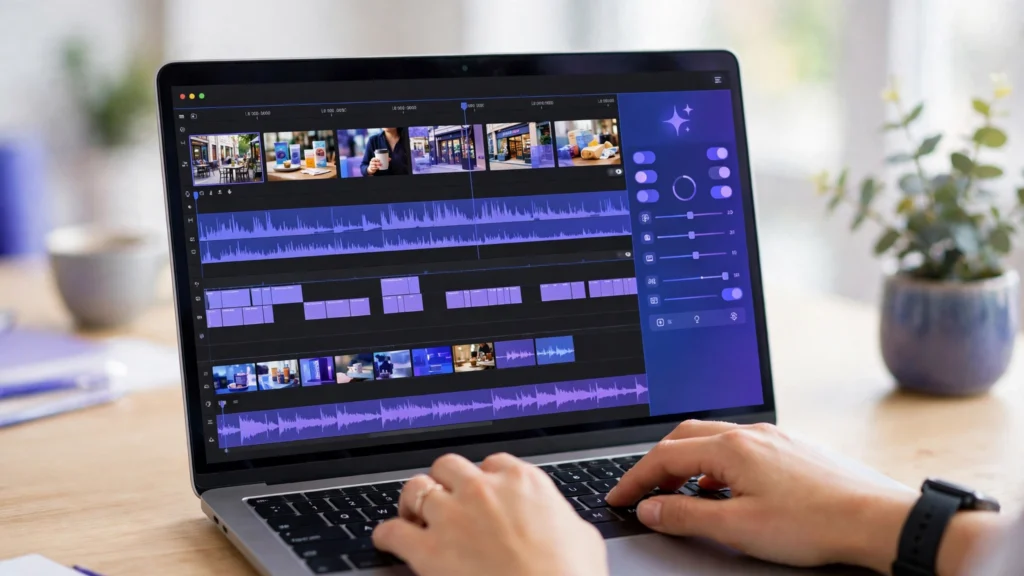
1. Descript — Best for Small Businesses That Edit Video Like a Document
Descript is built around one powerful idea: edit the transcript, and the video edits itself. You record or upload a video, Descript transcribes it, and you cut the video by deleting words from the text. Its AI removes filler words and silences automatically. It can even fix a flubbed line with a voice clone of the speaker. That is why Descript stands out among AI video editing tools for small business.
What it does best is making editing feel like writing. For a talking-head video, a podcast, an interview, or a product explainer, cutting a sentence in the transcript is faster. It is also more natural than scrubbing a timeline. The automatic transcription is accurate. The filler-word removal is genuinely time-saving. The studio sound feature cleans up noisy recordings without extra equipment.
Who it suits: small businesses that make talking-head videos, interviews, tutorials, and podcasts. It also suits any team where the person editing is not a trained video editor.
One honest limitation: Descript is strongest for spoken-word video. It is weaker for fast, visual, effects-heavy edits. So a business that needs cinematic cuts and layered effects will usually need another tool alongside it.
2. CapCut — Best for Small Businesses That Need Fast Social Videos
CapCut is the editor behind a huge share of short social video, and its AI features are built for speed. Auto-captions, background removal, smart templates, and one-click effects help a small team a lot. They can turn a phone clip into a polished vertical video in minutes. Then it is ready for the feeds where customers actually watch. CapCut is one of the fastest AI video editing tools for small business.
What it does best is speed to publish. The template library means you rarely start from a blank timeline. Pick a style. Drop in your clips. Let the AI time the cuts to the music. Then export. The caption styles are modern and readable. The mobile app means you can finish a video on the shop floor, not just at a desk.
Who it suits: small businesses that publish short social videos every week. That includes shops, cafes, salons, and service businesses that film on a phone and need results fast.
One honest limitation: CapCut is built for short-form social video first. A business that needs long, polished website videos may find it too simple. The same is true if you need detailed colour and audio control.
3. Runway — Best for Small Businesses That Want AI-Powered Creative Effects
Runway is the most creative tool on this list. Its AI can remove a background without a green screen. It can erase an unwanted object from a shot. It can generate video from a text prompt or a still image. It can restyle footage in ways that used to need a visual effects team. Runway is the most creative of these AI video editing tools for small business.
What it does best is turning an ordinary clip into something striking. The background removal and object removal alone save hours of fiddly work. The generative features let a small team create shots they could never film. Think of a product floating in a dreamlike scene. Or a dull background replaced with a branded one. For product launches and attention-grabbing ads, that creative range is hard to match.
Who it suits: small businesses that want standout product videos and ads, creative agencies, and teams that enjoy experimenting with new visual ideas.
One honest limitation: Runway is a creative tool rather than a complete everyday editor. A team that mainly needs quick, simple cuts and captions may find its interface more complex than a straightforward editor.
4. Pictory — Best for Small Businesses That Turn Long Content Into Short Clips
Pictory is built for one job: turning long videos and written content into short, shareable clips. Upload a webinar, a long interview, or a blog post. Pictory finds the highlights, adds captions, and assembles short videos sized for every platform.
What it does best is repurposing. A single long recording becomes a week of social content without re-editing from scratch. The AI picks moments that stand on their own. The captions are added automatically. The summaries it writes can become the post text that goes with each clip. For a team that already records long content, it multiplies the return on every recording.
Who it suits: small businesses that record webinars, interviews, training sessions, or long talks. They want a steady stream of short clips without hiring an editor.
One honest limitation: Pictory is a repurposing tool, not a full editor. A business that needs fine control over a single polished video will need another tool for that job. That means precise cuts, colour grading, and layered audio.
5. InVideo — Best for Small Businesses That Want Ready-Made Templates and Quick Promos
InVideo is a template-first video maker with AI that turns a short prompt or script into a finished promo video. Pick a template. Type what the video should say. The AI assembles scenes, stock footage, text animations, and music. Then you swap in your own clips and branding.
What it does best is removing the blank page. A promo video, a sale announcement, or a product teaser starts from a finished-looking draft. It does not start from an empty timeline. That matters when the person making the video is also running the business. The stock library is large, the text animations look professional, and the AI script-to-video flow is genuinely fast.
Who it suits: small businesses that need promo videos, ads, and announcements on a regular schedule. That includes online stores and service businesses without a dedicated video person.
One honest limitation: template-based videos can start to look similar to each other. A business that wants a strongly distinctive visual style will need to customise more heavily. Or it can use a more flexible editor.
6. Filmora — Best for Beginners Who Want a Traditional Editor With AI Help
Filmora is a classic desktop video editor that has added AI features on top of a friendly timeline. Auto-reframe, AI audio cleanup, smart cutout, and auto-captions sit alongside a full set of transitions, effects, and colour tools. All of this is in an interface a beginner can learn in an afternoon.
What it does best is balance. It feels like a real editor. You control the timeline, the layers, and the timing. But the AI handles the jobs beginners find hardest. It keeps the subject in frame when cropping for vertical video. It also cleans up background noise. The effect and music libraries are generous, so a video can look polished without buying extra assets.
Who it suits: small businesses that want a proper desktop editor without a steep learning curve. That includes teams making longer YouTube videos, tutorials, and website videos.
One honest limitation: Filmora is a desktop program rather than a cloud tool. A team that edits on different computers will find it less flexible than a browser-based editor. The same is true for a team that wants to collaborate online.
7. Adobe Premiere Pro — Best for Small Businesses That Want Professional, Full-Control Editing
Adobe Premiere Pro is the professional standard for video editing. Its AI features have made it faster without removing any control. Speech-to-text captions, automatic reframing, AI audio cleanup, and scene detection sit inside a full timeline. There, every cut, colour grade, and audio level is yours to adjust.
What it does best is control and quality. There is almost nothing it cannot do: multi-camera edits, detailed colour grading, layered audio, and precise effects. The AI features remove the tedious steps — transcribing, captioning, reframing — while leaving the creative decisions to the editor. For a business that treats video as a core part of its brand, that ceiling matters.
Who it suits: small businesses with a dedicated video person or an agency partner. It also suits teams producing high-quality YouTube content, brand films, and polished website videos.
One honest limitation: Premiere Pro is the most complex tool on this list, and it takes real learning time. A team without editing experience will move slowly at first. The full value only appears when someone uses it regularly.
AI Video Editing Tools for Small Business: Comparison Summary
| Tool | Best for | Main strength | Watch out for |
|---|---|---|---|
| Descript | Editing video like a document | Transcript editing, filler-word removal | Weaker for visual, effects-heavy edits |
| CapCut | Fast social videos | Templates, auto-captions, mobile speed | Built for short-form first |
| Runway | AI-powered creative effects | Background removal, generative video | More complex than a simple editor |
| Pictory | Long content into short clips | Auto highlights, repurposing at scale | Not a full fine-control editor |
| InVideo | Templates and quick promos | Script-to-video, large stock library | Template looks can feel similar |
| Filmora | Beginners, traditional editing | Friendly timeline plus AI help | Desktop-only, less collaboration |
| Adobe Premiere Pro | Professional full control | Complete editing, AI captions and reframing | Steepest learning curve |
If you want the shortest path, start from the videos you actually make. A team that films talking-head explainers usually does well with Descript. A team that posts short social clips daily usually does well with CapCut. A team that records long talks and needs many clips usually does well with Pictory. A team that needs promos fast usually does well with InVideo. A team that wants a proper desktop editor usually does well with Filmora. A team chasing standout creative effects usually does well with Runway. And a team with a dedicated editor usually does well with Adobe Premiere Pro. If you are still weighing the wider field, see our guide to the AI video generators for small business. It compares more options side by side.
Frequently Asked Questions About AI Video Editing Tools for Small Business
Do AI video editing tools for small business replace a video editor?
No. They replace the repetitive work around editing — cutting silences, typing captions, resizing for each platform, and finding the best moments. The creative decisions that make a video worth watching still need a person. Those decisions are what to show, what to say, and in what order. The best setups use AI to finish the technical work in minutes, while the team focuses on the story and the message.
How long does it take to edit a video with AI?
A short social clip can be finished in under an hour. That is true especially with a tool like CapCut or InVideo. Import the footage. Let the AI cut and caption it. Then export. A longer tutorial or website video usually takes a few hours of focused work. That includes reviewing the AI’s first cut and adjusting the parts that matter. Plan for a quick review pass first. Watch the AI cut once. Note what to change. Then finish it. That way, you are not re-editing the same section twice.
Will AI editing work for a very small business?
Yes. In some ways, it helps a very small business the most. That is because one person is doing the filming, the editing, and the posting. Start with your most important video — a product demo or a shop tour — and publish it. You do not need a studio or a big budget to begin. Want guidance on turning one recording into a week of posts? See our guide to the AI content repurposing workflow for small business.
How AI Video Editing Tools for Small Business Connect to Your Marketing
How does video connect to the rest of my marketing?
A video can collect attention on social media. It can explain a product on your website. It can give your ads a face. All of that comes from the same recording. That works best when video is part of a joined-up system. Your content brings visitors in. Your video convinces them. Your follow-up keeps them coming back. For guidance on building that kind of system, see the services and articles on d365a.com. That includes AI SEO and content strategy. For a simpler starting point, read our guide to the AI video maker for small business. If you want to plan your video posts across the week, see our guide to the AI social media calendar for small business. It shows how to schedule them. Our guide to the AI video ad maker for small business covers turning clips into ads.
Conclusion: Pick One, Film Something Real, and Publish Every Week
The seven AI video editing tools for small business in this guide all do the same core job. They turn rough footage into a video worth watching. But they do it in different ways. Descript suits a team that edits video like a document. CapCut suits a team that needs fast social videos. Runway suits a team that wants AI-powered creative effects. Pictory suits a team that turns long content into short clips. InVideo suits a team that wants templates and quick promos. Filmora suits a beginner who wants a traditional editor with AI help. Adobe Premiere Pro suits a team that wants professional, full-control editing.
The wrong choice is to keep filming and never publishing. Pick the tool that matches the videos you actually make. Record something real: a product, a customer, or a tour of your work. Then publish it this week. A simple video that is live today is worth more than a perfect one that is still on a to-do list. Publish every week, watch what your audience responds to, and let that guide the next one.
If you want help choosing, setting up, or connecting video to your SEO and content system, Digital 365 Agency can help. Visit d365a.com to see our AI SEO and content services. Or get in touch to build a smarter growth engine for your business.