

Bookkeeping is the work nobody wants to do and everybody needs done. A small business owner finishes the day, then faces a pile of receipts, unpaid invoices, and a bank statement that does not match the notebook. Hours go into sorting it out. Mistakes creep in. Tax time becomes a panic. AI bookkeeping tools for small business change that. They read receipts, match bank transactions, send invoices, and chase late payments on their own. You still decide what to spend. The tool handles the counting.
This guide reviews seven AI bookkeeping tools for small business. Each one is judged on the same points: what it does best, who it suits, and one honest limitation. No tool here is perfect. The right pick depends on how many transactions you have, whether you need payroll or inventory, and how much help you want from AI.
Why AI bookkeeping tools for small business matter
Good books do three jobs. They show you what you earned. They show you what you spent. And they show you what is left. Most small businesses do the first two late and the third never. They find out they are short on cash only when a bill bounces. That is not a bookkeeping problem. It is a business problem.
AI bookkeeping tools fix the timing. They sort transactions the day they happen. They flag the ones that look wrong. They remind clients to pay before an invoice goes stale. They show your cash flow in one dashboard, so you see the future instead of the past. That is the difference this guide looks at. A tool earns its place here only if it keeps your books current, not if it only stores old numbers.
If you are building a full business system, bookkeeping is one piece of it. Your AI CRM tools for small business can track the customers, your AI proposal generator tools for small business can win the work, and your AI social media scheduling tools for small business can keep new customers coming in. Bookkeeping tells you whether all of it is making money.
How we picked these AI bookkeeping tools for small business
We looked for tools that a small business can actually use. That means a fair starting price, a bank connection that works, and AI features that sort transactions instead of only storing them. We also checked that each tool handles invoicing and basic reports without an accountant. Tools that only store receipts did not make the list. Tools built only for large companies did not make it either. That is what AI bookkeeping tools for small business should do: keep the books current with little effort.
Each review below follows the same shape. Best for tells you the fit in one line. Strengths explain what the tool does well. The limitation is honest. Read the limitation first if you are short on time. It tells you more than the feature list does.
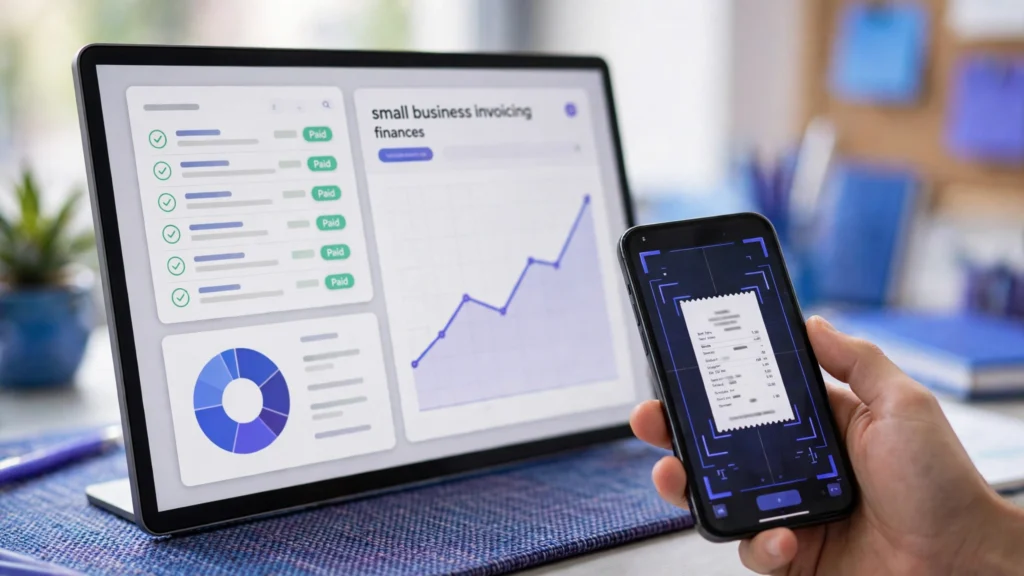
1. QuickBooks Online
Best for: small businesses that want the most widely used bookkeeping tool.
QuickBooks Online is the standard. Almost every accountant knows it. You connect your bank, and its AI sorts transactions into categories and learns from your corrections. It sends invoices, tracks expenses, and shows profit and loss in real time. It also handles sales tax and payroll as add-ons, so it grows with the business.
QuickBooks suits a business that wants a safe, well-supported choice. If you work with an accountant, they will almost certainly know QuickBooks. Its reports are strong, and its app ecosystem is the largest here. You can connect it to your shop, your CRM, and your payment tools.
One honest limitation: QuickBooks costs more than the simpler tools, and its interface can feel busy. A very small business with few transactions may find it heavier than it needs. The value shows up when your books get complex and you need an accountant to step in.
2. Xero
Best for: businesses that want clean books and easy collaboration with an accountant.
Xero is the cleanest tool on this list. Its dashboard is simple. Its AI reconciles bank transactions and suggests matches. It handles invoicing, expenses, and inventory. It also lets your accountant log in and work on the same books, which saves the end-of-year scramble.
Xero suits a business that values clarity. If you want to open the app and understand your money in a minute, Xero does that. It also works well across currencies, which matters if you buy or sell abroad. Its reports are easy to read without accounting knowledge.
One honest limitation: Xero’s payroll is limited in some regions, and its starting plan covers fewer transactions than QuickBooks. Check the plan limits before you choose. If you have many transactions or need payroll, look at the higher plans first.
3. FreshBooks
Best for: freelancers and service businesses that live on invoicing.
FreshBooks is built around getting paid. You send a professional invoice in minutes, and the client can pay online. Its AI tracks time, sorts expenses, and reminds clients about late invoices. It also shows which clients pay on time and which ones always pay late, so you know where to focus.
FreshBooks suits freelancers, consultants, and service businesses. If your work is mostly invoicing clients for time, FreshBooks is the natural fit. It also has a simple time tracker, so you can bill hours accurately without a separate tool.
One honest limitation: FreshBooks is weaker on full accounting than QuickBooks or Xero. It does not handle inventory or complex reporting as well. If your business grows into stock and multiple locations, you may outgrow it. For service work, it is hard to beat.
4. Wave
Best for: very small businesses that want free bookkeeping.
Wave is the free pick. Its accounting and invoicing are free. You connect your bank, and its AI sorts transactions. You can send invoices, track expenses, and see basic reports without paying anything. It only charges for payment processing and payroll, which are optional.
Wave suits a new business with a tight budget. If you are just starting and every dollar counts, Wave gives you real books for free. It also looks clean and is easy to learn, so you do not need accounting experience to use it.
One honest limitation: Wave’s support is limited on the free plan, and it has fewer features than the paid tools. It does not handle inventory, and its reports are basic. If your business grows, you will likely move to a paid tool. For the first year, Wave is a strong start.
5. Zoho Books
Best for: businesses that already use Zoho tools or want a low-cost full suite.
Zoho Books is part of the Zoho family. It connects with Zoho CRM, Zoho Inventory, and Zoho’s other apps. Its AI sorts transactions, reads receipts, and sends payment reminders. It handles invoicing, expenses, projects, and inventory in one place.
Zoho Books suits a business that wants a full suite at a low price. If you already use Zoho CRM, the connection is seamless. Its pricing is also fair, and the free plan covers a small business that is just starting. The reports are solid, and the interface is clean.
One honest limitation: Zoho Books is less common with accountants than QuickBooks or Xero. If your accountant does not know Zoho, you may spend more time explaining your books. Check with your accountant before you switch.
6. Sage Business Cloud Accounting
Best for: businesses that want a trusted name with strong invoicing and cash flow tools.
Sage is one of the oldest names in accounting. Its cloud tool is modern and simple. Its AI sorts bank transactions and flags the ones that look wrong. It sends invoices, tracks expenses, and shows your cash flow forecast, so you can see trouble coming before it arrives.
Sage suits a business that wants reliability. If you have used Sage before, or your accountant recommends it, the cloud version keeps that trust. It also handles multiple users well, so a small team can work on the books together.
One honest limitation: Sage’s AI features are more basic than QuickBooks or Xero. It helps with sorting, but you will do more manual work. If automation is your biggest need, a stronger AI tool may suit you better. If trust and cash flow matter most, Sage is solid.
7. Bench
Best for: businesses that want a real bookkeeper plus software.
Bench is different. It gives you a real human bookkeeper who does the books for you, plus software to see them. You upload your bank statements and receipts, and your bookkeeper sorts them, reconciles them, and prepares your reports. Its AI helps the bookkeeper work faster, but a person checks everything.
Bench suits a business owner who hates bookkeeping. If you never want to touch the books yourself, Bench is the answer. You get clean monthly reports and a person to ask questions. It also prepares your year-end reports for your accountant or tax preparer.
One honest limitation: Bench costs more than software alone, because you pay for a person. It is not the cheapest option here. If you enjoy doing your own books, you do not need it. If you want the books done for you, it is worth the price.
AI bookkeeping tools for small business: comparison table
| Tool | Best for | AI sorting | Key strength | Watch out for |
|---|---|---|---|---|
| QuickBooks Online | Widest use, accountant-ready | Yes | Largest ecosystem | Higher price, busy interface |
| Xero | Clean books, accountant collaboration | Yes | Clearest dashboard | Payroll limits in some regions |
| FreshBooks | Invoicing and services | Yes | Fastest to get paid | Weak on inventory |
| Wave | Free bookkeeping | Yes | Free accounting + invoicing | Limited support and reports |
| Zoho Books | Low-cost full suite | Yes | Connects with Zoho apps | Less common with accountants |
| Sage | Trusted name, cash flow | Basic | Cash flow forecast | Weaker AI automation |
| Bench | Human bookkeeper + software | Assisted | Books done for you | Highest cost |
How to choose AI bookkeeping tools for small business
Start with how many transactions you have. If you have a few dozen a month, Wave or FreshBooks will do the job. If you have hundreds, QuickBooks or Xero will hold up better. If you hate bookkeeping entirely, Bench does it for you. If you already use Zoho, Zoho Books is the natural fit. If you need cash flow forecasts, Sage helps you see ahead.
Try the free plan or trial first. Every tool here lets you test it with your real bank data before you pay. Connect your bank, let the AI sort a month of transactions, and see how many it gets right. Check whether the reports make sense to you. A tool that keeps your books current with ten minutes a week is worth paying for. A tool that still leaves you sorting receipts is not.
One more thing matters. Your bookkeeping tool should fit the rest of your business. Your AI keyword research tools for small business can find the customers, your AI video editing tools for small business can make the demo clips, and your AI voiceover tools for small business can add the voice to them. The tools work best as a system, not alone. If you want a wider view of the AI tools that fit a small business, the guides at aitoolsteps.com cover the same practical ground. A good place to start is your AI social media calendar plan, so the bookkeeping has a steady flow of income to track.
FAQ: AI bookkeeping tools for small business
Do AI bookkeeping tools replace an accountant?
No, they do the daily work so your accountant can do the valuable work. The AI sorts transactions and keeps the books current. Your accountant checks the year-end reports, advises on tax, and helps you plan. Most businesses still need an accountant once a year, even with the best AI tool.
Is it safe to connect my bank account?
Yes, these tools use secure bank connections. They read your transactions but cannot move your money. They use the same kind of encrypted connection that banks use. If you are unsure, check that the tool uses bank-level encryption and read-only access before you connect.
Can AI bookkeeping tools handle taxes?
They help, but they do not file your taxes. They sort your income and expenses into tax categories and produce the reports your accountant needs. Some tools estimate your tax bill. You still need to file the return yourself or through your accountant.
Is the free plan enough for a small business?
It can be, at the start. Wave is free for accounting and invoicing. Other tools offer free trials or low-cost starter plans. That is enough to test the tool and keep your first books. When your transactions grow, a paid plan becomes worth it. The hours you save are the real test.
Conclusion: AI bookkeeping tools for small business
AI bookkeeping tools for small business save the one thing a small team never has enough of: time. QuickBooks Online is the most widely used. Xero is the cleanest. FreshBooks is the fastest to get paid. Wave is free. Zoho Books is the best value suite. Sage is the most trusted for cash flow. Bench does the books for you.
Pick the one that matches how much bookkeeping you do today, try it with one real month of transactions, and keep the one that keeps your books current with the least effort. Then check your books every week. Knowing your numbers is what turns a bookkeeping tool into growth. Start today with one tool from this list, connect your bank, and let the tool handle the sorting while you run your business.
Ready to build the full system? Start at Digital 365 Agency and put bookkeeping, content, and customer follow-up together in one place.