
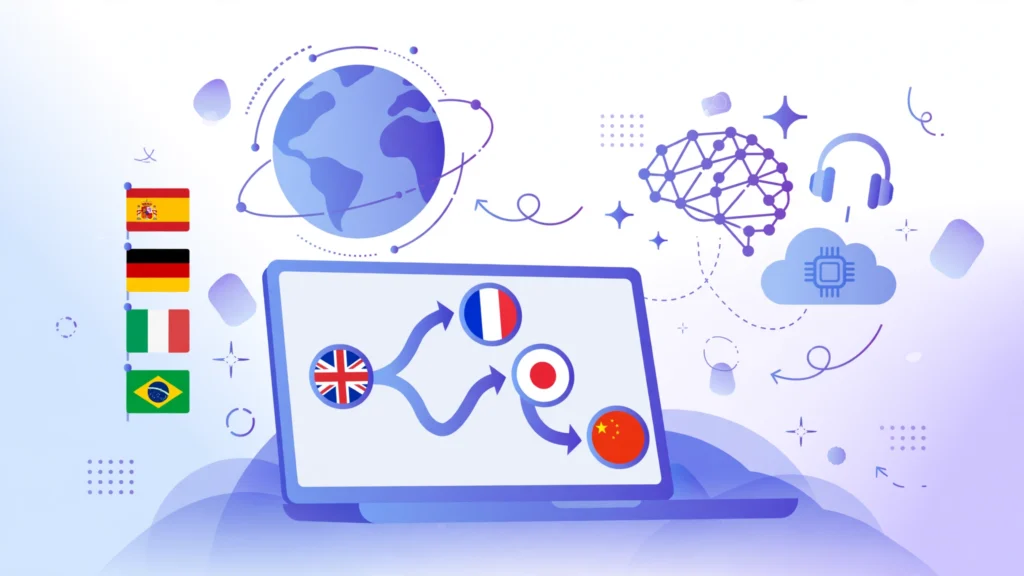
A customer in another country finds your website. They like your product. But they cannot read your site, your emails, or your product pages. They leave. A small business can lose a sale in seconds, not because the product is wrong, but because the words are in the wrong language. AI translation tools for small business fix that. They translate your website, your emails, your documents, and your customer messages in minutes. You still run the business. The tool makes sure customers in any language can understand you.
This guide reviews seven AI translation tools for small business. Each one is judged on the same points: what it does best, who it suits, and one honest limitation. No tool here is perfect. The right pick depends on what you translate most, how many languages you need, and how much control you want over the final words.
Why AI translation tools for small business matter
Most small businesses sell in one language. Their customers do not. A shop in Lahore can get orders from Dubai, London, or Toronto. A service business can win clients in three countries. But every new language used to mean a translator, a long wait, and a big bill. Small teams could not afford it, so they stayed in one language and missed the customers who speak another.
AI translation tools change the cost. They translate a full website in minutes. They draft replies to customer emails in the customer’s language. They translate product descriptions, invoices, and support documents. The quality is good enough for most business use. That is the difference this guide looks at. A tool earns its place here only if it helps you reach customers, not if it only translates one sentence at a time.
If you are building a full system for reaching more customers, translation is one piece of it. Your AI local SEO tools for small business can help nearby customers find you, your AI chatbot tools for small business can answer the customers who message you, and your AI CRM tools for small business can follow up with them. Translation makes sure the message is understood in the first place.
How we picked these AI translation tools for small business
We looked for tools that a small business can actually use. That means fair starting prices, support for the languages your customers speak, and AI that keeps your tone and brand words right. We also checked that each tool handles real business content: websites, documents, and emails, not just single words. Tools that only translate short phrases did not make the list. Tools built only for large enterprises did not make it either. That is what AI translation tools for small business should do: open new customers without a translation team.
Each review below follows the same shape. Best for tells you the fit in one line. Strengths explain what the tool does well. The limitation is honest. Read the limitation first if you are short on time. It tells you more than the feature list does.
1. DeepL
Best for: small businesses that want the most natural-sounding translations.
DeepL is the most accurate tool on this list for common business languages. Its AI understands context, so it picks the right meaning when a word has two meanings. It keeps your tone formal or friendly, and it handles long documents without breaking the layout. You can upload a PDF or Word file and get it back translated, with the same format.
DeepL suits a business that writes a lot in another language. If you send proposals, contracts, or emails to clients abroad, DeepL keeps them sounding professional. Its glossary feature lets you fix your brand words once, so the tool always translates them the same way.
One honest limitation: DeepL covers fewer languages than Google Translate. If your customers speak a less common language, DeepL may not support it. For English, German, French, Spanish, and other major languages, it is the best. For rare languages, you will need a second tool.
2. Google Translate
Best for: businesses that need the most languages for free.
Google Translate supports the most languages of any tool here. It translates text, documents, and whole websites. You can paste a link and get the full page in another language. It also works on your phone, so you can translate a message from a customer while you are out. The basic service is free, which makes it easy to start.
Google Translate suits a business that needs quick translations in many languages. If a customer writes to you in a language you do not know, Google Translate gives you the meaning in seconds. It is the fastest way to understand a message in a language you cannot read.
One honest limitation: Google Translate is less accurate than DeepL for formal business writing. It can miss the tone and pick the wrong meaning in a contract or a proposal. It is best for quick understanding and first drafts. For anything a customer will sign or pay for, check the words with a human or with DeepL.
3. Microsoft Translator
Best for: businesses that already use Microsoft tools every day.
Microsoft Translator works inside Word, Outlook, Excel, and Teams. You can translate an email without leaving your inbox, or a document without opening another app. Its AI handles business language well, and it supports real-time translation in meetings, so a client in another country can follow what you say as you say it.
Microsoft Translator suits a business that lives in Microsoft 365. If your team writes in Word and meets on Teams, translation is already where they work.
One honest limitation: Microsoft Translator is weaker than DeepL on natural-sounding text. It is accurate, but the wording can feel stiff in marketing copy or a sales email. If the words need to sell, not just inform, DeepL or a human check will help. For day-to-day business documents, it works well.
4. Smartling
Best for: businesses that want a full translation system for their website.
Smartling is more than a translator. It is a system that manages translation for your whole website. It finds new text, sends it for translation, and puts it back on your site automatically. Its AI translates first, and human translators check the important pages. You can see the translation in the design, so you know it fits before it goes live.
Smartling suits a business whose website is its shop. If your site has many pages and you want it in three or four languages, Smartling keeps it all in sync. When you change a page in English, the other languages update too.
One honest limitation: Smartling is built for bigger websites, so it costs more and takes longer to set up than the simpler tools here. A business with a small site will find it heavier than it needs. If your website is your main sales channel and you sell in several languages, its system is the point.
5. Lokalise
Best for: small teams that translate apps, websites, and software together.
Lokalise is built for teams that translate products, not just pages. It keeps all your text in one place: website copy, app screens, emails, and help articles. Its AI translates new text as soon as you add it, and your team can check and edit it together. You can see where each string is used, so you never translate the same words twice.
Lokalise suits a business with a website and an app, or a team that ships updates often. If you change your product every week, Lokalise keeps the translations up to date.
One honest limitation: Lokalise is made for product and software text, so it is less strong for long marketing pages or legal documents. If you mostly translate blog posts and proposals, DeepL will feel simpler. If you translate an app or a website that changes often, Lokalise is the best fit.
6. Weglot
Best for: businesses that want their website in another language today.
Weglot is the fastest way to make your website multilingual. You add it to your site, and it translates the whole site in minutes. It gives you a language switcher, so visitors pick their language. Its AI handles the first translation, and you can edit any page in a simple dashboard. It also helps search engines find the translated pages, so you rank in other languages too.
Weglot suits a business that wants a translated website without a project. If you run a shop or a service site and want it in Spanish, French, or Arabic, Weglot does it in a day.
One honest limitation: Weglot only translates websites. It does not translate your emails, your documents, or your customer messages. You will need another tool for those. If your website is the main thing to translate, Weglot is the fastest answer. For everything else, pair it with DeepL or Google Translate.
7. Crowdin
Best for: businesses that want their community to help with translation.
Crowdin is a translation platform that lets your team and your customers help translate. Its AI does the first pass, and people can suggest better words. You can invite translators, set up a glossary, and track which pages are done. It works for websites, apps, and documents, and it shows the translation next to the original text.
Crowdin suits a business with a community or a team in several countries. If your customers speak many languages and you want their help, Crowdin makes it easy.
One honest limitation: Crowdin is a platform, not a one-click tool. It takes time to set up, and you need people to check the translations. If you just want a quick translation of a document, DeepL is faster. If you want a translation system that grows with your community, Crowdin is the right choice.
AI translation tools for small business: comparison table
| Tool | Best for | Languages | Key strength | Watch out for |
|---|---|---|---|---|
| DeepL | Natural-sounding business translations | Fewer, major languages | Most accurate wording | Limited language list |
| Google Translate | Most languages, free | Most | Free and fast | Less accurate for formal text |
| Microsoft Translator | Microsoft 365 teams | Many | Built into Word and Outlook | Wording can feel stiff |
| Smartling | Full website translation system | Many | Keeps site in sync | Costs more, longer setup |
| Lokalise | Apps and websites that change often | Many | Team workflow for product text | Weak for long marketing pages |
| Weglot | Multilingual website in a day | Many | Fastest website translation | Websites only |
| Crowdin | Community-powered translation | Many | Team and community workflow | Takes time to set up |
How to choose AI translation tools for small business
Start with what you translate most. If you translate documents and emails, DeepL is the natural first pick. If you need many languages fast, Google Translate covers the most. If your team lives in Microsoft 365, Microsoft Translator is already there. If your website is your shop, Weglot gets it multilingual in a day, and Smartling manages it long term. If you ship an app or update often, Lokalise keeps the translations in step. If your community helps, Crowdin is built for that.
Try the free plan or trial first. Every tool here lets you test it with your real content before you pay. Translate a real page, a real email, and a real document. Read the result out loud.
One more thing matters. Your translation tool should fit the rest of your marketing. Your AI product description generator tools for small business can write the listings you translate, your AI video editing tools for small business can make videos for new markets, your AI voiceover tools for small business can add the voice in another language, your AI social media scheduling tools for small business can post them, your AI bookkeeping tools for small business can track the money from new customers, and your AI proposal generator tools for small business can win the bigger deals abroad. The tools work best as a system, not alone. If you want a wider view of the AI tools that fit a small business, the guides at aitoolsteps.com cover the same practical ground. A good place to start is your AI social media calendar plan, so the new markets you reach see fresh posts in their language.
FAQ: AI translation tools for small business
Is AI translation good enough for a business website?
Yes, for most pages. AI translation is good enough for product pages, help articles, and blog posts. For the pages that close a sale — your pricing, your terms, and your checkout — have a human check the words. The best setup is AI for the first draft and a human for the pages that matter most.
How many languages should a small business translate into?
Start with one. Pick the language your next best customers speak. Translate your homepage, your top products, and your contact page first. When those pages bring customers, add the next language.
Will translated pages help me rank on Google in other countries?
Yes, if the translation is done right. Each language needs its own page, so Google can show it to people who search in that language. Tools like Weglot and Smartling set this up for you. A translated page that reads well will rank. A page that reads like a machine will not.
Do I need a human translator at all?
For most daily work, no. AI handles emails, messages, and first drafts well. For contracts, legal pages, and the words on your pricing page, a human check is worth it. A small business can use AI for most of the work and a human for the small part that decides a sale.
Conclusion: AI translation tools for small business
AI translation tools for small business save the one thing a small team never has enough of: time. DeepL writes the most natural business text. Google Translate covers the most languages for free. Microsoft Translator is built into the tools you already use. Smartling runs your whole website in several languages. Lokalise keeps apps and websites in step. Weglot makes your site multilingual in a day. Crowdin lets your community help.
Pick the one that matches what you translate most today, try it with your real content, and keep the one that sounds like your business. Translation is what turns a good business into one that customers in any language can buy from. Start today with one tool from this list, translate your homepage, and let the tool handle the emails, the documents, and the product pages while you serve your new customers.
Ready to build the full system? Start at Digital 365 Agency and put translation, content, and customer follow-up together in one place.