

Progressive web apps are quietly changing how businesses win users on the mobile web. A progressive web app looks and feels like a native app — it installs on a home screen, works offline, and sends push notifications — yet it runs entirely in the browser, with no app-store download standing between your business and your customer. In 2026, as app-store competition intensifies and acquisition costs climb, progressive web apps offer a faster, cheaper, and more open path to loyal users.
This guide explains what progressive web apps are, why they matter in 2026, and the nine benefits that make them one of the smartest web development investments a business can make this year. Whether you run an online store, a content site, or a service business, you will learn when a progressive web app beats a native app — and how to get started.
Key Takeaways
- Progressive web apps combine the reach of the web with the experience of a native app — installable, offline-capable, and fast.
- Businesses using progressive web apps report higher conversions, longer sessions, and lower development costs than native-only strategies.
- PWAs load instantly on repeat visits thanks to service workers and smart caching, even on slow or unreliable connections.
- One codebase serves every device, cutting development and maintenance costs by up to half compared with separate iOS and Android apps.
- Start with a mobile-first, performance-first build, then add install prompts, offline support, and push notifications in stages.
Table of Contents
- What Are Progressive Web Apps?
- Why Progressive Web Apps Matter in 2026
- 9 Benefits of Progressive Web Apps
- Progressive Web Apps vs Native Apps: Which Wins?
- How Much Do Progressive Web Apps Cost?
- How to Build a Progressive Web App in 2026
- Common Progressive Web App Mistakes to Avoid
- Frequently Asked Questions
1. 🤔 What Are Progressive Web Apps?
A progressive web app (PWA) is a website enhanced with modern browser technologies so it behaves like an app. The three technologies that define progressive web apps are service workers, which cache content and enable offline use; a web app manifest, which controls how the app looks when installed; and HTTPS, which keeps the whole experience secure.
When a visitor opens a progressive web app in their browser, they get a normal fast website. When they return, the browser can offer an install prompt, adding an icon to their home screen. From then on, the progressive web app launches full-screen, loads instantly from cache, and can work without a connection — just like a downloaded app, minus the download.
Major brands already rely on progressive web apps. Starbucks, Pinterest, Uber, and Forbes all run PWAs, and each reported measurable gains after launch — Pinterest, for example, saw a 60% increase in core engagements after rebuilding as a progressive web app, while Starbucks doubled daily active users on its ordering PWA.
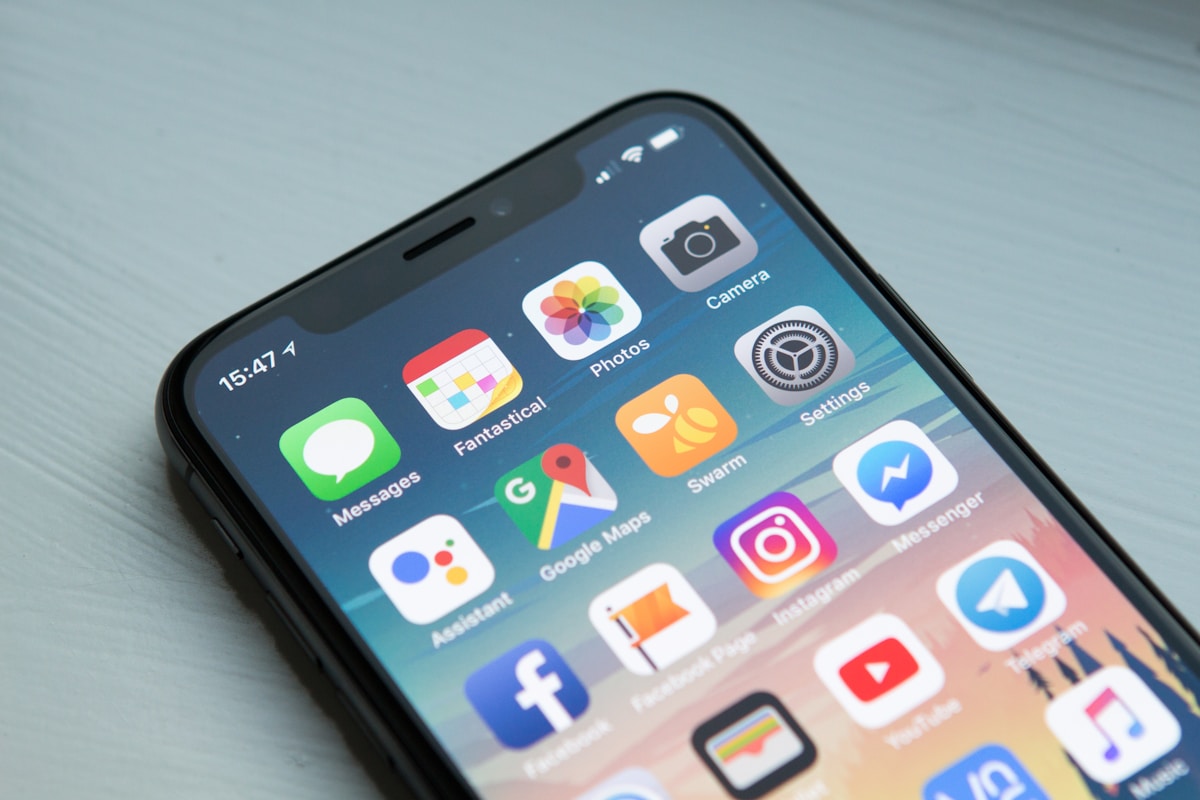
A PWA installs straight from the browser — no app store required.
2. 📈 Why Progressive Web Apps Matter in 2026
Three shifts make progressive web apps especially valuable in 2026. First, mobile traffic now dominates the web: more than 60% of global web traffic comes from phones, yet mobile conversion rates still lag desktop. Anything that removes friction from the mobile journey pays off immediately, and progressive web apps remove the biggest friction of all — the install step.
Second, app-store fatigue is real. Users install fewer new apps each year, and most downloaded apps are opened once and forgotten. A PWA sidesteps that graveyard entirely: a user can try it, install it, and return to it without ever visiting an app store.
Third, AI-driven search and discovery reward fast, indexable experiences. Unlike native apps, progressive web apps are fully crawlable by search engines, so the same investment that improves user experience also improves organic visibility — a double win that pairs naturally with strong Core Web Vitals optimization and responsive web design.
3. 🚀 9 Benefits of Progressive Web Apps
Benefit 1: Lightning-Fast Loading with Progressive Web Apps
Service workers cache your app shell and key content on the first visit, so repeat visits load almost instantly — even on 3G or patchy connections. Speed is not a vanity metric: Google research consistently shows that as page load time rises from one to three seconds, bounce probability jumps by roughly a third. Progressive web apps attack that problem at the architecture level, not with band-aids.
Benefit 2: Offline Access That Keeps Users Engaged
Because PWAs cache content locally, users can browse previously loaded pages, read articles, and even complete tasks without a connection — and their actions sync automatically when connectivity returns. For users in areas with unreliable networks, including much of the mobile-first world, offline capability is the difference between a usable product and an abandoned one.
Benefit 3: Home-Screen Installs Without the App Store
A PWA can be installed with a single tap from the browser, skipping store accounts, passwords, large downloads, and approval waits. Every step removed from an install funnel raises completion rates, and PWAs remove nearly all of them. Businesses routinely see install conversion rates several times higher than native-app funnels for the same audience.
Benefit 4: Push Notifications That Bring Users Back
PWAs support web push notifications, letting you re-engage users with order updates, new content, or limited offers — the same retention superpower native apps enjoy. Done respectfully, with clear opt-in and genuinely useful messages, push notifications lift repeat visits and revenue without any app-store intermediary.
Benefit 5: One Codebase, Every Device
A PWA runs on Android, iOS, desktop, and tablets from a single codebase. Compare that with native development, where separate iOS and Android teams double build and maintenance costs. For small and mid-sized businesses, the single-codebase advantage of PWAs often decides the entire build-or-buy debate.

One PWA codebase serves phones, tablets, and desktops alike.
Benefit 6: Lower Development and Maintenance Costs
Building a PWA typically costs 30–50% less than building equivalent native apps, and updates ship instantly — no store review, no waiting for users to update. When budgets are tight, PWAs deliver app-grade experiences at website-grade prices, and the savings compound every release cycle.
Benefit 7: Better SEO and Discoverability
Native apps live behind store search; PWAs live on the open web. Every PWA page can rank in Google, be shared with a simple link, and be previewed before install. For businesses investing in content and search, PWAs turn the app itself into an organic traffic channel — something no native app can do.
Benefit 8: Higher Conversions and Longer Sessions
Across published case studies, PWAs consistently lift the metrics that matter: conversion rates rise, session lengths grow, and bounce rates fall. AliExpress reported a 104% increase in conversion rates for new users after launching its PWA, and Trivago saw a 150% increase in engagement among users who added its PWA to their home screens. The pattern is consistent because the cause is consistent — less friction, more speed, more return visits.
Benefit 9: Automatic Updates and Easy Sharing
A PWA updates the moment you deploy, so every user always runs the latest version — no fragmented installs, no forced-update nag screens. And because a PWA is just a URL, users share it like any link: in a message, an email, or a social post. That shareability makes PWAs naturally viral in ways native apps struggle to match.
4. ⚖️ Progressive Web Apps vs Native Apps: Which Wins?
The honest answer is that it depends on what you need. Native apps still win for graphics-heavy games, deep hardware access (advanced Bluetooth, background geofencing), and experiences where app-store presence itself is a marketing channel. For everything else — stores, booking, content, dashboards, ordering, lead generation — PWAs now match or beat native on speed, cost, and reach.
A practical rule for 2026: start with a PWA unless you have a specific native-only requirement. You can always wrap a PWA or add a native app later, once real user data proves the investment. Many businesses never need to, because their PWA already delivers the numbers they wanted.
Tooling has also matured. Modern frameworks, PWA builders, and even step-by-step AI tutorials now make it realistic for small teams to ship a polished PWA without hiring a large engineering team — and pairing AI-assisted workflows with a solid web hosting setup keeps both build speed and load speed high.
5. 💰 How Much Do Progressive Web Apps Cost?
Costs vary with scope, but the ranges are far friendlier than native. A simple brochure-style PWA can cost a few thousand dollars; a full e-commerce PWA with offline carts, push notifications, and payment integration typically lands in the mid-five-figure range — still well below the combined iOS-plus-Android native equivalent. Ongoing maintenance is also cheaper: one codebase, one deployment pipeline, one set of tests.
For context, see our breakdown of the factors behind web development cost in 2026 — the same drivers (features, integrations, design polish) apply, but PWAs remove the duplicate-platform multiplier entirely.
6. 🛠️ How to Build a Progressive Web App in 2026
- Audit your current site. Measure speed, mobile usability, and conversion leaks first — a PWA amplifies a good site and exposes a bad one.
- Go mobile-first and performance-first. Optimize images, lazy-load below-the-fold content, and hit Core Web Vitals thresholds before adding app features.
- Add the manifest and service worker. These two files turn a fast site into an installable, offline-capable PWA.
- Design the install journey. Time the install prompt after a moment of value — a completed order, a saved article — not on first load.
- Add push notifications carefully. Ask permission in context, send only high-value messages, and always offer an easy opt-out.
- Test on real devices. Emulators miss install behavior, offline edge cases, and iOS quirks — test on actual phones before launch.
- Measure and iterate. Track installs, repeat visits, push opt-in rates, and conversions separately for PWA users to prove ROI.

Design the PWA journey around moments of real user value.
7. ⚠️ Common Progressive Web App Mistakes to Avoid
- Prompting install too early. Asking on first visit annoys users and tanks opt-in rates — wait for engagement.
- Ignoring iOS differences. Safari supports PWAs but with quirks around push and storage — test thoroughly on iPhones.
- Over-caching. Aggressive caching speeds things up but can serve stale prices or content — version your caches carefully.
- Skipping the HTTPS requirement. Service workers only run on secure origins; no HTTPS means no PWA at all.
- Treating the PWA as a checkbox. A PWA is a product strategy, not a plugin — it needs ownership, metrics, and iteration.
8. ❓ Frequently Asked Questions
Are PWAs really as fast as native apps?
For most business cases, yes. Cached app shells and optimized assets make repeat loads near-instant, and modern devices run PWAs smoothly. Only graphics-intensive games and heavy real-time processing still clearly favor native.
Do PWAs work on iPhones?
Yes. iOS supports installable PWAs with offline caching, and support improves with each release. Some features, like web push on iOS, arrived later than on Android, so test your specific feature set on iPhones before launch.
Can a PWA replace my website?
A PWA is your website, enhanced. You do not maintain two properties — the PWA is the site, with app capabilities layered on top. That is precisely why it is so cost-effective.
How do users find my PWA?
Through normal web discovery: search engines, links, ads, and social sharing. Users can also install it from your site directly, and Google Play now lists qualifying PWAs as well, giving you store visibility without a native build.
Is a PWA good for SEO?
Excellent. PWAs are crawlable, indexable, shareable web pages, and their speed and engagement gains directly support rankings. Pair your PWA with strong content and technical SEO for the full effect.
How long does it take to build a PWA?
Converting an existing fast site can take weeks; a full custom build typically takes 6–12 weeks depending on features. Either way, it is usually faster than shipping two native apps.
Conclusion
PWAs give businesses the best of both worlds in 2026: the reach and discoverability of the web with the speed, retention, and experience of an app — at a fraction of native cost. Faster loads, offline access, home-screen installs, push notifications, and a single codebase add up to higher conversions and lower spend, which is exactly the combination growing businesses need.
If your mobile experience is leaking users, a PWA is the highest-leverage fix available this year. Start with a performance audit, ship the installable core, and let real user data guide what you add next. Digital 365 Agency builds fast, conversion-focused PWAs for growing brands — get in touch to scope yours.
Sources: Google web.dev PWA documentation; MDN Web Docs on PWAs; published PWA case studies from Pinterest, Starbucks, AliExpress, and Trivago. Statistics reflect publicly reported results and vary by implementation.