

Table of Contents
- Why AI Cash Flow Forecasting Matters for Small Business
- The True Cost of Cash Flow Surprises
- How AI Cash Flow Forecasting Actually Works
- 6 AI Cash Flow Forecasting Tools Compared (2026)
- Step-by-Step: Set Up AI Cash Flow Forecasting in 45 Minutes
- Mini Case Study: A Dental Clinic’s Cash Flow Turnaround
- Best Practices for AI Cash Flow Forecasting
- 5 Mistakes That Wreck AI Cash Forecasts
- Key Takeaways
- FAQ
AI cash flow forecasting small business tools turn your accounting data into a live 13-week cash forecast — no spreadsheets required.

Why AI Cash Flow Forecasting Matters for Small Business
AI cash flow forecasting small business owners are adopting in 2026 solves a problem that kills more companies than lack of profit: running out of cash. Businesses can be profitable on paper and still fail when payroll hits before client payments land. Research from the U.S. Bank small business study found that 82% of business failures cite cash flow mismanagement as a contributing factor — not bad products, not weak marketing, but money arriving at the wrong time.
Traditional forecasting never stood a chance for small teams. It meant exporting bank statements into a spreadsheet, manually categorizing hundreds of transactions, guessing at seasonal patterns, and updating formulas every Friday. The result was a forecast that was outdated the moment it was finished — so most owners simply didn’t do it. They managed cash by glancing at their bank balance, which is like driving by looking only at the fuel gauge.
AI cash flow forecasting changes the economics of this work. Modern tools connect directly to your bank accounts and accounting software, learn your payment patterns, and generate a rolling 13-week cash forecast that updates itself daily. What took a finance manager four hours a week now happens automatically, and the forecast gets smarter as it learns your business’s rhythms — which clients pay late, which suppliers auto-debit, and how your seasonal swings really behave.
💸 The True Cost of Cash Flow Surprises
Before picking a tool, understand what poor forecasting actually costs. A single cash shortfall can trigger a cascade of expensive damage:
- Emergency borrowing: merchant cash advances and last-minute credit lines carry effective rates of 30–80% APR
- Late fees and penalties: missed supplier payments and tax deadlines compound fast — payroll tax penalties alone start at 2% and climb
- Discounted receivables: factoring invoices in a panic costs 3–8% of invoice value
- Missed growth: the purchase order you can’t fulfill because cash is tied up somewhere you didn’t see coming
For a small business doing $40,000 a month, one bad quarter of cash surprises can easily cost $3,000–$8,000 in avoidable fees, penalties, and financing costs. An AI cash flow forecasting subscription costs $30–$150/month. The math is not close.
This is part of the broader shift mapped in our complete guide to AI tools for small business — AI is quietly taking over the operational chores that used to require a finance team. Cash flow forecasting pairs naturally with AI bookkeeping: if you haven’t automated your books yet, see our guide on AI bookkeeping tools for small business first, since clean books are the fuel every forecasting tool runs on.
How AI Cash Flow Forecasting Actually Works
Despite the marketing, there’s no magic — just pattern recognition applied to your money. Here’s the pipeline every serious tool follows:
1. Data connection
The tool connects to your bank accounts, credit cards, and accounting software (QuickBooks, Xero, or similar) via secure bank feeds. It pulls 12–24 months of transaction history to establish baseline patterns. No CSV exports, no manual imports.
2. Pattern learning
Machine learning models identify recurring inflows and outflows: which customers pay on day 32 versus day 45, which subscriptions renew quarterly, how your revenue dips every August. The model also learns which categories are predictable (payroll, rent) and which are volatile (project-based income).
3. Forecast generation
The tool projects a 13-week cash position — opening balance, expected inflows, expected outflows, and closing balance per week — and flags weeks where the balance dips below your safety threshold. Most platforms also run what-if scenarios: “what if Client X pays two weeks late?” or “what if I hire in March?”
4. Continuous updating
Unlike a spreadsheet you built in January, the AI forecast re-runs itself daily. When an expected payment arrives, the model adjusts. When a new pattern emerges, it learns. Accuracy typically improves for the first 60–90 days as the model calibrates to your business.
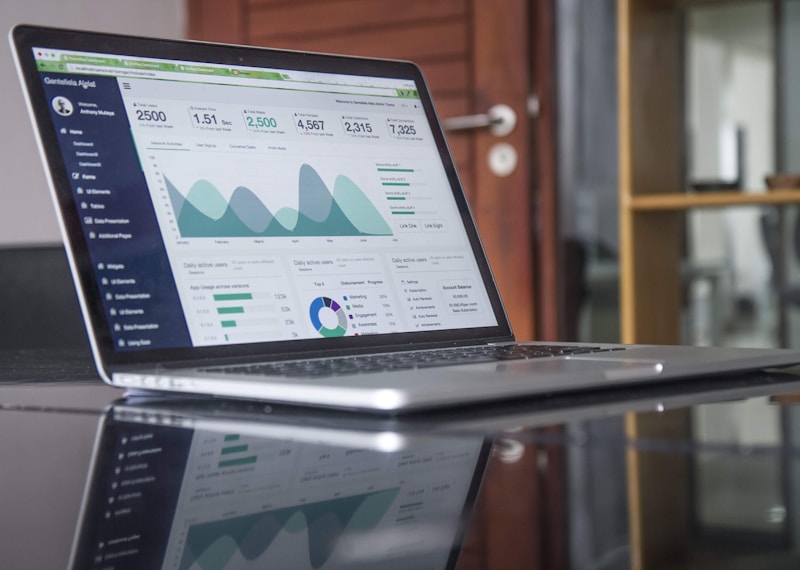
A good AI cash flow forecasting small business dashboard shows your projected balance week by week — and flags the weeks that need your attention.
🧮 6 AI Cash Flow Forecasting Tools Compared (2026)
Here are the platforms small businesses actually use for AI cash flow forecasting in 2026, with honest notes on where each fits.
| Tool | Best for | Starting price | Accounting integrations |
|---|---|---|---|
| Float | Dedicated cash flow forecasting | ~$59/mo | QuickBooks, Xero, FreeAgent |
| Fathom | Forecasting + financial reporting | ~$44/mo | QuickBooks, Xero |
| Dryrun | Scenario planning for agencies | ~$49/mo | QuickBooks, Xero |
| QuickBooks Advanced | All-in-one accounting + forecasting | ~$100/mo | Native (QuickBooks) |
| Xero Analytics Plus | Xero users wanting built-in forecasts | ~$29/mo add-on | Native (Xero) |
| Agicap | Multi-entity and international | Custom | QuickBooks, Xero, Sage |
1. Float — Best dedicated forecaster
Float is the specialist: AI cash flow forecasting is all it does. It pulls from QuickBooks or Xero, auto-categorizes transactions, and produces a clean 13-week forecast with scenario modeling. Small businesses that want one focused tool love its clarity. The scenario feature — dragging a planned expense into a future week to see the impact — is the best in class.
2. Fathom — Best for reporting + forecasting together
Fathom combines AI-powered forecasting with management reporting. If you send monthly financial reports to partners or a board, Fathom generates both the forecast and the narrative around it. Its strength is turning cash data into decisions-ready insight.
3. Dryrun — Best for project-based businesses
Agencies, consultants, and contractors with lumpy, project-based income need forecasting that understands pipelines. Dryrun models your deal pipeline alongside your bank data, so the forecast reflects contracts in negotiation — not just money already owed.
4. QuickBooks Advanced — Best all-in-one
If you already run on QuickBooks, Advanced’s built-in AI cash flow hub may be enough. It forecasts from your existing data with no new integration to maintain. The trade-off: less sophisticated scenario modeling than the specialists.
5. Xero Analytics Plus — Best for Xero users
Xero’s native short-term cash flow forecast projects 30 days ahead using your invoice and bill data. It’s the cheapest path to AI forecasting for Xero shops, though serious planners usually pair it with a dedicated tool.
6. Agicap — Best for multi-entity businesses
Running several companies or operating in multiple currencies? Agicap consolidates cash positions across entities and currencies into one forecast. Overkill for a single LLC, but essential for growing groups.
⚙️ Step-by-Step: Set Up AI Cash Flow Forecasting in 45 Minutes
Here’s the exact setup sequence. Total hands-on time: about 45 minutes; the AI needs 24–48 hours after that to build its first full forecast.
Step 1 — Clean your books first (15 minutes). AI forecasts are only as good as your data. Reconcile last month’s bank transactions and make sure revenue and expense categories are consistent. If your books are messy, our guide to AI bookkeeping tools for small business will get you sorted first.
Step 2 — Connect accounts (10 minutes). Authorize your bank feeds and accounting software. Connect every account that moves money — operating accounts, savings, credit cards, and payment processors like Stripe or PayPal. A forecast that misses one account is worse than no forecast.
Step 3 — Set your safety threshold (5 minutes). Tell the tool your minimum comfortable balance — e.g., one month of payroll + rent. The forecast will flag any week projected to dip below it. Be honest here; an unrealistically low threshold defeats the purpose.
Step 4 — Map your known futures (10 minutes). Enter upcoming one-offs the AI can’t know: a planned equipment purchase, a tax payment, a big client project starting in May. The AI handles patterns; you handle intentions.
Step 5 — Build your first scenario (5 minutes). Create a what-if: “What if my two slowest-paying clients slip by 15 days?” See which weeks go red. This single exercise usually reveals more than the baseline forecast.
Step 6 — Schedule the Monday review (ongoing, 10 min/week). Set a weekly 10-minute habit: open the forecast every Monday, check flagged weeks, act on what’s coming. If you’re tracking where those 10 minutes come from, our guide to AI time tracking tools for small business shows how owners reclaim hours from admin work like this.
New to AI tools generally? The step-by-step AI tutorials at AIToolSteps walk through setting up your first business AI tools with screenshots, which pairs well with the setup above.
📊 Mini Case Study: A Dental Clinic’s Cash Flow Turnaround
Theory is fine; numbers are better. Here’s a worked example based on the pattern small service businesses report after adopting AI cash flow forecasting. (A realistic composite of published user reports, not one audited clinic.)
The business: a 6-person dental clinic, $95,000/month revenue, with a chronic problem — insurance reimbursements arrived 30–60 days after treatment, while payroll and supply costs hit weekly. The owner managed cash by “vibes and bank balance.”
What they did: connected QuickBooks and two bank accounts to a forecasting tool ($79/month), set a $35,000 safety threshold (one month of payroll + rent), and built a scenario for a delayed insurance cycle.
The results over 90 days:
- Shortfall spotted: the forecast flagged a $22,000 gap in week 9 — three weeks before it would have hit. The owner arranged a 60-day supplier payment extension instead of an emergency loan.
- Emergency borrowing: $0 (down from ~$4,200 in credit-line interest the previous quarter)
- Late payment fees: eliminated entirely — bills are now scheduled against projected balances
- Investment timing: the forecast showed a cash surplus in month 3, so the owner bought new imaging equipment 6 weeks early — in time for a seasonal patient surge
The net effect: roughly $6,800/quarter in avoided fees and interest, plus equipment revenue that arrived a month earlier than planned — against a $79/month tool. But the real win, the owner says, is psychological: “I sleep better. I know what’s coming.”
That peace of mind is the underreported ROI of AI cash flow forecasting small business adoption — decisions stop being reactive and start being planned.

Scenario modeling is where AI cash flow forecasting small business tools earn their keep: model a late payment or a new hire and see the impact instantly.
✅ Best Practices for AI Cash Flow Forecasting
- Review weekly, not monthly. Cash moves fast in small business. A 10-minute Monday check beats a 2-hour monthly scramble.
- Feed it complete data. Every account, every payment processor. One missing Stripe account can silently invalidate the whole forecast.
- Update scenarios quarterly. Your what-ifs should reflect current reality — a hiring plan from January is irrelevant by April.
- Trust but verify the first 60 days. The AI needs 2–3 months to calibrate. Compare its week-1 predictions against actuals early on; if it’s consistently off on one category, check your categorization.
- Use the forecast in real decisions. Big purchase? Check the 13-week view first. New hire? Run the scenario. A forecast you don’t act on is just decoration.
- Keep a manual sanity check. Once a month, glance at the raw bank balance versus the forecast. AI is excellent at patterns and blind to surprises — you provide the judgment.
⚠️ 5 Mistakes That Wreck AI Cash Forecasts
- Dirty books. Unreconciled transactions and inconsistent categories confuse the model. Clean books first, forecast second.
- Ignoring one-off events. The AI can’t know you’re buying a van in March unless you tell it. Enter planned one-offs manually.
- Setting the threshold too low. A $5,000 “minimum” on $60,000 of monthly outflows gives you no reaction time. Use at least 3–4 weeks of core expenses.
- Forecasting once and forgetting it. A forecast that isn’t reviewed weekly decays into irrelevance. The 10-minute Monday habit is the whole game.
- Chasing perfect accuracy. A 13-week forecast won’t nail week 12 to the dollar. It’s a decision tool, not a crystal ball — direction and timing matter more than precision.
🎯 Key Takeaways
- AI cash flow forecasting small business adoption turns a weekly 4-hour spreadsheet chore into an automatic daily forecast.
- A single avoided shortfall usually pays for a year of the tool — emergency borrowing costs dwarf subscription fees.
- Float leads for dedicated forecasting; Dryrun for project-based income; native options (QuickBooks Advanced, Xero Analytics Plus) for all-in-one simplicity.
- Setup takes 45 minutes: clean books, connect every account, set a real safety threshold, map known one-offs, build one scenario.
- The worked dental-clinic example shows the real ROI: ~$6,800/quarter saved plus decisions made weeks earlier.
❓ Frequently Asked Questions
How accurate is AI cash flow forecasting for small business?
Short-term accuracy (1–4 weeks) is typically very high — within 5–10% of actuals — because near-term payments are already in the pipeline. Accuracy naturally degrades further out; week 13 is directional. Expect the model to improve for the first 60–90 days as it learns your patterns.
Do I need an accountant to use AI cash flow forecasting tools?
No. These tools are built for owners and bookkeepers, not CPAs. If your books are reconciled and your accounts are connected, the AI handles the rest. An accountant is still valuable for tax strategy — forecasting doesn’t replace that.
Which AI cash flow forecasting tool is best for QuickBooks users?
Float and Fathom both integrate deeply with QuickBooks and are the most popular choices. If you want zero new tools, QuickBooks Advanced includes a built-in AI cash flow hub — less powerful at scenario modeling, but no integration to maintain.
Can AI cash flow forecasting replace my business line of credit?
No — and it shouldn’t try. Forecasting helps you use credit strategically (drawing before you need it, at better terms) instead of desperately. Think of the forecast as the early-warning system and the credit line as the fire extinguisher.
How much does AI cash flow forecasting cost for a small business?
Dedicated tools run $30–$80/month; native add-ons (Xero Analytics Plus) start around $29/month. Compared to the $3,000–$8,000 a bad quarter of cash surprises can cost, most businesses break even on the first avoided shortfall.
Is my banking data safe with these AI tools?
Reputable tools use read-only bank connections via established aggregators (like Plaid) with bank-grade encryption. They can see your transactions but can’t move money. Stick to well-known platforms with SOC 2 compliance and check their security pages before connecting.
Sources: U.S. Bank small business failure study (cash flow as leading failure factor); vendor pricing and feature data from Float, Fathom, Dryrun, QuickBooks, Xero, and Agicap official sites, October 2026. Mini case study figures are a realistic composite of published small-business user reports, not a single audited business.