
A carpenter starts the day with a workshop full of timber, a phone full of messages, and a job list that changed twice before breakfast. One client wants a fitted wardrobe moved to Friday, another is asking why nobody replied to their message from last night about a kitchen island, a third is wondering whether the same joiner can come back to fit the skirting, and the bench is waiting to know which job comes first. The woodwork itself is skilled and careful. The day around it is the reason AI tools for carpenters were built.
That is the week these tools are built for. They take the inquiry, draw the job, plan the cut list, book the fitting, and send the invoice, so the owner can spend the day at the bench instead of the telephone. The carpenter still measures the wall, still cuts the joint, and still makes the call when a board has a twist that needs working around. The tool just makes sure the drawing is right, the timber is ordered, and the invoice is never missed for no reason.
This guide covers seven picks. Each one does a different part of the job, each one can be tried without rebuilding the whole workshop, and each one is judged the same way: what it does well, where it needs a human, and which kind of workshop it suits best. If you want the wider comparison first, the best AI tools for small business guide covers fifteen categories in one place, and the best free AI tools for small business guide lists ten picks that cost nothing to start with. If you are new to all of this, start with how to use AI for small business before you buy anything.
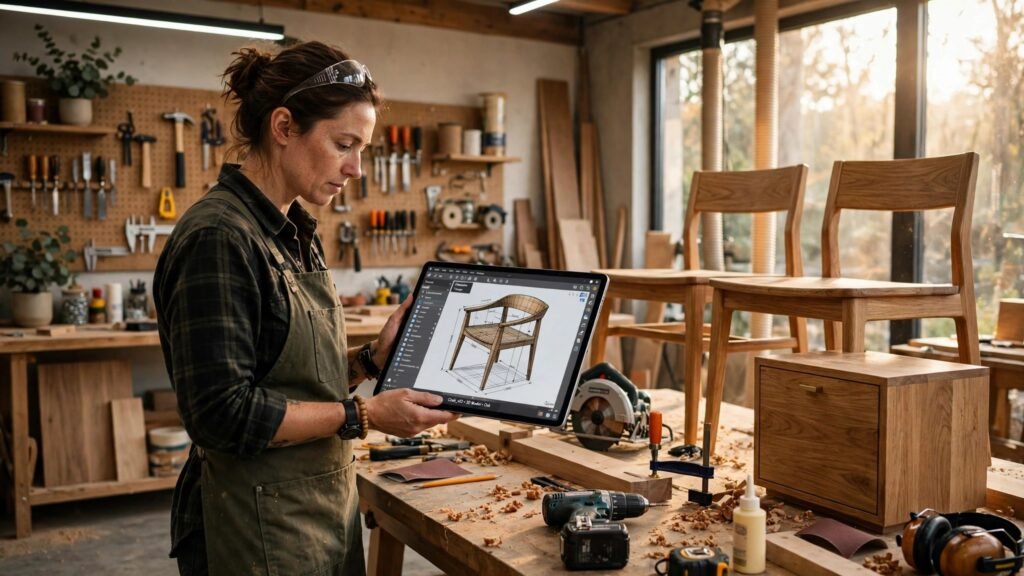
What AI tools for carpenters should do
Before the tools, it helps to name the jobs. A carpentry and joinery business is not one job. It is five small jobs that repeat for every single client.
First, winning the inquiry. A homeowner with a kitchen to fit does not wait for a callback the next day. They book with the next workshop on the street, and the client is gone before the first workshop has finished the job it is already working on.
Second, drawing the job. A fitted wardrobe that is drawn wrong is a wardrobe that does not fit, and a drawing the client never saw is a drawing the client will argue with on the day of the fitting. A clear drawing, agreed before the first board is cut, saves the argument and the rework.
Third, planning the timber. A cutting list that wastes a sheet of birch ply is money on the floor, and a list that forgets a panel is a van trip back to the timber yard in the middle of a fitting. The list has to be right the first time.
Fourth, fitting the job. The van, the team, and the tools all have to arrive at the right house at the right time, and a fitting day that starts late is a fitting day that runs into the evening.
Fifth, getting paid. A month of fitted work that is finished but not billed is money that is still sitting unpaid, and an invoice that is sent late is an invoice that is paid late.
Seven tools cannot do all five jobs perfectly. But each tool below takes one job and makes it lighter, and together they cover the whole workshop. Pick the job that hurts most, start there, and add the next tool only when the first one is part of your routine. That is the test every one of the AI tools for carpenters in this guide had to pass.
1. SketchUp — the design tool that shows the client the finished job
SketchUp is the 3D drawing tool on this list. It turns a measured room into a model the client can walk around on screen, so a fitted wardrobe, a kitchen island, or a staircase is agreed before a single board is cut.
Its strength is that it ends the argument before it starts. The carpenter can model the wardrobe to the millimeter, change the door fronts with the client watching, and send a view the client can open on a phone, so the decision is made in the workshop visit instead of three weeks of messages. The real-world example is the fitted wardrobe: a client who sees the wardrobe in their own bedroom wall, with the exact height, the hanging rail, and the drawers, signs the drawing there and then, and the workshop cuts with confidence instead of guessing. For a workshop that loses days to rework, that is where AI tools for carpenters earn their keep. The website side of this is covered in the AI website builder tools for small business guide.
Its weakness is that a model is only as good as the measurements behind it. A wall that was measured once, quickly, will produce a wardrobe that looks perfect on screen and fails on site, and the client will blame the drawing instead of the tape measure. The fix is simple: measure twice, model once, and check the model against the room before the order goes in. The tool draws the job. The human still measures the wall.
Best for: joinery workshops doing fitted furniture, kitchens, and wardrobes, and owners who want the client to agree the design before the first cut.
2. Autodesk Fusion 360 — the design and making tool for precise joinery
Autodesk Fusion 360 is the computer-aided design and manufacturing tool on this list. It turns a furniture design into a parametric model and then into toolpaths for a CNC router, so a run of identical cabinet doors or a batch of chair parts comes out the same every time.
Its strength is that it joins the drawing to the machine. The carpenter can change one measurement, say the width of a cabinet, and every related part updates itself, and then the same model drives the router to cut the parts, so a batch of twenty doors takes the same setup as a batch of two. The real-world example is the small run of kitchen doors: a workshop that once cut each door by hand can now cut the whole run in an afternoon, with the hinge holes in exactly the right place, and the fitter spends the day fitting instead of trimming. For a workshop moving from one-offs to small batches, that is where AI tools for carpenters earn their keep. The sales side of this is covered in the AI sales tools for small business guide.
Its weakness is that it is a professional tool with a real learning curve. A carpenter who opens it for the first time will not model a staircase by Friday, and a workshop that buys it without time to learn it will go back to pencil and paper within a month. The fix is to start with one simple job, a cabinet or a shelf unit, and model that until it is second nature before moving to the hard jobs. The tool does the precision. The human still has to learn it.
Best for: workshops with a CNC router or a plan to buy one, and businesses moving from one-off pieces to repeatable small batches.
3. CutList Plus — the cutting list tool that stops wasting timber
CutList Plus is the cut list and layout tool on this list. It takes the parts list for a job and works out the most efficient way to cut them from sheets and boards, so the timber order is right and the offcuts stay small.
Its strength is that it turns a list of parts into a plan for the saw. The carpenter can enter the panels for a kitchen, see them laid out on the sheets before cutting, and print a diagram the saw operator can follow, so the expensive birch ply is used properly instead of guessed at. The real-world example is the kitchen run: a job that used to take five sheets with a sheet and a half of waste now takes four sheets with a handful of usable offcuts, and the offcuts go into the drawer boxes instead of the skip. For a workshop where timber is the biggest cost after labor, that is where AI tools for carpenters earn their keep. The automation side of this is covered in the AI automation tools for small business guide.
Its weakness is that it only knows what it is told. A parts list with a wrong measurement will produce a beautifully optimized layout for the wrong parts, and the error will only show up at the bench. The fix is to check the parts list against the drawing before running the layout, and to keep the grain direction marked on every part. The tool plans the cut. The human still checks the list.
Best for: workshops cutting sheet goods every week, and owners who want the timber bill down without cutting corners on quality.
4. Jobber — the scheduling tool that runs the fitting week
Jobber is the quoting, scheduling, and invoicing tool on this list. It turns an inquiry into a quote, a quote into a fitting day, and a fitting day into a billed invoice, so the whole workshop runs from one place instead of three notebooks and a whiteboard.
Its strength is that it keeps the client and the job together. The owner can open the record, see the history, add the notes about the awkward staircase, and book the fitting from the same screen, so nothing is retyped and nothing is forgotten. The real-world example is the return visit: a client who had a wardrobe fitted last year phones about a matching chest of drawers, and the owner can see the exact timber, the finish, and the measurements from the first job in seconds, and quote the second job on the same call. For a workshop that lives on repeat work and word of mouth, that is where AI tools for carpenters earn their keep. The productivity side of this is covered in the AI productivity tools for small business guide.
Its weakness is that it is a system, not a member of staff. A diary with half the fittings in it is worse than a paper book, because it looks complete when it is not. The fix is simple: every job goes through it, every time, even the small repair taken at the bench at closing time, and the notes are finished before the fitter leaves. The tool does the organizing. The human still has to enter the work.
Best for: small and growing workshops that want quoting, scheduling, and invoicing in one place, and owners who are tired of chasing paper.
5. Housecall Pro — the booking tool that keeps clients and fitters together
Housecall Pro is the booking and dispatch tool on this list. It lets the team see the fittings in progress, the fitter diary, and the payments due, while the owner keeps the notes, the schedule, and the follow-ups in one place.
Its strength is that it stops the phone from running the workshop. The client can book a site visit online, check the fitting date, and receive a reminder without a long phone call, and the owner can see the client, the history, and the plan before the van leaves. The real-world example is the missed call: a homeowner rings about a broken stair tread while the owner is on a noisy site, and the system texts them back within minutes with a visit slot, so the job is booked instead of lost to the next workshop. For a workshop whose phone never stops, that is where AI tools for carpenters earn their keep. The email side of this is covered in the AI email marketing tools for small business guide.
Its weakness is that it is a booking and dispatch system, not a carpenter. A booking that goes in with the wrong address, or a reminder that arrives with the wrong fitter, will worry the very client it was meant to help. The fix is to check the diary once, properly, and to let the team read the replies every morning before the first job starts. The tool does the booking. The human still reads the answer.
Best for: busy workshops with a ringing phone, businesses that lose clients to missed calls, and teams that want bookings, dispatch, and follow-ups in one place.
6. QuickBooks — the money tool that bills the fitting and pays the team
QuickBooks is the invoicing and bookkeeping tool on this list. It turns a finished fitting into an invoice, an invoice into a payment, and a month of payments into books the accountant can read, so the money side of the workshop stops living in a shoebox.
Its strength is that it follows the money from the quote to the bank. The owner can send the invoice from the van, see which clients have paid, and chase the ones who have not, without opening a spreadsheet. The real-world example is the staged payment: a kitchen job is quoted in two parts, deposit and balance, and the system sends the deposit invoice when the drawing is signed and the balance invoice the day the fitting finishes, so the timber is paid for before it is cut. For a workshop that fits all day and bills at night, that is where AI tools for carpenters earn their keep. The research side of this is covered in the AI research tools for small business guide.
Its weakness is that it is a money tool, not a carpentry tool. A job that is quoted in one place and billed in another will drift apart, and the owner will spend evenings matching invoices to jobs. The fix is to connect it to the quoting tool, so the finished job becomes the invoice with one click, and to check the unpaid list every Friday. The tool does the billing. The human still checks the list.
Best for: any workshop that wants invoices out the same day, and owners who want the books ready before the accountant asks.
7. Canva — the presentation tool that sells the workshop
Canva is the design and presentation tool on this list. It turns photos of finished work into quotes, before-and-after posts, and simple brochures, so the workshop looks as good on a phone as it does in the room.
Its strength is that it makes the work sell itself. The owner can take a photo of a finished staircase, drop it into a ready template, add the workshop name, and send it to the client with the quote, so the client sees the quality before the first board is cut. The real-world example is the quote pack: a homeowner choosing between three workshops gets a two-page quote with photos of the last three kitchens the workshop fitted, and the pictures do the persuading that words cannot. For a workshop that wins work on reputation, that is where AI tools for carpenters earn their keep. The social media side of this is covered in the AI social media content tools for small business guide.
Its weakness is that it is a presentation tool, not a portfolio. A workshop with no good photos will still have nothing to show, and a template cannot fix a blurry picture taken in bad light. The fix is to photograph every finished job in daylight, from the same two angles, and to keep the best ten photos ready. The tool presents the work. The human still has to take the photo.
Best for: workshops that win work on photos and reputation, and owners who want every quote to carry proof of the last job.
Comparison table
Here is how the seven AI tools for carpenters compare side by side.
| Tool | Best for | Main job it does | Watch out for |
|---|---|---|---|
| SketchUp | Fitted furniture and kitchens | 3D design clients can see | Needs accurate measurements |
| Autodesk Fusion 360 | Workshops with a CNC router | Design and machine toolpaths | Takes time to learn properly |
| CutList Plus | Workshops cutting sheet goods | Cut lists and sheet layout | Only as good as the parts list |
| Jobber | Small and growing workshops | Quoting, scheduling, invoicing | Needs every job entered |
| Housecall Pro | Busy workshops with a ringing phone | Booking and dispatch | Wrong details worry clients |
| QuickBooks | Any workshop that bills daily | Invoicing and bookkeeping | Needs a link to the quoting tool |
| Canva | Workshops winning work on photos | Quotes, posts, and brochures | Needs good photos to work with |
How to choose
Start with the job that hurts most. If rework is eating your week, start with SketchUp. If batches are slow, start with Fusion 360 or CutList Plus. If the diary is a mess, start with Jobber or Housecall Pro. If the money is late, start with QuickBooks. If the quotes are losing, start with Canva. One tool, used every day for a month, beats seven tools tried for a week each.
Then check three things before you pay for anything. First, does it fit the way your workshop actually works, with fitted jobs, site visits, and staged payments, or does it assume a shop counter. Second, does it talk to the tool you already use for money, so the finished fitting becomes the invoice. Third, will your fitters actually open it on a phone at a house, or will it sit unused while they call the office. If the answer to any of those is no, keep looking. The guide to picking between tools, the which AI tool is best for small business comparison, walks through the same three checks for any category. And if your work overlaps with bigger building jobs, the AI tools for construction companies guide shows how the same ideas scale to a full site.
Try the free plan first where one exists, and put one real week of jobs through it before you decide. A tool that survives a real week of late deliveries, warped boards, and changed plans is a tool worth keeping, and that is the real test of AI tools for carpenters. A tool that only works on a quiet day is not.
Mistakes to avoid
The first mistake is drawing the job from a single quick measurement. A wardrobe drawn from one tape reading will fail on site, and the rework will cost more than the measuring ever would.
The second mistake is ordering timber from memory. A cutting list that lives in the owner’s head is a list that forgets a panel, and the van trip back to the yard happens in the middle of the fitting.
The third mistake is letting half the jobs live outside the system. A diary that holds only some fittings is worse than a paper book, because it looks complete when it is not, and the team will trust it until the day two fitters arrive at one house.
The fourth mistake is billing at the end of the month. A client who gets the invoice four weeks after the fitting has already forgotten the fitting, and the payment will wait while the memory fades.
The fifth mistake is training nobody. A tool that only the owner understands is a tool that stops working the day the owner is ill, and the team will go back to phone calls within a week.
FAQs
Common questions about AI tools for carpenters, answered plainly.
Do AI tools for carpenters replace the carpenter?
No. They replace the phone calls, the paper diary, and the evening of admin around the job. The woodwork itself still needs a person at the bench, checking the joint and making the call when a board has a twist that needs working around.
Which tool should a one-person workshop start with?
Start with the design and billing pair. A tool like SketchUp shows the client the finished job, and a tool like QuickBooks sends the invoice the same day, and that covers the two jobs that eat a solo carpenter’s evenings. Add the scheduling tools only when there is a team to run.
Can a client really agree a fitted wardrobe from a 3D drawing?
Yes, when the drawing is built from real measurements. A model that shows the exact height, the hanging rail, and the drawers lets the client decide in the first visit, and a signed drawing protects both sides when the fitting starts.
How do I stop wasting expensive sheet timber?
Use a cutting list tool and check the parts list before you run the layout. A layout that is planned before the saw starts turns offcuts into drawer boxes instead of waste, and the saving shows up on every single job.
What if a client changes the design halfway through the fitting?
Check the agreed drawing first. A change that is written down, re-quoted, and signed before the work starts is a paid change, and a change agreed by phone with no record is a row waiting to happen.
Conclusion
A carpentry workshop does not need seven new tools tomorrow. It needs one tool that takes the job hurting most, used every day until it is part of the routine, and then the next one. Start with the drawing or the billing, keep every job in the system, and let the cut list prove the work. The tools in this guide all do one job well, and together they cover the whole workshop, from the first inquiry to the paid invoice, and that is what AI tools for carpenters are for.
If you want the next step after choosing a tool, the AI Tool Steps guide to Google AI Studio for beginners shows how a small team can test a new AI workflow hands-on before rolling it out to clients. Pick the tool, run one real week through it, and let the diary tell you whether it stays.