
The day starts before sunrise with a walk around the fields, a check on the animals, and a phone full of messages from a buyer who wants a quote for the harvest, a supplier who is waiting for an order, and a worker who needs to know which field comes first. AI tools for farmers are built for that morning. They keep the field records, track the livestock, watch the weather, plan the work, and chase the payment, so the farmer can spend the day in the field instead of at the desk.
That is the season these tools are built for. They record what was planted where, remind the farmer when the spray is due, track which cow was treated and when, show the weather for the week ahead, and keep the sales and the costs in one place. The farmer still walks the field, still checks the animals, and still makes the call when a crop needs water instead of waiting. The tool just makes sure the record is right, the work is planned, and the harvest is sold on time.
This guide covers seven picks. Each one does a different part of the job, each one can be tried without rebuilding the whole farm, and each one is judged the same way: what it does well, where it needs a human, and which kind of farm it suits best. If you want the wider comparison first, the best AI tools for small business guide covers fifteen categories in one place, and the best free AI tools for small business guide lists ten picks that cost nothing to start with. If you are new to all of this, start with how to use AI for small business before you buy anything.
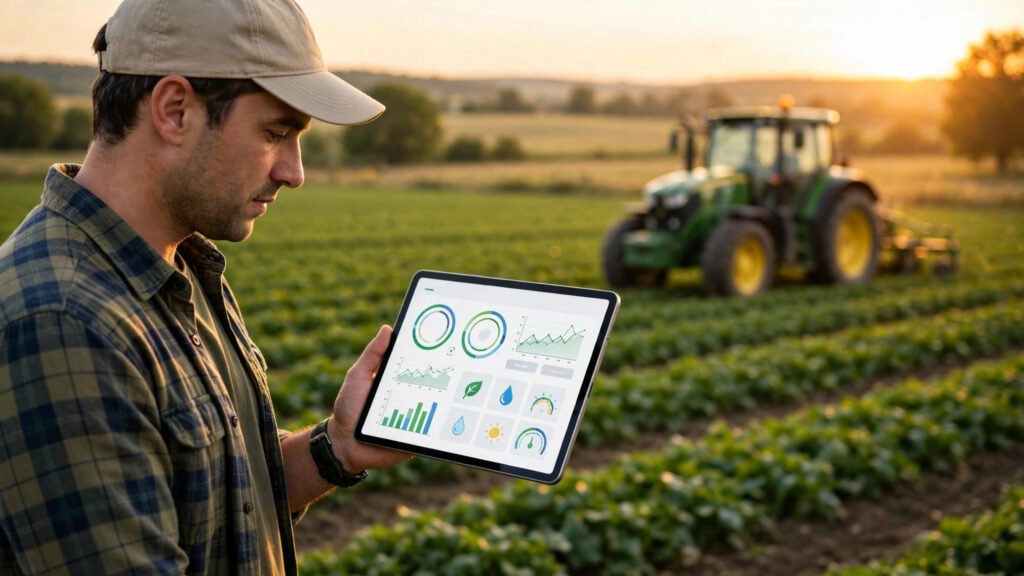
What AI tools for farmers should do
Before the tools, it helps to name the jobs. A farm is not one job. It is five small jobs that repeat for every single season.
First, keeping the field records. A field that was sprayed last week and a field that was not look the same from the road, and a record that is wrong is a spray that is wasted or a crop that is missed.
Second, tracking the livestock. A cow that was treated, a ewe that is due to lamb, and a calf that needs its first check all need a record, because an animal that is forgotten is an animal that suffers.
Third, watching the weather. A spray that goes on before the rain is a spray that washes away, and a harvest that starts a day late is a harvest that loses its best window.
Fourth, planning the work. The tractor can only be in one field at a time, the workers can only do so much in a day, and a week that is planned the night before is a week that ends on time.
Fifth, getting paid. A harvest that is sold but not invoiced is money that is still sitting in the buyer’s pocket, and an invoice that is sent late is an invoice that is paid late.
Seven tools cannot do all five jobs perfectly. But each tool below takes one job and makes it lighter, and together they cover the whole farm. Pick the job that hurts most, start there, and add the next tool only when the first one is part of your routine. That is the test every one of the AI tools for farmers in this guide had to pass.
1. Farmbrite — the farm record tool that keeps every field straight
Farmbrite is the farm management tool on this list. It keeps the fields, the crops, the livestock and the tasks in one place, so the farmer can see the whole farm from one screen instead of three notebooks and a whiteboard.
Its strength is that it keeps the record honest. The farmer can see what was planted where, what was sprayed and when, and which field is due next, without guessing from memory. The field record matters most: a spray that is recorded is a spray that is not repeated by mistake, and a crop that is tracked from planting to harvest is a crop whose costs are known. For a farm that lives on its records, that is where AI tools for farmers pay for themselves. The website side of this is covered in the AI website builder tools for small business guide.
Its weakness is that it is a record, not a farmer. A field that is worked and never entered, a treatment given and never recorded, and a task finished without a note will leave the next season guessing. The fix is simple: enter the work the day it is done, every time, even the small job done at dusk, and check the record before the season starts. The tool does the remembering. The human still has to write it down.
Best for: mixed farms that want fields, crops and livestock in one place, and owners who are tired of chasing paper.
2. Conservis — the operations tool for the larger farm
Conservis is the farm operations tool on this list. It plans the work, tracks the costs and follows the harvest from the field to the buyer, so a larger farm can run like a business instead of a diary.
Its strength is that it turns a feeling into a picture. An owner who feels the farm is busy can see whether the tractors are actually working or whether the busy work is driving between fields, and a manager who feels a crop is costing too much can see the costs field by field. The cost record matters most: a field that loses money is a field that should be planted differently next year, and a farm that knows its costs can price its harvest with confidence. For a farm with several fields and several workers, that is where AI tools for farmers build a steadier year. The automation side of this is covered in the AI automation tools for small business guide.
Its weakness is that a system this connected needs the whole team to work inside it. A job that is done outside the system is invisible to the manager, and a team that only half uses it will blame the tool for a record that was never complete. The fix is to make it the only record, from the first season, and to train every worker on it the same week they learn the fields. The platform does the tracking. The human still decides what gets planted where.
Best for: larger farms, multi-field teams, and owners who want work plans, costs and harvest records in one system.
3. Granular — the field planning tool that answers the hard questions
Granular is the field planning and agronomy tool on this list. It gives the farmer the maps, the soil records, the input plans and the yield history for each field, so a decision about what to plant can be made from evidence instead of from guesswork.
Its strength is that it shortens the planning. A farmer who can look up the yield history of a field does not have to guess what it will grow, and a plan that comes from the record is a plan the bank can be shown. The field map matters most: a field that is drawn properly is a field whose inputs are not wasted on the wrong acres, and a spray that goes only where it is needed saves money and time. For a farm that grows many crops, that is where AI tools for farmers earn their keep. The research side of this is covered in the AI research tools for small business guide.
Its weakness is that it is information, not experience. A plan that is followed without thinking will miss the field that does not match the map, and a yield history that is quoted blindly will be wrong on a field that was flooded last year. The fix is to use the information as a starting point, then let the farmer walk the field and test what the map says against what the ground is actually doing. The tool does the looking up. The human still does the walking.
Best for: arable farms that grow many crops, farmers who plan by field, and owners who want decisions backed by records.
4. AgriWebb — the livestock tool that never forgets an animal
AgriWebb is the livestock management tool on this list. It tracks each animal, its treatments, its movements and its weights, so the farmer can see the whole herd from one screen.
Its strength is that it speaks the stockman’s language. The farmer can see which cow was treated and when, which ewe is due to lamb, and which calf needs its first check, without translating a generic system into farm language. The treatment record matters most: an animal that was treated last week should not be treated again by mistake, and a buyer who asks for the history of an animal should get an answer in seconds. For a farm that lives on its livestock, that is where AI tools for farmers build a fuller book without a bigger advert. The email side of this is covered in the AI email marketing tools for small business guide.
Its weakness is that it only knows what the team tells it. An animal treated without a note, a move made without a record, and a weight never entered will leave the next farmer guessing. The fix is to record the work in the yard, while it is still fresh, and to check the record before the buyer arrives. The tool does the remembering. The human still has to write it down.
Best for: livestock farms, mixed farms with animals, and owners who want every animal’s history in one place.
5. Climate FieldView — the weather and field tool that watches the sky
Climate FieldView is the weather and field monitoring tool on this list. It shows the rain, the temperature and the field conditions for the week ahead, so the farmer can plan the spray, the drilling and the harvest around the weather instead of against it.
Its strength is that it stops the weather from ruining the week. A spray planned for a dry morning, a harvest planned for a dry week, and a field that is too wet to travel on are all decisions the forecast can guide, and a farmer who plans with the forecast wastes less and harvests more. The rain forecast matters most: a spray that goes on before the rain is a spray that washes away, and a day saved is a day the crew can use elsewhere. For a farm whose week is ruled by the sky, that is where AI tools for farmers pay for themselves. The productivity side of this is covered in the AI productivity tools for small business guide.
Its weakness is that it is a forecast, not a promise. A forecast that is followed blindly will be wrong on the day the rain comes early, and a farmer who never looks at the sky will miss the change the forecast did not see. The fix is to use the forecast as a guide, then look at the field and the sky before the tractor leaves the yard. The tool does the watching. The human still decides when to go.
Best for: arable farms, farmers whose work depends on dry weather, and owners who want the forecast in the same place as the field record.
6. FarmLogs — the simple tool that starts small and grows
FarmLogs is the simple farm record tool on this list. It covers fields, rainfall, activities and notes in one simple system, so a small farm can stop using paper without buying a system built for a large estate.
Its strength is that it starts small. The farmer can set it up in an afternoon, enter the fields once, and run the whole season from it the next morning, without a week of training or a consultant. The rainfall record matters most: a field that got rain and a field that did not look the same from the road, and a farmer who knows the rain can plan the spray with confidence. For a small farm that has always run on memory and paper, that is where AI tools for farmers earn their keep. The content side of this is covered in the AI social media content tools for small business guide.
Its weakness is that it is simple, and simple has limits. A farm that grows into livestock, grain stores and several workers will eventually want deeper records than a simple system offers. The fix is to treat it as a starting point: use it until the farm outgrows it, then move the records across instead of starting from paper again. The tool does the starting. The human still decides when to grow.
Best for: small and new farms, one-person operations, and owners who want to leave paper behind without a big project.
7. Xero — the money tool that keeps the farm paid
Xero is the money tool on this list. It turns the finished sale into an invoice, tracks the inputs and the labor, chases the overdue payment, and keeps the books straight, so the owner knows at the end of the season whether the farm actually made money.
Its strength is that it closes the loop. A harvest that is sold is invoiced the same day, the payment is recorded against the right buyer, and the overdue invoice is chased with a reminder instead of being found three months later. The same-day invoice matters most: a buyer who takes the harvest without a bill will pay late, and a farm that invoices late is a farm that is always short of cash. For a business that grows well but gets paid slowly, that is where AI tools for farmers earn their keep. The sales side of this is covered in the AI sales tools for small business guide.
Its weakness is that it is bookkeeping, not magic. A book that is updated once a season is a book that tells the owner nothing useful, and an invoice that is entered wrong will be wrong in every report that follows. The fix is to enter the sale on the day it is made, every time, and to reconcile the payments every week without fail. The tool does the adding up. The human still has to enter the numbers.
Best for: every farm that wants to be paid on time, owners who need to know the real profit on each field, and businesses that are tired of chasing overdue invoices.
AI tools for farmers compared
| Tool | Best for | Main strength | Watch out for |
|---|---|---|---|
| Farmbrite | Mixed farms that want one record | Fields, crops and livestock together | Work must be entered the day it is done |
| Conservis | Larger multi-field farms | Work plans, costs and harvest records | The whole team must work inside it |
| Granular | Arable farms that plan by field | Maps and yield history for decisions | The map must be checked against the ground |
| AgriWebb | Livestock farms | Every animal’s history in one place | Treatments must be recorded in the yard |
| Climate FieldView | Farms ruled by the weather | Forecast and field conditions together | The forecast is a guide, not a promise |
| FarmLogs | Small and new farms | Simple setup that starts fast | Simple tool with limits as you grow |
| Xero | Every farm that wants paying on time | Same-day invoicing and clean books | Books must be updated every week |
How to choose the right tool
Start with the job that hurts most. If the records are a mess, start with a record tool. If the livestock is forgotten, start with a livestock tool. If the weather rules the week, start with a weather tool. If the money is slow, start with an invoicing tool.
Then check the fit. A small farm does not need a system built for a large estate, and a large farm does not need a simple app that breaks when three workers use it at once. Try one tool for a season, with real fields and real animals, before adding a second. A tool that is used every day is worth more than three tools that are half used. The meeting notes side of running a team is covered in the AI meeting notes tools for small business guide, and the wider question of which tool suits a small business at all is answered in the which AI tool is best for small business guide.
Mistakes to avoid with AI tools for farmers
The first mistake is buying the tool and keeping the paper notebook as well. Two records will disagree, and the disagreement will happen in the busiest week of the season. Pick one record and use it for every field.
The second mistake is trusting the forecast and never looking at the sky. A forecast is a guide, and a farmer who never checks the field will spray before the rain that the forecast did not see. Look at the sky before the tractor leaves the yard.
The third mistake is skipping the livestock notes. An animal treated without a record is an animal that gets treated twice, and a buyer who asks for the history deserves an answer. Write the notes, every time.
The fourth mistake is never asking for the review. A happy buyer will leave a review when asked at the right moment, and a farm that is never asked looks quiet online even when the fields are full. Ask once, at the right time, and then stop.
The fifth mistake is invoicing late. A harvest that is sold but not invoiced is money still sitting in the buyer’s pocket. Invoice the same day, every time.
Frequently asked questions
Do AI tools for farmers replace the farmer?
No. They keep the records, the plans and the paperwork, but the walking, the checking and the deciding still need a farmer. The tool does the routine. The human does the farming.
Which tool is best for a small farm?
A simple record tool is best, because a small farmer is also the bookkeeper and the planner. Fields, rainfall and notes in one place, with a record that is used for every job, will do more than a powerful tool that is never learned.
How do I keep field records straight?
Record the work the day it is done. What was planted, what was sprayed, and what was harvested should be entered before the day ends, and the record should be checked before the next season starts.
Can these tools help with the weather?
Yes. A forecast in the same place as the field record lets the farmer plan the spray, the drilling and the harvest around the weather. Use the forecast as a guide, and check the field before the work starts.
Should I put my produce prices online?
Yes, for the produce you sell most. A buyer who can see the price and order will order, and a buyer who has to message for the price will often buy from the farm that shows it. Keep the list honest, and keep the quantities honest too.
Conclusion
A farm runs on fields, and fields run on records that are right, animals that are tracked, and harvests that are sold on time. The seven picks in this guide each take one part of that work: Farmbrite keeps every field straight, Conservis runs the larger farm’s operations, Granular answers the planning questions, AgriWebb never forgets an animal, Climate FieldView watches the sky, FarmLogs starts small and grows, and Xero makes sure the money follows the harvest.
Pick the job that hurts most, start with the tool that fixes it, and use it for every field before adding a second. That is how AI tools for farmers earn their keep: not by replacing the farmer, but by making sure the farmer spends the day in the field instead of at the desk. For a wider look at beginner-friendly AI guides, the AI Tool Steps site is a useful place to start.