
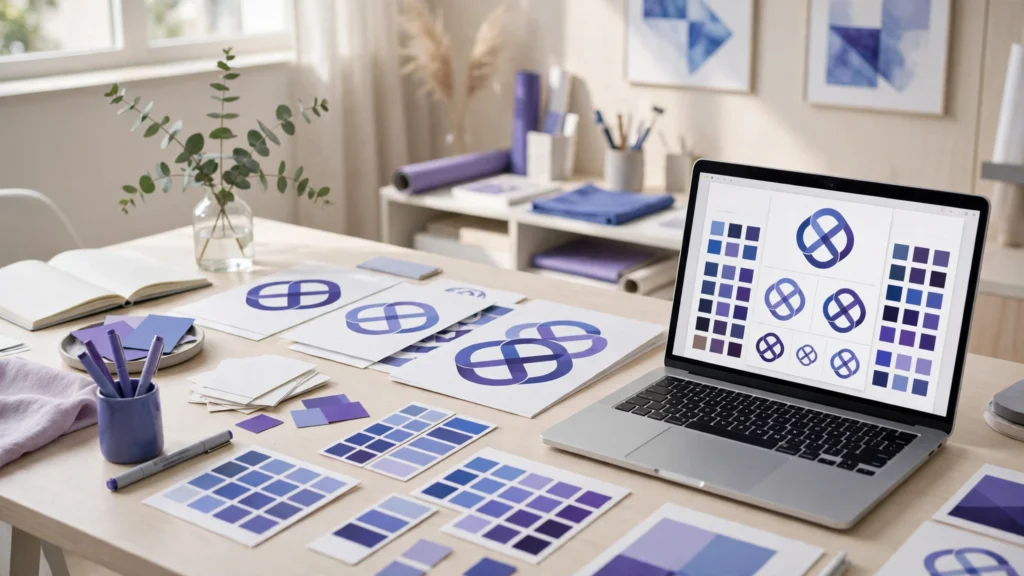
A customer decides what your business is before they read a word you wrote. They see the logo, the colours, the product photo, and the way it all fits together, and in a few seconds they decide whether you look professional or not. Most small businesses cannot hire a designer for every logo, mockup, and brand decision. AI design tools for small business change that. They turn a short description into logo options, build a colour palette, show your logo on real products, and keep every design using the same colours and fonts. You still decide what the brand stands for.
This guide reviews seven AI design tools for small business, with a focus on logos, brand identity, product mockups, and design systems. Each one is judged on the same points: what it does best, who it suits, and one honest limitation. The right pick depends on whether you need a logo first, a full identity system, better product images, or a website that finally looks like one brand.
Why AI design tools for small business matter
A brand is not a logo. A brand is the logo plus the colours plus the fonts plus the way your product photos look, all matching. When those pieces do not match, customers trust the business less and remember it less. AI design tools for small business keep the pieces together. They save your colours and fonts in one place, apply them to every design, and show you how the identity looks on a business card, a profile, and a product box before you commit.
AI design tools for small business also make mockups fast. Before AI, seeing your logo on a product meant hiring a designer or buying a sample. Now you can see it on a box, a bag, or a shirt in minutes. That matters when you sell online, because the mockup is often the first photo a customer sees. A clean mockup makes a new product look ready.
The third benefit is the design system: a shared set of colours, fonts, and layouts that every page and post follows. AI tools now generate the system from a short prompt, so your website and your social posts finally look like they came from the same business. That consistency turns a small business into a brand people recognise.
Design is one part of a wider system. Your AI graphic design tools for small business cover everyday posts and banners, your AI social media scheduling tools for small business publish the designs you make, and your AI product description generator tools for small business write the words that go with them.
How we picked these AI design tools for small business
We looked for tools that build identity, not just decoration. That means tools that generate logos, build colour palettes, create product mockups, or generate a design system. We also checked that each tool is usable without design skills and exports clean files you can use anywhere. Tools that only edit photos did not make the list. Tools built only for professional designers did not make it either. That is what AI design tools for small business should do: help you build a brand that looks deliberate, without needing a design team.
Each review below follows the same shape: best for, strengths, and one honest limitation.
1. Uizard
Best for: turning a rough idea or sketch into app and website screen designs.
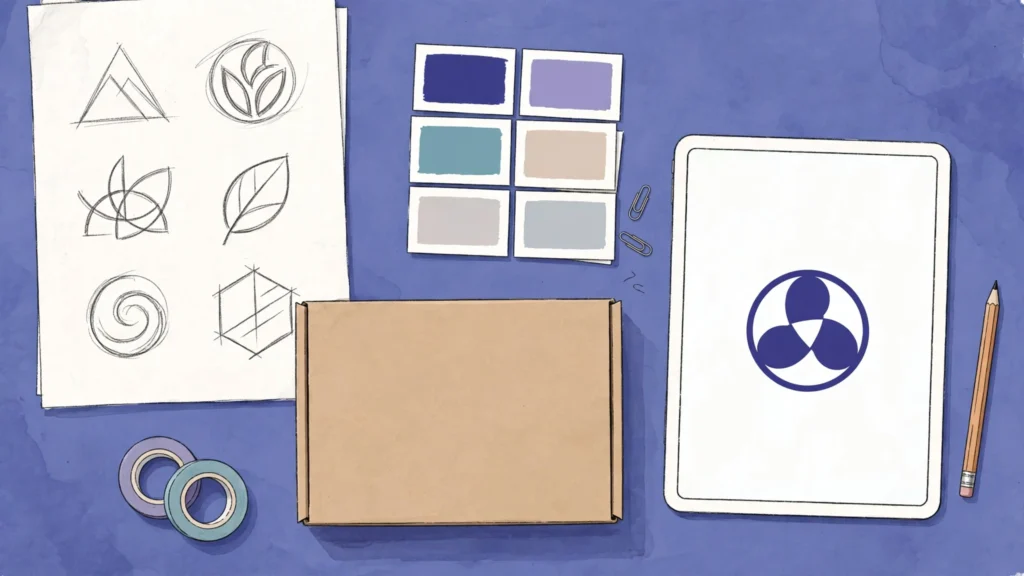
Uizard is the design tool for screens. You type a short description of the app or website you want, or you upload a hand-drawn sketch, and its AI turns it into finished screens: a home page, a product page, or a sign-up screen. It generates layouts, buttons, and text that match your description, and it keeps the components consistent across every screen.
Uizard suits a startup or small business building an app or a website. If you have an idea for an online store, a booking page, or a customer app, Uizard shows you what it could look like before you pay a developer to build it. That preview helps you explain the idea to your team and fix the layout before a single line of code is written.
One honest limitation: Uizard is focused on screens and interfaces. It does not design logos, and it does not make print materials or social media posts. You will need another tool on this list for your logo and brand identity.
2. Khroma
Best for: finding a colour palette that fits your brand.
Khroma starts with your taste. You pick fifty colours you like from its training set, and its AI learns what you prefer. Then it generates endless colour combinations, each shown as a real design with text and backgrounds, so you can see how the colours actually look together instead of guessing from swatches. It also checks contrast, so you can tell at a glance whether text will be readable on a background.
Khroma suits a business at the very start of building a brand identity. Colour is the first decision in any identity, and most owners get it wrong by picking colours they like alone instead of colours that work together. Khroma fixes that by showing combinations, not single colours. It is free to use, and the palettes it generates can be saved and used in any other design tool.
One honest limitation: Khroma does colour only. It does not design logos, layouts, or mockups, and it cannot apply a palette to your designs for you. If colour is the missing piece of your brand, Khroma is the best place to find it.
3. Relume
Best for: building website design systems fast, from sitemap to finished screens.
Relume is the website system builder. You type a short description of your business, and its AI generates a full sitemap, then wireframes for every page from a library of matching components. Buttons, headings, cards, and sections share the same spacing and style, so the finished website looks like one design system instead of a set of unrelated pages.
Relume suits a business rebuilding its website. If your current site grew page by page and now looks like five different websites, Relume gives you a clean system in days instead of months. The component library is the real strength: once you pick a style, every page follows it.
One honest limitation: Relume is website-focused. It does not create logos, and it does not design social media posts or product mockups. It also expects you to finish the work in a design tool, so it is not a one-click website builder.
4. Let’s Enhance
Best for: making product photos and mockup images sharp enough to sell with.
Let’s Enhance does one job: image quality. You upload a product photo, a mockup, or an old image, and its AI upscales it, sharpens the details, fixes the lighting, and removes the blur. A photo taken on a phone can come out looking like it was taken in a studio.
Let’s Enhance suits an online store that lives or dies by its product photos. If your mockups look soft, your product images look dull, or your supplier sent you low-resolution photos, this tool rescues them. It is simple: upload, pick the improvement, download the result. For the words that go with those product photos, our AI product description generator tools for small business guide covers the options in detail.
One honest limitation: Let’s Enhance improves images, it does not design anything. It cannot create a logo, lay out a page, or build a mockup from scratch. You need a design tool to make the mockup and this tool to make it sharp.
5. Looka
Best for: businesses that need a logo and a full brand identity system fast.
Looka is the logo and identity expert, and on this list it earns its place for the system it builds around the logo. You type your business name, pick your style, and its AI generates dozens of logo options in seconds. You choose one, and then it builds the identity around it: logo variations, a colour palette, font pairings, business cards, social media profiles, and brand guidelines. Everything matches, and you can download the full kit at once.
Looka suits a new business that needs a brand identity now, not in three months. If you are starting out and you need a logo, a colour palette, and the files to use everywhere, Looka does it in one sitting. It is simple, fast, and far cheaper than hiring a designer for a first identity. For everyday posts and banners built on top of that identity, our AI graphic design tools for small business guide compares seven options in detail.
One honest limitation: Looka is focused on logos and the identity kit. It does not design social media posts, product mockups, or website screens day to day. Once your identity is set, you will need another tool for daily design work.
6. Canva
Best for: keeping the whole brand system in one place, from logo to mockup to post.
Canva earns its place on this list for brand consistency, not for templates. Its Brand Kit saves your logo, your colours, and your fonts, and then applies them to everything: logo variations, product mockups, business cards, social media profiles, and presentations. Its AI generates new designs from a short prompt and keeps the brand colours right. Its mockup templates show your logo on real products.
Canva suits a business that already has a logo and needs to use it everywhere without it drifting. If you post on social media, make flyers, and update your website, Canva keeps all of it looking like the same business. The Brand Kit means a new team member cannot accidentally use the wrong colour or the wrong logo. That guardrail is worth more than any single template.
One honest limitation: Canva is so popular that its templates can look familiar. If you use a mockup or a layout exactly as it comes, your design may look like a thousand other businesses. The fix is simple: start from your own logo and colours, change the photos and the fonts to match your brand, and treat the template as a starting point, not a finished design.
7. Adobe Firefly
Best for: original brand imagery and mockup visuals that no one else is using.
Adobe Firefly is the image generator, and on this list it earns its place for brand imagery. You type what you need, and it creates a new image: a product scene in your brand colours, a hero image for your website, a background texture, or a mockup visual that matches your identity. It is trained on licensed content, so the images are safe to use for business. It also extends images and changes their style, so a product photo can be reshaped to fit a banner or a mockup without losing quality.
Firefly suits a business that needs images it cannot find in a stock library. If you want a product mockup in your colours or a hero image that matches your brand, Firefly creates them. It works inside Adobe Express and Photoshop, so it fits into a design workflow easily.
One honest limitation: Firefly only makes images. It does not design logos, build brand kits, or lay out a full mockup on its own. You will need another tool to turn the images into finished designs and a logo tool to give the brand its mark.
AI design tools for small business: comparison table
| Tool | Best for | Key strength | Watch out for |
|---|---|---|---|
| Uizard | Screens | Sketch to finished screens | Screens only |
| Khroma | Colour palettes | Shows real combinations | Colour only |
| Relume | Website systems | Sitemap to wireframes | Websites only |
| Let’s Enhance | Sharp product photos | Rescues low-resolution images | Image quality only |
| Looka | Logo and brand kit | Fastest full identity | Identity only |
| Canva | Whole brand system | Brand Kit consistency | Familiar templates |
| Adobe Firefly | Original imagery | Licensed, on-brand images | Images only |
How to choose AI design tools for small business
Start with what your brand is missing. If you have no logo, Looka comes first: a business without a logo has no identity to build on. If your colours clash everywhere, Khroma will find a palette that works. If your product photos look soft, Let’s Enhance will sharpen them before you spend anything on new photos. If your website looks like five different sites, Relume will give it one system. The best AI design tools for small business are the ones that fix the gap your customers actually see.
Then think about where the designs will live. A logo has to work on a business card, a social media profile, a product box, and an invoice. Looka and Canva both build those versions for you. Pick the tool whose output fits the places your customers actually see you.
Try the free plan first. Every tool here lets you test it with your real business before you pay. Make one logo, one mockup, and one palette. A tool that makes your brand look deliberate in an afternoon is worth paying for.
One more thing matters. Your design tools should fit the rest of your marketing. Your AI video editing tools for small business can turn your best mockups into videos, your AI landing page tools for small business can put your new identity on pages that sell, your AI CRM tools for small business can follow up with the customers your brand attracts, your AI email marketing tools for small business can carry the identity into every inbox The tools work best as a system, not alone. If you want a wider view of the AI tools that fit a small business, the guides at AI Tool Steps cover the same practical ground. A good place to start is our best AI tools for small business guide, so the design tools you pick sit inside a system that already works.
FAQ: AI design tools for small business
Do I need design skills to use these tools?
No. That is the point. These tools are built for people who are not designers. You type what you want, pick an option, and change the text and colours. The AI handles the layout, the spacing, and the image. You decide the message and the feel of the brand.
Who owns a logo made by an AI tool?
In most cases you do, under the tool’s terms, when you use a plan that grants commercial use. Read the licence on the plan you use before you print the logo on products. Looka and Canva both grant commercial use on their paid plans.
What is a design system, and does a small business need one?
A design system is your colours, your fonts, your logo versions, and your layout rules saved in one place, so every page and post follows them. A small business needs one the moment it designs more than once a week, because without it every design starts from scratch and nothing matches. Uizard, Relume, and Canva all help you build one.
Can AI replace a designer?
For a first logo, a mockup, and a consistent brand system, AI does the job well and fast. For a complex campaign, a full rebrand, or a design that has to stand out in a crowded market, a human designer still brings judgement and originality that AI cannot. Use AI to build the brand, and hire a designer when the job outgrows it.
Conclusion: AI design tools for small business
AI design tools for small business save the one thing a small team never has enough of: time. Uizard turns ideas into screens. Khroma finds the colours. Relume builds a website system. Let’s Enhance sharpens product photos. Looka builds the logo and brand kit. Canva keeps the system consistent. Firefly creates original images.
Pick the one that matches what your brand is missing, try it with your real business, and keep the one that makes your brand look deliberate in an afternoon. A consistent brand is what turns a good business into the one customers remember and come back to. Start today with one tool from this list, make one logo or one mockup, and let the tool handle the layout and the colours while you run your business.
Ready to build the full system? Start at Digital 365 Agency and put design, content, and customer follow-up together in one place.