

A proposal can win a client or lose one. A small business writes a quote, formats it in a document, sends it by email, and waits. Days pass. The client never replies. Was the price too high? Did they even open it? Nobody knows. AI proposal generator tools for small business change that. They write the first draft, design a clean document, let the client sign online, and tell you the moment it is opened. You still decide the price and the promise. The tool handles the work around it.
This guide reviews seven AI proposal generator tools for small business. Each one is judged on the same points: what it does best, who it suits, and one honest limitation. No tool here is perfect. The right pick depends on how many proposals you send, how much design matters, and whether you need signatures and tracking built in.
Why AI proposal generator tools for small business matter
A good proposal does three jobs. It explains what you will do. It shows the price clearly. And it makes saying yes easy. Most small businesses do the first two and fail the third. They send a plain document with no signature button and no follow-up. The client has to print it, sign it, scan it, and send it back. Most clients never do.
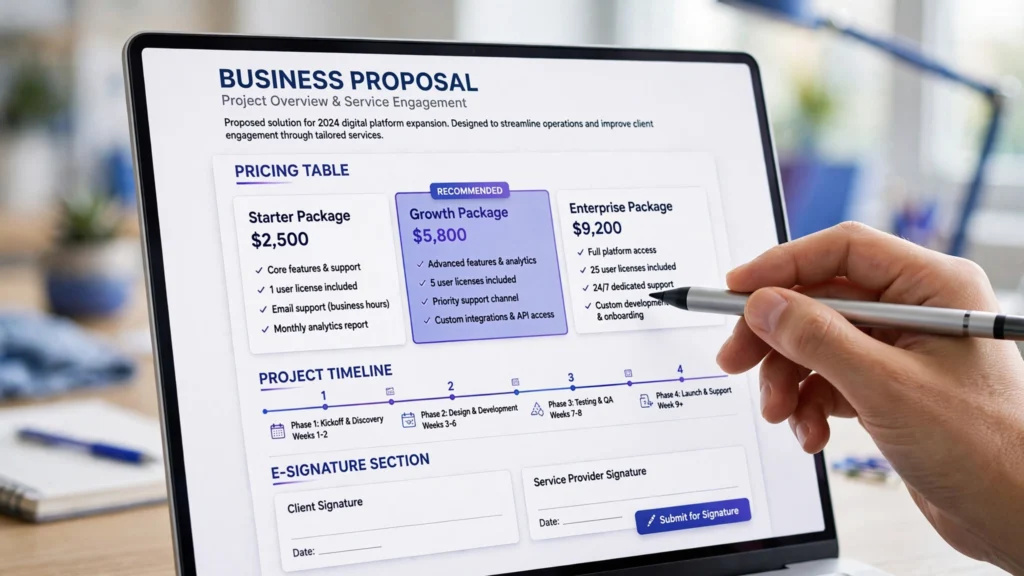
AI proposal tools fix the third job. They turn a proposal into a web page the client can read on a phone. They add an electronic signature field. They track opens and time spent on each page. They remind you to follow up when a client goes quiet. That is the difference this guide looks at. A tool earns its place here only if it helps you close deals, not if it only makes a pretty document.
If you are building a full sales system, proposals are one piece of it. Your AI CRM tools for small business can track the lead, your AI chatbot tools for small business can answer the questions your proposal raises, and your AI social media scheduling tools for small business can keep new leads coming in. The proposal turns interest into a signed deal.
How we picked these AI proposal generator tools for small business
We looked for tools that a small business can actually use. That means a fair starting price, templates that look professional without a designer, and AI features that write real content instead of filler. We also checked that each tool supports electronic signatures and lets you see when a client opens the proposal. Tools that only make PDFs did not make the list. Tools built only for large enterprises did not make it either. That is what AI proposal generator tools for small business should do: help you win work, not just format it.
Each review below follows the same shape. Best for tells you the fit in one line. Strengths explain what the tool does well. The limitation is honest. Read the limitation first if you are short on time. It tells you more than the feature list does.
1. PandaDoc
Best for: small businesses that want proposals, contracts, and signatures in one tool.
PandaDoc is the most complete tool on this list. You write a proposal from a template, add a pricing table, and send it as a link. The client opens it in a browser, reads it, and signs it online. Its AI writes the first draft from a short brief. You can also track every open, every page view, and how long the client spent on the price page. That last detail matters. A client who reads the price page twice is ready to talk.
PandaDoc also handles the paperwork after the yes. It has contracts, quotes, and payment collection in the same place. You can take a deposit the moment the client signs. Its template library is large, so a new business does not start from a blank page.
One honest limitation: PandaDoc costs more than the simpler tools, and its free plan is limited. A business that sends one proposal a month may find it heavier than it needs. The value shows up when you send proposals every week and want the whole workflow in one place.
2. Proposify
Best for: businesses that want beautiful, on-brand proposals without a designer.
Proposify focuses on design. Its templates look like they came from a design studio. You set your brand colours and logo once, and every proposal matches. Its AI helps write the content and can adjust the tone to match your brand. You can also add interactive pricing, so the client picks options and the total updates itself.
Proposify suits agencies, consultants, and creative businesses where the proposal itself is part of the pitch. If a client judges your work by how it looks, Proposify helps you look good. It also tracks opens and sends reminders, so you know when to follow up.
One honest limitation: Proposify is weaker on contracts and payments than PandaDoc. It is a proposal tool first. If you need the contract, the signature, and the payment in the same flow, you may need a second tool. For the proposal itself, it is hard to beat.
3. Qwilr
Best for: businesses that want proposals as interactive web pages.
Qwilr turns proposals into web pages. Instead of a static document, the client gets a clean page with images, video, and clickable pricing. Its AI writes the copy and can build a first draft from your notes. The client can accept the proposal with one click, and you get a notification the moment they do.
Qwilr suits businesses that sell creative or digital work. If your proposal needs to show a video, a portfolio, or a product demo, Qwilr shows it in the proposal itself. It also looks great on a phone, which is where most clients read proposals now.
One honest limitation: Qwilr is more expensive than a simple document tool, and it takes longer to learn. A business that sends short, simple quotes will not use half of its features. It earns its price when the proposal needs to impress.
4. Better Proposals
Best for: small businesses that want to send great proposals fast.
Better Proposals is built for speed. You pick a template, fill in the details, and send it in minutes. Its AI writes the content and suggests the right structure for your industry. It also tracks opens and shows you exactly which parts of the proposal the client read. The design is clean and professional without any setup.
Better Proposals suits freelancers and small teams that send many proposals. If you reply to five enquiries a week, the time saved adds up fast. Its pricing is also fair for a small business, and the free trial is enough to test it properly.
One honest limitation: Better Proposals has fewer integrations than PandaDoc or Proposify. If you need it to connect deeply with your CRM or your accounting tool, check the integration list first. For standalone proposal work, it is one of the fastest options here.
5. HoneyBook
Best for: service businesses that want proposals, contracts, invoices, and payments together.
HoneyBook is a full client workflow tool. It handles the enquiry, the proposal, the contract, the invoice, and the payment in one flow. Its AI helps write proposals and can draft client emails too. You can see every client and every project in one dashboard, so nothing falls through the cracks.
HoneyBook suits photographers, event planners, coaches, and other service businesses that manage many clients at once. If your work is a series of projects with the same steps each time, HoneyBook keeps them all moving. It also has good templates for common service businesses.
One honest limitation: HoneyBook is a bigger system, so it takes longer to set up. A business that only needs proposals will find extra screens it never uses. It earns its keep when you run the whole client workflow through it, not when you only send quotes.
6. Nusii
Best for: freelancers and small agencies that want simple, elegant proposals.
Nusii is the simplest tool on this list. You write the proposal, add the price, and send a link. The client reads it and accepts online. Its AI helps with the writing, and the design is clean without any setup. It also tracks opens and sends notifications, so you know when a client is looking at your proposal.
Nusii suits freelancers and small agencies that want a professional proposal without a learning curve. If you send a few proposals a month and want them to look good, Nusii does the job. Its pricing is also among the lowest here.
One honest limitation: Nusii is simple on purpose. It does not have the deep reporting, the contract library, or the payment tools of the bigger platforms. If you need those, you will outgrow it. For straightforward proposals, its simplicity is the point.
7. GetAccept
Best for: sales teams that want proposals with video and live chat built in.
GetAccept adds a personal touch to proposals. You can record a short video message and put it at the top of the proposal, so the client sees your face before they read the price. It also has live chat inside the proposal, so the client can ask a question while they are reading. Its AI writes the content and suggests the best time to follow up.
GetAccept suits businesses that sell by relationship. If you win work because clients trust you, the video and chat features help. It also tracks everything the client does in the proposal, so you know exactly when to call.
One honest limitation: GetAccept is priced for sales teams, not for a one-person business. Its starting price is high, and some features need a higher plan. If you send proposals alone and rarely, it will feel expensive. If you sell every day, the video feature can pay for itself.
AI proposal generator tools for small business: comparison table
| Tool | Best for | AI writing | Key strength | Watch out for |
|---|---|---|---|---|
| PandaDoc | Proposals + contracts + signatures | Yes | Most complete workflow | Higher price |
| Proposify | Beautiful on-brand proposals | Yes | Best design | Weaker on contracts |
| Qwilr | Interactive web proposals | Yes | Video and web-page format | Learning curve, price |
| Better Proposals | Fast proposals | Yes | Quickest to send | Fewer integrations |
| HoneyBook | Full client workflow | Yes | Proposal to payment in one | Takes longer to set up |
| Nusii | Simple elegant proposals | Yes | Easiest to learn | Limited features |
| GetAccept | Proposals with video + chat | Yes | Personal video messages | Priced for teams |
How to choose AI proposal generator tools for small business
Start with how you sell now. If you send one proposal a month, Nusii or Better Proposals will do the job. If you send proposals every week, PandaDoc or Proposify will hold up better. If your proposal needs to impress a creative client, Qwilr or Proposify is the natural fit. If you run the whole client journey from enquiry to payment, HoneyBook ties it together. If you sell by relationship, GetAccept adds the personal touch.
Try the free plan or trial first. Every tool here lets you test it with a real proposal before you pay. Send one real proposal through it. See how long it takes. Check whether the client opened it and how long they spent on the price page. A tool that shortens the wait for a yes is worth paying for. A tool that only makes a prettier document is not.
One more thing matters. Your proposal tool should fit the rest of your sales work. Your AI keyword research tools for small business can find the customers, your AI video editing tools for small business can make the demo clips, and your AI voiceover tools for small business can add the voice to them. The tools work best as a system, not alone. If you want a wider view of the AI tools that fit a small business, the guides at aitoolsteps.com cover the same practical ground. A good place to start is your AI social media calendar plan, so the proposal has a steady flow of new leads behind it.
FAQ: AI proposal generator tools for small business
Do AI proposal tools really write the proposal for me?
They write the first draft. You give the AI a short brief — the client, the work, the price — and it writes the sections. You still edit the draft. The AI saves you the blank-page hour. It does not replace your judgment about what to promise or what to charge.
Can clients sign proposals online?
Yes. All seven tools here support electronic signatures. The client opens the proposal in a browser, reads it, and signs with a click or a typed name. You get a notification the moment they sign. That removes the print, sign, and scan delay completely.
Will I know if a client opened my proposal?
Yes, that is one of the main benefits. These tools track opens, page views, and time spent on each section. If a client opened the proposal three times but never signed, you know to follow up. If they never opened it, you know to resend it another way.
Is the free plan enough for a small business?
It can be, at the start. Free plans usually cover a few proposals a month and basic templates. That is enough to test the tool and send your first proposals. When you send proposals every week, a paid plan becomes worth it. The deals you close are the real test.
Conclusion: AI proposal generator tools for small business
AI proposal generator tools for small business save the one thing a small team never has enough of: time. PandaDoc is the most complete. Proposify is the most beautiful. Qwilr is the most interactive. Better Proposals is the fastest. HoneyBook runs the whole client workflow. Nusii is the simplest. GetAccept is the most personal.
Pick the one that matches how you sell today, try it with one real proposal, and keep the one that gets you a yes faster. Then send every proposal through it. Consistency is what turns a proposal tool into growth. Start today with one tool from this list, send your next proposal through it, and let the tool handle the formatting, the signature, and the follow-up while you do the work you are good at.
Ready to build the full system? Start at Digital 365 Agency and put proposals, content, and customer follow-up together in one place.