
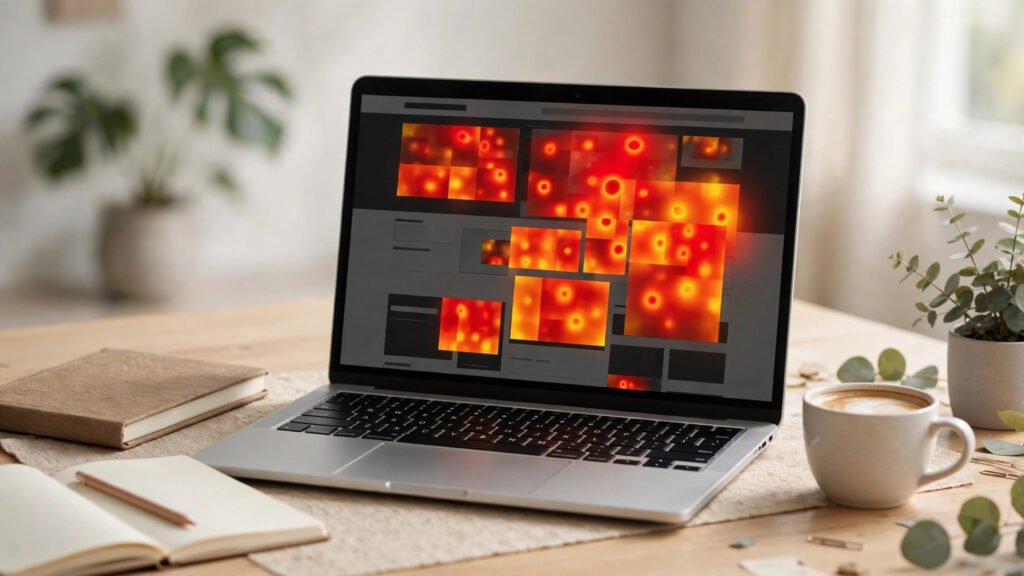
An AI heatmap tool for small business website owners answers the one question every analytics dashboard dodges: what are visitors actually doing on my pages? Google Analytics tells you how many people arrived and how many left. A heatmap shows you exactly where they clicked, how far they scrolled, and which button they ignored — then AI turns that raw behaviour into plain-English fixes you can act on the same afternoon. For a small business with no data team, that is the difference between guessing and knowing.
In this guide you will compare the 7 best AI heatmap tools for small business websites in 2026, see a worked example of a bakery that fixed a leaky checkout with one heatmap insight, and follow a 5-step setup walkthrough that takes under an hour. If your website gets traffic but too few enquiries or sales, an AI heatmap tool for small business website analysis is the fastest place to start.
Table of Contents
- What Is an AI Heatmap Tool for Small Business Website Owners?
- Why Heatmaps Beat Guesswork in 2026
- How AI Heatmaps Work in 3 Steps
- The 7 Best AI Heatmap Tools for Small Business Websites
- Worked Example: A Bakery Finds Its Leaky Checkout
- 5-Step Setup Walkthrough: From Install to First Fix
- AI Heatmap Tool for Small Business Website: Costs, Free Options, and How to Choose
- Key Takeaways
- Frequently Asked Questions
🔥 What Is an AI Heatmap Tool for Small Business Website Owners?
An AI heatmap tool for small business website use is software that records anonymised visitor behaviour — clicks, taps, mouse movement, and scroll depth — and visualises it as a colour-coded overlay on your real pages. Hot spots glow red where visitors click most; cold areas stay blue where nobody looks. The “AI” part is what makes 2026 tools different: instead of handing you a picture and leaving the interpretation to you, the tool summarises patterns, flags frustration signals like rage clicks and dead clicks, and suggests concrete fixes.
There are three heatmap types every small business owner should know:
- Click maps — show exactly which links, buttons, and images visitors click, and which calls to action they ignore completely.
- Scroll maps — reveal how far down each page visitors actually read, so you know whether your offer sits above or below the point where most people stop.
- Move maps — track mouse movement as a proxy for attention, useful for spotting sections visitors hover over but never click.
Most tools also add session recordings — short anonymised replays of individual visits — so you can watch a visitor hesitate at your pricing table or abandon a form halfway through. One afternoon of review can replace weeks of arguing about homepage changes.
📊 Why Heatmaps Beat Guesswork in 2026
Small businesses waste more money on opinion-based website redesigns than on almost anything else in marketing. An AI heatmap tool for small business website owners replaces opinion with evidence: research consistently finds that a large share of visitors never scroll past the first screen, forms lose many users at a single confusing field, and moving one call to action to the spot visitors already look at can lift conversions by double digits. You do not need a huge budget — you need to see what visitors see.
Three reasons make 2026 the right year to adopt an AI heatmap tool for small business website analysis. First, free tiers are genuinely usable — Microsoft Clarity is free with unlimited traffic, and most paid tools offer free plans that cover a small business site’s volume. Second, AI summaries remove the skill barrier — the tool tells you “visitors rage-click the non-clickable image on your pricing page” in plain language, no analyst needed. Third, privacy is built in — modern tools mask text inputs and IP addresses by default.
The practical payoff is speed. A traditional A/B testing programme takes weeks per test and needs thousands of visitors to reach a verdict. A heatmap on a site with a few hundred visitors a week can surface a clear fix — a hidden button, a confusing form field, a pricing section nobody reaches — within days.
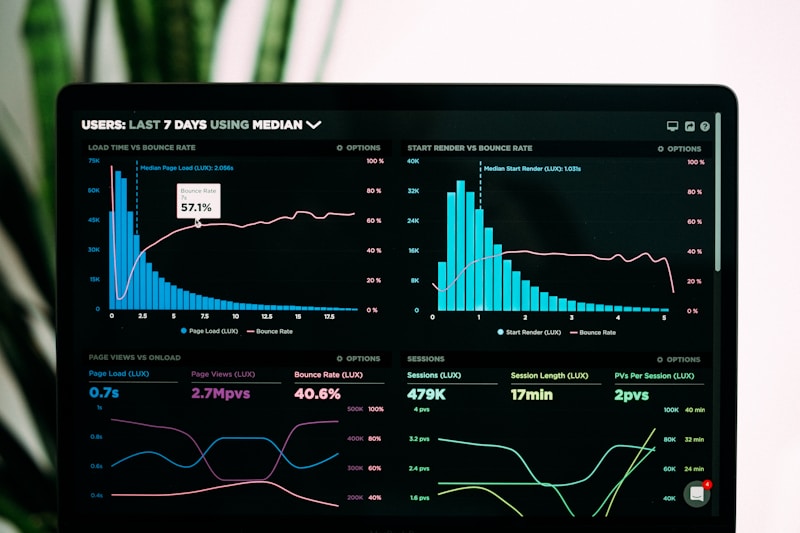
An AI heatmap turns raw visitor clicks into a visual map of what actually gets attention on your pages.
🧠 How AI Heatmaps Work in 3 Steps
Every AI heatmap tool for small business website tracking follows the same three steps. First, collect: you add a small tracking snippet to your site (or install a WordPress plugin). It records anonymised clicks, scrolls, and mouse movement, and stores session replays — no personal data is captured, and form text is masked by default. Second, aggregate: the tool combines thousands of individual visits into one visual overlay per page, so patterns stand out from noise. A single visitor clicking oddly means nothing; 400 visitors all ignoring the same button means everything. Third, interpret: the AI layer scans the aggregated data for anomalies — rage clicks, dead clicks, rapid back-button exits, and scroll drop-offs — then writes a short summary with suggested actions, ranked by likely impact.
One caution: heatmaps show what happened, not why. If visitors ignore your “Book a Call” button, the heatmap proves the neglect; only a survey or session recording reveals whether the button was invisible, unconvincing, or below the fold. Use your AI heatmap tool for small business website data to find the problem, then confirm the cause before you redesign.
🏆 The 7 Best AI Heatmap Tools for Small Business Websites
The table below compares the strongest options for a small business budget, based on AI features, ease of setup, free-tier generosity, and WordPress compatibility. Prices are starting prices as listed by vendors in 2026 — verify current pricing before purchase, as plans change frequently. Every AI heatmap tool for small business website use in the table works with WordPress and offers a free trial or free tier.
| Tool | Starting Price | Standout AI Feature | Best For |
|---|---|---|---|
| Microsoft Clarity | Free | AI session summaries (Copilot) | Every small business — start here |
| Hotjar | ~$32/month | AI survey analysis + frustration signals | Heatmaps plus customer feedback |
| Crazy Egg | ~$29/month | AI-generated improvement suggestions | Simple, visual reporting |
| Lucky Orange | ~$39/month | AI alerts on visitor behaviour shifts | Live chat plus heatmaps in one tool |
| Mouseflow | ~$31/month | AI friction scoring per session | Finding exactly where forms fail |
| Smartlook | ~$55/month | AI event detection and funnels | Mobile apps as well as websites |
| FullSession | ~$39/month | AI insights on funnels and drop-offs | Conversion funnels and onboarding |
Microsoft Clarity is the obvious first AI heatmap tool for small business website owners to try: it costs nothing and caps nothing — unlimited heatmaps, recordings, and traffic. Its Copilot AI summarises sessions and answers behaviour questions in plain language. Setup is a single snippet or a one-click WordPress plugin, and it integrates with Google Analytics. The trade-off is lighter survey features than Hotjar, but for pure behaviour insight it is hard to beat at any price — let alone free.
Hotjar pairs click, scroll, and move maps with on-site surveys, so you can ask hesitating visitors exactly what stopped them. Its AI analyses survey responses and flags frustration signals such as rage clicks and u-turns. Paid plans start around $32 per month, and the free plan covers 35 daily sessions. If you want behaviour data and customer voice in one dashboard, Hotjar is the most complete option.
Crazy Egg is a small-business favourite because its reports are easy to read: confetti maps break clicks down by traffic source, and scroll maps show the exact share of visitors reaching each section. Its AI layer generates plain-language suggestions, such as a shorter form or a more visible button. Plans start around $29 per month with a free trial, and the WordPress plugin installs in two minutes.
The remaining four each suit a specific need. Lucky Orange (~$39/month) adds live chat and visitor profiles, so you can see a struggling visitor and offer help in real time. Mouseflow (~$31/month) scores every session for friction and excels at form analytics — it shows precisely which field makes visitors abandon your checkout or enquiry form. Smartlook (~$55/month) is the pick if you also run a mobile app, with AI-detected events across web and app. FullSession (~$39/month) focuses on conversion funnels, showing where visitors drop out between landing page and purchase.
Our advice: start with Clarity this week. If you outgrow it — usually because you want surveys or deeper form analytics — move to Hotjar or Mouseflow. For a broader view of how AI fits across your whole business, our pillar guide to AI tools for small business maps every category, and if your site still needs building first, see our roundup of AI website builders for small business.
🧁 Worked Example: AI Heatmap Tool for Small Business Website in Action — A Bakery Finds Its Leaky Checkout
Consider “Bloom & Bean,” a fictional neighbourhood bakery in Lahore that takes custom cake orders through its website. The site gets about 4,000 visits a month, but only 2% of visitors complete the order form. The owner installs a free AI heatmap tool for small business website tracking and waits ten days.
The scroll map reveals the first problem: only 31% of visitors reach the cake gallery, because a large hero image and a long welcome message push it below the fold on mobile. The click map reveals the second: 18% of visitors click the signature chocolate cake photo expecting it to open the order form — but the photo is not linked, so those clicks go nowhere. The recordings reveal the third: visitors who reach the form abandon it at the “delivery date” field, which rejects dates less than 48 hours away without explaining why.
Three fixes follow from what this AI heatmap tool for small business website data revealed, each taking under an hour: the gallery moves above the fold on mobile, the cake photo becomes a link to the order form, and the date field gains a one-line note — “Orders need 48 hours’ notice.” Within a month, form completions rise from 2% to 3.4% — a 70% improvement — without spending a rupee on ads.
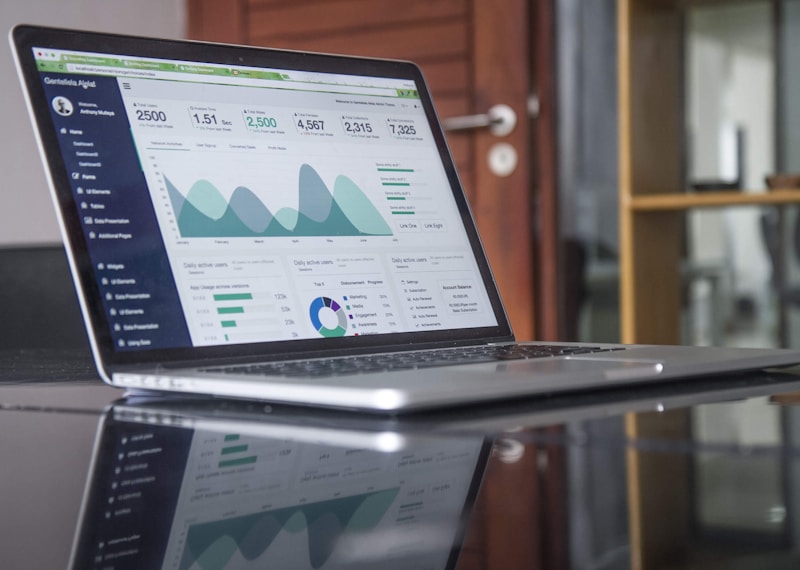
Ten days of heatmap data can surface fixes that months of guesswork never find.
🪜 5-Step Setup Walkthrough: From Install to First Fix
Follow these steps with any AI heatmap tool for small business website setup and you will have your first insight within a week:
- Install the snippet. In Microsoft Clarity, create a free project, copy the tracking code, and paste it into your site’s header — or install the Clarity WordPress plugin and connect it in two clicks. Verify recording is active by visiting your own homepage.
- Pick three pages. Do not track everything at once. Choose your homepage, your highest-traffic service or product page, and your checkout or contact page. These three cover awareness, consideration, and conversion.
- Wait for data. Let the tool collect at least 300–500 visits per page before judging anything. On a small site this takes one to two weeks; reading a heatmap built on 40 visits is reading noise.
- Read the AI summary first. Open the AI summary or insights panel before staring at the heatmap itself. It will point you at the biggest anomalies — rage clicks, dead zones, scroll drop-offs — so your attention goes where it matters.
- Fix one thing, then re-measure. Change a single element — move a button, shorten a form, add a clarifying line — and wait another week. If the metric improves, keep the change; if not, revert and try the next hypothesis. One change at a time is how you learn what actually works.
If you want guided, click-by-click tutorials for setting up tools like these, the step-by-step AI tutorials at AI Tool Steps walk through popular AI platforms in plain language. And once visitors start converting, an AI chatbot for your small business website can answer their questions instantly while you focus on fulfilling orders.
💰 AI Heatmap Tool for Small Business Website: Costs, Free Options, and How to Choose
A small business can run heatmaps for $0 per month with Microsoft Clarity and get 90% of the value. Add a paid tool for surveys or form analytics and expect $29–$55 per month; most plans scale with recorded sessions, so a site under 10,000 monthly visits sits on the cheapest tier. Watch for three cost traps: session limits (a traffic spike can push you into a higher tier mid-month), per-seat pricing, and data retention (cheaper plans may delete recordings after 30 days).
Match the tool to your bottleneck, not the longest feature list. Ask four questions before signing up. How much traffic do I get? Under 5,000 visits a month, a free plan is plenty; over 20,000, check session limits. What is my biggest unknown? Form abandonment points to Mouseflow; needing the why points to Hotjar with surveys; just seeing behaviour points to Clarity. Do I run WordPress? Every tool above offers a plugin or snippet, but Clarity and Hotjar have the smoothest installs. Who reads the reports? If it is you, for twenty minutes a week, prioritise AI summaries over raw data depth.
For authoritative background on reading heatmaps correctly, Microsoft’s Clarity documentation explains each report type with examples, and Hotjar’s heatmaps guide covers the research behind click, scroll, and move maps. Before you commit to any AI heatmap tool for small business website tracking, confirm the plan covers your traffic volume and that recordings are retained long enough for month-to-month comparison.
Common mistakes to avoid: reading too little data (wait for a few hundred visits per page); redesigning everything at once (change one element, measure, then change the next); ignoring mobile (always check the mobile heatmap separately — the problems are often completely different); forgetting consent and privacy (mention behaviour analytics in your privacy policy); and collecting data nobody reads (book a recurring 20-minute weekly slot to review your AI heatmap tool for small business website summary and pick one fix).
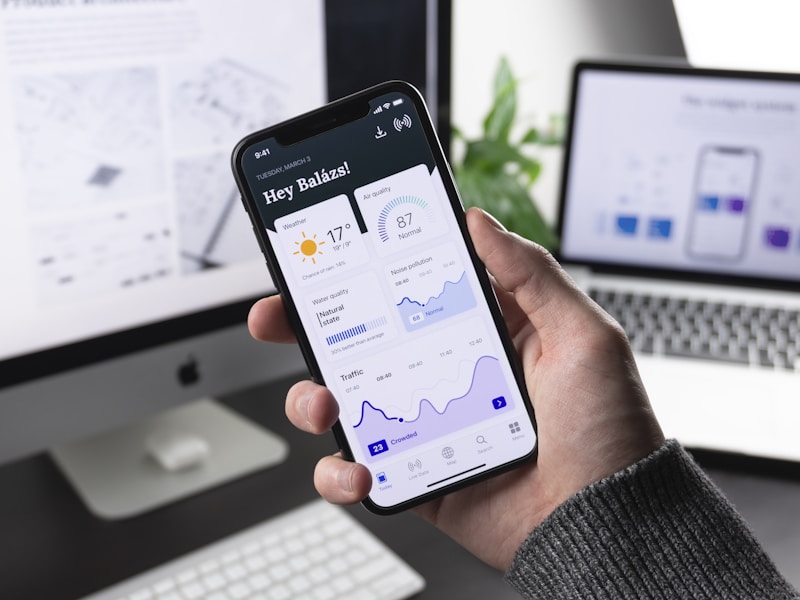
Always review the mobile heatmap separately — most small business visitors arrive on a phone.
✅ Key Takeaways
An AI heatmap tool for small business website owners turns visitor behaviour into visible, fixable problems. Start free with Microsoft Clarity, track your three most important pages, wait for a few hundred visits, read the AI summary before the raw map, and fix one thing at a time. The bakery example proves the point: three small changes, found in ten days of data, lifted form completions by 70%. Your website is already telling you what is wrong — a heatmap simply lets you hear it.
❓ Frequently Asked Questions
What is the best free AI heatmap tool for a small business website?
Microsoft Clarity is the best free option in 2026: unlimited heatmaps and session recordings, AI session summaries through Copilot, and no traffic caps. It covers everything a small business needs to find its biggest conversion problems, which is why it is our recommended starting AI heatmap tool for small business website owners.
How many visitors do I need before a heatmap is useful?
Aim for at least 300–500 visits per page. Below that, individual quirks dominate the picture; on a site with a few hundred visits a week, one to two weeks of data is usually enough.
Do AI heatmap tools slow down my website?
Any AI heatmap tool for small business website tracking has minimal impact when installed correctly — typically a few dozen kilobytes loaded asynchronously, which does not block rendering. Use a WordPress plugin or place the snippet correctly, and check page speed before and after installation.
Are heatmaps legal under privacy rules like GDPR?
Yes, when used properly. Reputable tools mask form inputs and IP addresses by default and record no personal data. You should still disclose behaviour analytics in your privacy policy and provide an opt-out where required by local law.
Can an AI heatmap tool replace A/B testing?
No — a heatmap shows where the problem is; an A/B test proves which fix works best. Use heatmaps to find problems fast, then test the fix on high-traffic pages when the change is high-stakes.
Do I need technical skills to install a heatmap tool?
No. Most tools offer a WordPress plugin with one-click setup, and the snippet install takes under five minutes. If you can install any other WordPress plugin, you can install an AI heatmap tool for small business website tracking.
Sources note: Tool features and starting prices reflect publicly listed vendor pricing and product pages in 2026; verify current pricing on each vendor’s site before purchase. Behavioural benchmarks cited are widely reported industry figures; individual results vary by site, traffic, and niche.