

If you want to speed up small business website with AI, you no longer need a developer on retainer or a weekend lost to caching tutorials. In 2026, a new generation of AI-assisted speed tools can compress your images, clean up your code, preload pages before visitors click, and fix Core Web Vitals — most of it automatically, in under an hour. This guide shows you exactly how.
Speed is not a vanity metric. Google’s research found that 53% of mobile visits are abandoned if a page takes longer than 3 seconds to load, and classic industry studies link every extra second of delay to roughly a 7% drop in conversions. For a small business site doing even modest online sales or lead generation, a slow website is a quiet revenue leak.
The good news: AI has turned website speed optimization from a specialist skill into a checklist. Below, you’ll get the 7 best AI and AI-assisted tools to speed up a small business website in 2026, a head-to-head comparison table, an illustrative before-and-after example, and a step-by-step 60-minute plan you can run this weekend. If you’re new to AI in general, our pillar guide AI Tools for Small Business: The Complete 2026 Guide is the best place to start.
Table of Contents
- Why Site Speed Is a Revenue Problem, Not a Tech Problem
- ⚡ How AI Actually Speeds Up a Website
- 🛠️ 7 AI Tools to Speed Up Small Business Website with AI
- 📊 Comparison Table: Which AI Speed Tool Fits You?
- 🧁 Worked Example: A Bakery Site Goes from 5.8s to 1.9s
- 🗺️ Step-by-Step: Speed Up Small Business Website with AI in 60 Minutes
- ⚠️ 4 Mistakes That Undo Your Speed Gains
- ❓ FAQ: AI Website Speed Questions, Answered
- ✅ Key Takeaways
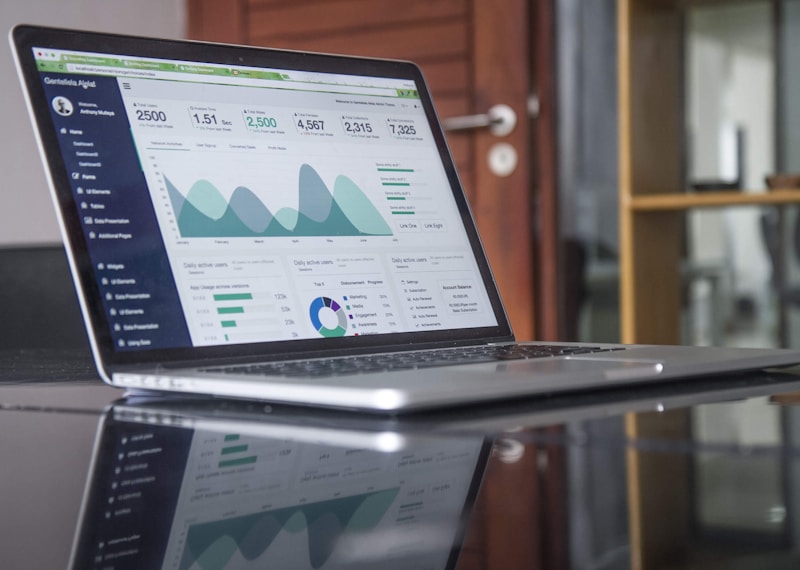
A data-driven approach: measure first, then let AI tools target the biggest bottlenecks.
Why Site Speed Is a Revenue Problem, Not a Tech Problem
Most small business owners treat website speed as an IT chore. It isn’t — it’s a conversion lever. Here’s what the data says:
- 53% of mobile users leave pages that take more than 3 seconds to load (Google).
- Each extra second of load time can cut conversions by around 7% (widely cited industry research from Akamai and Amazon-era studies).
- Google’s Core Web Vitals are confirmed ranking signals: Largest Contentful Paint (LCP) should be under 2.5 seconds, Interaction to Next Paint (INP) under 200 milliseconds, and Cumulative Layout Shift (CLS) under 0.1. You can read the official thresholds on Google’s web.dev.
- Slow sites also burn ad spend: paid traffic that bounces on a 6-second load is money thrown away.
The traditional fix — hiring a developer to hand-optimize everything — costs hundreds to thousands of dollars. The 2026 fix is to speed up small business website with AI tooling that automates 80% of that work for the price of a coffee subscription. In the sections below, every recommendation is chosen specifically to help you speed up small business website with AI quickly and safely.
⚡ How AI Actually Speeds Up a Website
“AI speed optimization” sounds like marketing fluff, so let’s demystify it. These tools use machine learning and smart automation to do five things:
- Smart image compression: AI analyzes each image and picks the best format (WebP/AVIF) and compression level — shrinking files 60–80% with no visible quality loss.
- Code cleanup: Automatic minification and combination of CSS/JavaScript, plus removal of unused code that page builders leave behind.
- Predictive preloading: AI predicts which page a visitor will click next and preloads it, making navigation feel instant.
- Smart caching: Instead of one-size-fits-all caching, tools learn your traffic patterns and cache the right pages at the right edge locations.
- Font and media optimization: Automatic font-display fixes, lazy loading, and video poster images that stop layout shift.
None of this requires you to touch code. That’s the whole point: when you speed up small business website with AI, the AI makes the technical decisions, and you get the faster site.

Modern speed tools minify and clean code automatically — no developer required.
🛠️ 7 AI Tools to Speed Up Small Business Website with AI
Here are seven tools worth your money in 2026 if you want to speed up small business website with AI, from one-click WordPress plugins to full-stack platforms. Pricing changes often, so treat the numbers below as starting points and confirm on each vendor’s site.
1. BerqWP — Best AI-Powered All-in-One for WordPress
BerqWP is a WordPress plugin that markets itself as AI-powered speed optimization, and it largely delivers: automatic critical CSS, smart script delay, image optimization, and one-click setup. It’s built specifically for the page-builder-heavy sites (Elementor, Divi) that small businesses actually use. Paid plans start at around $59/year for a single site.
2. NitroPack — Best Set-and-Forget Cloud Optimizer
NitroPack sits between your site and your visitors, automatically applying dozens of optimizations — caching, image compression, code minification, lazy loading — without touching your theme. It’s platform-agnostic (WordPress, Magento, custom sites) and offers a free plan, with paid plans from about $21/month. Ideal if you want results without installing yet another plugin.
3. Ezoic Leap — Best Free AI Speed Technology
Ezoic’s Leap technology uses AI to optimize site speed, and it’s genuinely free if you use Ezoic’s ad platform (ad revenue funds it). Leap handles script execution timing, image optimization, and caching intelligence. If your small business site is content-heavy and monetized with ads, Leap is the rare case where speed optimization pays you. Compare it against classic stacks in our AI tools vs traditional software breakdown.
4. ShortPixel — Best AI Smart Image Compression
Images are the #1 cause of slow small business websites, and ShortPixel’s smart compression (including next-gen WebP/AVIF conversion) fixes them in bulk. Its AI-assisted “glossy” setting finds the sweet spot between file size and visual quality. Free for 100 images/month, paid from about $4.99/month. A must-have for photography, restaurant, and portfolio sites.
5. Imagify — Best Beginner-Friendly Image Optimizer
From the makers of WP Rocket, Imagify is the gentlest on-ramp: install, pick a compression level, and it converts your entire media library automatically. Free plan available, paid from about $4.99/month. Perfect if ShortPixel’s options feel overwhelming.
6. Cloudflare — Best Smart CDN and Edge Caching
Cloudflare’s global CDN puts your site’s files on servers near every visitor, and features like Automatic Platform Optimization and smart routing use machine learning to cut latency. The free plan alone transforms most small business sites; APO for WordPress costs $5/month. Learn how CDNs work in Cloudflare’s CDN guide.
7. WP Rocket — Best One-Click Caching Classic
Not strictly “AI,” but WP Rocket deserves its spot: it applies 80% of speed best practices the moment you activate it — page caching, cache preloading, database cleanup, lazy loading. From $59/year. Pair it with an image optimizer above and most small business sites jump a full PageSpeed grade in one afternoon. If you’re still choosing how your site gets built, also see our AI Website Builders for Small Business: 2026 Setup Guide.
📊 Comparison Table: Which AI Speed Tool Fits You?
| Tool | AI / Smart Feature | Free Plan | Starts At | Best For |
|---|---|---|---|---|
| BerqWP | AI-driven critical CSS, script delay | No | ~$59/yr | WordPress + page builders |
| NitroPack | Automatic full-stack optimization | Yes | ~$21/mo | Hands-off, any platform |
| Ezoic Leap | AI script timing & caching | Yes (with ads) | Free | Content sites with ads |
| ShortPixel | Smart compression, AVIF/WebP | 100 imgs/mo | ~$4.99/mo | Image-heavy sites |
| Imagify | One-click smart compression | Yes | ~$4.99/mo | Beginners |
| Cloudflare | ML-based routing, edge cache | Yes | Free / $5 APO | Every site, period |
| WP Rocket | Automated caching presets | No | ~$59/yr | WordPress DIY owners |
Pricing is approximate and changes frequently — always confirm current plans on the vendor’s website before buying.
🧁 Worked Example: A Bakery Site Goes from 5.8s to 1.9s
(Illustrative example based on typical results small business owners report — your mileage will vary with hosting and theme.)
Meet “Maple Street Bakery,” a fictional local bakery whose WordPress site was beautiful but brutal: a 4.2 MB homepage, 38 uncompressed hero images, and an LCP of 5.8 seconds on mobile. Online cake orders were trickling in at 1–2 per week.
The owner spent one Saturday running the 60-minute plan below with three tools:
- ShortPixel bulk-compressed the media library: 4.2 MB → 1.4 MB of images.
- BerqWP generated critical CSS and delayed non-essential scripts (the Instagram feed widget was the worst offender).
- Cloudflare’s free CDN started serving everything from a nearby edge server.
Result: LCP dropped to 1.9 seconds, total page weight to 1.1 MB, and the mobile PageSpeed score jumped from 41 to 89. Over the next month, online orders roughly doubled — the owner changed nothing else. Was it all speed? Probably not entirely. But removing a 5.8-second wall between hungry customers and the order form clearly didn’t hurt.
🗺️ Step-by-Step: Speed Up Small Business Website with AI in 60 Minutes
To speed up small business website with AI, you don’t need all seven tools. Follow this sequence — each step takes about 10 minutes:
Step 1: Measure your baseline (10 min)
Run your homepage and one key landing page through Google’s PageSpeed Insights. Write down your LCP, INP, CLS, and overall mobile score. You can’t improve what you don’t measure — and you’ll want these numbers for the victory lap.
Step 2: Compress every image with AI (10 min)
Install ShortPixel or Imagify, run bulk optimization on your media library, and enable WebP/AVIF conversion. This single step typically removes 50–70% of page weight on small business sites.
Step 3: Install one all-in-one optimizer (15 min)
Add BerqWP, NitroPack, or WP Rocket — just one, never stack them. Activate it, run its automatic setup, and let it generate critical CSS and delay heavy scripts.
Step 4: Put a CDN in front of your site (10 min)
Sign up for Cloudflare’s free plan, point your domain’s nameservers to it, and enable caching. Visitors now load your site from a server near them instead of across the world.
Step 5: Remove the junk (10 min)
Deactivate plugins you don’t use, remove that third social-media feed widget, and switch to system font stacks or limit Google Fonts to two weights. AI tools optimize what’s there — they can’t fix clutter.
Step 6: Re-test and schedule (5 min)
Re-run PageSpeed Insights. Then set a monthly calendar reminder to re-test — new plugins and images quietly undo speed gains. If you want to go deeper into AI workflows, these step-by-step AI tutorials cover practical AI tool setups for small teams.

A faster website is a weekend project now — not a developer invoice.
⚠️ 4 Mistakes That Undo Your Speed Gains
- Stacking optimization plugins: Running NitroPack + WP Rocket + BerqWP together causes conflicts and slower sites. Pick one all-in-one.
- Autoplaying hero videos: A 20 MB background video wipes out every optimization you just made. Use a lightweight poster image with a click-to-play button.
- Uploading 5 MB phone photos: Resize images to their display size (usually under 1600px wide) before uploading — AI compression works best on sane inputs.
- Ignoring mobile: Most small business traffic is mobile. Test on a real phone over a 4G connection, not just your office Wi-Fi.
❓ FAQ: AI Website Speed Questions, Answered
Can AI really speed up my website without a developer?
For the most common bottlenecks — uncompressed images, unminified code, missing caching, no CDN — yes. AI-assisted tools automate these reliably. Deep architectural problems (a bloated custom theme, overloaded shared hosting) may still need human help.
Will AI speed tools break my website’s design?
Rarely, but it happens — usually aggressive JavaScript delay breaking sliders or popups. Every tool above lets you exclude specific scripts. Always test key pages (checkout, contact form) after enabling optimization.
How much does it cost to speed up small business website with AI?
You can speed up small business website with AI for $0 (Cloudflare free + Ezoic Leap free + ShortPixel’s free tier). A solid paid stack runs roughly $60–$150/year — far less than a developer’s day rate.
Do Core Web Vitals actually affect my Google rankings?
Yes — they’re confirmed ranking signals, and more importantly they directly affect bounce rate and conversions. A site can rank with mediocre vitals, but it converts worse.
How often should I re-check my site speed?
Monthly at minimum, and after every theme update, plugin install, or media upload spree. Speed degrades gradually — the monthly check catches it before customers notice.
✅ Key Takeaways
- Speed = revenue: 53% of mobile users abandon pages over 3 seconds; every second costs ~7% of conversions.
- AI does the heavy lifting: smart image compression, critical CSS, predictive preloading, and edge caching — no code required.
- Start with the big three: an image optimizer (ShortPixel/Imagify), one all-in-one (BerqWP/NitroPack/WP Rocket), and Cloudflare’s free CDN — the fastest way to speed up small business website with AI.
- Measure twice: baseline with PageSpeed Insights, re-test after, and re-check monthly.
- Pick one tool per job — stacking optimizers slows you down.
Sources & further reading: Google’s mobile speed research (53% abandonment stat); Google web.dev Core Web Vitals thresholds; vendor documentation for BerqWP, NitroPack, Ezoic, ShortPixel, Imagify, Cloudflare, and WP Rocket (pricing verified at time of writing and subject to change). The Maple Street Bakery example is illustrative. This article is part of our AI Tools for Small Business series.