

Table of Contents
- What Are AI Tools for Small Business?
- Why AI Tools for Small Business Matter in 2026
- The Best AI Tools for Small Business by Category
- AI Tools for Small Business Pricing: What to Budget
- How to Choose the Right Tools: A 5-Step Framework
- Worked Example: A 30-Day AI Rollout for a Small Retail Store
- Common Mistakes to Avoid
- Data Security and Privacy Checklist
- Key Takeaways
- Frequently Asked Questions
AI tools for small business are no longer a luxury reserved for large enterprises. In 2026, a team of five can automate customer support, write marketing content, reconcile invoices, and schedule social media posts — all with software that costs less than a single part-time hire. This complete guide compares the best AI tools for small business owners, breaks down real pricing, and gives you a practical 30-day rollout plan you can start this week.
If you have ever felt like your competitors seem to do more with fewer people, this is usually why: they are not working harder, they are using AI tools for small business growth to remove repetitive work from their day. By the end of this guide, you will know exactly which tools fit your business, what they cost, and how to introduce them without disrupting your team.

AI tools for small business owners now cover writing, support, marketing, and finance — often in a single subscription.
📋 What Are AI Tools for Small Business?
AI tools for small business are software applications that use artificial intelligence — machine learning, natural language processing, and automation — to complete tasks that used to require human time. Unlike the enterprise platforms of a few years ago, modern small business AI tools are designed for non-technical users: you sign up, describe what you need in plain language, and the tool does the work.
Common categories include:
- Writing and content tools — draft blog posts, product descriptions, and emails in minutes.
- Customer service chatbots — answer common questions instantly, day and night.
- Marketing and social media tools — plan, write, and schedule campaigns automatically.
- Accounting and finance tools — categorize expenses, chase invoices, and forecast cash flow.
- Scheduling and productivity tools — transcribe meetings, summarize notes, and manage calendars.
The key difference from ordinary software is adaptability. A traditional template always produces the same output; an AI tool learns from your inputs, your brand voice, and your customers, and improves its suggestions over time.
🤖 Why AI Tools for Small Business Matter in 2026
Three shifts make 2026 the tipping point for AI tools for small business adoption. First, prices have fallen sharply: capable tools that cost hundreds of dollars a month in 2023 now start free or under $20 per month. Second, the tools have become genuinely easy — most require no training, coding, or IT support. Third, customers now expect instant responses, personalized marketing, and fast service, and small teams can only meet those expectations with automation.
Consider the math. A small business owner who spends 10 hours a week on repetitive admin — answering the same five customer questions, formatting social posts, copying invoice data — loses roughly 500 hours a year. Even at a modest value of $25 per hour, that is $12,500 of capacity. The right AI tools for small business use can recover most of those hours for a fraction of that cost, freeing the owner to focus on sales, product quality, and customer relationships.
Small businesses that adopt AI early also gain a compounding advantage. Every automated workflow, every chatbot conversation, and every piece of AI-assisted content builds a data asset that makes the next month easier than the last. Businesses that wait another year will be competing against rivals with a year of that compounding already banked.
The Best AI Tools for Small Business by Category
There is no single “best” tool — the right choice depends on your biggest bottleneck. The table below compares the strongest options in each category, based on ease of use, small-team pricing, and real-world reliability.
| Category | Leading Tools | Typical Starting Price | Best For |
|---|---|---|---|
| Writing & Content | ChatGPT, Jasper, Copy.ai | Free – $49/month | Blogs, emails, product copy |
| Customer Support | Intercom, Tidio, Zendesk AI | Free – $39/month | Instant answers, lead capture |
| Marketing & Social | Buffer AI, Hootsuite, Canva Magic Studio | Free – $29/month | Scheduling, design, captions |
| Accounting & Finance | QuickBooks AI, Xero, Wise | $15 – $45/month | Invoicing, expense tracking |
| Meetings & Productivity | Otter.ai, Notion AI, Fireflies | Free – $20/month | Transcription, summaries, docs |
| Design & Branding | Canva, Adobe Express, Looka | Free – $15/month | Logos, social graphics, ads |
Start with the category that hurts most. If customer emails eat your mornings, a chatbot delivers visible relief in week one. If content marketing is your bottleneck, a writing assistant is the obvious first pick. Resist the urge to buy six tools at once — one well-adopted tool beats six half-used subscriptions. For step-by-step walkthroughs of individual platforms, AI tool guides with practical tutorials are a useful companion to this overview.
For a deeper look at one high-impact category, see our guide to AI chatbots for business, and if automation is your priority, our roundup of AI automation tools covers the workflow platforms that connect your apps together.

Start with one bottleneck, prove the time saved, then expand to the next category.
💰 AI Tools for Small Business Pricing: What to Budget
Most small businesses can build a strong AI stack for $50–$150 per month in total. A realistic starter budget looks like this:
- Writing assistant: $0–$20/month (free tiers cover light use)
- Chatbot or support tool: $0–$39/month
- Social media scheduler with AI: $0–$29/month
- Meeting transcription: $0–$20/month
- Design tool: $0–$15/month
That totals roughly $50–$120 per month for a stack that can save 10–20 hours weekly. Compare that with the cost of a part-time assistant — typically $800 or more per month — and the return on investment becomes obvious. Always start on a free trial or free tier, measure the hours saved for two weeks, and only then commit to a paid plan. Watch for per-seat pricing: some tools charge per user, which quietly multiplies costs as your team grows.
Also budget a small amount of time, not just money. Expect one to two hours per tool for setup, and one short training session for your team. Tools that nobody on the team understands will not save time, no matter how powerful they are.
How to Choose AI Tools for Small Business: A 5-Step Framework
Choosing AI tools for small business use does not require a technical background — it requires a clear decision process. Follow these five steps:
- Name the bottleneck. Write down the three tasks that consume the most repetitive hours each week. Pick the single biggest one first.
- Shortlist two tools. For that one task, compare two well-reviewed tools on price, ease of use, and whether they integrate with software you already use.
- Run a 14-day trial. Use the tool on real work, not demo data. Track hours saved and output quality in a simple spreadsheet.
- Check the exit. Before paying, confirm you can export your data. Avoid tools that lock your content behind cancellation walls.
- Train one champion. Give one team member ownership of the tool. They learn it deeply, answer colleagues’ questions, and keep usage consistent.
This framework prevents the most common failure mode: buying impressive software that solves a problem your business does not actually have. A tool should earn its subscription every month in hours saved or revenue gained — if it does not after 30 days, cancel it without guilt.
📈 Worked Example: A 30-Day AI Rollout for a Small Retail Store
Consider “Lahore Home Goods,” a fictional 8-person homeware store selling online and from one shop. The owner spends 12 hours a week answering repeat customer questions, writing product descriptions, and posting on social media. Here is her 30-day rollout:
- Week 1 — Support: She installs a chatbot trained on her 20 most common questions (delivery times, returns, stock checks). Result: 60% of routine questions answered instantly; her inbox drops from 40 messages a day to 15.
- Week 2 — Content: She uses a writing assistant to draft 30 product descriptions in two afternoons, work that previously took two full weeks. She edits each draft for brand voice before publishing.
- Week 3 — Social: She schedules a month of social posts in one sitting with an AI scheduler that suggests captions and hashtags. Posting time falls from 5 hours a week to 1 hour.
- Week 4 — Review: She measures the month: 9 hours saved weekly, online orders up 18% (faster responses convert more browsers), total tool cost $68/month.
The lesson is sequencing. She did not automate everything at once — she fixed the loudest pain first, proved the saving, and reinvested the freed hours into the next improvement. Any small business can copy this pattern: one category per week, measured results, no big-bang overhaul.
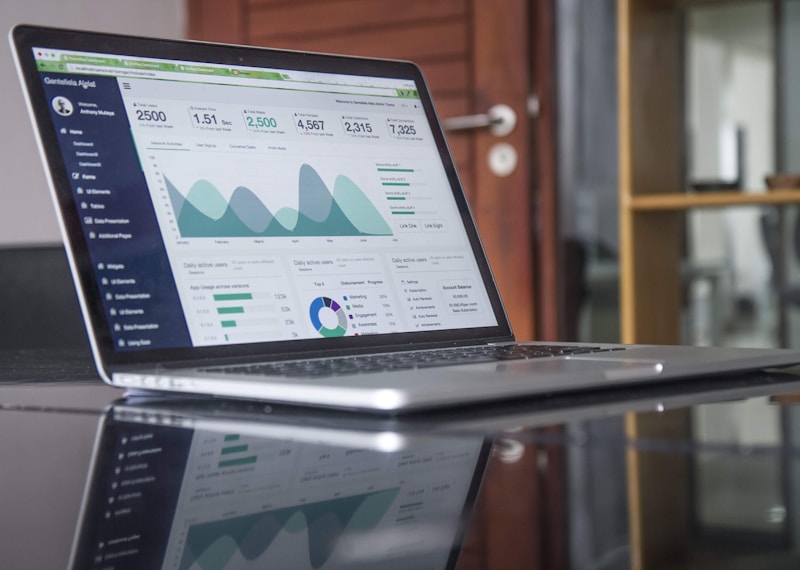
Measure hours saved and revenue impact monthly — a tool should earn its subscription every month.
Common Mistakes to Avoid
Even good AI tools for small business adoption fails when teams make these mistakes:
- Automating a broken process. If your returns policy is confusing, a chatbot will just deliver the confusion faster. Fix the process first, then automate it.
- Publishing AI output unchecked. AI drafts contain errors and occasionally invented facts. Every public-facing output needs a human review pass.
- Buying before trialling. Annual plans look cheaper until you discover the tool does not fit. Always trial monthly first.
- Ignoring the team. Staff who fear replacement will quietly avoid the tool. Frame AI as removing drudgery, not jobs, and involve the team in choosing it.
- Collecting tools instead of outcomes. Ten subscriptions with no measurement is a cost, not a strategy. Review your stack quarterly and cancel what is not earning its keep.
🔒 AI Tools for Small Business: Data Security and Privacy Checklist
Small businesses handle customer data, and AI tools process that data too. Before adopting any tool, check these five points:
- Data use policy: Confirm whether the vendor trains its models on your inputs. Business plans usually exclude your data from training; free tiers sometimes do not.
- Access controls: Ensure only authorized team members can view sensitive customer information inside the tool.
- Data location and retention: Know where data is stored and how long it is kept, especially if you serve customers under GDPR or similar rules.
- Export and deletion: Verify you can export and permanently delete your data on request.
- Incident history: A quick search for the vendor’s name plus “data breach” reveals whether security is taken seriously.
As a rule, never paste passwords, payment details, or unredacted customer records into a general-purpose AI chat tool. Use tools with business-grade privacy terms for anything involving customer data, and keep a short written record of which tools process which data — your future self will thank you during any compliance question.
Key Takeaways
AI tools for small business success comes down to four moves: start with your biggest bottleneck, trial before you pay, measure hours saved every month, and review outputs before they reach customers. A $50–$150 monthly stack can recover 10–20 hours a week — the equivalent of a part-time hire at a fraction of the cost. Start this week with one tool, not ten.
Frequently Asked Questions
What are the best AI tools for small business beginners?
Start with one writing assistant, one chatbot, and one social scheduler — all have free tiers. Master those three before adding accounting or design AI. Simplicity beats breadth in the first 90 days.
How much do AI tools for small business cost?
Most small businesses spend $50–$150 per month for a complete starter stack. Free tiers cover light use, and paid plans typically start at $15–$30 per tool per month.
Will AI tools replace my employees?
No — they replace repetitive tasks, not people. The businesses that benefit most use freed hours for sales, customer relationships, and product quality, which are precisely the things AI cannot do well.
Do I need technical skills to use AI tools?
No. Modern small business AI tools are built for non-technical users with plain-language interfaces. If you can write an email, you can use them — and most vendors offer free onboarding videos.
Are AI tools safe for customer data?
Business-grade tools with clear privacy policies are generally safe, provided you check data-use terms, access controls, and deletion rights before adopting them. Avoid pasting sensitive data into free consumer chat tools.
How do I measure whether an AI tool is working?
Track two numbers weekly: hours saved on the task it automates, and the business outcome (orders, response time, content published). If neither improves after 30 days, cancel and try an alternative.
Sources note: Tool categories, pricing ranges, and adoption patterns in this guide reflect publicly listed vendor pricing and widely reported small-business AI usage trends in 2026; verify current pricing on each vendor’s site before purchase, as plans change frequently. Related reading: our earlier overview of AI tools for small business growth and the broader context in OpenAI and HubSpot resources on AI adoption.