
A small business owner finishes a call with a customer, hangs up, and immediately forgets half of what was promised. The customer asked for a revised quote by Thursday, mentioned a budget limit, and said the decision maker is on leave until Monday. By Thursday, the owner remembers the quote but not the budget, and sends the wrong number. The deal stalls, not because the work was bad, but because the words were lost. AI transcription tools for small business can prevent that loss.
That is the job AI transcription tools for small business are built for. They listen to the call, the meeting, or the interview, and turn the spoken words into written text the owner can search, share, and act on. The owner still makes the decisions. The tool just makes sure the words are still there when the decision has to be made.
This guide covers seven picks. Each one does a different part of transcription, each one can be tried without a big budget, and each one is judged the same way: what it does well, where it needs a human, and which kind of small business it suits best. If you want the wider comparison first, the best AI tools for small business guide covers fifteen categories in one place, and the best free AI tools for small business guide lists ten picks that cost nothing to start with. If you are new to all of this, start with how to use AI for small business before you buy anything.
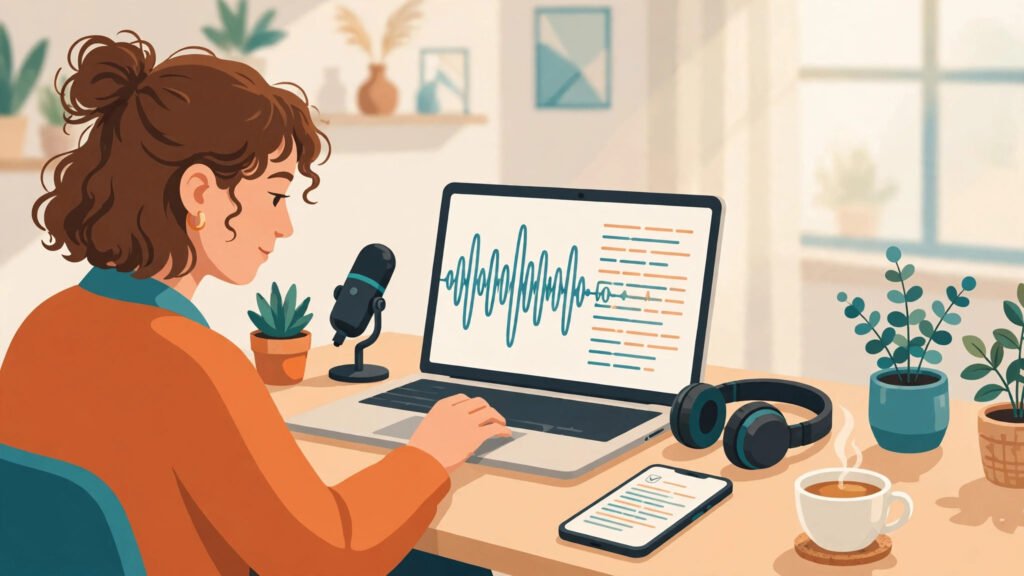
What AI transcription tools for small business should do
Before the tools, it helps to name the jobs. Transcription for a small business is not one job. It is five small jobs that repeat every week.
First, capturing the words. A call, a meeting, or an interview happens once. If nobody writes it down, the exact words are gone. A recording helps, but nobody has time to listen to an hour of audio twice.
Second, finding the promise. Who said they would send what, and by when. A transcript you can search is worth more than a recording you cannot.
Third, sharing the record. The person who was not on the call still needs to know what was decided. A written summary travels further than a memory.
Fourth, turning talk into content. A good interview, a customer story, or a team discussion often holds a blog post, a quote, or a testimonial. Transcription is where that content starts.
Fifth, keeping the record safe. Quotes, prices, and agreements spoken on a call are still agreements. A written record protects both sides when memories differ.
Seven tools cannot do all five jobs perfectly. But each tool below takes one job and makes it lighter, and together they cover the whole week. Pick the job that hurts most, start there, and add the next tool only when the first one is part of your routine. That is the test every one of the AI transcription tools for small business in this guide had to pass.
1. Otter.ai — the live meeting transcriber that keeps up
Otter.ai is the live meeting tool on this list. It joins the call, transcribes as people speak, separates the speakers, and produces a written record with highlights and a short summary before the meeting has even ended.
Its strength is that it works while the meeting is still happening. An owner can look at the live transcript, see who promised what, and leave the meeting with the notes already written. The speaker labels make it easy to find who said what, and the summary picks out the action items without anyone having to re-read the whole transcript. For a business that lives on video calls, that is where AI transcription tools for small business earn their keep.
Its weakness is that live transcription depends on clear audio. A noisy room, two people talking at once, or a weak connection all show up as mistakes in the text. The fix is simple: use a decent microphone, ask people to speak one at a time, and read the summary once before sending it on. The AI does the typing. The human still checks the promises.
Best for: owners who spend the day on video calls and want the notes written before the call ends, and small teams that need a shared record of every meeting. The meeting side of this is covered in the AI meeting notes tools for small business guide.
2. Rev — the human-checked option when accuracy matters most
Rev is the accuracy tool on this list. It offers fast AI transcription, and it also offers transcription checked by a real human, for the recordings where a mistake would cost money or cause a dispute.
Its strength is the choice. Most recordings are fine with AI alone, and the fast option handles them well. But a legal discussion, a client agreement, or a recorded interview for publication deserves the human-checked version, where a person listens and corrects the words the AI got wrong. That choice is the quiet strength of AI transcription tools for small business when the stakes are high.
Its weakness is that the human-checked option takes longer and costs more per recording than AI alone. The fix is to use it only where it matters: agreements, disputes, and anything that will be quoted in public. Use the fast AI option for everyday meetings, and the human option for the recordings you would defend in front of a client.
Best for: businesses that record client agreements, interviews, or anything where one wrong word changes the meaning, and owners who want a human pair of eyes on the important recordings.
3. Descript — transcribe, then edit the audio by editing the text
Descript is the editing tool on this list. It transcribes the recording, and then lets you edit the audio and video by editing the written words: delete a sentence from the transcript, and it disappears from the recording too.
Its strength is that it turns transcription into production. A business that records podcasts, video updates, or training material can cut the filler words, remove the mistakes, and tidy the pauses just by editing text, without learning audio software. The transcript becomes the editor. For a small business that makes content from its own voice, that is where AI transcription tools for small business prove their value twice over.
Its weakness is that it is an editor first and a transcriber second. A business that only needs meeting notes will find it heavier than it needs. The fix is to reach for it when the recording is meant to be published or shared, and to use a simpler transcriber for everyday meetings. The right tool depends on what happens to the transcript next.
Best for: owners who record podcasts, videos, or training sessions and want to edit them by editing words, and small teams that turn their own recordings into content.
4. Fireflies.ai — the assistant that never misses a meeting
Fireflies.ai is the always-there assistant on this list. It joins scheduled calls automatically, transcribes them, and sends a summary with the decisions and the action items to everyone who needs it.
Its strength is that it removes the remembering. Nobody has to invite it, press record, or write the notes afterwards. It is simply there, on every call, and the summary arrives in the inbox when the call ends. The search across past meetings is the part owners use most: type a customer name, and every promise ever made to that customer is in one list. That is the quiet power of AI transcription tools for small business used every day.
Its weakness is that an assistant that joins every call needs to be introduced. A customer who does not know the call is being transcribed may not like it. The fix is to say so at the start of the call, in one sentence, and to keep the recordings private to the team. Transparency takes five seconds and avoids every awkward conversation later.
Best for: teams that hold many calls a week and want a searchable record of all of them, and owners who want the summary without having to ask for it.
5. Trint — the interview tool built for journalists and researchers
Trint is the interview tool on this list. It transcribes audio and video quickly, lets you highlight the important passages, and turns a long interview into a short list of quotable lines.
Its strength is the workflow around the words. A long interview is not useful until someone finds the three sentences worth quoting. Trint makes that easy: search for a word, jump to the moment it was said, highlight it, and export just the part you need. For a business that interviews customers, experts, or staff, that is where AI transcription tools for small business save the most time.
Its weakness is that it is built for people who work with interviews all the time. A business that transcribes one call a month will not use half of what it offers. The fix is to use it when interviews are a regular part of the work: customer stories, case studies, research, or hiring. For everyday meetings, a simpler tool will do the same job with less to learn.
Best for: businesses that interview customers or experts regularly, and owners turning interviews into case studies, testimonials, or blog posts. The research side is covered in the AI research tools for small business guide.
6. Sonix — fast, multilingual transcription for busy teams
Sonix is the speed tool on this list. It transcribes recordings quickly, works in many languages, and lets you edit the transcript inside the browser, with the audio playing alongside the words.
Its strength is that it handles the messy middle well: long recordings, different languages, and teams that need the text fast. The in-browser editor makes correction easy, because you can hear the exact moment while you fix the word. For a business that records in more than one language, or that needs a long recording turned around the same day, that is where AI transcription tools for small business pay for themselves.
Its weakness is that speed is not the same as perfection. Fast transcription still needs a quick read-through, especially for names, numbers, and technical terms. The fix is to budget ten minutes to check the names and the figures before the transcript is shared. The AI does the bulk of the work. The human still checks the details that matter.
Best for: businesses working in more than one language, and teams that need long recordings transcribed the same day without waiting.
7. Notta — the simple recorder for calls, notes, and voice memos
Notta is the simple tool on this list. It records and transcribes live calls, voice memos, and uploaded audio, and it works from the phone as easily as from the computer, with a short summary at the end.
Its strength is that it asks for almost nothing. There is no setup to learn and no meeting invite to send. Open the app, press record, and the words appear. A business owner who records a quick voice memo in the car, or a short call from the shop floor, gets a usable transcript without planning ahead. For a one-person business, that is where AI transcription tools for small business are at their most useful.
Its weakness is that it is built for simple jobs, not for a team that needs deep search across hundreds of meetings. The fix is to use it for what it is: the quick capture tool, for the calls and memos that would otherwise be lost. When the business grows into dozens of meetings a week, a team tool like Fireflies or Otter will fit better.
Best for: one-person businesses and owners who want to capture thoughts and calls on the go, and anyone who wants transcription without learning a new system.
Comparison table
| Tool | Best job | Standout AI feature | Best for |
|---|---|---|---|
| Otter.ai | Live meeting transcription | Real-time transcript, speaker labels, summaries | Owners on video calls all day |
| Rev | Accuracy when it matters | Human-checked transcription option | Agreements, interviews, disputes |
| Descript | Editing audio by editing text | Transcript-based audio and video editing | Podcasts, videos, training material |
| Fireflies.ai | Automatic meeting capture | Auto-join, summaries, searchable history | Teams with many calls a week |
| Trint | Finding the quotable lines | Highlighting, search, export of key passages | Customer interviews and case studies |
| Sonix | Fast multilingual transcription | Quick turnaround, many languages, browser editor | Multilingual teams, long recordings |
| Notta | Simple capture on the go | Phone recording, voice memos, quick summaries | One-person businesses, quick memos |
How to choose your first AI transcription tool
Start with the job that loses you the most words. If meetings end and nobody remembers the promises, start with Otter.ai or Fireflies.ai. If you record interviews for content, start with Trint or Descript. If accuracy matters more than speed because the words will be quoted, start with Rev. If you just need to capture quick calls and memos on the go, start with Notta. The right first tool is the one that fixes the leak you already have, not the one with the longest feature list.
Then try it on real recordings, not on a demo. Give it one week, five real calls, and one real meeting. If the team reads the summary every day without being reminded, it fits. If nobody opens the transcript after three days, it does not, and no feature list will save it. If you are still torn between two tools, the which AI tool is best for small business guide walks through choosing by job, not by brand. The AI automation tools for small business guide shows how to connect the winner to the rest of the routine, and the AI email marketing tools for small business guide covers the follow-up emails that the transcript often triggers.
Mistakes to avoid with AI transcription tools
The first mistake is recording without telling people. A customer who discovers a call was transcribed without being told will not trust the next call. Say so at the start, in one sentence, every time.
The second mistake is trusting the transcript without reading it. AI transcription is good, but names, numbers, and technical words still go wrong. Read the summary once, check the figures, and fix the names before the transcript is shared. One wrong number in a quote can cost more than the tool ever saved.
The third mistake is collecting transcripts nobody reads. A folder full of recordings is not a record. It is a pile. Read the summary the same day, pull out the action items, and send them to the person who has to do them. The AI content writing tools for small business guide helps turn the best transcripts into content, and the AI tools for small business marketing guide covers the marketing side of the same stories.
Frequently asked questions
How accurate is AI transcription?
For clear audio with one person speaking at a time, modern AI transcription is very good, and the summary is usually reliable. For noisy rooms, overlapping voices, or strong accents, mistakes appear, which is why a quick human read-through of the names and numbers is still worth doing.
Do I need to tell people a call is being transcribed?
Yes, always. Tell them at the start of the call, in one sentence, and keep the recording private to the people who need it. It takes five seconds, it builds trust, and in many places it is also a legal requirement.
Can AI transcription tools handle more than one language?
Yes, several tools on this list, including Sonix, work in many languages. Check that your language is supported before you commit, and test it on a real recording in that language, because accuracy varies by language.
What is the best AI transcription tool for a very small business?
Start with Notta for quick capture on the go, or Otter.ai if most of your work happens on video calls. Both can be tried without a big commitment, and both cover the two jobs that matter first: capturing the words and finding the promises afterwards. Move to a heavier tool only when the team outgrows the simple one.
Can I turn a transcript into a blog post?
Yes, and it is one of the best uses of transcription. A good interview or a customer story, once transcribed, can be edited into a post, a testimonial, or a case study. Start with the highlighted passages, keep the speaker’s real words, and edit for clarity rather than rewriting the whole thing.
Conclusion
The words spoken on a call are the business. The promise, the price, the deadline, and the decision all live in what was said, and they are lost the moment the call ends unless someone writes them down. AI transcription tools for small business exist to stop that loss: they capture the words, find the promises, and hand the owner a record that can be searched, shared, and acted on the same day.
Pick one tool, use it on five real calls this week, and judge it by one question: did fewer promises get forgotten? If the answer is yes, keep it, and add the next tool only when the first one is part of the routine. If you want to see how other small businesses are putting AI to work, AI Tool Steps has step-by-step guides for the tools in this list and many more.