

AI lead scoring for small business is the fastest way to stop wasting sales calls on people who were never going to buy. Instead of working contacts in arrival order, AI ranks every lead by likelihood to buy — using behaviour, company fit, and buying signals no small team could track by hand. This guide explains how AI lead scoring for small business works, compares 7 tools built for small budgets, and walks through a 5-step setup plus a worked example: a 6-person accounting firm that ranked 412 leads in 30 days and doubled its close rate.
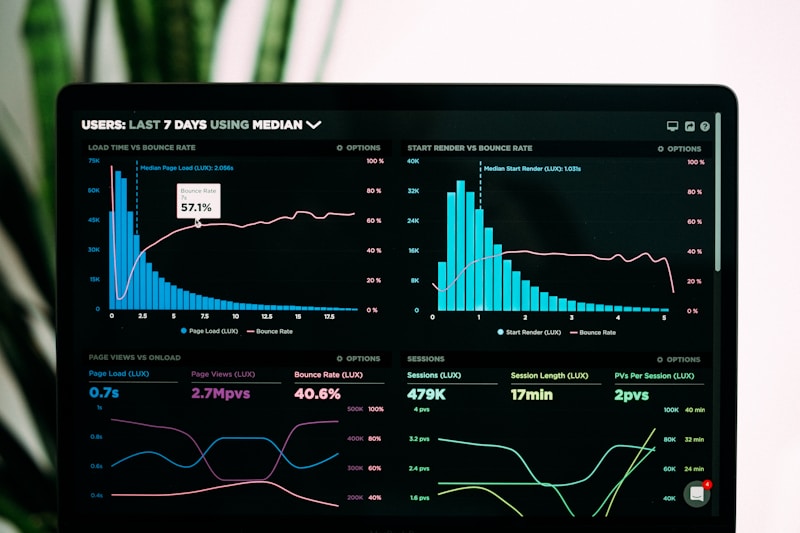
An AI lead scoring dashboard ranks every lead by buying intent.
Table of Contents
- What Is AI Lead Scoring for Small Business?
- Why AI Lead Scoring for Small Business Matters in 2026
- How AI Lead Scoring Works: The 5 Signals That Matter
- 7 Best AI Lead Scoring Tools for Small Business
- AI Lead Scoring Tools Compared: Features and Pricing
- How to Set Up AI Lead Scoring for Small Business in 5 Steps
- Worked Example: How Brightpath Accounting Ranked 412 Leads in 30 Days
- 5 Mistakes That Break AI Lead Scoring Models
- Key Takeaways
- Frequently Asked Questions
🎯 What Is AI Lead Scoring for Small Business?
AI lead scoring for small business assigns every lead a score — usually 0 to 100 — based on how likely they are to buy. A lead who opened your pricing page three times this week and downloaded your case study might score 87. A student who grabbed a free template with a Gmail address might score 12.
Traditional scoring used hand-written rules: add 10 points for a demo request, subtract 5 for a personal email. It worked, but somebody had to guess the rules and update them constantly. AI replaces the guessing: a model studies your past wins and losses, finds the patterns that predicted a sale, and scores new leads against them.
It matters most for small businesses: a five-person team cannot spend half its week on cold leads, nor hire a data scientist. Modern tools bring predictive models into CRMs costing less than a team lunch per user per month — which is why this capability tops most AI tools for small business shortlists.
📊 Why AI Lead Scoring for Small Business Matters in 2026
Small businesses rarely suffer from too few leads — they suffer from too many, and too little time to tell the good ones apart. Every hour spent on a lead who will never buy is stolen from a buyer who is ready now. AI lead scoring for small business fixes that ordering problem.
MarketingSherpa found that organisations using lead scoring report a 77% lift in lead generation ROI. Salesforce’s State of Sales reports that reps spend only about 28% of their working week actually selling.
Three forces make 2026 the right year. First, predictive scoring is now bundled into affordable CRMs. Second, buyers leave richer digital trails that a model reads in seconds. Third, small teams must do more with fewer people, and prioritisation is the cheapest productivity gain available.
🧠 How AI Lead Scoring Works: The 5 Signals That Matter
Every model reads the same five signal families.
1. Fit signals — who the lead is
Fit covers company size, industry, location, job title, and tech stack. A 200-employee logistics firm fits fleet software; a solo blogger does not.
2. Behaviour signals — what the lead did
Behaviour is the richest signal family: pages visited, emails opened, downloads, pricing-calculator use. A lead who visited pricing twice in 48 hours behaves like a buyer; one who opened a single post six months ago does not.
3. Intent signals — what the lead is researching elsewhere
Third-party intent data reveals when a company is researching your product area — reading comparisons or visiting competitor sites. It is often the strongest predictor of a deal closing this quarter.
4. Recency and frequency — how hot the lead is right now
A lead who engaged yesterday outranks one who engaged in March — good models apply time decay, so scores fall when a lead goes quiet.
5. Negative signals — what should lower the score
Personal emails, student domains, competitors, and job seekers should all push a score down. Negative signals are the most overlooked part of AI lead scoring for small business — they keep a team from calling 40 job applicants a week.
🤖 7 Best AI Lead Scoring Tools for Small Business
The best tool is the one your team will actually use, inside a CRM you already live in. These seven AI lead scoring for small business options cover every budget, and each scores leads automatically once connected to your website and inbox.
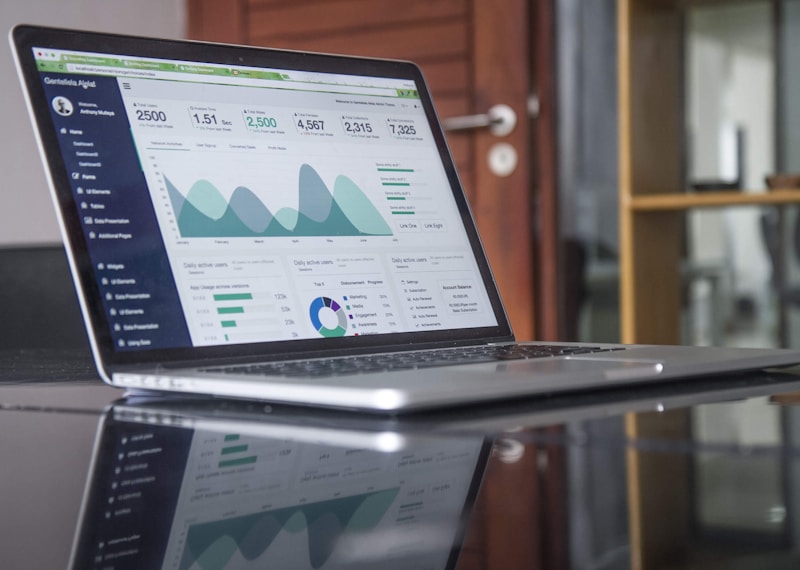
Free tiers score on behaviour; paid tiers add predictive models and intent data.
1. HubSpot Sales Hub — best free starting point
HubSpot’s predictive scoring learns from your closed-won and closed-lost deals. The free CRM includes manual scoring rules; predictive scoring starts around $90 per user per month on Sales Hub Professional — the safest first step into AI lead scoring for small business.
2. Zoho CRM with Zia — best value AI scoring
Zoho’s AI assistant, Zia, predicts which leads are most likely to convert and flags anomalies such as a hot lead gone quiet. Zia scoring is included in Zoho CRM Enterprise from around $40 per user per month — among the cheapest routes to true predictive scoring.
3. Salesforce Sales Cloud with Einstein — best for growing teams
Einstein Lead Scoring analyses your historical conversions and scores every new lead automatically. It is the most powerful option here — and the priciest: Sales Cloud starts around $25 per user per month, with Einstein scoring on higher tiers. Choose it to scale past 20 sales staff.
4. Pipedrive — best for visual pipeline teams
Pipedrive’s AI Sales Assistant highlights deals most likely to close and recommends the next action, while its scoring add-on ranks incoming leads. Plans start around $14 per user per month — the friendliest option for teams that hate CRM admin. Pipedrive’s own guide to lead scoring explains the methodology in plain language.
5. Freshsales (Freddy AI) — best all-in-one for small sales teams
Freshsales bundles Freddy AI scoring with built-in phone, email, and chat, so a small team runs its whole sales process in one tab. Growth starts around $9 per user per month; AI scoring is on the Pro tier from around $39.
6. ActiveCampaign — best for marketing-led scoring
ActiveCampaign combines email automation with predictive scoring, so marketing nurtures cold leads automatically while sales only sees the warm ones. Plans start around $15 per month, predictive features on Plus plans and above.
7. Dealfront (formerly Leadfeeder) — best for website-visitor scoring
Dealfront identifies the companies visiting your website — even when nobody fills in a form — and scores them by fit and behaviour. For B2B firms whose best leads browse anonymously, it fills the gap every CRM misses. Free tier covers 100 companies; paid plans start around $99 per month.
Still choosing your first AI stack? The step-by-step AI tutorials at AI Tool Steps walk through setup for several of these tools, so you can compare them hands-on before paying. Pair any of them with solid AI sales tools and a CRM software for small business foundation for clean training data.
📋 AI Lead Scoring Tools Compared: Features and Pricing
| Tool | Best for | Starting price | Scoring type | Free plan |
|---|---|---|---|---|
| HubSpot Sales Hub | Free start | Free; predictive from ~$90/user/mo | Predictive (AI) | Yes |
| Zoho CRM (Zia) | Best value | ~$40/user/mo (Enterprise) | Predictive (AI) | 15-day trial |
| Salesforce Einstein | Scaling teams | ~$25/user/mo; scoring on higher tiers | Predictive (AI) | 30-day trial |
| Pipedrive | Visual pipelines | ~$14/user/mo | Rules + AI assistant | 14-day trial |
| Freshsales (Freddy AI) | All-in-one teams | ~$9/user/mo; AI from ~$39 | Predictive (AI) | Free tier |
| ActiveCampaign | Marketing-led | ~$15/mo | Predictive (AI) | 14-day trial |
| Dealfront | Anonymous visitors | Free; paid from ~$99/mo | Fit + behaviour | Yes |
Prices are vendors’ published starting prices. Start free, connect your real pipeline, and let the model score 100 real leads before you judge it.
🪜 How to Set Up AI Lead Scoring for Small Business in 5 Steps
Setting up AI lead scoring for small business takes an afternoon. Follow this walkthrough in order — skipping data cleaning is the most common reason models disappoint.
Step 1: Define what “a good lead” means (30 minutes)
List your last 20 closed deals. What do they share — company size, industry, job title, source, first action? That list is the ground truth your model learns from.
Step 2: Clean your CRM data (45 minutes)
Merge duplicates, delete dead contacts, and fill missing company details for your last 90 days of leads. Models are only as honest as their training data — one trained on 300 duplicates scores duplicates as your best leads.
Step 3: Connect your behaviour sources (30 minutes)
Link website analytics, email, and calendar to the CRM so the model sees page visits, email opens, and bookings. Most tools above offer one-click integrations; if a source cannot connect, exclude it.
Step 4: Turn on scoring and set thresholds (15 minutes)
Enable the AI lead scoring model, then set three bands: hot (75+ — call within 4 hours), warm (50–74 — nurture this week), cold (under 50 — automated email only). Agree the bands with your team in writing, so nobody works the list in arrival order again.
Step 5: Review, retrain, and repeat weekly (15 minutes a week)
Every Friday, check ten hot leads that did not convert and ten cold leads that did, then feed the misses back into the model. Most models improve noticeably within three to four weeks — when the close-rate gains below start to appear.
💰 Worked Example: How Brightpath Accounting Ranked 412 Leads in 30 Days
Brightpath Accounting is a six-person Austin firm selling bookkeeping packages to local service businesses. Before adopting AI lead scoring for small business, its two salespeople worked leads in arrival order and closed about 11% of enquiries. Their problem was not volume — it was ordering.

With scores on every contact, a small team spends mornings on the leads most likely to sign.
In week one, Brightpath connected HubSpot’s free CRM to its forms and email, imported 412 leads from the previous 90 days, and turned on predictive scoring: 58 hot, 141 warm, 213 cold. One rule changed: hot leads got a call within 4 hours, warm leads an email within 48 hours, cold leads an automated nurture sequence.
After 30 days, hot leads closed at 34% — against 11% before — and the firm’s overall close rate doubled from 11% to 23%. Time to first contact fell from two days to three hours, and the team stopped calling 213 cold leads, freeing roughly 12 hours a week for onboarding.
The lesson is not that AI found magic leads. The same 412 leads, worked in the right order, produced twice the revenue with fewer calls. AI lead scoring for small business does not change your market — it changes your sequencing, and sequencing is free.
⚠️ 5 Mistakes That Break AI Lead Scoring Models
Most AI lead scoring for small business projects fail for boring, fixable reasons. Avoid these five.
1. Training on dirty data. Duplicates, dead emails, and missing fields teach the model that junk looks like a buyer. Clean first, score second.
2. Scoring too few leads. A model trained on 40 leads has nothing to learn from. Most tools need at least 100 historical leads before predictions are trustworthy.
3. Ignoring negative signals. If competitors, students, and job seekers keep scoring high, you are missing exclusion rules. Add them in week one.
4. Setting it and forgetting it. Buying behaviour shifts every quarter. A model never reviewed drifts, and within six months it scores last year’s buyer. The weekly review above prevents this.
5. Hiding scores from the sales team. A score nobody sees changes nothing. Put it on the contact record and in the pipeline view — and celebrate the first deal the model spotted that a human missed.
✅ Key Takeaways
- AI lead scoring for small business ranks every lead by likelihood to buy, so small teams call buyers first and stop burning hours on cold prospects.
- Models read five signal families and improve as they learn from your wins.
- HubSpot, Zoho, and Freshsales offer AI lead scoring for small business at small-business prices; start free and test on 100 real leads.
- The 5-step setup takes an afternoon: define a good lead, clean data, connect sources, set bands, review weekly.
- A 6-person firm doubled its close rate, 11% to 23%, in 30 days by working the same 412 leads in order.
❓ Frequently Asked Questions
What is AI lead scoring for small business?
AI lead scoring for small business is an automated system that scores every lead on likelihood to buy — so hot buyers never wait behind cold enquiries.
How much does AI lead scoring cost?
Basic scoring is free in HubSpot’s free CRM and Freshsales’ free tier. AI lead scoring for small business typically costs $9–$90 per user per month.
How many leads do I need before AI scoring works?
Most tools recommend at least 100 historical leads with a clear record of who became a customer. Below that, use rule-based scoring.
Is AI lead scoring better than manual lead scoring?
For most small businesses, yes. Manual scoring depends on guessing which signals matter and updating rules by hand; AI lead scoring for small business finds the patterns in your actual won and lost deals and updates itself. A very small team may do fine with rules until volume grows.
Sources: Pipedrive lead scoring guide; Salesforce State of Sales; MarketingSherpa research; Gartner buyer research. Pricing reflects vendors’ published starting prices. The Brightpath example is an illustrative composite.