

AI inventory forecasting for small business owners answers the question that keeps every small store owner up at night: how much stock do I actually need next month? Order too little and you lose sales to stockouts. Order too much and your cash sits on a shelf gathering dust. Until recently, only big retailers could afford the forecasting teams and software that solve this problem. In 2026, affordable AI tools have brought the same capability to a one-person Shopify store — predicting demand from your sales history, seasonality, and trends, then telling you exactly what to order and when.
In this guide you will compare the 7 best AI inventory forecasting tools for small business in 2026, see a worked example of a skincare store that cut stockouts by 62% in one quarter, and follow a 5-step setup walkthrough you can complete in a single afternoon.
Table of Contents
- What Is AI Inventory Forecasting for Small Business?
- Why Stockouts and Overstock Quietly Drain Small Stores
- How AI Inventory Forecasting for Small Business Works
- The 7 Best AI Inventory Forecasting Tools for Small Business in 2026
- Worked Example: How GlowPure Cut Stockouts by 62%
- 5-Step Walkthrough: Set Up AI Inventory Forecasting for Small Business
- AI Forecasting vs. Spreadsheets: A Quick Comparison
- 5 Mistakes That Wreck AI Inventory Forecasts
- Frequently Asked Questions
- Key Takeaways
📦 What Is AI Inventory Forecasting for Small Business?
AI inventory forecasting for small business is software that predicts how much of each product you will sell in the coming days, weeks, or months — and turns that prediction into a concrete purchase plan. Instead of a gut feeling or last year’s spreadsheet, the tool studies your real sales history, spots patterns a human would miss (that your lavender soap sells 40% more in the two weeks before Mother’s Day, that rainy weekends lift umbrella orders by a third), and recommends order quantities, reorder points, and safety stock levels for every SKU.
The “AI” part matters because demand is never a straight line. A traditional forecast takes last month’s sales and adds a percentage. An AI model weighs dozens of signals at once:
- Sales history — every order, return, and refund, broken down by product, variant, and channel.
- Seasonality — weekly, monthly, and holiday cycles, including one-off spikes like Black Friday.
- Trends and promotions — whether a product is growing or fading, and how past discounts and price changes moved volume.
- External signals — local events, weather, and search trends that the best tools fold into the forecast.
For a small store, the output is deliberately simple: a list that says order 48 units of SKU-114 by Thursday, hold 12 as safety stock, and skip reordering SKU-097 this cycle. You do not need a data science degree — the tools in this guide are built for owners, not analysts, and most connect to Shopify or WooCommerce in a few clicks.
💸 Why Stockouts and Overstock Quietly Drain Small Stores
Inventory is where most small stores bleed money without noticing. Industry research consistently puts the cost of stockouts at around 4% of lost sales, and for a small store on thin margins that can be the difference between profit and loss. When a customer hits an “out of stock” page, they rarely wait — they buy from a competitor, and a meaningful share never come back.
Overstock is the quieter killer. Every dollar locked in slow-moving stock is a dollar that cannot fund marketing, a new product line, or the rent. Small stores routinely hold 20–30% more inventory than they need because owners order “just in case” — then discount it at a loss months later to clear the shelf.
Three numbers make the case for AI inventory forecasting for small business adoption in 2026. First, forecast accuracy improves measurably — AI models typically cut forecast error by 20–50% compared with simple moving averages, which directly shrinks both stockouts and excess stock. Second, carrying costs fall — holding 15% less safety stock without more stockouts is worth hundreds of dollars a month to a store doing $10,000 in monthly sales. Third, time is returned — owners report saving 5–10 hours a week once reordering becomes a reviewed recommendation instead of a manual spreadsheet exercise.

Accurate forecasts turn a warehouse full of guesses into a warehouse full of exactly what will sell.
⚙️ How AI Inventory Forecasting for Small Business Works
Behind the friendly dashboard, AI inventory forecasting for small business tools run a four-stage pipeline. Understanding it helps you pick the right tool and trust (but verify) its numbers.
Step 1: Connect and clean. The tool imports sales, inventory, and supplier data from Shopify, WooCommerce, or a CSV file, flagging duplicates, returns recorded as sales, and test orders that would poison the forecast.
Step 2: Learn the patterns. Machine learning models study each product’s history and find its demand drivers. A product with two years of data gets a confident forecast; a new product gets a wider confidence range until it builds its own history.
Step 3: Predict and recommend. The tool outputs a demand forecast per SKU, then converts it into purchase orders: how much to buy, when to order (factoring in supplier lead time), and how much safety stock to hold for your chosen service level — say, 95% in-stock availability.
Step 4: Improve every week. Each week the forecast is compared with actual sales and the model re-weights itself. This feedback loop is why AI forecasts beat spreadsheets: they get smarter while a spreadsheet stays frozen.
One honest caveat: no tool forecasts a product with no history and no comparable products well. New launches still need your judgment — set an initial order by hand, then let the AI take over once a few weeks of sales data exist.
🛠️ The 7 Best AI Inventory Forecasting Tools for Small Business in 2026
These seven tools were chosen for small-store realities: Shopify or WooCommerce integration, pricing a small business can afford, and a forecast you can act on without an analyst. Prices are starting prices as listed in 2026 and may vary by plan.
| Tool | Best for | Starting price | Standout feature |
|---|---|---|---|
| Inventory Planner by Sage | Shopify & Amazon sellers | From $99/month | Replenishment reports with lead-time-aware ordering |
| Cogsy | Growing DTC brands | From $99/month | SKU-level forecasts with “what-if” scenario planning |
| Prediko | Budget-conscious small stores | From $49/month | AI purchase orders in one click, strong for new stores |
| StockTrim | WooCommerce & multi-channel | From $99/month | Excess-stock alerts that flag dead inventory early |
| Netstock | Stores with many SKUs | Custom pricing | Classification that ranks SKUs by value and risk |
| Clear Demand | Data-driven operators | Custom pricing | Granular demand sensing with promotions built in |
| Inventoro | Small teams wanting simplicity | From $79/month | Clean dashboards and automatic reorder suggestions |
1. Inventory Planner by Sage
The most established name on this list, Inventory Planner connects to Shopify, Amazon, and WooCommerce and turns sales history into replenishment reports that already account for supplier lead times. Its “days of cover” view instantly shows which products will run out in the next 30 days. Best if you sell on more than one channel and want one source of truth.
2. Cogsy
Cogsy is built for direct-to-consumer brands that live and die by launch calendars and promotions. Its “what-if” planner lets you model a Black Friday spike or a TikTok-driven surge before committing to a purchase order, and its SKU-level forecasts update daily. If your demand is spiky rather than steady, Cogsy is the strongest fit here.
3. Prediko
Prediko is the value pick: AI forecasting and one-click purchase orders from $49/month. It is particularly friendly to newer stores, using category benchmarks to forecast products with short histories. Pair it with the AI pricing tools for e-commerce stores we covered earlier and you get demand and price working together — the two levers that decide your margin.
4. StockTrim
StockTrim earns its place with excess-stock alerts that flag slow movers before they become dead stock, with suggested clearance actions. Its WooCommerce integration is among the best, and the forecasting covers bundles and kits — useful if you sell gift sets where one component running out blocks the whole bundle.
5. Netstock
Netstock suits stores that have grown past a few hundred SKUs and need to prioritise. Its classification engine ranks products by revenue contribution and stockout risk, so your attention goes to the 20% of SKUs that drive 80% of sales. Pricing is custom — worth it once your catalogue is large enough that manual review is impossible.
6. Clear Demand
Clear Demand is the most analytical tool here, built for operators who want demand sensing that reacts to promotions, price changes, and local events in near real time. It is overkill for a 50-SKU store, but if you run frequent promotions and your forecasts keep missing, its promotion-aware modelling is the fix.
7. Inventoro
Inventoro wins on simplicity: clean dashboards, automatic reorder suggestions, and a setup a non-technical owner can finish in an afternoon. It lacks the scenario modelling of Cogsy and the classification depth of Netstock, but for a small team that wants a reliable “tell me what to order” answer, it is the easiest tool on this list to live with.
Choosing between them comes down to three questions: how many SKUs you carry, whether you sell on one channel or several, and whether your demand is steady or spiky. A 60-SKU Shopify store should start with Prediko or Inventoro; a 500-SKU multi-channel seller should shortlist Inventory Planner or Netstock. For a broader view of the AI toolkit a small store can run on, our pillar guide to AI tools for small business maps the whole stack.
🧪 Worked Example: How GlowPure Cut Stockouts by 62%
GlowPure is a fictional-but-typical small skincare store on Shopify: 84 SKUs, about $18,000 in monthly revenue, one owner and one part-time packer. Before adopting AI inventory forecasting for small business software, the owner reordered from a spreadsheet every Monday, ordering “last month’s sales plus 10%.” The result was predictable: the hero vitamin C serum stocked out three times in spring 2026, each time for 5–9 days, while $4,200 of slow-moving body butter sat unsold in the back room.
The fix took one afternoon. The owner connected Prediko to Shopify, let it import 18 months of sales history, and reviewed its first recommendations against the spreadsheet:
- The serum: the AI forecast showed demand 35% higher than the spreadsheet suggested, catching a rising trend and a Mother’s Day spike the owner had forgotten. Recommended order: 240 units with a reorder point of 60, instead of the usual 150.
- The body butter: the forecast flagged it as declining — sales down 18% over two quarters — and recommended no reorder for one full cycle.
- Seasonal kits: demand for the winter gift set started six weeks earlier than the owner assumed, so the order went in before the supplier’s lead time became a problem.
One quarter later: stockouts fell 62% (from 13 stockout-days to 5), excess inventory dropped by $2,900, and the owner saved roughly 6 hours a week on ordering admin. Total cost: $49/month. The lesson is not that the tool is magic — it is that a forecast built on all your data beats a forecast built on last month’s column.
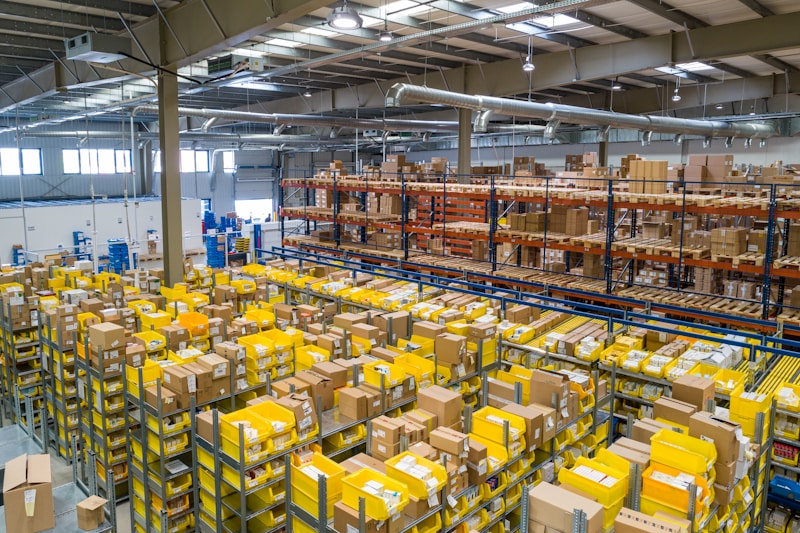
One afternoon of setup replaced a weekly spreadsheet ritual — and the forecast keeps improving every week.
✅ 5-Step Walkthrough: Set Up AI Inventory Forecasting for Small Business
Follow these five steps in order and you will have your first AI-generated purchase order within a day.
Step 1: Clean your product data (30 minutes). Merge duplicate SKUs, delete test products, and make sure every product has a cost price and a supplier lead time. Garbage in, garbage out — this is the single highest-value step in the whole process.
Step 2: Connect your store and import history (15 minutes). Install your chosen tool’s Shopify or WooCommerce app and import at least 12 months of sales history if you have it. If you are new, most tools will forecast from as little as 6–8 weeks of data, with wider confidence bands.
Step 3: Set your service levels (20 minutes). Decide the in-stock target per product group: 95% for your bestsellers, 85–90% for the long tail. Higher service levels mean more safety stock, so do not set 99% for everything.
Step 4: Review the first recommendations (30 minutes). Compare the AI’s first purchase orders with your gut for one cycle. Question the surprises — they are usually the model catching something real — but do not approve anything blindly in week one.
Step 5: Automate the weekly rhythm (ongoing). Set a fixed weekly review: every Monday, approve the generated orders, check the excess-stock alerts, and note the forecast accuracy the tool reports. After four weeks, you will know whether to trust the forecast fully or tighten specific SKUs. If you want a hand-held introduction to the wider AI toolkit before you start, these step-by-step AI tutorials walk through setup for small business tools in plain language.
📊 AI Forecasting vs. Spreadsheets: A Quick Comparison
| Factor | Spreadsheet forecasting | AI inventory forecasting for small business |
|---|---|---|
| Accuracy | Moving average; misses seasonality and trends | 20–50% lower forecast error in most comparisons |
| Time per week | 4–8 hours of manual ordering | 30–60 minutes of reviewing recommendations |
| Signals used | Past sales only | Sales, seasonality, trends, promotions, external data |
| SKU capacity | Breaks down past ~100 SKUs | Handles thousands of SKUs without extra effort |
| Learning | Frozen until you rebuild it | Improves weekly as actuals come in |
| Cost | Free, but expensive in errors | $49–$99/month for most small-store plans |
The spreadsheet is not the enemy — it is a fine tool for a 20-SKU hobby store. But once you pass roughly 100 SKUs or $10,000 in monthly revenue, the manual method costs more in stockouts and overstock than the software costs in subscription fees. Our earlier guide to ecommerce inventory management software covers the broader inventory stack if you want to compare the full category first.
⚠️ 5 Mistakes That Wreck AI Inventory Forecasts
1. Feeding the model dirty data. Test orders, refunds recorded as sales, and duplicate SKUs all corrupt the forecast. Clean first, forecast second — every time.
2. Ignoring supplier lead times. A perfect demand forecast is useless if you order on the day you run out. Enter real lead times, including the supplier’s worst case, not their optimistic quote.
3. Setting the same service level for everything. A 99% in-stock target on a product that sells twice a month wastes cash. Reserve high service levels for the SKUs that drive your revenue.
4. Overriding the forecast every week. Constant overrides stop the model learning and reintroduce the gut-feel errors you bought the tool to remove. Review and question, but approve most recommendations as-is.
5. Forgetting promotions in the forecast. Running a 30% off sale without telling the tool will make next month’s forecast think that spike was normal demand. Log every promotion in the tool.

When the forecast is right, the right products are packed and shipped — not sitting in a warehouse or missing from the shelf.
❓ Frequently Asked Questions
How much does AI inventory forecasting for small business cost?
Most small-store plans start at $49–$99 per month, with free trials of 14–30 days. For a store doing $10,000+ in monthly revenue, one avoided stockout of a bestseller typically pays for several months of the tool.
Can AI forecasting work for a new store with little sales history?
Yes, with limits. Tools like Prediko use category benchmarks to forecast new products, but accuracy is lower until 6–8 weeks of your own sales data exists. Start with conservative orders, let the model learn, and review weekly.
How accurate are AI inventory forecasts?
For established products with a year of history, good tools typically land within 10–20% of actual demand, versus 25–40% error for simple spreadsheet methods. Accuracy varies by product, and every tool improves as it learns your actuals.
Will AI forecasting work with Shopify and WooCommerce?
Yes. Every tool in this guide offers a native Shopify app or WooCommerce plugin, and most also support Amazon and other channels. Setup is usually a one-click install plus a data import that takes under an hour.
Do I still need safety stock if I use AI forecasting?
Yes — forecasting reduces the safety stock you need, it does not eliminate it. The tool recommends a smaller, smarter buffer based on your chosen service level and the supplier’s lead-time reliability, instead of the oversized “just in case” pile most owners keep today.
🔑 Key Takeaways
- AI inventory forecasting for small business turns your sales history into a concrete purchase plan — what to order, how much, and when.
- Stockouts cost roughly 4% of sales and overstock locks up working capital; AI forecasts typically cut forecast error by 20–50%.
- The 7 tools in this guide cover every small-store situation, from $49/month starter plans to multi-channel enterprise options.
- GlowPure’s example shows the realistic payoff: 62% fewer stockouts, $2,900 less excess stock, and 6 hours saved weekly.
- Clean your data first, set service levels per product group, and review the AI’s recommendations weekly for the first month.
Inventory is the one part of your store where guessing costs real money every single week. A $49–$99 monthly tool that predicts demand, flags dead stock, and writes your purchase orders is one of the cheapest ways to protect your margin in 2026. Pick one tool from this list, run the 5-step setup this week, and compare your stockout days next quarter with this one — the numbers will make the case better than any article can. For deeper reading, see Shopify’s guide to inventory forecasting and the demand forecasting overview on Wikipedia.
Sources: vendor pricing and feature pages for the tools listed (accessed November 2026); Shopify inventory forecasting guides; industry research on retail stockout rates and forecast accuracy. Tool prices are starting prices and may change — check the vendor’s site before purchasing.