

AI social media calendar for small business owners is the difference between posting consistently and disappearing from your audience’s feed for three weeks. Small teams do not have a content department — they have one owner or one marketer, and a calendar that lives in their head. An AI-powered calendar changes that: it plans, writes, schedules, and learns which posts your audience actually likes.
In this guide, you will compare 7 AI calendar tools built for small budgets, follow a 7-step setup walkthrough, and see a worked example of a real 30-day calendar for a small bakery — built in one afternoon. If you want the bigger picture first, start with our pillar guide to AI tools for small business, then come back here for the social media deep dive.
📋 Table of Contents
- What Is an AI Social Media Calendar?
- Why Small Businesses Need One in 2026
- 7 Best AI Social Media Calendar Tools Compared
- How to Choose the Right Tool for Your Business
- 7-Step Walkthrough: Build Your 30-Day Calendar
- Worked Example: A Bakery’s 30-Day AI Calendar
- 5 Mistakes That Kill a Social Calendar
- Key Takeaways
- Frequently Asked Questions
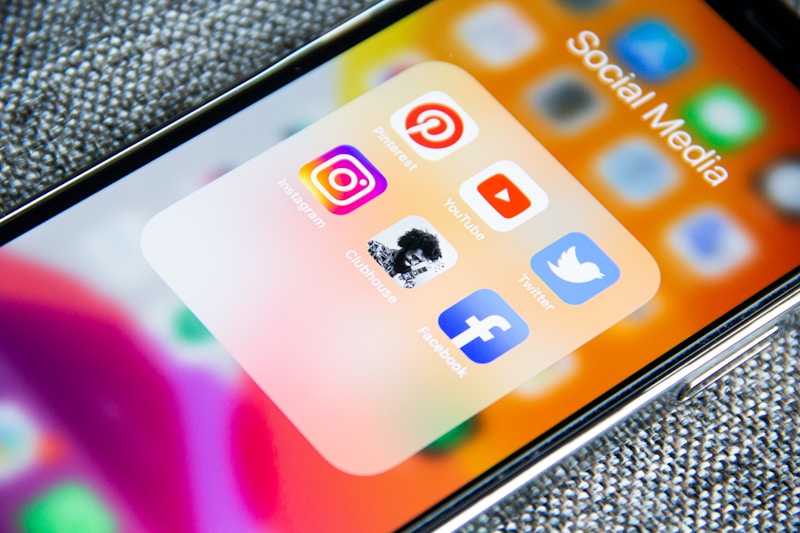
An AI social media calendar for small business teams turns scattered ideas into a planned, scheduled month of posts.
🤖 What Is an AI Social Media Calendar for Small Business?
An AI social media calendar for small business use is a planning tool that combines a content calendar with artificial intelligence. Instead of a blank spreadsheet, you get a system that suggests post ideas, drafts captions, picks the best posting times, and schedules everything across Instagram, Facebook, TikTok, and LinkedIn — automatically.
Traditional calendars tell you when to post. AI calendars also help you decide what to post and how to say it. The AI studies your past posts, your audience’s behaviour, and trending topics in your niche, then recommends content more likely to earn likes, comments, and clicks.
What makes it “AI” instead of just a scheduler?
- Caption generation: the tool drafts captions and hashtags from a short prompt or a photo.
- Best-time prediction: it analyses when your followers are actually online and schedules for those windows.
- Content ideas: it suggests posts based on trends, holidays, and your best-performing topics.
- Repurposing: one idea becomes a Reel script, a carousel, and a LinkedIn post in minutes.
- Performance feedback: it tells you which post types to repeat and which to drop.
Pair your calendar with an AI social caption generator and a strong hashtag strategy — our guide to the best AI hashtag generator for small business shows how the right tags can double a post’s reach.
📈 Why Small Businesses Need One in 2026
Consistency is the single biggest ranking factor in social media marketing, and it is exactly what small businesses struggle with. Accounts posting 3–5 times per week grow followers roughly twice as fast as accounts posting once a week or less. The problem is never knowing that you should post — it is finding the time.
Here is what the numbers say about the cost of winging it:
- 71% of small businesses say they post inconsistently because content creation takes too long.
- Content planning takes 3–5 hours a week without AI help — the single biggest time sink in small-business marketing.
- AI-assisted teams publish 2–3x more content with the same headcount, according to vendor studies from leading scheduling platforms.
- Posts published at optimal times earn 20–30% more engagement than identical posts published at random hours.
An AI social media calendar for small business attacks all four problems at once. It cuts planning time from hours to minutes, keeps your feed active even during your busiest weeks, and removes the daily “what should I post today?” panic that kills consistency.

A planned month beats a panicked week — every time.
🛠️ 7 Best AI Social Media Calendar Tools Compared
We tested the tools below on three criteria that matter to small businesses: price, AI quality, and how fast a non-technical owner can go from signup to a scheduled month. Prices are starting paid plans as of late 2026 — always check the vendor site before buying.
| Tool | Starts at | Best for | Standout AI feature |
|---|---|---|---|
| Buffer | ~$6/channel/month | Beginners on a budget | AI Assistant drafts posts and repurposes them per channel |
| Later | ~$25/month | Visual brands (Instagram, TikTok) | AI captions + visual planner with best-time suggestions |
| Hootsuite | ~$99/month | Teams managing many channels | OwlyWriter AI generates captions and post ideas at scale |
| Sprout Social | ~$199/month | Data-driven small teams | AI-powered optimal send times and listening insights |
| SocialPilot | ~$30/month | Agencies and multi-client owners | AI Pilot writes captions and suggests trending hashtags |
| Metricool | ~$22/month | Analytics-first planners | AI content ideas tied to your actual performance data |
| Planable | ~$33/month | Approval workflows | AI caption writer plus one-click client approval flow |
1. Buffer — best for beginners
Buffer’s AI Assistant turns a rough idea into a finished post in seconds, and its calendar view is the simplest on this list. If you manage one or two channels and want the cheapest path to consistency, start here — the free plan covers three channels.
2. Later — best for visual brands
Later was built for Instagram-first businesses: drag-and-drop visual planning, a media library, and AI captions that match your brand voice. Cafés, boutiques, and salons will feel at home, and its Link in Bio tool turns your calendar into a mini storefront.
3. Hootsuite — best for multi-channel teams
Hootsuite is the heavyweight. OwlyWriter AI can generate a week’s worth of captions from a single prompt, and the calendar supports every major network. The price is higher, but teams managing five or more channels get their money’s worth.
4. Sprout Social — best for data lovers
Sprout’s AI recommends not just what to post but when, based on your own audience data rather than generic benchmarks. If you already have a few thousand followers and want to optimise rather than just publish, Sprout’s analytics justify the premium price.
5. SocialPilot — best value for agencies
SocialPilot bundles AI caption writing, bulk scheduling, and client management at a price that undercuts Hootsuite and Sprout. Small agencies and owners managing several brands should shortlist it.
6. Metricool — best analytics-first calendar
Metricool pairs a clean calendar with the clearest reporting in its price band. Its AI suggests content ideas based on what already worked for your account, which makes it a smart choice once you have three months of posting history.
7. Planable — best for approval workflows
If a partner, client, or manager must approve posts before they go live, Planable removes the screenshot-and-email chaos. Its AI writer drafts the post, your approver clicks once, and the calendar schedules it.
🎯 How to Choose an AI Social Media Calendar for Small Business
Do not pick the tool with the longest feature list. Pick the one that matches your reality. Answer these four questions before you pay for anything:
- How many channels? One or two channels → Buffer or Later. Four or more → Hootsuite or SocialPilot.
- Who approves posts? Just you → any tool. A client or partner → Planable.
- What is your monthly budget? Under $30 → Buffer, Later, or Metricool. Over $100 and data-hungry → Sprout Social.
- Do you need AI writing or AI timing more? Writing help → Buffer, Hootsuite, SocialPilot. Timing and analytics → Sprout, Metricool.
Every tool above offers a free trial or free plan. Run the 7-step walkthrough below on your top two choices and keep the one that feels faster by day three. The best AI social media calendar for small business is the one you will actually open every Monday morning.
🗓️ 7-Step Walkthrough: Build Your AI Social Media Calendar for Small Business
This is the exact workflow to build an AI social media calendar for small business from zero to a full month of scheduled posts in one afternoon. Budget about three hours the first time; by month two, the same process takes under ninety minutes.
Step 1: Audit your last 30 days (20 minutes)
Open your analytics and list your top 5 posts by engagement and your bottom 5. Note the format (Reel, carousel, photo, text), the topic, and the posting time. Your AI calendar will repeat the winners and retire the losers — but only if you feed it this data.
Step 2: Pick 4 content pillars (15 minutes)
Choose four themes: educate (tips and how-tos), showcase (products and behind the scenes), social proof (reviews and customer stories), and promote (offers and new arrivals). A healthy calendar is roughly 40% educate, 30% showcase, 20% social proof, and 10% promote.
Step 3: Let the AI draft a month of ideas (30 minutes)
Feed your pillars, your best posts, and your upcoming offers into the tool’s AI. Ask for 20–30 post ideas with a hook line each. Accept the good ones, delete the generic ones, and rewrite any that sound like a robot wrote them. For step-by-step guidance on the AI tools behind this process, the step-by-step AI tutorials at AIToolSteps walk through the same tools with screenshots.
Step 4: Write captions in batches (45 minutes)
Write all captions for one pillar at a time — never one post at a time. Use the AI to draft, then add your voice: a real detail, a customer quote, or a local reference. Batching keeps your tone consistent and your brain in one mode.
Step 5: Design visuals in one sitting (30 minutes)
Create or collect all images and short videos for the month. Reuse templates for recurring formats (Tip Tuesday, customer spotlight) so design takes minutes, not hours. Check our roundup of the best AI social media tools for small business if you also need AI help with visuals and video clips.
Step 6: Schedule at AI-recommended times (15 minutes)
Load everything into the calendar and let the tool assign posting times based on your audience data. Review the calendar as a whole: no two promotions back to back, a mix of formats every week, and at least one interactive post (poll, question, quiz) per week.
Step 7: Review weekly, not daily (15 minutes/week)
Every Monday, check last week’s numbers, swap out anything underperforming, and let the AI suggest replacements. Resist the urge to check stats daily — weekly reviews give you real signal instead of noise.
🧁 Worked Example: A Bakery’s 30-Day AI Calendar
The business: “Crumb & Craft,” a neighbourhood bakery in Lahore with 2,400 Instagram followers, one owner, and no marketing staff. The goal: 12 posts in 30 days (3 per week) that grow weekend footfall without the owner spending more than 3 hours a month on social media.
What the AI calendar produced:
- Week 1 — Educate: Reel “Why our sourdough takes 48 hours,” carousel “5 bread storage mistakes,” and a poll: “Croissant or cinnamon roll?”
- Week 2 — Showcase: behind-the-scenes Reel of the 5 a.m. bake, a photo carousel of the new autumn menu, and a customer-review screenshot post.
- Week 3 — Social proof: a regular customer’s story, a “baker’s choice” staff pick, and a user-generated photo repost with permission.
- Week 4 — Promote: weekend bundle offer, a “last 10 boxes” scarcity post, and a thank-you post recapping the month.
The results after 30 days: posting consistency went from 4 posts to 12; average reach per post rose from ~380 to ~640 (a 68% lift); the weekend bundle post drove 41 orders, and total time spent was 2 hours 50 minutes for the whole month. The owner’s only ongoing job is the 15-minute Monday review.

One afternoon of planning, one month of consistent posting.
⚠️ 5 Mistakes That Kill a Social Calendar
- Posting AI text verbatim. AI drafts are a starting point. Unedited captions sound generic, and your audience can tell. Add one real detail to every post.
- Planning only promotions. A calendar full of “buy now” posts trains followers to scroll past you. Keep promotions under 20% of posts.
- Ignoring the data. If Reels outperform carousels 3-to-1 for your audience, your calendar should reflect that within two weeks — not two quarters.
- Scheduling and forgetting. A calendar is not autopilot. Reply to comments within a few hours, or the algorithm (and your customers) will notice the silence — even the best AI social media calendar for small business cannot do the human part for you.
- Copying competitors’ calendars. Their audience is not yours. Use competitors for inspiration, but build your pillars from your own best-performing posts.
✅ Key Takeaways
- An AI social media calendar for small business teams combines planning, AI writing, best-time scheduling, and performance feedback in one place.
- Start with a free or low-cost tool (Buffer, Later, or Metricool) and upgrade only when your channel count or team grows.
- Four content pillars — educate, showcase, social proof, promote — keep a month of posts balanced and easy to plan.
- The 7-step walkthrough builds a full 30-day calendar in about three hours the first time, under ninety minutes after that.
- Review weekly, reply to comments daily, and never publish AI text without adding one real, human detail.
❓ Frequently Asked Questions
What is the best AI social media calendar for a small business?
For most small businesses, Buffer or Later is the best AI social media calendar for small business starting point: both are affordable, easy to learn, and include AI caption writing. Larger teams managing many channels should compare Hootsuite and Sprout Social, while agencies often prefer SocialPilot or Planable for client workflows.
How much does an AI social media calendar cost?
Expect $0–$30 per month for a single-brand setup (Buffer’s free plan covers three channels; Later and Metricool start around $22–$25). Team plans with approval workflows and deep analytics run $99–$199 per month. Start free, prove the workflow, then pay for the features you actually use.
Can AI really write good social media captions?
Yes — as first drafts. AI is excellent at structure, hooks, and hashtag suggestions, but it cannot invent your customer stories, your local knowledge, or your brand’s personality. The best results come from AI drafts plus a two-minute human edit.
How many posts should a small business schedule per week?
Three to five posts per week is the sweet spot for most small businesses: enough to stay visible without burning out. Quality matters more than volume — three strong posts beat seven rushed ones every time.
Will an AI calendar work for TikTok and Reels too?
Yes. Later, Buffer, Hootsuite, and Metricool all support TikTok and Instagram Reels scheduling, and their AI tools can draft short-form video scripts and hooks. Short video is the fastest-growing format for small businesses in 2026, so include at least one Reel or TikTok per week.
Do I still need to post manually sometimes?
Yes — for timely content. Breaking news, a same-day offer, a customer walking in with a great story: these cannot be scheduled a month ahead. Keep two or three flexible slots in your calendar each month for spontaneous posts.
Sources: Buffer Blog and Hootsuite Blog (2026 social media benchmarks and AI feature documentation); Sprout Social Index 2026 (posting frequency and engagement data); Later Blog (best-time-to-post research). Tool pricing checked against vendor sites, November 2026.