
Augmented reality glasses 2026 are no longer a science-fiction prop. This is the year they stopped being a demo you try once at a trade show and became a gadget you can actually wear on a train, at your desk, or on a walk. The best pairs now project a sharp virtual screen in front of your eyes, take hands-free calls, translate signs in real time, and answer questions through an AI assistant — all without strapping a bulky headset to your face.
But not every pair is worth your money. Some models are really just display glasses with no camera and no AI. Others are powerful but heavy, short on battery, or locked into one phone brand. This guide cuts through the hype: we compare nine standout options and help you pick the right pair for work, travel, fitness, or play.
Key Takeaways
- Augmented reality glasses 2026 fall into two camps: display glasses that act as a private screen, and AI smart glasses that see, hear, and assist.
- Display quality, weight, battery life, and phone compatibility matter far more than marketing claims about field of view.
- Most buyers should start with a comfortable display pair or a proven AI pair — not the most expensive prototype.
- Expect to pay from around $300 for a good display pair to $800 or more for camera-and-AI flagships.
- Privacy controls, prescription-lens support, and warranty terms are deal-breakers many buyers overlook.
Table of Contents
- What Are Augmented Reality Glasses?
- How We Ranked the Best Augmented Reality Glasses 2026
- The 9 Best Augmented Reality Glasses 2026
- Augmented Reality Glasses 2026 vs VR Headsets
- Prices, Value, and What to Avoid
- Privacy, Safety, and Everyday Wear
- Who Should Buy Which Pair?
- Setup Tips for First-Time Owners
- What Comes Next for AR Glasses?
- Frequently Asked Questions
🔍 What Are Augmented Reality Glasses 2026 Buyers Actually Getting?
At their simplest, these glasses overlay digital information on the real world. A tiny projector or micro-OLED panel beams an image onto the lens, so you see a floating screen, a navigation arrow, or a translation caption while still seeing the street, your desk, or the person in front of you.
There are three main types on sale today. Display glasses connect to a phone, laptop, or console over USB-C and give you a huge private monitor — ideal for movies and work. AI smart glasses add cameras, microphones, speakers, and a voice assistant, so you can ask questions, capture photos, and get live help hands-free. Full AR glasses combine both: a display plus cameras, tracking, and apps, but they are usually heavier, pricier, and shorter on battery.
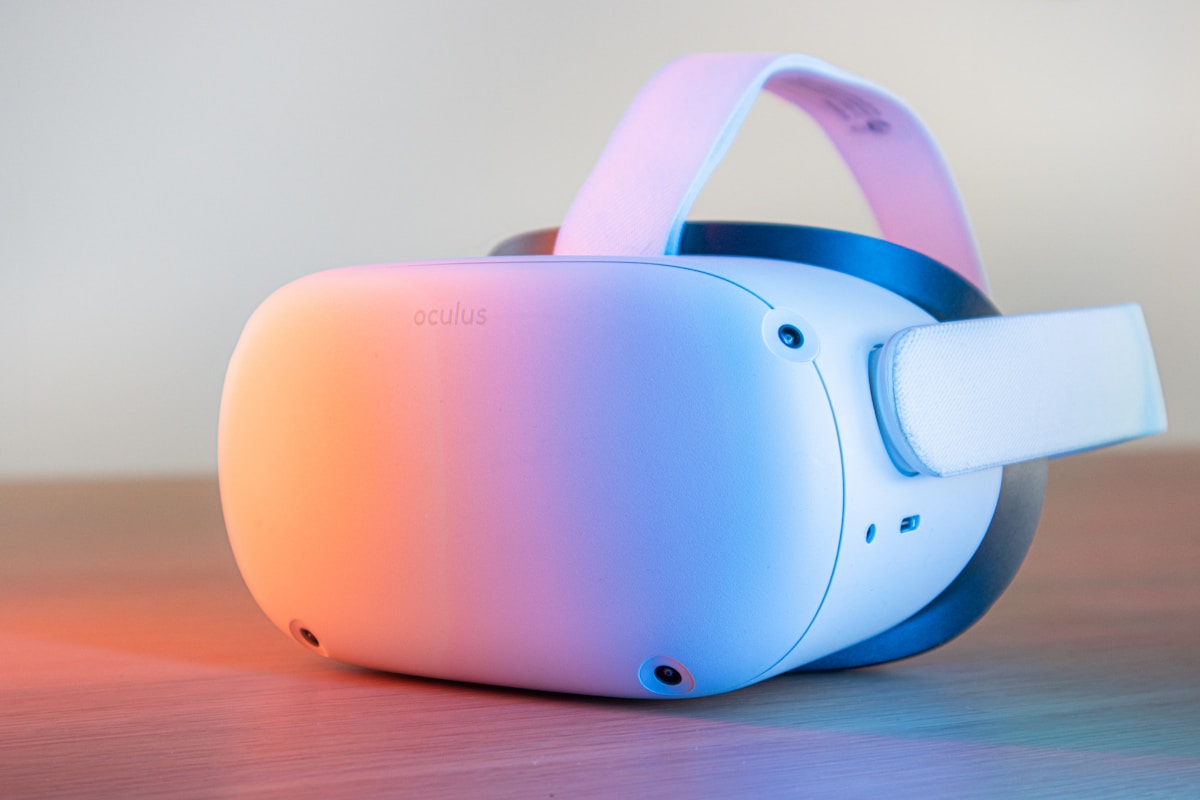
Why is 2026 the turning point? Micro-OLED displays got brighter and sharper, so virtual screens now look good even in daylight; on-device AI assistants became genuinely useful; and prices fell, so you no longer need to spend four figures for a good experience. Wearables are among the fastest-growing consumer tech categories, and AR eyewear is riding that wave as smartphones mature.
⭐ How We Ranked the Best Augmented Reality Glasses 2026
We judged every pair on the things that decide whether you will still be wearing it in three months, not just the launch-day spec sheet:
- Display: sharpness, brightness, colour, and how natural the virtual screen feels.
- Comfort: weight, balance, nose-pad fit, and whether they work with prescription lenses.
- Battery: real-world use, not lab numbers — and whether a case or cable extends it.
- AI and cameras: how useful the assistant is, and whether photos and video are genuinely good.
- Compatibility: Android, iPhone, Windows, Mac, and consoles — and what breaks on each.
- Value: what you get for the price, including warranty and accessories in the box.
🥽 The 9 Best Augmented Reality Glasses 2026
1. Best Overall Display Glasses — Xreal One Pro
The Xreal One Pro remains the benchmark for a private-screen experience. Its micro-OLED display is bright and crisp, the 57-degree field of view feels generous, and the electrochromic dimming lets you darken the lenses for movies. At around 87 grams it is heavier than normal glasses but comfortable for a film or a work session. It connects over USB-C to most modern phones and laptops, making it a strong pick for travellers who want a 120-inch-style screen on a plane.
2. Best AI Smart Glasses — Meta Ray-Ban Display
Meta’s display-equipped Ray-Ban pair is the most complete AI glasses package most people can buy today: a small display for notifications and directions, a camera, and Meta AI for hands-free questions. The familiar styling means they look like ordinary sunglasses. Battery life is the trade-off — heavy AI use drains them faster, so the charging case is essential.
3. Best for Movies — Viture Beast
If your main use is watching films and playing games, the Viture Beast is hard to beat: cinema-style contrast, better-than-average speakers, and low-latency USB-C connections. Frequent flyers will love how flat the case packs. Check phone compatibility first — some features need the brand’s adapter.
4. Best Lightweight Pair — Rokid Max 2
Rokid’s Max 2 focuses on one thing: disappearing on your face. It is among the lightest display glasses in this roundup, with adjustable dioptre dials that help many short-sighted users skip prescription inserts entirely. The image is sharp for its size, though peak brightness trails the flagship rivals. For long reading or working sessions, that lightness is worth more than a slightly brighter panel.
5. Best Budget Display Glasses — RayNeo Air 3s
The RayNeo Air 3s proves you do not need to spend flagship money to enjoy a private screen. It delivers a solid OLED image, respectable speakers, and a comfortable frame at a mid-range price. You give up some brightness, the fanciest dimming, and the widest field of view, but for movies, reading, and second-screen work it is excellent value. It is our pick for first-time buyers who are not sure AR glasses are for them yet.

6. Best for Sports and Outdoors — Meta Oakley
Built on Meta’s AI platform with Oakley’s sporty frames, this pair suits runners, cyclists, and hikers who want music, calls, and quick captures without touching a phone. The wraparound fit stays put, the lenses handle bright sun well, and the camera is handy for trail photos. They are not display glasses, so do not buy them expecting a floating monitor — buy them for hands-free assistance and action-ready wear.
7. Best for Productivity — Snap Spectacles (5th Generation)
Snap’s latest Spectacles are the most developer-friendly full AR glasses here, with hand tracking and AR lenses that place apps in your room. They suit enthusiasts and developers rather than casual buyers, as the ecosystem is still growing and battery life is modest. Most office buyers will be happier with a display pair for now.
8. Best Everyday AI Pair — Ray-Ban Meta (Camera Edition)
Before display glasses, there were camera AI glasses — and the classic Ray-Ban Meta remains a superb everyday choice. There is no screen, but you get excellent open-ear audio, a capable camera, and Meta AI for translations, identifications, and quick answers. They are lighter and longer-lasting than display models, look completely normal, and cost less. Pair them with your phone and, if you already use wearables, they slot neatly into a connected routine alongside devices like the best smartwatches of 2026.
9. Best Premium Experience — Apple Vision Pro (For Reference)
Strictly speaking, Apple’s Vision Pro is a mixed-reality headset, not glasses — but many shoppers cross-shop it against AR glasses. Its displays, tracking, and ecosystem are in a different league, and so are its price and weight. If you want something to wear out of the house, pick one of the true glasses above instead.
🆚 Augmented Reality Glasses 2026 vs VR Headsets
The difference is simple: VR headsets replace your view of the world; AR glasses add to it. That makes them better for walking, working, and socialising, while VR headsets remain better for fully immersive gaming. AR glasses are also lighter and more socially acceptable in public.
💰 Prices, Value, and What to Avoid in Augmented Reality Glasses 2026
Here is a realistic price map:
- Under $300: entry-level display glasses and older AI models — good for trying the category.
- $300–$600: the sweet spot — strong display glasses and proven AI pairs with good audio and cameras.
- $600–$1,000: flagships with brighter displays, better dimming, and more complete AI.
- Over $1,000: developer kits and full AR headsets — exciting, but not for most buyers yet.
Avoid three traps: a pair that only works with one phone brand, inflated field-of-view numbers (perceived screen size and edge clarity matter more), and unknown brands promising headset-level AR at glasses prices without warranty or software support.
🔒 Privacy, Safety, and Everyday Wear
Camera-equipped glasses raise fair questions. Look for a visible recording LED, a way to cover or disable the camera, and clear deletion settings. In private spaces, follow local rules: when in doubt, take the glasses off or ask first.
Never wear display glasses while driving or cycling in traffic; the virtual screen divides attention. For sports, choose a secure frame and shatter-resistant lenses, and take regular breaks during long sessions.
🎯 Who Should Buy Which Pair of Augmented Reality Glasses 2026?
- Travellers and movie lovers: Xreal One Pro or Viture Beast — a private cinema that fits in a jacket pocket.
- Commuters and creators: Meta Ray-Ban Display or Ray-Ban Meta — AI help, captures, and normal looks.
- Budget first-timers: RayNeo Air 3s — most of the fun at a friendlier price.
- Athletes: Meta Oakley — secure fit, sun-ready lenses, and hands-free audio.
- Developers and enthusiasts: Snap Spectacles — the fullest AR playground today.
If you already live in a connected ecosystem, think about the whole setup. AR glasses pair naturally with wireless audio and wearables — compare them with the best wireless earbuds of 2026 for travel audio, and with the best smart home devices of 2026 if you want voice control to extend from your glasses to your home. For desk work, a good laptop matters just as much as the glasses — see our guide to the best laptops of 2026.
🛠️ Setup Tips for First-Time Owners
- Update firmware first. Launch-week software is often rough; the first update usually fixes display and battery quirks.
- Fit before you judge. Adjust nose pads and temple arms, then wear the pair for 30 minutes before deciding on comfort.
- Calibrate the display. Set brightness, screen distance, and dimming for your room — defaults are rarely ideal.
- Learn the voice commands. A few phrases — take a photo, translate this, what am I looking at — unlock most of the value.
- Sort prescription needs early. Order inserts or clip-ons at purchase time so you are not waiting weeks to use the glasses properly.
- Explore AI assistants properly. If you want to get more from voice AI on glasses and beyond, these step-by-step AI tutorials walk through prompts and settings in plain language.

🔮 What Comes Next for AR Glasses?
The next wave will be lighter, brighter, and smarter: full-colour waveguide displays at mainstream prices, AI assistants that understand context, and batteries that last a full day. Prescription integration should also improve, with more direct prescription lenses rather than clip-on inserts.
❓ Frequently Asked Questions
Are augmented reality glasses 2026 models worth it?
Yes, if you have a clear use — movies, travel, work, or hands-free AI. Buy a proven display or AI pair in the $300–$600 range first; skip developer prototypes unless you enjoy experimenting.
Do AR glasses work with iPhone and Android?
Most display glasses work with both over USB-C, though some features vary by phone. AI glasses depend more on their companion app, so check iOS and Android feature parity before buying.
Can I wear AR glasses with prescription lenses?
Usually yes — via prescription inserts, clip-ons, or adjustable dioptre dials on some models. Order them with the glasses to avoid a wait, and confirm your prescription range is supported.
How long does the battery last?
Display glasses typically last 2–5 hours of screen use, often longer when connected to a powered device. AI glasses last a day of light use but only a few hours of heavy camera and AI use; the charging case is essential.
Are camera glasses allowed everywhere?
No. Some venues, workplaces, and countries restrict camera wearables. Respect posted rules, watch for the recording LED etiquette, and remove the glasses where recording is not welcome.
Final Verdict
Augmented reality glasses 2026 have crossed from novelty to genuinely useful gadget. For most buyers, the smart move is a comfortable, well-reviewed pair — a strong display model for screen lovers, or a proven AI pair for everyday hands-free help — rather than the priciest prototype. Pick for comfort and compatibility first, check the real price including prescription inserts, and give yourself a week to learn the voice commands. Do that, and there is a good chance these glasses become the gadget you reach for most.
Sources and further reading: official product pages from Meta, Xreal, Viture, Rokid, RayNeo, and Snap; manufacturer specifications and support documentation; and independent reviews of display brightness, comfort, and battery performance. Prices and availability change frequently — verify current details with authorised retailers before purchase.