
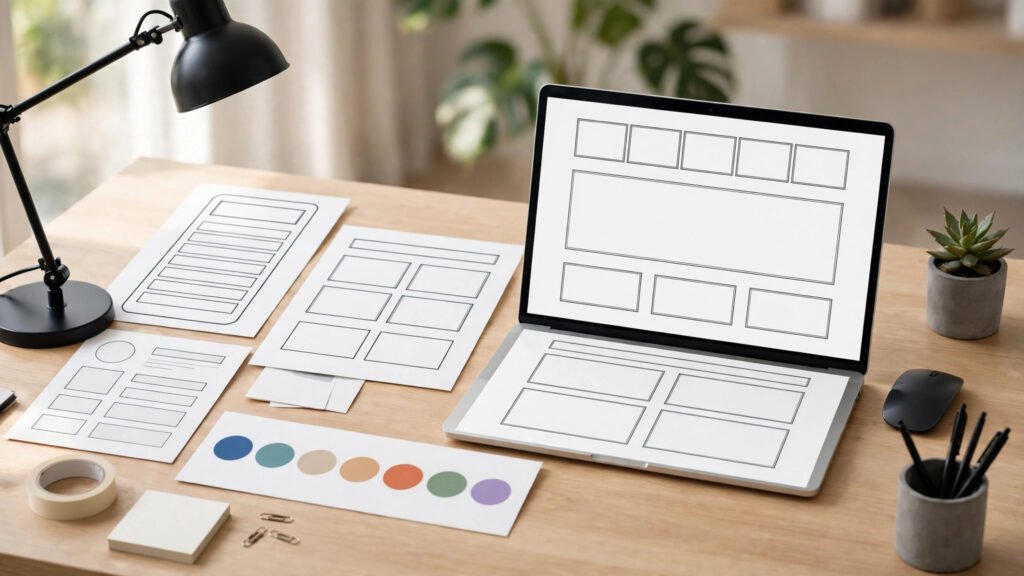
Your website is your hardest-working salesperson, and it never sleeps. Yet most businesses treat it like a brochure printed in 2019 and forgotten. A website redesign strategy is the difference between a relaunch that quietly lifts revenue and one that tanks your rankings, confuses your visitors, and costs you months of recovery. In this guide, you will learn a proven nine-step website redesign strategy that protects your SEO, sharpens your message, and turns more visitors into customers in 2026.
Here is the uncomfortable truth: a redesign is not a paint job. It is a business decision. Research from Stanford’s Web Credibility Project found that 75% of users judge a company’s credibility based on its website design, and studies consistently show that nearly 9 in 10 visitors will not return after a bad user experience. If your site is slow, dated, or hard to navigate, you are not just losing style points — you are losing deals every single day.
The good news? A structured website redesign strategy removes the guesswork. Follow the nine steps below, and you will relaunch with confidence, not crossed fingers.
Key Takeaways
- A website redesign strategy must start with data, not opinions — audit analytics, heatmaps, and SEO before touching a single pixel.
- Protect your rankings with a full URL map and 301 redirects; most redesign traffic losses come from broken migration, not design.
- Design for mobile first, speed second, and beauty third — in that order.
- Launch is not the finish line: measure, test, and iterate for at least 90 days after go-live.
Table of Contents
- Step 1: Audit Before You Redesign
- Step 2: Define Goals, Audiences, and Success Metrics
- Step 3: Map Content and Protect Your SEO
- Step 4: Plan UX, Wireframes, and the New Sitemap
- Step 5: Refresh Branding and Visual Design
- Step 6: Build for Speed and Core Web Vitals
- Step 7: Write Conversion-Focused Copy
- Step 8: Test Everything Before Launch
- Step 9: Launch, Monitor, and Optimize for 90 Days
- Frequently Asked Questions
1. Website Redesign Strategy Starts With a Brutal Audit 📊
Every great website redesign strategy begins with evidence. Before you change anything, find out what is actually working — and what is quietly bleeding conversions.
Start with your analytics. Which pages drive the most traffic? Which pages convert? Where do visitors drop off? A page that ranks on page one of Google and brings in qualified leads is an asset; redesigning it carelessly is like renovating a shop while throwing away its best-selling product line.
Next, run a technical audit: page speed, mobile usability, broken links, crawl errors, and Core Web Vitals. Tools like Google Search Console and PageSpeed Insights will show you exactly where your site is failing. Pair that with heatmaps and session recordings to see where real users click, scroll, and stall.
Finally, audit your content. Flag pages that are outdated, duplicated, or thin. A redesign is the perfect moment to prune dead weight — but only after you know which pages earn traffic and links. For a deeper look at performance fixes, see our guide on Core Web Vitals optimization.

2. Define Goals, Audiences, and Success Metrics 🎯
A redesign without a goal is just redecoration. Are you trying to generate more leads, sell more products, reduce support tickets, or reposition your brand? Each goal leads to a different design.
Write down one primary goal and two secondary goals. Then define who the site serves. Build short audience profiles: what does each visitor want within five seconds of landing, and what action should they take next? A B2B buyer researching vendors behaves nothing like a consumer ready to check out.
Finally, set measurable success metrics before launch — conversion rate, bounce rate, average load time, organic traffic, and leads per month. If you cannot measure it, you cannot prove the redesign worked, and you cannot justify the next one.
3. Map Content and Protect Your SEO 🔍
This is the step most redesigns skip — and the one that costs them their rankings. Search engines do not care that your new site looks beautiful; they care that the pages they indexed still exist and still answer searchers’ questions.
Create a full URL inventory of your current site. For every page, decide: keep, merge, rewrite, or redirect. Build a redirect map so every old URL points to the most relevant new URL with a permanent 301 redirect. Never let high-traffic pages return a 404.
Keep your winning content. If a blog post or service page ranks well, preserve its topic, its primary keyword focus, and its internal links — then improve it. Redesigns that delete or gut top-performing pages routinely lose 30–50% of organic traffic overnight, and recovery can take months.
- Export all URLs from Search Console and your sitemap.
- Record each page’s traffic, backlinks, and ranking keywords.
- Map every retired URL to a live replacement before launch day.
- Test all redirects on staging, not after go-live.
4. Plan UX, Wireframes, and the New Sitemap 🗺️
With goals and content mapped, design the journey — not just the pages. A sitemap shows your new structure; wireframes show how each page guides visitors toward action.
Good navigation follows a simple rule: a visitor should reach any key page within three clicks, and the path to conversion should be obvious from every page. Put your primary call to action above the fold, repeat it at natural decision points, and remove navigation items that nobody clicks.
Wireframe mobile first. More than half of all web traffic now comes from phones, and Google indexes the mobile version of your site. If a layout only works on a desktop monitor, it is already broken. Our responsive web design best practices guide covers the layout patterns that hold up across every screen size.
If you want to speed up the wireframing stage, modern AI prototyping tools can turn rough sketches into testable layouts in hours rather than days — browse these step-by-step AI tool guides to find a prototyping workflow that fits your team.
5. Refresh Branding and Visual Design 🎨
Visual design is where a website redesign strategy becomes visible — but it should express your strategy, not replace it. In 2026, the strongest redesigns share a few traits: bold, readable typography; generous white space; authentic photography over generic stock; and dark-mode-friendly color systems.
Consistency matters more than novelty. Your site, social profiles, and sales decks should feel like one brand. Pick a tight color palette, two fonts at most, and a single image style, then apply them ruthlessly. Inconsistency reads as unprofessional faster than any single ugly element.
Accessibility is not optional anymore. Aim for proper color contrast, keyboard navigation, descriptive alt text on every image, and text that stays readable at 200% zoom. Accessible design is simply good design — it widens your audience and reduces legal risk at the same time.

6. Build for Speed and Core Web Vitals ⚡
Speed is a ranking factor and a revenue factor. Google’s own research has long shown that as page load time rises from one to three seconds, the probability of a visitor bouncing increases by roughly a third. A beautiful redesign that loads slowly is a downgrade, not an upgrade.
During the build, bake performance in from day one:
- Compress and modernize images (WebP/AVIF) and lazy-load below-the-fold media.
- Minimize render-blocking scripts and third-party tags.
- Use a content delivery network and server-level caching.
- Choose a fast, well-supported theme or framework — not the heaviest page builder on the market.
Measure against Core Web Vitals targets (Largest Contentful Paint under 2.5 seconds, low layout shift, fast interactivity) on real devices, not just on your office Wi-Fi. If you are on WordPress, our roundup of the best WordPress themes is a good starting point for a lightweight foundation.
7. Write Conversion-Focused Copy ✍️
Design gets attention; copy gets conversions. Most redesigns reuse old copy on new layouts and wonder why results barely move. Treat the relaunch as a rewrite opportunity.
Lead with outcomes, not features. Your homepage headline should answer three questions in ten seconds: what do you do, who is it for, and why should they care? Follow with proof — client results, testimonials, case numbers — before asking for anything.
Structure every page for skimmers: a clear headline, short paragraphs, descriptive subheadings, and bullet lists. Search engines and humans both reward scannable pages, and a focused page that matches search intent will outrank a prettier page that rambles.
8. Test Everything Before Launch 🧪
Never launch on a Friday, and never launch untested. A pre-launch checklist saves you from the most common relaunch disasters:
- Click every link, submit every form, and complete a test purchase on mobile and desktop.
- Verify all 301 redirects and check for 404 errors in staging.
- Confirm analytics, Search Console, and conversion tracking fire correctly.
- Proofread every page — twice. Typos on a brand-new site destroy trust instantly.
- Test load speed on a mid-range phone over a 4G connection, not just on broadband.
Run a small usability test with five real users from your target audience. Five users will uncover most major problems, and fixing them on staging costs a fraction of fixing them live. For the technical details behind smooth launches, Google’s web.dev guidance is an authoritative reference.

9. Launch, Monitor, and Optimize Your Website Redesign Strategy for 90 Days 🚀
Launch day is the starting line, not the finish. In the first 48 hours, watch Search Console for crawl errors, check that redirects hold, and confirm your key pages are indexed. Keep the old site’s analytics annotations so you can compare before-and-after performance honestly.
Over the next 90 days, run a disciplined optimization loop: review conversion data weekly, A/B test headlines and calls to action, fix any pages with rising bounce rates, and publish fresh content around the topics your new structure targets. Most redesigns look disappointing in week one and excellent by week twelve — but only if someone keeps improving them.
Finally, document everything: what changed, why, and what the results were. Your next redesign — and there will be one — will be dramatically easier with a record of what actually worked.
How Much Does a Website Redesign Cost in 2026?
Costs vary widely. A small business template-based redesign can run from a few hundred to a few thousand dollars, while a custom, conversion-focused rebuild from an agency typically ranges from $5,000 to $50,000+, depending on page count, integrations, and content work. The right budget is the one tied to your goal: if a redesign lifts conversions by even 20%, it usually pays for itself within months. Get itemized quotes, compare what is included (strategy, copywriting, SEO migration, testing), and beware of any quote that skips the SEO migration entirely.
Frequently Asked Questions
How often should you redesign a website?
Most businesses benefit from a major redesign every 2–3 years, with smaller optimizations in between. If your site is slow, not mobile-friendly, or no longer matches your brand or goals, it is time regardless of the calendar.
Will a website redesign hurt my SEO?
It can — but only if migration is mishandled. With a full URL inventory, 301 redirects, preserved content, and post-launch monitoring, most sites keep their rankings and often improve them.
How long does a website redesign take?
A small business site typically takes 4–8 weeks; a larger e-commerce or custom build can take 3–6 months. Strategy, content, and testing phases usually take longer than the visual design itself.
Should I redesign or just refresh my website?
If the structure, messaging, and technology are sound, a visual refresh may be enough. If conversions are falling, the platform is outdated, or your business has changed direction, a full redesign strategy is the better investment.
What is the biggest website redesign mistake?
Launching without an SEO migration plan. Broken redirects and deleted ranking pages are the single most common — and most expensive — redesign failure.
Final Thoughts
A website redesign strategy is not about chasing trends. It is about aligning your site with your business: audit honestly, protect what works, design for real users, and keep optimizing after launch. Do that, and your relaunch will not just look better — it will sell better.
If you would like help planning or executing your redesign, Digital 365 Agency builds conversion-focused websites backed by SEO and content strategy. Get in touch and let’s make your next relaunch your best one yet.
Sources: Stanford Web Credibility Project; Google Search Central and web.dev performance guidance; Nielsen Norman Group usability research; industry Core Web Vitals benchmarks. Statistics cited are widely published research figures; your results will vary by industry and audience.