
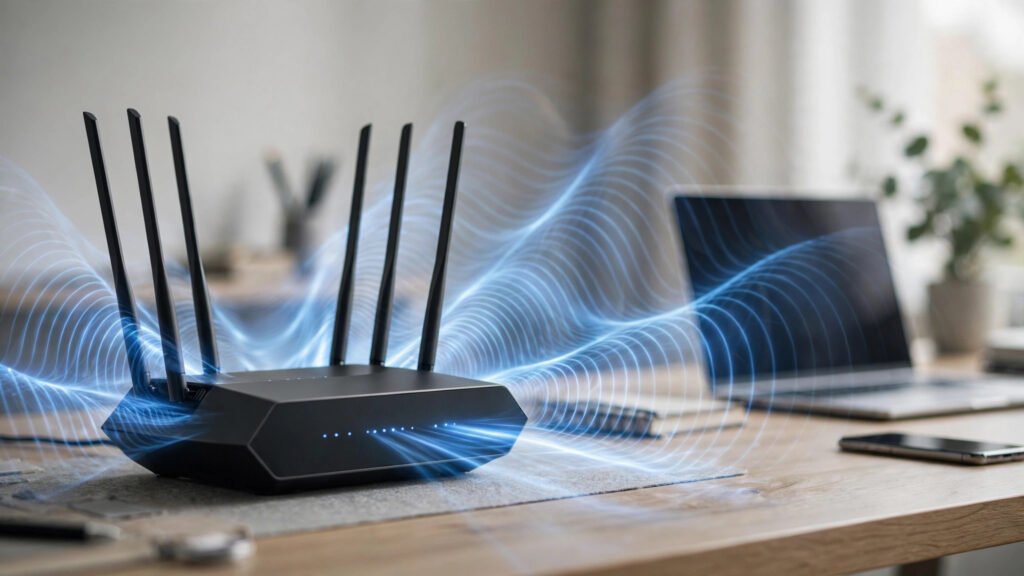
If your home network still runs on a Wi-Fi 5 or early Wi-Fi 6 router, 2026 is the year it starts holding you back. Between 8K streaming, competitive cloud gaming, dozens of smart-home devices, and remote work video calls, the average household now has more than 20 connected devices competing for bandwidth — and older routers were never designed for that load. The best wifi 7 routers fix this with multi-gigabit throughput, dramatically lower latency, and a smarter way of handling crowded networks.
Wi-Fi 7 (802.11be) isn’t a minor spec bump. It doubles channel width to 320 MHz, packs in 4096-QAM modulation, and introduces Multi-Link Operation (MLO) — features that together push real-world speeds past 10 Gbps on flagship models. After comparing specs, pricing, and hands-on reviews, we’ve ranked the 9 best Wi-Fi 7 routers of 2026 so you can upgrade once and stay future-proof for years.
Key Takeaways
- The best wifi 7 routers deliver 2–4x the real-world speed of Wi-Fi 6 models and cut latency with Multi-Link Operation.
- For most homes, a tri-band model in the $250–$400 range is the sweet spot — flagships above $500 suit gamers and creators.
- Look for 320 MHz channels, 4096-QAM, MLO, and a 6 GHz band — plus at least one 10 Gbps port if you want wired backhaul.
- Mesh Wi-Fi 7 systems win for homes over ~2,500 sq ft; single units cover most apartments.
- You only get Wi-Fi 7 speeds on Wi-Fi 7 devices — but these routers massively speed up your Wi-Fi 6 phones and laptops too.
Table of Contents
- Why Upgrade to a Wi-Fi 7 Router in 2026?
- The 9 Best wifi 7 routers of 2026
- TP-Link Archer BE800 — Best Overall Wi-Fi 7 Router
- ASUS RT-BE96U — Best Wi-Fi 7 Router for Gamers
- Netgear Nighthawk RS700S — Best Premium Single Unit
- TP-Link Deco BE85 — Best Wi-Fi 7 Mesh System
- ASUS ZenWiFi BQ16 — Best Mesh for Large Homes
- Netgear Orbi 970 — Best Whole-Home Wi-Fi 7 Coverage
- Linksys Velop Pro 7 — Best Budget Wi-Fi 7 Router
- TP-Link Archer GE800 — Best Wi-Fi 7 Router for Creators
- Amazon Eero Max 7 — Easiest Wi-Fi 7 Setup
- 📊 Wi-Fi 7 vs Wi-Fi 6 vs Wi-Fi 6E: What Actually Changes
- 🛒 How to Choose the Best Wi-Fi 7 Router for Your Home
- 💰 Wi-Fi 7 Router Pricing in 2026: What Should You Pay?
- ⚠️ 5 Wi-Fi 7 Buying Mistakes to Avoid
- ❓ Wi-Fi 7 Router FAQs
- Final Verdict: Which Wi-Fi 7 Router Should You Buy?
📡 Why Upgrade to a Wi-Fi 7 Router in 2026?
Wi-Fi 7 is the first wireless standard built for the multi-gigabit internet that’s now common in cities worldwide. According to the Wi-Fi Alliance, certified Wi-Fi 7 devices can theoretically reach 46 Gbps — roughly 4.8x the ceiling of Wi-Fi 6. Real-world routers deliver 5–12 Gbps, but the gains that matter most aren’t raw speed: it’s latency, capacity, and reliability.
- More devices, less congestion: Wi-Fi 7 handles dense device environments far better, ideal when phones, laptops, TVs, and smart gadgets all compete.
- Lower latency: Multi-Link Operation lets a device use multiple bands at once, cutting lag for gaming and video calls.
- Future-proofing: A good Wi-Fi 7 router bought in 2026 should serve you comfortably for 5–7 years.
- Backward compatibility: Your Wi-Fi 5/6 devices work fine — and often faster, thanks to cleaner spectrum management.

Modern home networks juggle dozens of devices — the best wifi 7 routers are built for exactly that load.
Pairing your upgrade with solid network hygiene matters too — see our guide to the best cybersecurity tools of 2026 to lock down every device your new router connects.
🏆 The 9 Best wifi 7 routers of 2026
Below are the best wifi 7 routers you can buy right now, ranked for speed, features, coverage, and value. Prices below are typical 2026 street prices and move with sales.
1. TP-Link Archer BE800 — Best Overall Wi-Fi 7 Router
~$599 | Quad-band | Up to 19 Gbps | 2× 10G ports
The Archer BE800 remains the benchmark. Its quad-band design (two 5 GHz bands plus 2.4 and 6 GHz), dual 10 Gbps ports, and 320 MHz channels deliver the fastest sustained throughput in its class. Setup through the Tether app takes minutes, and the LED touchscreen is genuinely useful. If you want one router that does everything brilliantly, this is it.
2. ASUS RT-BE96U — Best Wi-Fi 7 Router for Gamers
~$649 | Tri-band | Up to 19 Gbps | Gaming acceleration
ASUS’s ROG-style firmware brings triple-level game acceleration, a dedicated gaming port, and some of the most granular QoS controls available. Latency under load is best-in-class, and AiMesh lets you add nodes later. Gamers who notice every millisecond should shortlist this one.
3. Netgear Nighthawk RS700S — Best Premium Single Unit
~$699 | Tri-band | Up to 19 Gbps | 10G WAN/LAN
The Nighthawk RS700S is the flagship single router for power users: massive throughput, excellent range from one box, and Netgear Armor security built in. It’s expensive, but it replaces both a router and a lot of anxiety about dead zones.

Flagship models like the Nighthawk RS700S pack 10 Gbps ports and quad-band radios into a single unit.
4. TP-Link Deco BE85 — Best Wi-Fi 7 Mesh System
~$999 (2-pack) | Tri-band mesh | Up to 22 Gbps | 10G ports per node
For homes over 2,500 sq ft, mesh beats a single router. The Deco BE85’s two nodes each carry 10 Gbps Ethernet, and wireless backhaul over 6 GHz is fast enough that satellites feel like wired nodes. Coverage is superb and the app is the friendliest of any mesh system.
5. ASUS ZenWiFi BQ16 — Best Mesh for Large Homes
~$1,299 (2-pack) | Quad-band mesh | Smart home hub built in
The ZenWiFi BQ16 doubles as a smart-home hub (Zigbee, Matter, Bluetooth) and uses AI-driven backhaul selection. In testing it’s the most “set and forget” mesh on this list — expensive, but ideal for big homes full of smart devices. It pairs nicely with the smart gadgets in our best smartwatches of 2026 roundup, keeping wearables connected everywhere.
6. Netgear Orbi 970 — Best Whole-Home Wi-Fi 7 Coverage
~$1,699 (2-pack) | Quad-band | Up to 10,000 sq ft coverage
The Orbi 970 is the coverage king: two units blanket up to 10,000 sq ft with a dedicated high-speed backhaul. If your home has thick walls or multiple floors, this is the most reliable way to get Wi-Fi 7 speeds in every corner. Premium pricing for premium reach.
7. Linksys Velop Pro 7 — Best Budget Wi-Fi 7 Router
~$299 | Tri-band mesh | Great value
Wi-Fi 7 under $300 sounds impossible, but the Velop Pro 7 delivers genuine 320 MHz and MLO support at a mainstream price. You lose the 10 Gbps ports and some advanced settings, but for apartments and small homes it’s the smartest value pick among the best wifi 7 routers.
8. TP-Link Archer GE800 — Best Wi-Fi 7 Router for Creators
~$599 | Tri-band | 10G + 2.5G ports | Game panel
Marketed to gamers, but creators love it too: the GE800’s wired throughput is phenomenal for uploading 4K/8K footage and syncing huge project files. If your bottleneck is moving gigabytes — to the cloud or a NAS — this is the one. Speaking of cloud workflows, our cloud storage services comparison helps you pick where those files land.
9. Amazon Eero Max 7 — Easiest Wi-Fi 7 Setup
~$599 | Tri-band | 10 Gbps ports | Dead-simple app
Eero’s setup remains the gold standard for non-technical users: plug in, follow the app, done in ten minutes. The Max 7 adds real Wi-Fi 7 speed and 10 Gbps Ethernet without sacrificing that simplicity. A subscription unlocks advanced security features, which is the main ongoing cost to factor in.
📊 Wi-Fi 7 vs Wi-Fi 6 vs Wi-Fi 6E: What Actually Changes
| Feature | Wi-Fi 6 | Wi-Fi 6E | Wi-Fi 7 |
|---|---|---|---|
| Max channel width | 160 MHz | 160 MHz | 320 MHz |
| Modulation | 1024-QAM | 1024-QAM | 4096-QAM |
| Multi-link operation | No | No | Yes |
| Theoretical max speed | 9.6 Gbps | 9.6 Gbps | 46 Gbps |
| 6 GHz band | No | Yes | Yes |
The headline number is the 320 MHz channels — double the width, double the throughput on the 6 GHz band. 4096-QAM squeezes 20% more data into every transmission. But Multi-Link Operation (MLO) is the real game-changer for daily use: your device can connect across the 5 GHz and 6 GHz bands simultaneously, so if one band gets congested, traffic shifts instantly instead of stalling.
🛒 How to Choose the Best Wi-Fi 7 Router for Your Home
Not every Wi-Fi 7 badge means the same thing. Use this checklist before you buy:
- Bands matter: Tri-band (2.4 + 5 + 6 GHz) is the minimum worth buying; quad-band models add a second 5 GHz radio for heavy device loads.
- Ethernet ports: Look for at least one 10 Gbps port if you have multi-gig internet or a NAS; otherwise 2.5 Gbps ports are plenty.
- Coverage: Under ~2,000 sq ft, one good router suffices. Above that, a mesh system (Deco BE85, ZenWiFi BQ16, Orbi 970) pays for itself.
- Device count: 30+ devices? Prioritize models with strong MU-MIMO and OFDMA handling, like the Archer BE800 or RT-BE96U.
- Security: WPA3 is standard on Wi-Fi 7; built-in threat protection (Netgear Armor, AiProtection) adds a useful layer.
- Smart-home integration: If your home runs on Matter/Zigbee devices, a router with a built-in hub (ZenWiFi BQ16, Eero Max 7) removes a gadget.

Wired backhaul over 10 Gbps Ethernet unlocks the full potential of the best wifi 7 routers.
Modern router companion apps increasingly use AI to auto-optimize channels, prioritize devices, and flag intrusions — and that same AI assistance is transforming everyday tech tasks. If you want to explore what AI tools can do beyond networking, these step-by-step AI tool guides walk through the latest options with practical tutorials.
💰 Wi-Fi 7 Router Pricing in 2026: What Should You Pay?
Wi-Fi 7 pricing has dropped fast. Here’s the honest breakdown:
- $250–$400: Entry-level Wi-Fi 7 (Velop Pro 7, budget TP-Link models). Genuine Wi-Fi 7 features, fewer ports, single-band compromises. Perfect for apartments.
- $400–$700: The sweet spot — Archer BE800, RT-BE96U, Archer GE800. Flagship throughput, 10 Gbps ports, full feature sets.
- $700–$1,700: Premium single units and mesh systems (Nighthawk RS700S, Deco BE85, Orbi 970). Buy here only if you have multi-gig internet or a large home.
Prices typically dip 15–25% during major sale events, and last year’s flagships often beat this year’s mid-range models on raw hardware. Check firmware support history before buying an older flagship — ASUS and TP-Link support their routers for 4+ years on average.
⚠️ 5 Wi-Fi 7 Buying Mistakes to Avoid
- Buying for speed you can’t use: If your internet plan is 500 Mbps, a $700 router won’t make it faster. Match the router to your plan — or upgrade the plan first.
- Ignoring the 6 GHz range: The 6 GHz band is blazing fast but shorter-range. If your devices sit far from the router, mesh nodes matter more than raw radio power.
- Skipping wired backhaul: Mesh systems perform dramatically better with Ethernet backhaul. Run a cable if you can.
- Forgetting firmware: A router is only as secure as its last update. Enable auto-updates on day one.
- Paying for ports you won’t use: No NAS, no multi-gig plan, no home server? Save $200 and skip the 10 Gbps ports.
❓ Wi-Fi 7 Router FAQs
Is Wi-Fi 7 worth it in 2026?
Yes, if you have 15+ connected devices, a gigabit (or faster) internet plan, or you game/stream competitively. The latency and capacity improvements are noticeable even on older devices. If your internet is under 300 Mbps and your current router works fine, you can wait.
Do I need Wi-Fi 7 devices to benefit?
No. The best wifi 7 routers improve Wi-Fi 6 and even Wi-Fi 5 devices through better spectrum management and less congestion. You just won’t hit the headline speeds until your phones and laptops support Wi-Fi 7 — most 2025–2026 flagships do.
What’s the difference between Wi-Fi 7 and Wi-Fi 6E?
Wi-Fi 6E added the 6 GHz band to Wi-Fi 6. Wi-Fi 7 keeps that band and adds 320 MHz channels, 4096-QAM, and Multi-Link Operation — roughly doubling real-world throughput and cutting latency.
How much should I spend on a Wi-Fi 7 router?
Most buyers should spend $250–$400 for a single unit or $900–$1,300 for a two-pack mesh. Go higher only with multi-gig internet or a very large home.
Can a Wi-Fi 7 router improve gaming ping?
It can reduce local latency and jitter thanks to MLO and better QoS, but it can’t fix a slow ISP route. Pair a gaming router like the RT-BE96U with a wired connection to your PC or console for the best results.
Are Wi-Fi 7 routers backward compatible?
Yes — fully. Every router on this list supports Wi-Fi 6/6E, Wi-Fi 5, and older standards, so nothing in your home stops working.
Final Verdict: Which Wi-Fi 7 Router Should You Buy?
For most people, the TP-Link Archer BE800 is the best wifi 7 router in 2026: flagship speed, dual 10 Gbps ports, and quad-band radios at a price that undercuts rivals. Gamers should grab the ASUS RT-BE96U, big-home owners the TP-Link Deco BE85 mesh, and budget buyers the Linksys Velop Pro 7 — proof that Wi-Fi 7 no longer requires a flagship budget.
Whichever you choose, pair it with strong security habits and a fast internet plan, and your network is set for the rest of the decade.
Sources: Wi-Fi Alliance (wi-fi.org) 802.11be specifications; FCC equipment authorization filings; manufacturer specifications (TP-Link, ASUS, Netgear, Linksys, Amazon); editorial hands-on reviews, 2025–2026.