
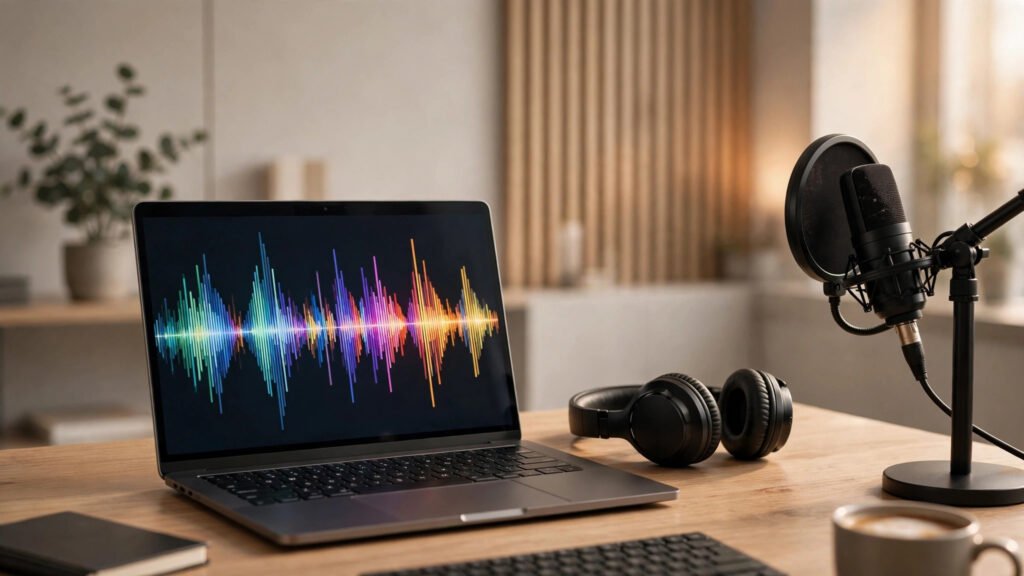
AI Transcription Tools: 9 Best Picks for 2026
Your meetings, interviews, and podcast recordings are piling up into hours of unsearchable audio — and every hour spent typing out what was said is an hour stolen from real work. AI transcription tools have quietly become one of the highest-ROI software categories of the decade, turning raw audio into accurate, searchable, shareable text in minutes instead of days.
In this guide, we compare the 9 best AI transcription tools of 2026 — from meeting assistants that join your Zoom calls automatically to creator-focused editors and developer APIs — with honest pricing, accuracy notes, and clear “best for” picks.
Table of Contents
- Why AI Transcription Tools Matter in 2026
- How We Evaluated These AI Transcription Tools
- The 9 Best AI Transcription Tools for 2026
- AI Transcription Tools Compared: Pricing & Features at a Glance
- How to Choose the Right Speech-to-Text Software
- Accuracy, Privacy & Security: What to Watch For
- Key Takeaways
- Frequently Asked Questions
Why AI Transcription Tools Matter in 2026 🎙️
Knowledge workers now sit through more than a dozen meetings a week, while content teams ship podcasts, webinars, and video at a relentless pace. Without transcription, all that spoken insight stays locked away — unsearchable, unquotable, and impossible to repurpose.
Modern AI transcription tools do far more than produce a wall of text: speaker identification, automatic summaries, action-item extraction, keyword search across your audio library, and one-click integrations with Notion, Salesforce, and Slack. Industry reports estimate the speech-to-text market keeps growing at a strong double-digit pace, driven by remote work and AI meeting assistants.
For businesses, the payoff is concrete: searchable meeting records that end “what did we decide?” confusion, podcast episodes that become SEO-friendly blog posts, and interview footage that editors can cut by reading text instead of scrubbing timelines. If your team produces spoken content of any kind, adopting one of the leading transcription platforms is no longer optional — it is basic operational hygiene.
How We Evaluated These AI Transcription Tools ⚡
We judged every platform on the criteria that matter when you use AI transcription tools daily:
- Transcription accuracy — word error rate on clear audio, plus handling of accents, crosstalk, and jargon.
- Speaker identification — how reliably the tool labels who said what.
- Language support — number of supported languages and translation options.
- Integrations & workflow — native connections to Zoom, Teams, Meet, CRMs, and editors.
- Pricing & free tier — real-world cost for individuals, teams, and heavy users.
- Security & compliance — SOC 2, GDPR, and enterprise controls where relevant.
- Speed & usability — turnaround time and how pleasant the editor is to work in.
We also weighted real user sentiment from review platforms like G2 and Capterra when we tested today’s leading speech-to-text platforms. Pricing below is approximate — always confirm on the vendor’s site before you buy.
The 9 Best AI Transcription Tools for 2026 🚀
Here are our top picks — skip straight to the one that matches your workflow.
1. Otter.ai — Best AI Transcription Tool for Meetings
Otter.ai remains the default recommendation among AI transcription tools for meetings. Its OtterPilot bot auto-joins Zoom, Google Meet, and Teams calls, transcribes in real time, and generates an AI summary with action items the moment the call ends.
- Key features: real-time transcription, speaker ID, AI chat to query your meetings, Salesforce and HubSpot integrations.
- Languages: English, Spanish, French, and more.
- Pricing: free tier with limited monthly minutes; paid plans start at around $17 per user/month.
If live meetings are your main use case, start here. Pair it with our guide to AI meeting assistants for a full meeting-automation stack.
2. Rev — Best Hybrid of AI Transcription Tools and Human Accuracy
Rev pairs fast AI drafts with an optional human review layer that pushes accuracy toward 99% — ideal for legal proceedings, research interviews, and broadcast captions.
- Key features: AI transcription in minutes, human transcription and captioning services, global voice recorder app.
- Languages: 30+ languages for AI transcription.
- Pricing: AI transcription on pay-as-you-go from around $0.25 per minute; human services cost more per minute.
Best for: teams that want fast AI drafts daily and human-grade accuracy when it counts.
3. Descript — Best of the AI Transcription Tools for Podcasters & Creators
Among AI transcription tools aimed at creators, Descript is in a league of its own. It transcribes your audio and video, then lets you edit the media by editing the text — delete a sentence and it disappears from the recording. Overdub voice cloning, sound enhancement, and filler-word removal round out a true creator suite.
- Key features: text-based audio/video editing, Overdub voice cloning, Studio Sound, screen recording.
- Languages: 20+ languages for transcription.
- Pricing: free tier available; paid plans start at around $16 per user/month.
Best for: podcasters, YouTubers, and course creators who want transcription and editing in one app.
4. Fireflies.ai — Best AI Transcription Tool for Sales Teams
Fireflies.ai is one of the most popular transcription apps for revenue teams. Beyond transcription, it delivers conversation intelligence — talk-time ratios, sentiment tracking, and automatic CRM logging that sales managers use for coaching.
- Key features: AI meeting notes, conversation intelligence, deal-stage analytics, 100+ integrations.
- Languages: 30+ languages.
- Pricing: free tier available; paid plans start at around $10 per seat/month.
Best for: sales and customer-success teams that want insights, not just transcripts.

5. Trint — Best AI Transcription Tool for Journalists & Media
Trint is built for newsrooms and media producers, and ranks among the most accurate AI transcription tools for multi-speaker interviews. Its collaborative editor and broadcast-ready caption exports make it a newsroom staple.
- Key features: collaborative transcript editor, 40+ language transcription and translation, caption/subtitle export.
- Languages: 40+ languages.
- Pricing: plans start at around $48 per user/month, with enterprise options for newsrooms.
Best for: journalists, documentary teams, and media houses producing multilingual content.
6. Notta — Best Budget AI Transcription Tool
Notta is a budget-friendly entry among AI transcription tools that punches well above its price. It records and transcribes meetings, interviews, and voice notes in nearly 60 languages, with AI summaries and a bilingual-view editor translators love.
- Key features: 50+ languages, AI summaries, screen recording with transcription, Chrome extension.
- Languages: nearly 60 transcription languages.
- Pricing: free tier with limited minutes; paid plans start at around $9 per month.
Best for: freelancers, students, and small teams that need solid transcription without enterprise pricing.
7. Sonix — Best AI Transcription Tool for Multilingual Teams
Sonix remains a solid browser-based pick among AI transcription tools, with fast turnaround, automated translation into 40+ languages, and timestamped subtitles. Its in-browser editor suits researchers cleaning up transcripts.
- Key features: automated translation, subtitle creation, advanced search across all uploads, API access.
- Languages: 40+ languages.
- Pricing: pay-as-you-go from around $10 per hour of audio, plus subscription plans.
Best for: researchers, translators, and teams producing subtitled video in multiple languages.
8. Temi — Best Pay-As-You-Go AI Transcription Tool
From the makers of Rev, Temi is one of the cheapest AI transcription tools here — and deliberately simple. Upload audio or video, get a transcript in about five minutes, and pay only for what you use.
- Key features: fast automated transcripts, speaker identification, easy transcript editor, mobile app.
- Languages: English-focused.
- Pricing: pay-as-you-go at around $0.25 per minute.
Best for: occasional users who transcribe a few files a month and hate subscriptions.
9. AssemblyAI — Best AI Transcription API for Developers
Some of the most powerful AI transcription tools are ones you never see — they power other apps. AssemblyAI offers a speech-to-text API with speaker diarization, sentiment analysis, PII redaction, and LLM-ready summaries — the go-to for developers embedding transcription into their own products.
- Key features: streaming and batch transcription, speaker labels, PII redaction, LLM summarization endpoints.
- Languages: 99+ languages and dialects.
- Pricing: usage-based pricing with a free tier for testing.
Best for: developers and SaaS teams embedding transcription into their own products. See also our AI automation tools for 2026 roundup.
AI Transcription Tools Compared: Pricing & Features 💰
The tools above cover very different needs, so here is a quick side-by-side to narrow your shortlist:
| Tool | Best For | Starting Price (approx.) | Free Tier |
|---|---|---|---|
| Otter.ai | Live meetings | ~$17/user/mo | Yes |
| Rev | AI + human accuracy | ~$0.25/min | Limited |
| Descript | Podcast & video editing | ~$16/user/mo | Yes |
| Fireflies.ai | Sales intelligence | ~$10/seat/mo | Yes |
| Trint | Journalism & media | ~$48/user/mo | Trial |
| Notta | Budget users | ~$9/mo | Yes |
| Sonix | Multilingual subtitles | ~$10/hour | Trial |
| Temi | Occasional use | ~$0.25/min | No |
| AssemblyAI | Developers (API) | Usage-based | Yes |
Prices are approximate and change often — treat this as a starting map, not a quote. See also our AI note-taking apps guide.
How to Choose the Right Speech-to-Text Software ⚡

With so many capable AI transcription tools available, use this five-point checklist:
- 1. Match the tool to the job. Live meetings? Pick Otter.ai or Fireflies.ai. Editing a podcast? Descript. One-off interviews? Temi or Rev. Building a product? AssemblyAI.
- 2. Test accuracy on YOUR audio. Vendor benchmarks use clean studio audio. Upload a real, messy recording — accents, crosstalk, background noise — and compare results yourself during free trials.
- 3. Check speaker identification. For multi-speaker content, reliable speaker labels matter more than a 1–2% accuracy edge. This is where the best platforms separate from the rest.
- 4. Follow the workflow. Where does the text need to go — your CRM, video editor, or CMS? Native integrations save more time than any accuracy bump.
- 5. Do the pricing math honestly. A “$9/month” plan with 1,800 minutes beats a “$0.25/minute” plan fast if you transcribe 20 hours a month — and vice versa for light users.
Shortlist two or three AI transcription tools and run the same test file through each free trial. Thirty minutes of testing beats thirty hours of research.
Accuracy, Privacy & Security: What to Watch For 🔒
When you evaluate AI transcription tools for business use, accuracy is only half the story. Transcripts often contain your most sensitive material — deal terms, HR discussions, unreleased plans — so treat vendor security as a first-class criterion.
- Accuracy expectations: leading engines advertise 90–95%+ on clear single-speaker audio, but real multi-speaker calls land lower. Human review remains the gold standard for legal or broadcast use.
- Compliance: look for SOC 2 Type II and GDPR compliance; healthcare teams should confirm HIPAA-eligible plans first.
- Data retention: check whether the vendor trains models on your audio, how long recordings are stored, and whether you can delete them.
- Access controls: SSO, role-based permissions, and audit logs matter once transcripts become shared company knowledge.
Key Takeaways 📝
The 9 best AI transcription tools of 2026 at a glance:
- Otter.ai for live meetings, Fireflies.ai for sales intelligence, Descript for creators who edit by transcript.
- Rev when you need human-verified accuracy; Trint for newsrooms; Sonix for multilingual subtitles.
- Notta is the value pick, Temi the simplest pay-as-you-go option, and AssemblyAI the developer API of choice.
- Most transcription platforms offer free tiers — always test with your own messy, real-world audio before committing.
- Price the plan against your actual monthly minutes; heavy users usually win on subscriptions, light users on pay-as-you-go.
Frequently Asked Questions
What are the most accurate AI transcription tools in 2026?
Most leading AI transcription tools now advertise 90–95%+ accuracy on clear audio. For mission-critical content, hybrid services like Rev add human review on top of AI drafts and approach 99% real-world accuracy.
Are there free AI transcription tools worth using?
Yes — Otter.ai, Fireflies.ai, Notta, and Descript all offer free tiers with monthly minute limits. They are genuinely useful for light use; heavy users will outgrow the caps and should compare paid plans.
Can AI transcription tools identify different speakers?
Yes — speaker diarization (labeling “Speaker 1,” “Speaker 2”) is now standard, including in Otter.ai, Fireflies.ai, Descript, and Trint. Accuracy is best with distinct voices and minimal crosstalk, and you can rename speakers afterward.
Do AI transcription apps work with Zoom, Teams, and Google Meet?
Yes — notably Otter.ai and Fireflies.ai join Zoom, Microsoft Teams, and Google Meet calls automatically as participants, then deliver transcripts and summaries with no manual uploading.
Is my audio data safe with AI transcription tools?
Reputable vendors offer SOC 2 certification, GDPR compliance, encryption in transit and at rest, and deletion controls. Review the privacy policy before transcribing sensitive material, and choose enterprise plans for regulated industries.
Sources: vendor documentation and pricing pages (Otter.ai, Rev, Descript, Fireflies.ai, Trint, Notta, Sonix, Temi, AssemblyAI), user review aggregates on G2 and Capterra, and industry market reports on the speech-to-text sector, all referenced as of October 2026. Pricing is approximate and subject to change.