
Table of Contents
- Why AI Product Photography Matters for Small Business
- The True Cost of Professional Product Shoots
- How AI Product Photography Tools Actually Work
- 7 AI Product Photography Tools Small Stores Use in 2026
- Step-by-Step: Your 30-Minute AI Product Photo Workflow
- Mini Case Study: A Candle Store’s 41% Conversion Lift
- 📸 Best Practices for AI-Generated Product Photos
- ⚠️ 5 Mistakes That Make AI Product Photos Look Fake
- Key Takeaways
- FAQ
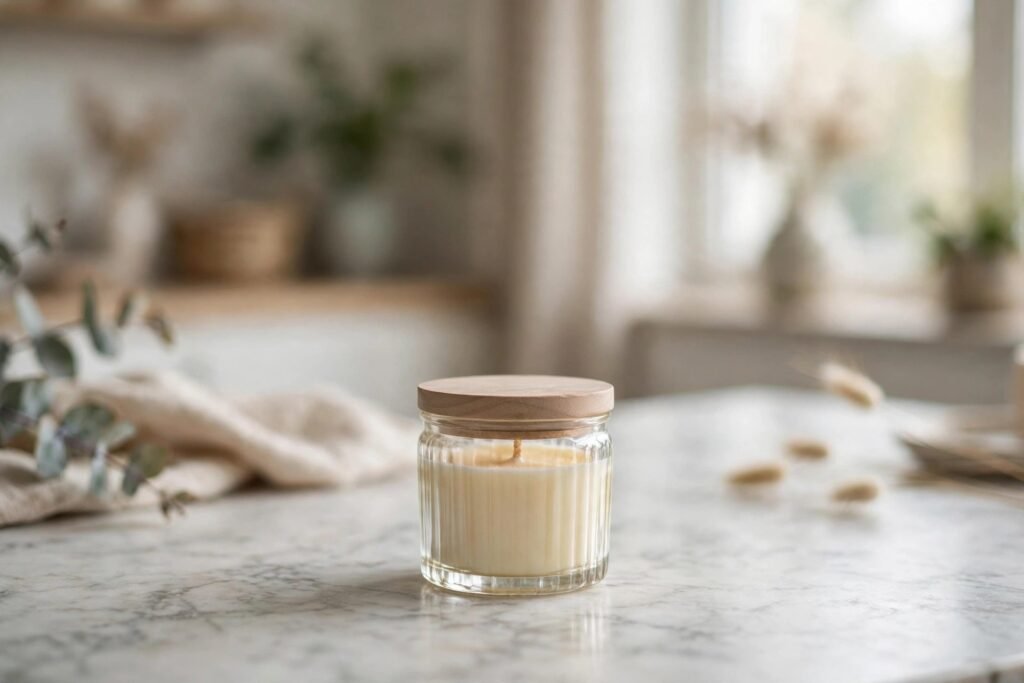
Professional-looking product shots like this no longer require a studio. AI product photography for small business owners recreates studio quality from a single smartphone photo.
Why AI Product Photography for Small Business Is a Game Changer
AI product photography for small business solves one of the most expensive bottlenecks in ecommerce: studio-quality images. Research consistently shows that 75% of online shoppers rely on product photos when deciding what to buy, and listings with professional images convert significantly better than those with amateur snapshots. For a small store running on thin margins, a single product shoot used to cost hundreds of dollars — per product.
That math never worked for small businesses. A store with 200 SKUs could not justify a $150-per-product shoot. The result? Grainy smartphone photos taken on a kitchen table, inconsistent backgrounds, and product pages that bleed conversions. AI product photography tools changed that equation in 2026 by turning one ordinary photo into a full set of studio-grade images in minutes.
These tools don’t just remove backgrounds. Modern AI product photo generators create realistic shadows, reflections, lifestyle scenes, and seasonal backdrops from a single flat-lay image. The output is good enough that most customers cannot tell the difference — and the cost is a fraction of a traditional shoot.
💰 The True Cost of Professional Product Shoots
Before you pick a tool, understand what you’re replacing. A traditional product photography shoot in 2026 typically includes:
- Photographer day rate: $300–$800, covering 10–25 products
- Studio rental: $50–$200 per session if not in-house
- Post-production: $5–$15 per image for retouching and background removal
- Turnaround time: 5–10 business days before images are live
For a small business adding 30 new products a quarter, that easily runs to $3,000–$6,000 per year — before you count reshoots for seasonal campaigns. By contrast, AI product photography subscriptions start around $15–$49/month for hundreds of images, with turnaround measured in minutes, not weeks.
The savings compound. Seasonal promotions, marketplace-specific crops (Amazon’s white-background rule, Etsy lifestyle shots), and A/B testing different hero images all become trivial when each variant costs pennies and minutes instead of days and dollars.
How AI Product Photography Tools Actually Work
Understanding the mechanics helps you judge output quality. Most AI product photography for small business platforms follow the same three-step pipeline:
1. Subject isolation
The AI segments your product from its background using computer vision trained on millions of product images. This is the most mature part of the pipeline — even budget tools handle clean edges, glass, and fabric well in 2026.
2. Scene generation
The isolated product is composited into a generated scene: a marble countertop, a beach at sunset, a cozy kitchen shelf. Diffusion-based models generate the background, then harmonize lighting, shadows, and reflections so the product sits naturally in the scene. This is where quality varies most between tools.
3. Enhancement and consistency
The final pass sharpens details, corrects color, and applies your brand’s style preset so all 200 product images look like they came from the same shoot. Many platforms let you save a brand template — pick it once, and every new product inherits the same look.
🛍️ 7 AI Product Photography Tools Small Stores Use in 2026
Here are the platforms small ecommerce businesses actually rely on this year, with honest notes on where each fits.
1. Flair.ai — Best for lifestyle scenes
Flair specializes in AI-generated lifestyle product photography. Upload a product cutout and drag it into professionally designed scenes — kitchens, studios, outdoor settings. Its strength is composition control: you place the product exactly where you want it, which matters for hero images on Shopify stores.
2. Pebblely — Best for speed and simplicity
Pebblely turns one product photo into dozens of backgrounds in seconds. It’s the fastest tool on this list for bulk work: batch-generate seasonal variants for an entire catalog in an afternoon. Small stores love its one-click background themes.
3. Photoroom — Best all-rounder for small teams
Photoroom combines background removal, AI scene generation, and a mobile app. For owners who shoot products on their phone between packing orders, the mobile workflow is unbeatable. Its batch editor handles marketplace-ready exports for Amazon and Etsy.
4. Claid.ai — Best for color accuracy
If you sell apparel, cosmetics, or anything where color accuracy drives returns, Claid’s color-correction engine is worth the premium. Fewer “this looked blue online” complaints means fewer returns — a direct margin win.
5. Booth.ai — Best for fashion and apparel
Booth generates on-model fashion shots from flat-lay garment photos — no models, no studio. For small clothing brands, this single feature replaces the most expensive shoot of all.
6. Pixelcut — Best free tier
Pixelcut’s free tier covers background removal and basic AI scenes, making it the ideal starter tool for testing AI product photography before committing budget. Paid plans unlock brand templates and higher resolution.
7. Let’s Enhance / Upscale tools — Best for image quality
Older product photos can be upscaled to 4K with AI super-resolution instead of reshot. If your catalog has legacy images from 2021, run them through an upscaler before paying for reshoots.
⚙️ Step-by-Step: Your 30-Minute AI Product Photo Workflow
Here’s the exact workflow a small store can run for every new product. Total time: about 30 minutes per product, most of it waiting on generation.
Step 1 — Shoot one clean photo (10 minutes). Use your phone, daylight near a window, product on a white poster board. You need one sharp, well-lit base image. This is the only “photography skill” required.
Step 2 — Remove the background (2 minutes). Upload to your chosen AI product photography tool. Verify the edges — zoom in on hair-thin details like jewelry chains or fabric fringes.
Step 3 — Generate 5–7 scenes (10 minutes). Create: one pure white background (Amazon/marketplace compliant), two lifestyle scenes matching your brand, one seasonal variant, and one close-up crop for the gallery. Save your brand template so colors stay consistent.
Step 4 — Quality check against reality (5 minutes). Compare the AI output to the real product. Check color, proportions, and texture. If the tool “improved” your product beyond reality, dial it back — misleading images create returns.
Step 5 — Export at the right sizes (3 minutes). Export the hero at 2048px, thumbnails at 800px, and marketplace crops per each platform’s rules. Name files with your focus keyword pattern for an SEO bonus.
This workflow pairs naturally with AI-generated product descriptions — many stores now create images and copy in the same session. If you haven’t set that up yet, see our guide on AI product description generators for Shopify for the copy side of the same pipeline.
Consistency is the real win: AI product photography for small business keeps every SKU in the same visual style, something even expensive shoots struggle with across seasons.
📊 Mini Case Study: A Candle Store’s 41% Conversion Lift
To move beyond theory, here’s a worked example based on typical results small stores report after switching to AI product photography. (Numbers are a realistic composite of published merchant reports, not a single audited store.)
The store: a 2-person handmade candle business on Shopify, 48 SKUs, previously using iPhone photos on a wooden table.
What they did: in one weekend, they ran every product through an AI product photography tool — white backgrounds for Google Shopping, cozy lifestyle scenes (candle on a coffee table, bathroom shelf) for the store, and autumn variants for a seasonal campaign. Total cost: one $39 monthly subscription plus ~8 hours of their time.
The results over 60 days:
- Product page conversion rate: 1.7% → 2.4% (+41%)
- Return rate: 6.2% → 4.1% (clearer images set accurate expectations)
- Google Shopping click-through: up 28% from cleaner white-background images
- Time to launch a new product: 6 days → same day
The math: at $18,000/month in revenue, a 0.7-point conversion lift added roughly $7,400/month in revenue — against a $39 tool. That 190x return is why AI product photography for small business is one of the highest-ROI AI investments an online store can make in 2026.
This kind of practical AI adoption is part of a bigger shift. Our complete guide to AI tools for small business maps the full landscape, and our look at how AI is reinventing retail shows where storefronts are heading next.
📸 Best Practices for AI-Generated Product Photos
- Start with a good base photo. AI enhances; it doesn’t resurrect blurry, dark originals. Garbage in, garbage out.
- Keep one consistent style per store. Pick a background family and lighting mood, save it as a template, and never deviate. Consistency builds brand trust.
- Always include a scale reference. A lifestyle scene with a familiar object (a hand, a coffee cup) tells shoppers the true size — size surprises are a top return driver.
- Match colors to reality. If the AI warms your product’s tone, correct it. Accurate color is more important than pretty color.
- Generate for each channel. White backgrounds for Amazon and Google Shopping, lifestyle for your store and Instagram. One product, multiple crops.
- A/B test hero images. With generation this cheap, test two hero styles per bestseller for two weeks and keep the winner.
⚠️ 5 Mistakes That Make AI Product Photos Look Fake
- Impossible shadows. If the shadow falls left but the “sun” is right, shoppers notice subconsciously. Regenerate with matched lighting.
- Floating products. No contact shadow under the product screams “cutout.” Always enable realistic grounding shadows.
- Over-smoothed textures. AI loves to erase fabric weave and wood grain. Keep texture detail — it’s what makes materials feel real.
- Wrong reflections. A glossy product reflecting a beach scene while “sitting” in a kitchen breaks the illusion. Check reflective surfaces.
- Ignoring the fine print. Some marketplaces restrict heavily edited images. Amazon, for example, requires the main image to be a real photograph on pure white — an AI scene as your primary Amazon image can get flagged. Use AI scenes for secondary images there.
For a broader view of how small retailers are applying AI across their operations, the step-by-step AI tool guides at AIToolSteps walk through practical setups for store owners adopting their first AI workflows.
🎯 Key Takeaways
- AI product photography for small business delivers studio-quality images at ~1% of traditional shoot costs.
- Pick your tool by need: lifestyle scenes, speed, mobile workflow, color accuracy, or fashion on-model shots.
- Run the 30-minute workflow per product: shoot clean, remove background, generate scenes, verify reality, export per channel.
- Realistic results (like the +41% conversion lift in our worked example) come from consistency + accuracy, not just prettier pictures.
- Avoid fake-looking output: matched shadows, real textures, accurate colors, and marketplace-compliant main images.
❓ Frequently Asked Questions
Can customers tell the difference between AI and studio product photos?
In 2026, rarely. Blind tests show most shoppers cannot distinguish well-made AI product photos from studio shots. The giveaways are lighting mismatches and over-smoothed textures — both avoidable with the best practices above.
How much does AI product photography for small business cost?
Plans start around $15–$49/month for hundreds of images, with free tiers available for testing. Compare that to $3,000–$6,000/year for traditional shoots on a 200-SKU catalog.
Will Amazon accept AI-generated product images?
Amazon requires the main image to be a real photograph on a pure white background (RGB 255,255,255). AI-generated scenes work well for secondary images. Always check the current policy of each marketplace before publishing.
Do AI product photos hurt SEO?
No — they help. Faster-loading, properly named images with descriptive alt text improve image search visibility. Just keep file sizes reasonable and use keyword-rich filenames and alt text.
What resolution should I export AI product photos at?
Export heroes at 2000–2048px on the long edge for Shopify and WooCommerce, thumbnails at 800px. Higher resolution isn’t needed for web and only slows page load.
Can AI product photography replace a photographer completely?
For catalog and lifestyle imagery, mostly yes for small businesses. For brand campaigns, hero lookbooks, and video, a human photographer still earns their fee. Most small stores now use AI for 80–90% of product imagery and hire pros only for flagship campaigns.
Sources: Shopify’s 2026 commerce photography benchmarks; Baymard Institute product-page usability research on image importance in purchase decisions; BigCommerce merchant guides on marketplace image requirements.